
Taxonomy structure
ECCAIRS taxonomy elements are structured as follows:
-
Entities
-
Attributes
-
Value Lists
-
Values
Entities
Entities represent items to which specific attributes are assigned—for example, an “Aircraft” involved in an incident or the associated “Events” description.
Multiple instances of an entity may exist when several items are involved (e.g., multiple aircraft in a single incident).
Entities can have child entities (e.g., an “Engine” belonging to an “Aircraft”).
Entities may also be linked to other entities (e.g., “Airspace” or “Aerodrome” where the “Aircraft” is operating).
Entities information
Entities in the Taxonomy Tree are represented by  or
or  .
.
The following information will be displayed in the right side of the screen when you click on an Entity in the Taxonomy Tree:
-
Entity information: A brief summary of the selected Entity.
-
Parent Entities: The list of its parent Entities
-
Child Entities: The list of its children Entities
-
Attributes. The list of its Attributes
Click on each tab (Parent Entities, Child Entities, Attributes) to view its information.
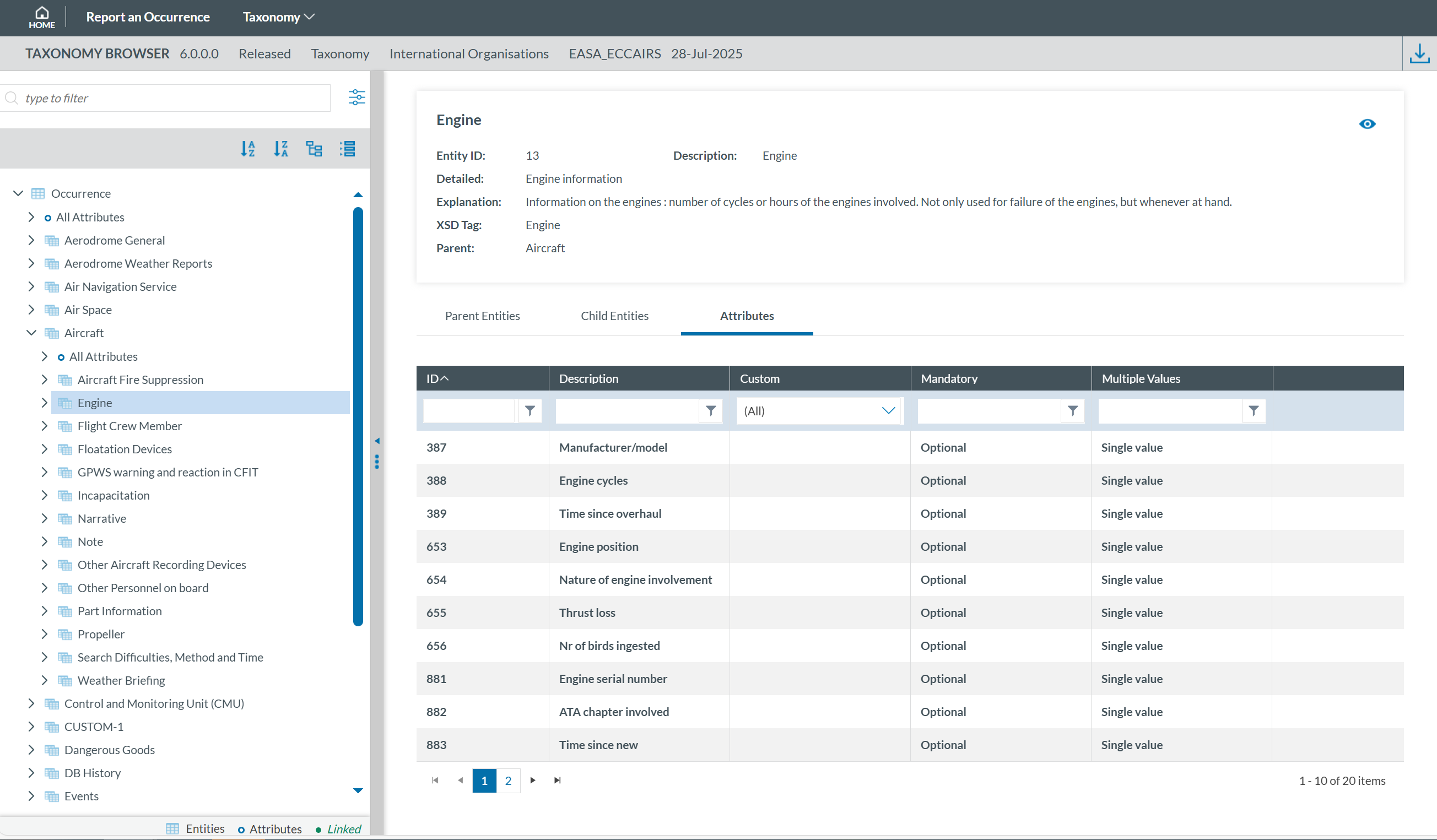
Clicking the 'eye' icon  you can see detailed information from the entity.
Attributes
Attributes describe properties/values associated to an entity and represented by  . An example of an attribute of the “Aircraft” entity is its "manufacturer/model". Attributes may have either single or multiple values and can be of the following types:
Number
Decimals
Text
Alphanumeric
Date
Time
DateTime
Longitude
Latitude
Code
Code and Additional Text
Code or Alternative Text
ECCAIRS Resource Locator
ECCAIRS Data Link
ECCAIRS Embedded Data
Attributes information
Attribute information can be viewed from two locations within the Taxonomy Browser:

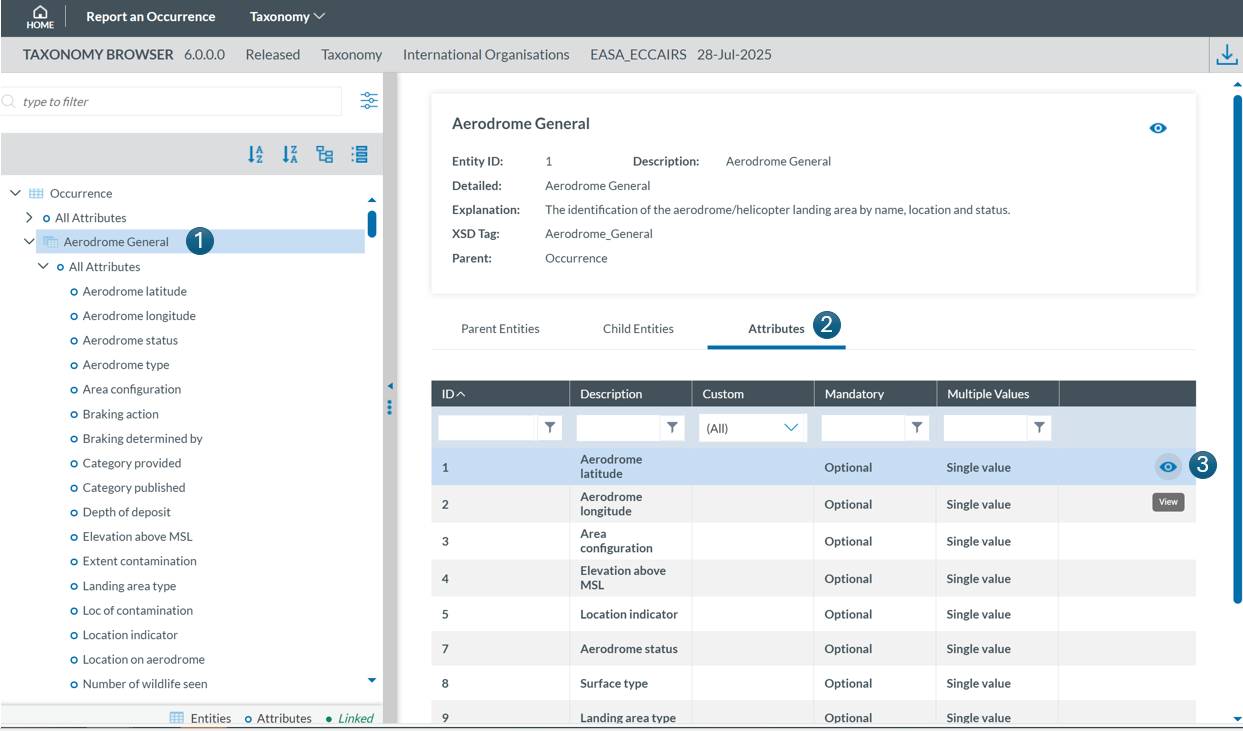
Select the entity to which the attribute belongs in the Taxonomy Tree (1), then click the 'Attribute' tab in the right-hand pane (2). Finally locate the attribute in the list and click the 'eye' icon  to view its detailed information (3):
The information will be displayed:
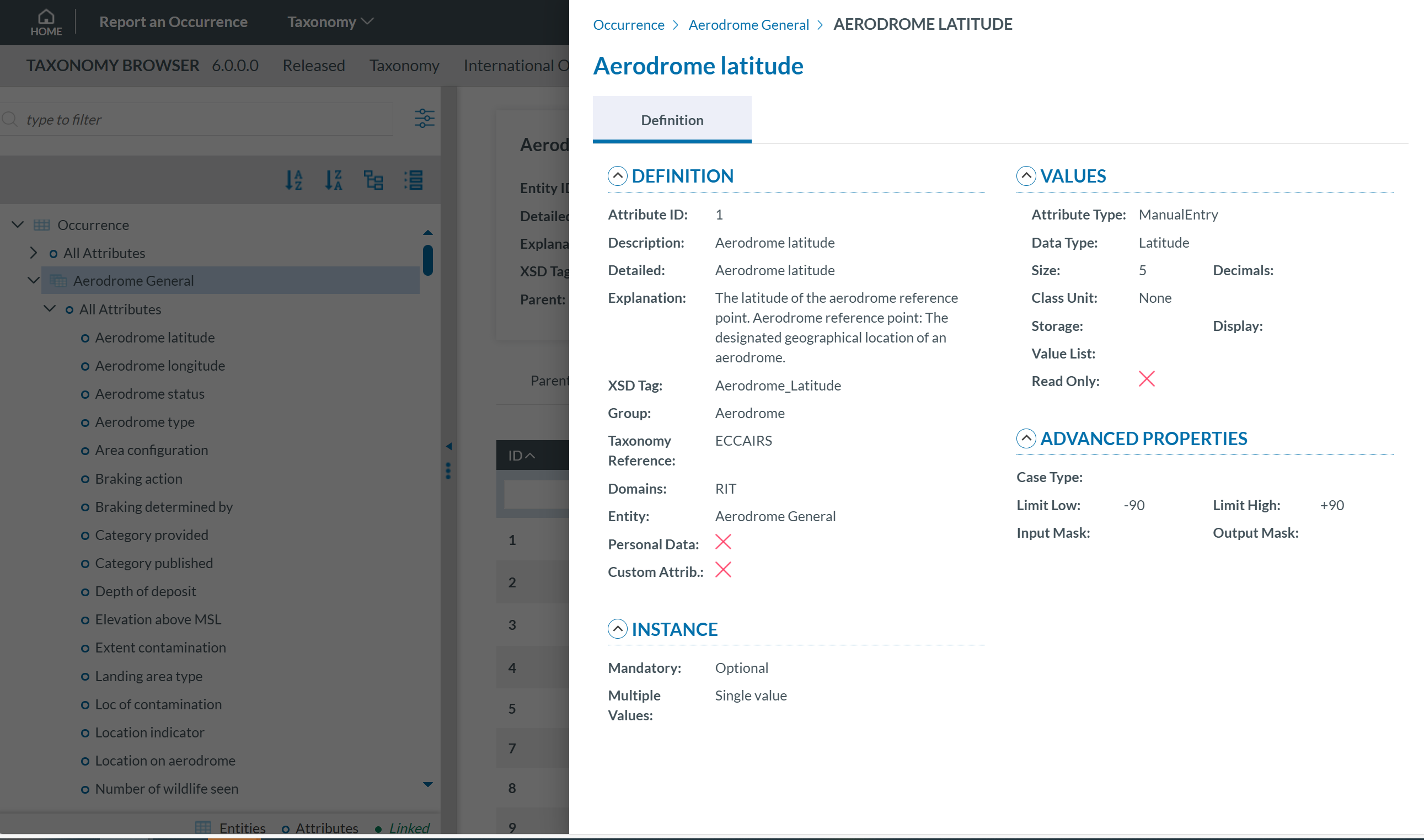
Attribute information may be displayed across two tabs:
_files/image_78.png)
_files/image_79.png)