# How to link entities
### Some background
#### What is understood with linking entities?
Linking entities is a fundamental aspect to ensure the accuracy, traceability, and quality of data in accident and incident reports. Linking entities helps create a cohesive view of complex events by connecting various elements such as separation, aircraft, events… Linking entities involves creating relationships between different data elements within an accident or incident report.
#### Why link entities?
- Improved Data Relationships and Context
- Enhanced Data Consistency and Accuracy
- Easier Data Analysis and Reporting
- Supports Comprehensive Investigations
- Facilitates Data Sharing and Interoperability
#### How to identify linkable entities?
From within the Taxonomy browser, it can be identified for which entities relationships can be
created.
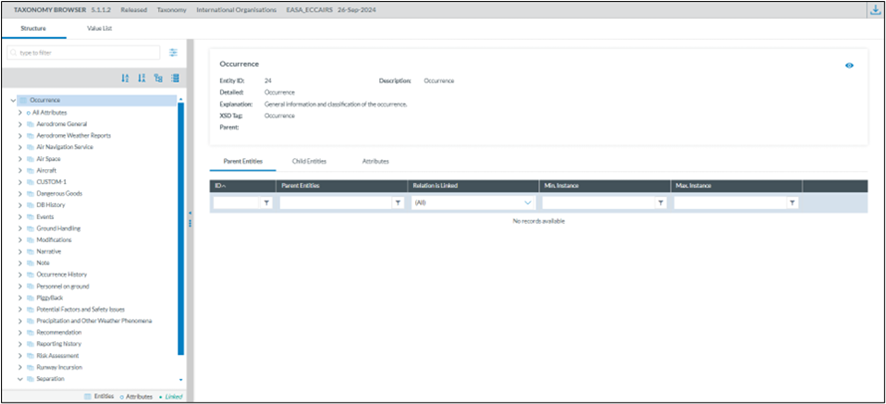
1. Open the taxonomy browser
[](https://help.ci-aviationreporting.eu/uploads/images/gallery/2025-11/cTrimage.png)
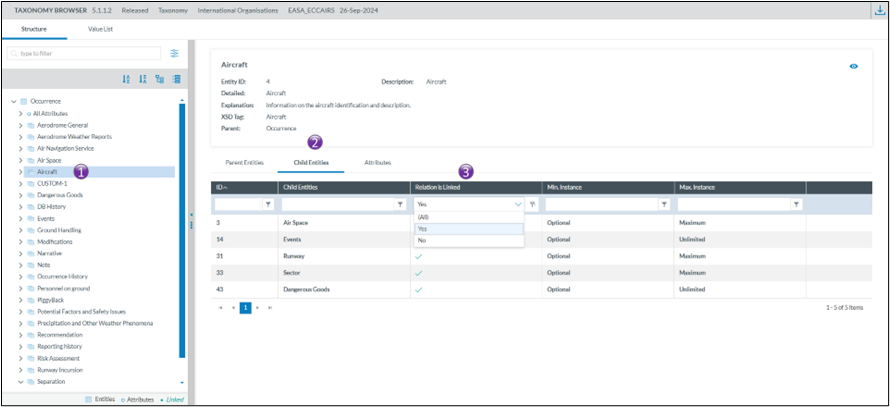
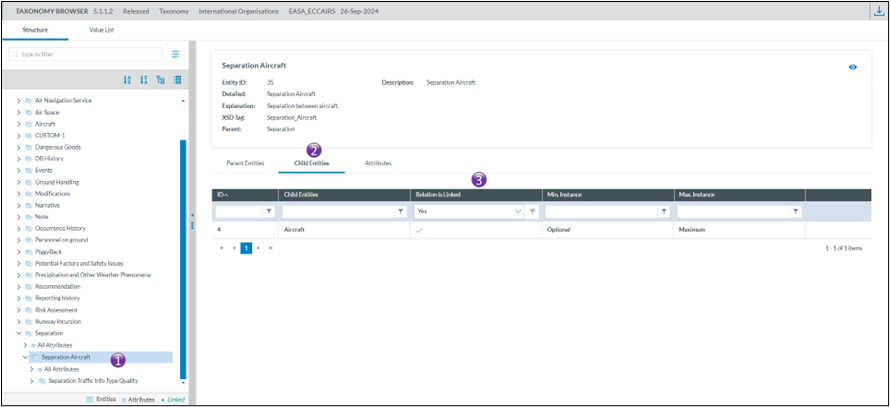
2\. Select an entity and open the “Child Entities” tab and filter on “Relation is Linked”
Example 1
[](https://help.ci-aviationreporting.eu/uploads/images/gallery/2025-11/u8Zimage.png)
In the first example, Aircraft can be liked to
- Airspace
- Events
- Runway
- Sector
- Dangerous Goods
Example 2
[](https://help.ci-aviationreporting.eu/uploads/images/gallery/2025-11/mSiimage.png)
In the second example, Separation Aircraft can be linked to
- Aircraft
#### How to create relationships between entities
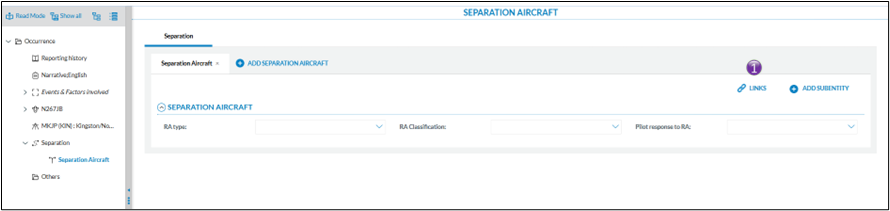
Creating relationships or links between entities is done when a document is in edit mode.
*There is a prerequisite, the entities for which a relationship is to be created need to be on the view used for editing the document. *
When a link between entities is possible, then the link option becomes visible
[](https://help.ci-aviationreporting.eu/uploads/images/gallery/2025-11/RAWimage.png)
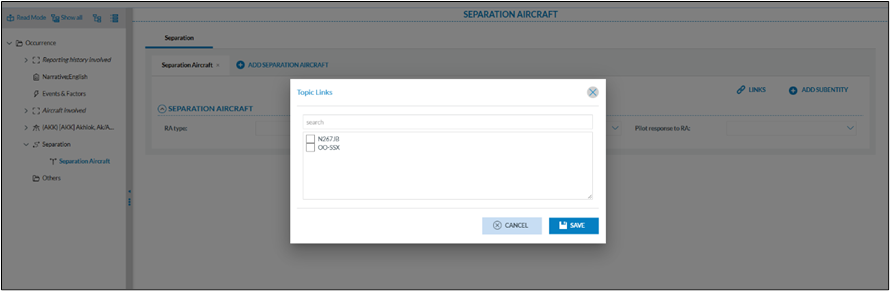
Clicking on the link will show which relationships are possible
[](https://help.ci-aviationreporting.eu/uploads/images/gallery/2025-11/dOPimage.png)
In the example above, the Separation Aircraft entity can be linked to the aircraft as defined in the
occurrence. It is possible to have both aircraft selected.
In the example below, the aircraft N267JB can be linked to different entities
[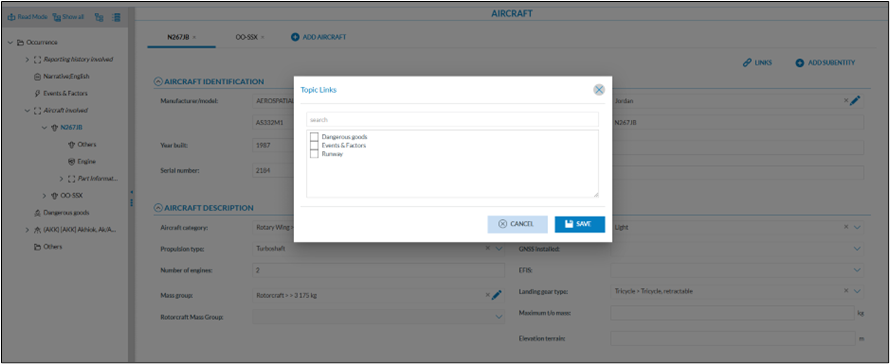](https://help.ci-aviationreporting.eu/uploads/images/gallery/2025-11/KjKimage.png)
#### Good practice
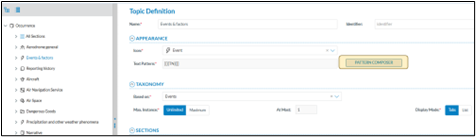
When linking entities, it’s essential to use clear and consistent naming conventions. This can be effectively achieved with the “pattern composer” when creating views, as it enables systematic and meaningful naming. A well-designed naming pattern makes entities easier to identify, enhances readability, and simplifies future maintenance across systems.
[](https://help.ci-aviationreporting.eu/uploads/images/gallery/2025-11/k3Jimage.png)
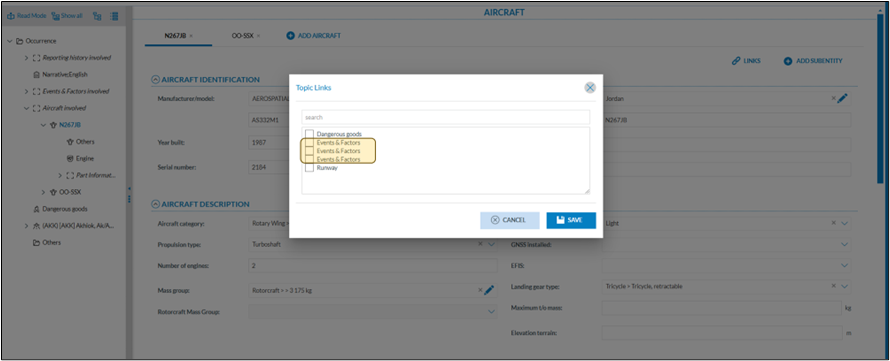
This to avoid having difficulties to what entity another entity is linked as seen below
[](https://help.ci-aviationreporting.eu/uploads/images/gallery/2025-11/K9Pimage.png)
#### How to see which relationships, or links exist on an entity?
When a link is established, the related entity appears in the tree view in a slightly different color
[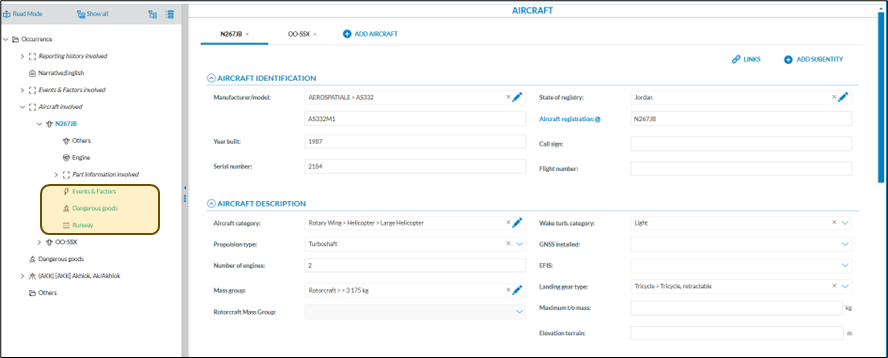](https://help.ci-aviationreporting.eu/uploads/images/gallery/2025-11/Kziimage.png)
When clicking on the related link in the tree view, E2 navigates to the appropriate entity