# 7.8. Default Queries
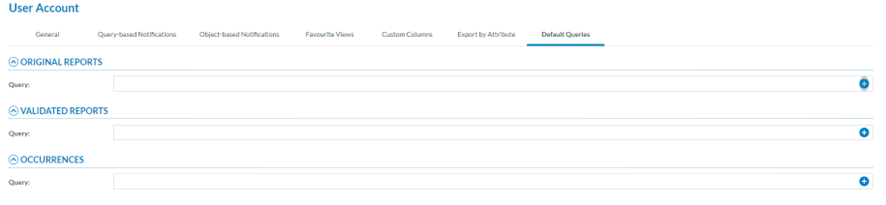
Officers can select the queries the system triggers when opening the ORs, the VR or OCs menus from the Safety Data menu.
[](https://help.ci-aviationreporting.eu/uploads/images/gallery/2025-11/6Syimage.png)
Through this page, the Officer can select the queries the system triggers when opening the ORs, the VR or OCs menus.
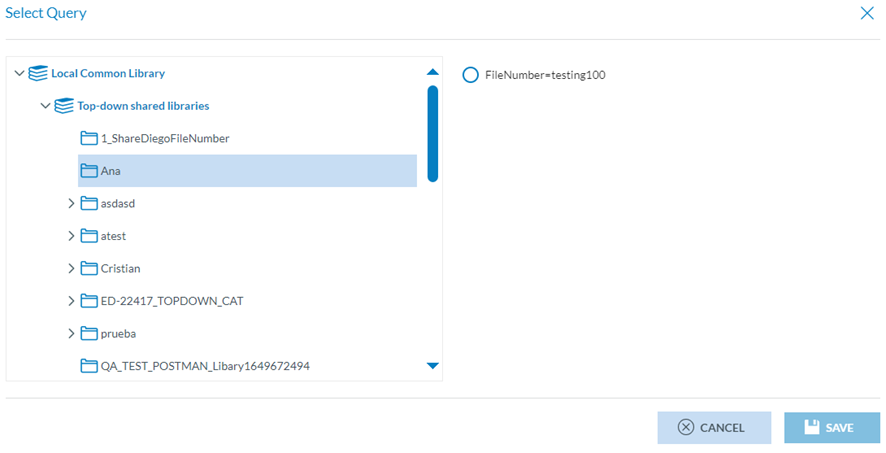
The Officer can click on the ‘+’ icon of the query field of the OR, VR or OC, and the system will open the Select Query window:
[](https://help.ci-aviationreporting.eu/uploads/images/gallery/2025-11/Xm6image.png)
This window will provide on the left the libraries available to the Officer. The Officer can select the corresponding library or category, and the right pane will present the stored queries in the selected location. The Officer can only choose one and click the ‘Save’ button, which will be activated. The updates will be saved in the database.
The Officer can do this operation in each reports section where they want to trigger the queries. When they have saved all the default queries, they will be triggered any time the corresponding reports menu is opened in the ECCAIRS Web Application