# 7.6. Custom Column
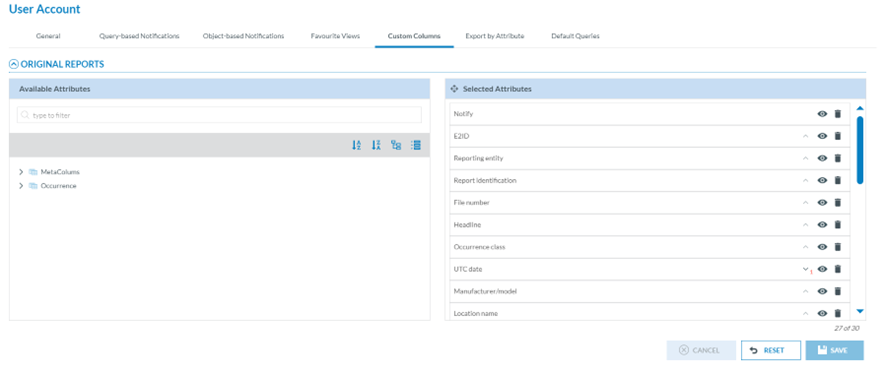
Officers can customise the list view for the different reports available in the system. They can set which columns are available in the lists, reorder, sort, etc. The columns can be attributes or metadata fields.
[](https://help.ci-aviationreporting.eu/uploads/images/gallery/2025-11/gvBimage.png)
Through this page, the Officer can select the attributes available in the ORs, VRs and OCs lists in the corresponding ‘Safety Data’ menus.
By default, the list of ORs, VRs and OCs in their menus provides a list of attributes, i.e.:
[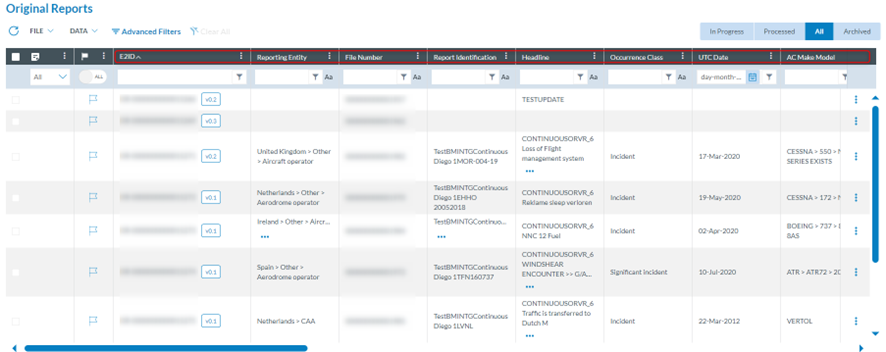](https://help.ci-aviationreporting.eu/uploads/images/gallery/2025-11/IF9image.png)
Through this Custom Columns menu, the Officer can decide which attributes appear in each list; the Officer can add and remove the attributes as well as altering their order.
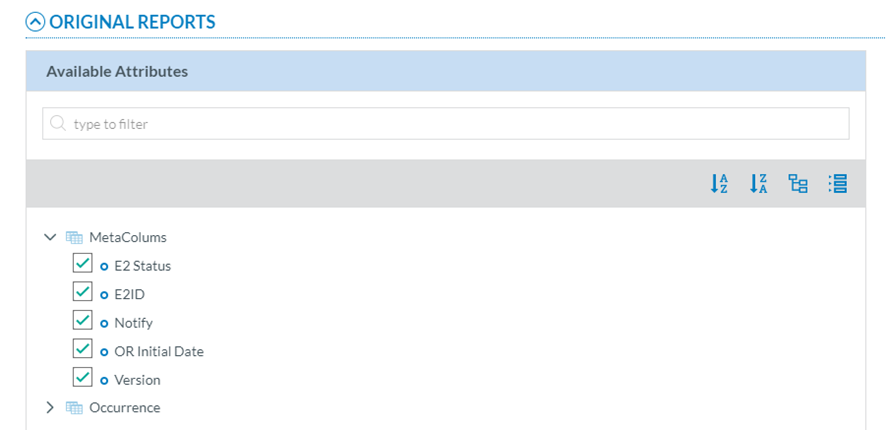
Thus, the left pane includes a search filter and the metaColumns, with all its fields checked by default:
[](https://help.ci-aviationreporting.eu/uploads/images/gallery/2025-11/t2Rimage.png)
Below is the ECCAIRS taxonomy, which the Officer can navigate to select more attributes. See Taxonomy browser section for further details on its navigation.
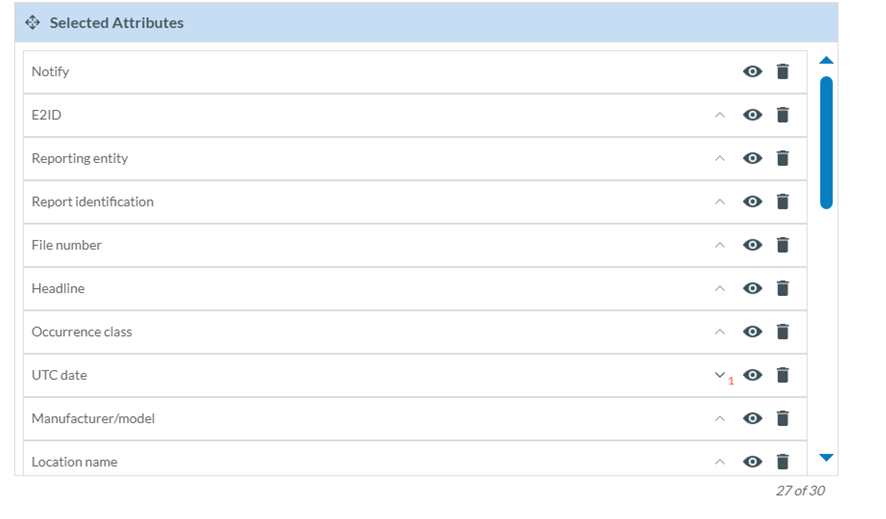
The right pane provides the selected metacolumns and attributes. By default, the system provides a list of metacolumns and attributes.
The Officer can hide them through the eye icon next to each one:
[](https://help.ci-aviationreporting.eu/uploads/images/gallery/2025-11/2Ekimage.png)
The rubbish icon is to delete the attribute or metacolumn of the list of reports.
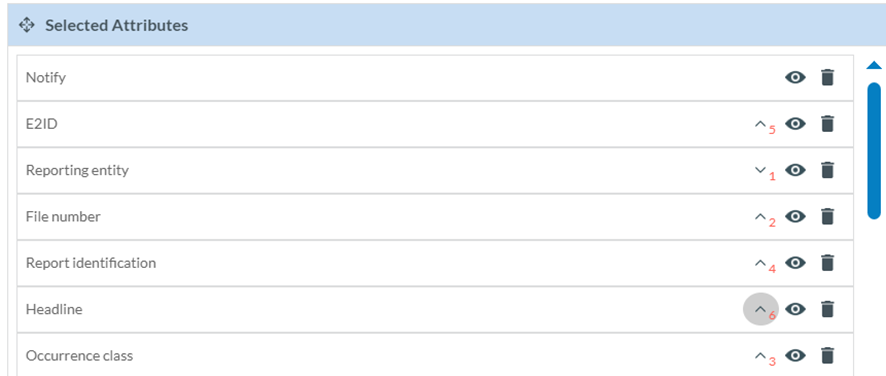
The Officer can alter their order by dragging and dropping them or by clicking on each arrow, i.e.: E2ID is number 1, then each time the Officer marks an arrow, it sets the order of the attributes in the list:
[](https://help.ci-aviationreporting.eu/uploads/images/gallery/2025-11/H3fimage.png)
Note: ‘Notify’ does not have an arrow since it always appears at the beginning of each report row:
[](https://help.ci-aviationreporting.eu/uploads/images/gallery/2025-11/rxcimage.png)
When the Officer is updating the attributes, before saving the updates, they can always click on the ‘Reset’ button below the list of selected attributes so that the system will set the ‘Selected attributes’ page to the default selection and order.
Note that there is a maximum number of attributes per list; if the Officer does not remove any from the default selection, only two more can be selected from the available list.
Once the Officer has updated the selected attributes and metacolumns, they have to click on the ‘Save’ button, and the tables of reports will be updated accordingly.