# National Security Administrator

<span>This document describes the tasks a National Security Administrator can perform through the E2 Web Application.</span>

# Version History

<table id="bkmrk-version-date-descrip" style="width:818px;height:74px;"><tbody><tr style="height:35px;"><td class="xl67" style="width:111.797px;height:35px;">**Version**</td><td class="xl67" style="width:119.859px;height:35px;">**Date**</td><td class="xl67" style="width:487.781px;height:35px;">**Description**</td><td style="width:97.5625px;">**E2 release**</td></tr><tr><td style="width:111.797px;">0.3</td><td style="width:119.859px;">30/09/24</td><td class="align-left" style="width:487.781px;">*ECCAIRS2 National Security Administrator’s task.pdf* .pdf</td><td style="width:97.5625px;">v2.40</td></tr><tr style="height:39px;"><td class="xl68" style="width:111.797px;height:39px;">0.4</td><td class="xl66" style="width:119.859px;height:39px;">20/11/2025</td><td class="xl65 align-left" style="width:487.781px;height:39px;">Migrated *ECCAIRS2 National Security Administrator’s task.pdf* to BookStack, incorporating structural adjustments for web-native documentation. Reviewed and updated introduction section.</td><td style="width:97.5625px;">v2.40</td></tr></tbody></table>

# Terms and abbreviations

<table id="bkmrk-term%2Fabbreviation-de" style="width:96.1905%;height:530.157px;"><tbody><tr style="height:35px;"><td class="xl65" style="width:27.9373%;height:35px;"><span lang="en-gb">**Term/Abbreviation**</span></td><td class="xl65" style="width:72.0627%;height:35px;"><span lang="en-gb">**Description**</span></td></tr><tr style="height:29.7969px;"><td style="width:27.9373%;height:29.7969px;">API</td><td style="width:72.0627%;height:29.7969px;">Application Programming Interface</td></tr><tr style="height:29.7969px;"><td style="width:27.9373%;height:29.7969px;">BO</td><td style="width:72.0627%;height:29.7969px;">Batch Operation</td></tr><tr style="height:29.7969px;"><td style="width:27.9373%;height:29.7969px;">CSV</td><td style="width:72.0627%;height:29.7969px;">Comma-separated values</td></tr><tr style="height:58px;"><td class="xl66" style="width:27.9373%;height:58px;">ECCAIRS</td><td class="xl66" style="width:72.0627%;height:58px;">European Co-ordination Centre for Aircraft Incident Reporting Systems</td></tr><tr style="height:29.7969px;"><td style="width:27.9373%;height:29.7969px;">E2</td><td style="width:72.0627%;height:29.7969px;">ECCAIRS 2</td></tr><tr style="height:29.7969px;"><td style="width:27.9373%;height:29.7969px;">ECR</td><td style="width:72.0627%;height:29.7969px;">European Central Repository</td></tr><tr style="height:29.7969px;"><td style="width:27.9373%;height:29.7969px;">ERCS</td><td style="width:72.0627%;height:29.7969px;">European Risk Classification Scheme</td></tr><tr><td style="width:27.9373%;">NAA</td><td style="width:72.0627%;">National Aviation Authority</td></tr><tr><td style="width:27.9373%;">M2M</td><td style="width:72.0627%;">Machine-to-Machine, automated exchange of data between systems without human intervention</td></tr><tr style="height:29.7969px;"><td style="width:27.9373%;height:29.7969px;">OC</td><td style="width:72.0627%;height:29.7969px;">Occurrence</td></tr><tr style="height:33px;"><td class="xl66" style="width:27.9373%;height:33px;">OR</td><td class="xl66" style="width:72.0627%;height:33px;">Original Report</td></tr><tr style="height:29.7969px;"><td style="width:27.9373%;height:29.7969px;">PDF</td><td style="width:72.0627%;height:29.7969px;">Portable Document Format</td></tr><tr><td style="width:27.9373%;">SIA</td><td style="width:72.0627%;">Safety Investigation Authority</td></tr><tr><td style="width:27.9373%;">SR</td><td style="width:72.0627%;">Safety Recommendation</td></tr><tr style="height:29.7969px;"><td style="width:27.9373%;height:29.7969px;">VR</td><td style="width:72.0627%;height:29.7969px;">Validated Report</td></tr><tr><td style="width:27.9373%;">WT</td><td style="width:72.0627%;">Word Template</td></tr><tr style="height:29.7969px;"><td style="width:27.9373%;height:29.7969px;">XLS</td><td style="width:72.0627%;height:29.7969px;">Excel Spreadsheet</td></tr><tr style="height:29.7969px;"><td style="width:27.9373%;height:29.7969px;">XML</td><td style="width:72.0627%;height:29.7969px;">Extensible Markup Language</td></tr><tr style="height:29.7969px;"><td style="width:27.9373%;height:29.7969px;">XSD</td><td style="width:72.0627%;height:29.7969px;">XML Schema Definition</td></tr></tbody></table>

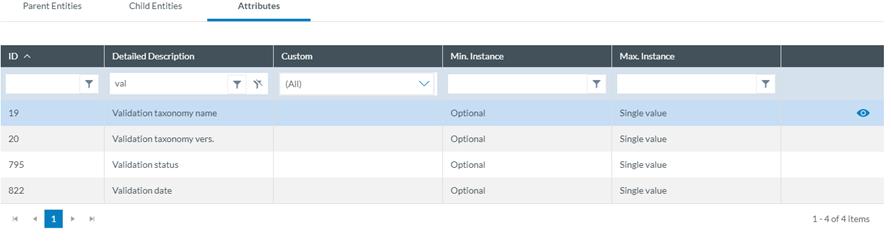
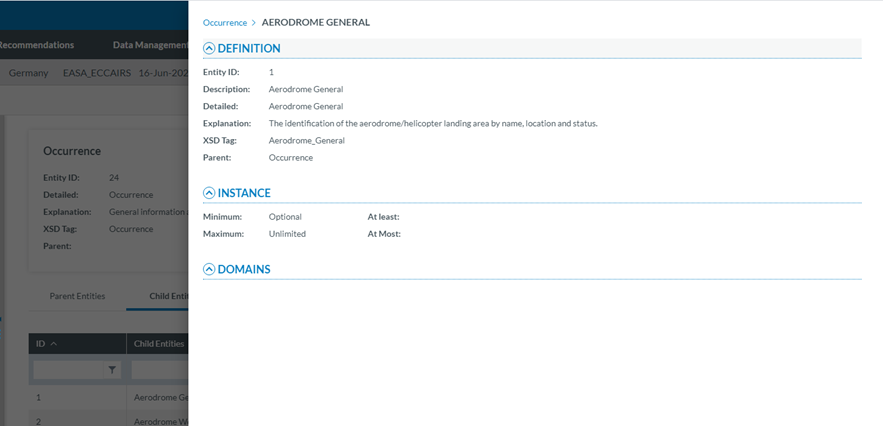
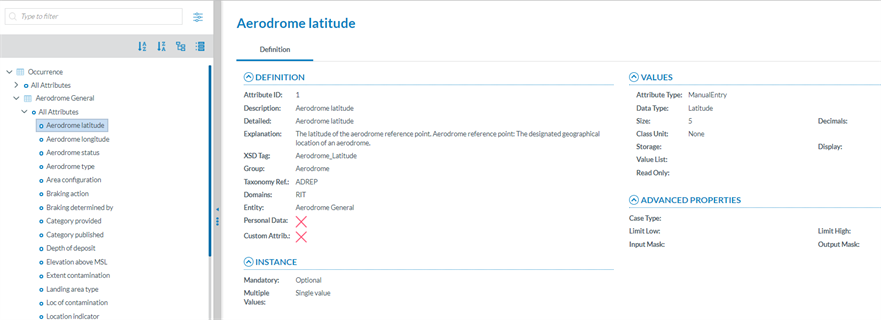
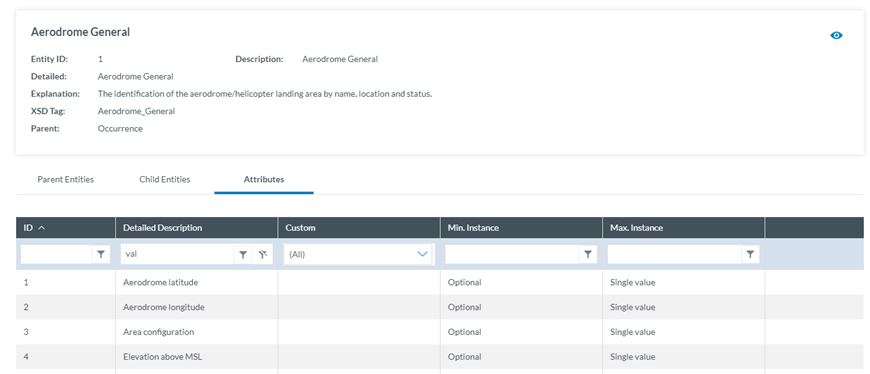
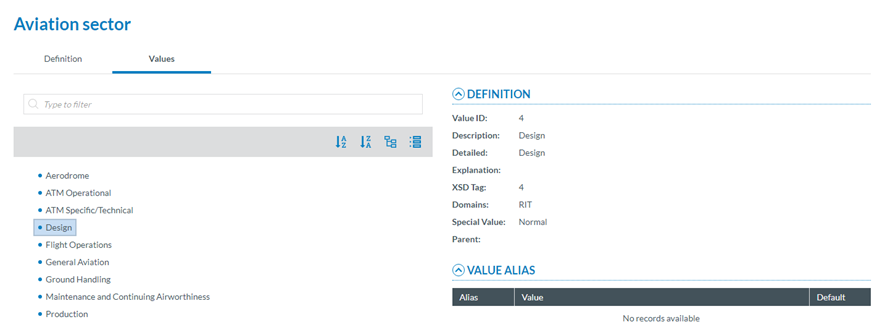
For each entity or attribute in the taxonomy, you can find its definition with detailed information, an explanation, and possible values in the [Taxonomy Browser](https://e2.aviationreporting.eu/taxonomy).

# Table of Contents

Table of Contents

Version History

Terms and abbreviations

1\. Introduction &amp; Accessing

1.1. Introduction

1.2. Accessing ECCAIRS 2

1.3. Sign in

1.4. Reset Password

2\. Home

3\. Data Management

3.1. Queries

3.2.Libraries

3.3 Batch operations

3.4. Batch operations groups

3.5. Word Templates

4\. Taxonomy Browser

4.1. Introducion

4.2. View a Taxonomy

4.3. View Release Notes

4.4. Download XML

4.5. Download CSV and XSD files

4.6. Taxonomy Management

4.7. Set Custom Taxonomy properties

4.8. Delete a Custom Taxonomy

4.9. Taxonomy version number and name

5\. Views Management

5.1. Introduction

5.2. Sections

5.3. Views

5.4 Webforms

6\. Administration

6.1. Administration menu

6.2. General Settings

6.3. Roles and Permissions

6.4. Content Management

6.5. Others

7\. My account

7.1. My account menu

7.2. Personal Details

7.3. Query-based notifications

7.4. Object-base notifications

7.5. Favourite View

7.6 Custom Column

7.7. Export by Atributte

7.8. Default Queries

8\. ECCAIRS 2 Help

# 1. Introduction & Accessing

# 1.1. Introduction

ECCAIRS 2 is the European platform designed for the efficient and secure management of occurrence reports in the field of aviation. These reports are submitted to the system by reporters or organizations, such as airlines, maintenance organisations, or other aviation stakeholders. The collection, validation, and follow-up of reports are essential tasks that contribute directly to the continuous improvement of operational safety.

The process is primarily managed by Occurrence Officers from aviation Authorities of each country. To reduce manual workload, the system also allows for the automation of repetitive or large-scale tasks through batch operations. As a result, the system requires prior configuration and ongoing maintenance, which are handled by <span lang="EN-GB">National Security Administrator</span>.

<span lang="EN-GB">This document describes all the tasks a National Security Administrator can perform through the ECCAIRS Web Application once logged in. It applies to National Aviation Authorities and Safety Investigation Authorities Administrators.</span>

Tasks that can be performed by the National Security Administrator include:

**Data Management:**

- Querys: 
    - Create, edit, and share queries with conditions.
    - Integration with batch operations.
- Batch Operations: 
    - <span style="text-indent: -18pt;">Automate actions on reports (e.g., update, share, process).</span>
    - Schedule manual or continuous execution.
- Word Templates: Export reports in Word format.

**Taxonomy Management:** Custom taxonomy management.

**Views and Sections:**

- Create sections and views with attributes, images, and text.
- Customize web forms for reporters.

**Administration:**

- Manage organizations, groups, and users.
- Set permissions, roles, and auto-filled attributes.
- Set Notifications.
- Migration of E5Z files (OC)
- Upload and Validation of E5X files (OR)

# 1.2. Accessing ECCAIRS2

Follow these steps to access the Reporting Portal to Report an Occurrence:

1. Go to [E2 Central Hub homepage](https://aviationreporting.eu/).
2. Click on the 'Report an Occurrence' banner.

[![image.png](https://help.ci-aviationreporting.eu/uploads/images/gallery/2025-10/scaled-1680-/Lacimage.png)](https://help.ci-aviationreporting.eu/uploads/images/gallery/2025-10/Lacimage.png)

You will be redirected to the [Reporting Portal homepage](https://e2.aviationreporting.eu/).

[![image.png](https://help.ci-aviationreporting.eu/uploads/images/gallery/2025-10/scaled-1680-/XRSimage.png)](https://help.ci-aviationreporting.eu/uploads/images/gallery/2025-10/XRSimage.png)

You can access the ECCAIRS 2 Web Application the by clicking on 'SIGN IN TO ECCAIRS'.

If you do not yet have an account, contact your Authority administrator to create a new one.

# 1.3. Sign in

#### Important notes

##### Correct Access URL

If you have created a shortcut to the URL https://api.aviationreporting.eu/idp/login, please be aware that this address points to the dedicated login server only. When accessed directly, the system does not know where to redirect the user after authentication, **resulting in a failed or incomplete login process.**

To ensure proper access and functionality, always use the official entry point:

**Valid URL**: [https://e2.aviationreporting.eu](https://e2.aviationreporting.eu/)

This address initiates the login flow correctly and allows the system to return you to the appropriate reporting environment after authentication.

##### Automatic Time Zone Configuration

For the time being it’s essential that your device’s time zone is set to automatic. If your local time doesn’t match the server time, the system may interpret your authentication token as expired—even if it was just generated.

How to ensure your time zone is set automatically:

- **On Windows:** Go to *Settings* → *Time &amp; Language* → *Date &amp; Time* Enable: 
    - “Set time automatically”
    - “Set time zone automatically”
- **On macOS:** Go to *System Preferences* → *Date &amp; Time* Check the box: “Set time zone automatically using current location”
- **On mobile devices (Android/iOS):** Make sure “Automatic date &amp; time” is enabled in your system settings.

This configuration ensures your access token remains valid and prevents login issues related to time synchronization.

#### Sign in

To sign in, please follow these steps:

1. Visit the E2 Reporting Portal at [https://e2.aviationreporting.eu/](https://e2.aviationreporting.eu/).

[![image.png](https://help.ci-aviationreporting.eu/uploads/images/gallery/2025-10/scaled-1680-/qSpimage.png)](https://help.ci-aviationreporting.eu/uploads/images/gallery/2025-10/qSpimage.png)

2. Click on 'SIGN IN TO ECCAIRS'. You will be redirected to the following page:

[![image.png](https://help.ci-aviationreporting.eu/uploads/images/gallery/2025-10/scaled-1680-/IUnimage.png)](https://help.ci-aviationreporting.eu/uploads/images/gallery/2025-10/IUnimage.png)

3. Fill out your Username and Password.
4. Click on 'SIGN IN TO ECCAIRS'. The system will display the following page:
    
    [![image.png](https://help.ci-aviationreporting.eu/uploads/images/gallery/2025-10/scaled-1680-/X34image.png)](https://help.ci-aviationreporting.eu/uploads/images/gallery/2025-10/X34image.png)
5. <span lang="EN-GB">Please check your email. The system will send a one-time security code to the email address linked to your user account. The message will be sent from the address 'do-not-reply@aviationreporting.eu'.</span>

[![image.png](https://help.ci-aviationreporting.eu/uploads/images/gallery/2025-10/scaled-1680-/URkimage.png)](https://help.ci-aviationreporting.eu/uploads/images/gallery/2025-10/URkimage.png)

6. <span lang="EN-GB">Enter your security code and click 'SUBMIT'. You will be redirected to the 'Home' page. </span>

[![image.png](https://help.ci-aviationreporting.eu/uploads/images/gallery/2025-11/scaled-1680-/image.png)](https://help.ci-aviationreporting.eu/uploads/images/gallery/2025-11/image.png)

# 1.4. Reset Password

To reset your password **if you've forgotten it,** please follow these steps:

1. Visit the E2 Reporting Portal at [https://e2.aviationreporting.eu/](https://e2.aviationreporting.eu/).

[![image.png](https://help.ci-aviationreporting.eu/uploads/images/gallery/2025-10/scaled-1680-/wUcimage.png)](https://help.ci-aviationreporting.eu/uploads/images/gallery/2025-10/wUcimage.png)

2. Click on 'SIGN IN TO ECCAIRS'. You will be redirected to the following page:

[![image.png](https://help.ci-aviationreporting.eu/uploads/images/gallery/2025-10/scaled-1680-/LWcimage.png)](https://help.ci-aviationreporting.eu/uploads/images/gallery/2025-10/LWcimage.png)

3. Click on the 'Forgot your password?' link and fill out your username (not your email):
    
    [![image.png](https://help.ci-aviationreporting.eu/uploads/images/gallery/2025-10/scaled-1680-/LpYimage.png)](https://help.ci-aviationreporting.eu/uploads/images/gallery/2025-10/LpYimage.png)
4. Click 'RECOVER PASSWORD'. You will receive an email with instructions on how to recover the password.

**If you're already signed in, you can reset your password** via your user icon:

1. Click 'Reset password' The system will display:

[![image.png](https://help.ci-aviationreporting.eu/uploads/images/gallery/2025-10/scaled-1680-/Mkjimage.png)](https://help.ci-aviationreporting.eu/uploads/images/gallery/2025-10/Mkjimage.png)

2. Fill-in the formular and click 'SUBMIT'.

# 2. Home (Landing page)

<span lang="en-gb">When the Administrator accesses the E2 Web Application or when navigating its sections and clicks on ‘Home’, the system displays the landing page:</span>

[![image.png](https://help.ci-aviationreporting.eu/uploads/images/gallery/2025-11/scaled-1680-/0Cvimage.png)](https://help.ci-aviationreporting.eu/uploads/images/gallery/2025-11/0Cvimage.png)

<span lang="en-gb"> </span>

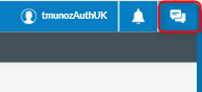
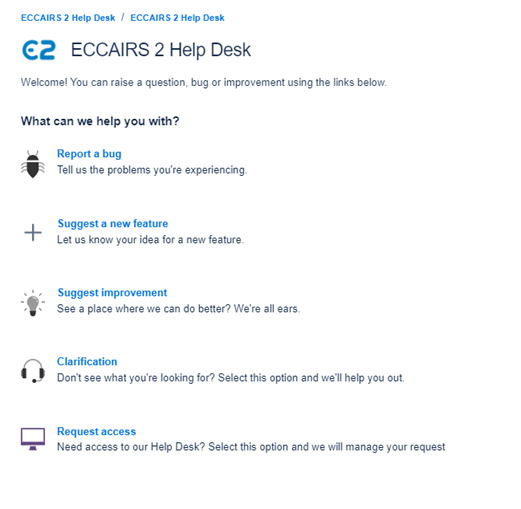
<span lang="en-gb">On top of the page, in the right-side corner, the system displays the Administrator’s username and a bell with the number of unread notifications, if any, and a link to access the Help Desk:</span>

[![image.png](https://help.ci-aviationreporting.eu/uploads/images/gallery/2025-11/scaled-1680-/gi5image.png)](https://help.ci-aviationreporting.eu/uploads/images/gallery/2025-11/gi5image.png)

<span lang="en-gb"> </span>

<span lang="en-gb">Below the menus bar, the system displays filter buttons with the number of:</span>

<span lang="en-gb" style="font-family:Symbol;color:#1b3891;"><span>·<span style="font:7pt 'Times New Roman';"> </span></span></span><span lang="en-gb">Original Reports: all OR-related notifications (N/A for Administrators)</span>

<span lang="en-gb" style="font-family:Symbol;color:#1b3891;"><span>·<span style="font:7pt 'Times New Roman';"> </span></span></span><span lang="en-gb">Validated Reports: all VR-related notifications (N/A for Administrators)</span>

<span lang="en-gb" style="font-family:Symbol;color:#1b3891;"><span>·<span style="font:7pt 'Times New Roman';"> </span></span></span><span lang="en-gb">Occurrences: all OC-related notifications (N/A for Administrators)</span>

<span lang="en-gb" style="font-family:Symbol;color:#1b3891;"><span>·<span style="font:7pt 'Times New Roman';"> </span></span></span><span lang="en-gb">Safety Recommendations: all SR-related notifications (N/A for Administrators)</span>

<span lang="en-gb" style="font-family:Symbol;color:#1b3891;"><span>·<span style="font:7pt 'Times New Roman';"> </span></span></span><span lang="en-gb">Sharing Notifications: all notifications related to elements (queries, libraries or word templates) shared with the Administrator</span>

<span lang="en-gb">Below those buttons, the system displays the list of notifications:</span>

[![image.png](https://help.ci-aviationreporting.eu/uploads/images/gallery/2025-11/scaled-1680-/v6limage.png)](https://help.ci-aviationreporting.eu/uploads/images/gallery/2025-11/v6limage.png)

<span lang="en-gb"> </span>

<span lang="en-gb">By default, the list only includes the unread notifications, including:</span>

<span lang="en-gb" style="font-family:Symbol;color:#1b3891;"><span>·<span style="font:7pt 'Times New Roman';"> </span></span></span><span lang="en-gb">The query-based notifications the Administrator has defined for the Authority</span>

<span lang="en-gb" style="font-family:Symbol;color:#1b3891;"><span>·<span style="font:7pt 'Times New Roman';"> </span></span></span><span lang="en-gb">The Administrator defines the query-based notifications through ‘My account’. See </span><span class="MsoHyperlink"><span lang="en-gb">Query-based notifications</span></span><span lang="en-gb"> for further details on these notifications.</span>

<span lang="en-gb"> </span><span lang="en-gb">The Administrator can update the results through the ‘**<span>All’</span>**, ‘**<span>Read’</span>** and ‘**<span>Unread’</span>** tabs above the list.</span>

<span lang="en-gb">The Administrator can also restrict the results through the **<span>filter buttons</span>** mentioned above.</span>

<span lang="en-gb">Each notification of the list is divided into columns:</span>

<span lang="en-gb" style="font-family:Symbol;color:#1b3891;"><span>·<span style="font:7pt 'Times New Roman';"> </span></span></span><span lang="en-gb">A check box: to select the specific notification.</span>

<span lang="en-gb" style="font-family:Symbol;color:#1b3891;"><span>·<span style="font:7pt 'Times New Roman';"> </span></span></span><span lang="en-gb">Mail and delete icon: if the mail is open, it is read so the icon can mark it as ‘unread’; if close, it is unread, so the icon can mark it as ‘read’. The delete icon deletes the notification after a confirmation message.</span>

<span lang="en-gb" style="font-family:Symbol;color:#1b3891;"><span>·<span style="font:7pt 'Times New Roman';"> </span></span></span><span lang="en-gb">Type: All, OR, VR, OC, safety recommendations, queries, libraries or word templates. In the case of an Administrator, only All, queries, libraries or word templates apply.</span>

<span lang="en-gb" style="font-family:Symbol;color:#1b3891;"><span>·<span style="font:7pt 'Times New Roman';"> </span></span></span><span lang="en-gb">Action: The options are All, creation, update, deletion, and shared. The action dropdown menu can filter it. In the case of Administrator, only All and shared applies.</span>

<span lang="en-gb" style="font-family:Symbol;color:#1b3891;"><span>·<span style="font:7pt 'Times New Roman';"> </span></span></span><span lang="en-gb">Notification: it summarises the notified action, i.e. John Smith has shared a new word template named ‘Word Template 1’ with you. Click here to open it. </span>

<span lang="en-gb" style="font-family:Symbol;color:#1b3891;"><span>·<span style="font:7pt 'Times New Roman';"> </span></span></span><span lang="en-gb">Origin: it provides the author of the notified action.</span>

<span lang="en-gb" style="font-family:Symbol;color:#1b3891;"><span>·<span style="font:7pt 'Times New Roman';"> </span></span></span><span lang="en-gb">Date: apart from the date of the notified action, it includes a filter to search based on the date.</span>

<span lang="en-gb">Above the list of notifications, the system displays the following tabs:</span>

[![image.png](https://help.ci-aviationreporting.eu/uploads/images/gallery/2025-11/scaled-1680-/XJLimage.png)](https://help.ci-aviationreporting.eu/uploads/images/gallery/2025-11/XJLimage.png)

<span lang="en-gb"> </span>

<span lang="en-gb">After selecting the specific notification, the Administrator can click it to mark it as read, mark it as unread or delete the notification.</span>

<span lang="en-gb">The Clear All button removes all the filters and shows the default list of notifications for the specific Administrator.</span>

# 3. Data Management

This menu of the E2 portal includes queries, batch operations, batch operations groups and word templates.

# 3.1. Queries

<span lang="EN-GB">Queries are a powerful tool the Officers can use to filter occurrences, validated reports and original reports through various stages in the E2. Also, safety recommendations should be made if the officer belongs to a Safety Investigation Authority.</span>

[![image.png](https://help.ci-aviationreporting.eu/uploads/images/gallery/2025-11/scaled-1680-/t7Zimage.png)](https://help.ci-aviationreporting.eu/uploads/images/gallery/2025-11/t7Zimage.png)

<span lang="EN-GB" style="mso-ansi-language: EN-GB; mso-fareast-language: EN-GB;"> </span>

### 3.1.1. Queries overview and Libraries tree view

<span lang="EN-GB">In the Queries section, the Administrator can create queries, share them with other users or manage queries shared by other users with the Administrator.</span>

<span lang="EN-GB">The Administrator has to open the 'Data Management’ menu at the top of the page, then click on the 'Queries' option (Data Management &gt; Queries). The system will display the Queries menu:</span>

[![image.png](https://help.ci-aviationreporting.eu/uploads/images/gallery/2025-11/scaled-1680-/3Xzimage.png)](https://help.ci-aviationreporting.eu/uploads/images/gallery/2025-11/3Xzimage.png)

<span lang="EN-GB" style="mso-ansi-language: EN-GB; mso-fareast-language: EN-GB;"> </span>

<span lang="EN-GB">On the left panel, there is a view of the Libraries tree. It includes all the libraries available to the Administrator. Those are the folders that can have categories and subcategories. Find more information about these libraries in the [Libraries](#_Libraries) section. The libraries available to the Administrator are: My Personal Libraries, the Local Common Library, the Common BO Library, the National Shared Library, and the Shared with Me Library. </span>

<span lang="EN-GB">Administrators can click on the corresponding libraries, and the content will be displayed in the queries overview in the right panel.</span>

<span lang="EN-GB">On the Queries menu, Administrators will have all the folders available, but only the queries will be accessible to them, although the Libraries tree view is the same.</span>

<span lang="EN-GB">On the right, there will be the list of default Queries. It shows the first Library with the content of the Tree view, as seen in the image above. The list shows the corresponding folder or category of the library and below its subcategories if existing, and the queries.</span>

<span lang="EN-GB">The columns that also work as filters are the following:</span>

<span lang="EN-GB" style="font-family: Symbol; mso-fareast-font-family: Symbol; mso-bidi-font-family: Symbol; color: #1b3891; mso-themecolor: text1;"><span style="mso-list: Ignore;">·<span style="font: 7.0pt 'Times New Roman';"> </span></span></span>**<span lang="EN-GB" style="mso-bidi-font-family: 'Times New Roman';">Name</span>**<span lang="EN-GB">: It shows the category, its subcategories, and the queries if they exist. Administrators can unfold the folders through the arrows.</span>

<span lang="EN-GB" style="font-family: Symbol; mso-fareast-font-family: Symbol; mso-bidi-font-family: Symbol; color: #1b3891; mso-themecolor: text1;"><span style="mso-list: Ignore;">·<span style="font: 7.0pt 'Times New Roman';"> </span></span></span>**<span lang="EN-GB" style="mso-bidi-font-family: 'Times New Roman';">The ‘BO’ column shows a green tick if the query</span>**<span lang="EN-GB"> is used in a batch operation. N/A for SRIS queries for the moment.</span>

<span lang="EN-GB" style="font-family: Symbol; mso-fareast-font-family: Symbol; mso-bidi-font-family: Symbol; color: #1b3891; mso-themecolor: text1;"><span style="mso-list: Ignore;">·<span style="font: 7.0pt 'Times New Roman';"> </span></span></span>**<span lang="EN-GB" style="mso-bidi-font-family: 'Times New Roman';">Author</span>**<span lang="EN-GB">: it is the username of the author of the query</span>

<span lang="EN-GB" style="font-family: Symbol; mso-fareast-font-family: Symbol; mso-bidi-font-family: Symbol; color: #1b3891; mso-themecolor: text1;"><span style="mso-list: Ignore;">·<span style="font: 7.0pt 'Times New Roman';"> </span></span></span>**<span lang="EN-GB" style="mso-bidi-font-family: 'Times New Roman';">Date</span>**<span lang="EN-GB">: Creation date.</span>

<span lang="EN-GB" style="font-family: Symbol; mso-fareast-font-family: Symbol; mso-bidi-font-family: Symbol; color: #1b3891; mso-themecolor: text1;"><span style="mso-list: Ignore;">·<span style="font: 7.0pt 'Times New Roman';"> </span></span></span>**<span lang="EN-GB" style="mso-bidi-font-family: 'Times New Roman';">‘To Lobby’</span>**<span lang="EN-GB"> column shows a green tick if the query can be exported to another environment and a red cross if it cannot be exported to another environment because it contains Custom Attributes.</span>

### 3.1.2. Query builder - creation of a query

<span lang="EN-GB">The Administrator can create queries in My Personal Libraries and the Local Common Library. The Administrator must click the 'New Query' button to create a new one in the selected library or folder. (This New Query button is unavailable when navigating through ‘Shared with me Libraries’ and ‘Lobby Libraries, whose queries can be executed and copied by Administrators but neither created nor edited nor deleted.) A new window will be displayed with the Query Builder:</span>

[![image.png](https://help.ci-aviationreporting.eu/uploads/images/gallery/2025-11/scaled-1680-/RnFimage.png)](https://help.ci-aviationreporting.eu/uploads/images/gallery/2025-11/RnFimage.png)

<span lang="EN-GB" style="mso-fareast-language: EN-GB; mso-no-proof: yes;"> </span><span lang="EN-GB">The Query Builder allows the Administrator to build queries to search original reports, validated reports, and occurrences or safety recommendations, depending on whether the Administrator’s Authority is a National Aviation Authority, a Safety Investigation Authority or both, with Attributes or metadata fields that meet the given conditions.</span>

<span lang="EN-GB">The queries are executed against the reports indexed in Elastic Search.</span>

<span lang="EN-GB">The Administrator has to fill in the unique Query Name for each Administrator query and select a Library, category or subcategory where to store the query. See the Libraries section for more information.</span>

<span lang="EN-GB">Before executing, exporting or saving a query from the query builder, it is required to select over which reports the query will be executed on the ‘Count Number of Items’ section:</span>

**<span lang="EN-GB" style="mso-bidi-font-family: 'Times New Roman';">ECCAIRS queries (based on ECCAIRS Taxonomy)</span>**

<span lang="EN-GB" style="mso-fareast-language: EN-GB; mso-no-proof: yes;"> </span>

<span lang="EN-GB">They will be activated as soon as the mandatory fields of the query are filled.</span>

<span lang="EN-GB" style="font-family: Symbol; mso-fareast-font-family: Symbol; mso-bidi-font-family: Symbol; color: #1b3891; mso-themecolor: text1;"><span style="mso-list: Ignore;">·<span style="font: 7.0pt 'Times New Roman';"> </span></span></span><span lang="EN-GB">Original Reports</span>

<span lang="EN-GB" style="font-family: Symbol; mso-fareast-font-family: Symbol; mso-bidi-font-family: Symbol; color: #1b3891; mso-themecolor: text1;"><span style="mso-list: Ignore;">·<span style="font: 7.0pt 'Times New Roman';"> </span></span></span><span lang="EN-GB">Validated Reports</span>

<span lang="EN-GB" style="font-family: Symbol; mso-fareast-font-family: Symbol; mso-bidi-font-family: Symbol; color: #1b3891; mso-themecolor: text1;"><span style="mso-list: Ignore;">·<span style="font: 7.0pt 'Times New Roman';"> </span></span></span><span lang="EN-GB">Occurrences</span>

<span lang="EN-GB" style="font-family: Symbol; mso-fareast-font-family: Symbol; mso-bidi-font-family: Symbol; color: #1b3891; mso-themecolor: text1;"><span style="mso-list: Ignore;">·<span style="font: 7.0pt 'Times New Roman';"> </span></span></span><span lang="EN-GB">Occurrence shared with me: Occurrences shared by other Authorities with my Authority.</span>

<span lang="EN-GB" style="font-family: Symbol; mso-fareast-font-family: Symbol; mso-bidi-font-family: Symbol; color: #1b3891; mso-themecolor: text1;"><span style="mso-list: Ignore;">·<span style="font: 7.0pt 'Times New Roman';"> </span></span></span><span lang="EN-GB">Occurrence + Shared: My major occurrences and the ones shared by other Authorities with my Authority</span>

<span lang="EN-GB" style="font-family: Symbol; mso-fareast-font-family: Symbol; mso-bidi-font-family: Symbol; color: #1b3891; mso-themecolor: text1;"><span style="mso-list: Ignore;">·<span style="font: 7.0pt 'Times New Roman';"> </span></span></span><span lang="EN-GB">ECR: All occurrences shared with the ECR by my own and other Authorities. </span>

<span lang="EN-GB"> </span>

**<span lang="EN-GB" style="mso-bidi-font-family: 'Times New Roman';">SRIS queries (based on SRIS Taxonomy)</span>**

<span lang="EN-GB" style="mso-ansi-language: EN-GB; mso-fareast-language: EN-GB;"> </span>

<span lang="EN-GB">They will be activated as soon as the mandatory fields of the query are filled.</span>

<span lang="EN-GB" style="font-family: Symbol; mso-fareast-font-family: Symbol; mso-bidi-font-family: Symbol; color: #1b3891; mso-themecolor: text1;"><span style="mso-list: Ignore;">·<span style="font: 7.0pt 'Times New Roman';"> </span></span></span><span lang="EN-GB">Safety Recommendations </span>

<span lang="EN-GB" style="font-family: Symbol; mso-fareast-font-family: Symbol; mso-bidi-font-family: Symbol; color: #1b3891; mso-themecolor: text1;"><span style="mso-list: Ignore;">·<span style="font: 7.0pt 'Times New Roman';"> </span></span></span><span lang="EN-GB">ECR: All safety recommendations shared with the ECR by mine and other Authorities. </span>

### <span style="mso-bookmark: _Ref158901908;"><span style="mso-bookmark: _Toc183708134;">3.1.3. Query conditions – Attributes and metadata</span></span>

<span lang="EN-GB">Once in the Query Builder, the Administrator has to select the query parameters to set each rule by clicking on ‘Select Attribute’ under the ‘Conditions’ section.</span>

[![image.png](https://help.ci-aviationreporting.eu/uploads/images/gallery/2025-11/scaled-1680-/sX3image.png)](https://help.ci-aviationreporting.eu/uploads/images/gallery/2025-11/sX3image.png)

<span lang="EN-GB" style="mso-ansi-language: EN-GB; mso-fareast-language: EN-GB;"> </span>

<span lang="EN-GB">The system will display a modal window where the Administrator can choose between:</span>

**<span lang="EN-GB" style="mso-bidi-font-family: 'Times New Roman';">For ECCAIRS queries (based on ECCAIRS Taxonomy)</span>**

<span lang="EN-GB" style="font-family: Symbol; mso-fareast-font-family: Symbol; mso-bidi-font-family: Symbol; color: #1b3891; mso-themecolor: text1;"><span style="mso-list: Ignore;">·<span style="font: 7.0pt 'Times New Roman';"> </span></span></span>**<span lang="EN-GB" style="mso-bidi-font-family: 'Times New Roman';">Attributes</span>**<span lang="EN-GB">: Any of the Attributes available for the Administrator’s Authority Taxonomy:</span>

[![image.png](https://help.ci-aviationreporting.eu/uploads/images/gallery/2025-11/scaled-1680-/Zf2image.png)](https://help.ci-aviationreporting.eu/uploads/images/gallery/2025-11/Zf2image.png)

<span lang="EN-GB" style="mso-ansi-language: EN-GB; mso-fareast-language: EN-GB;"> </span>

<span lang="EN-GB" style="font-family: Symbol; mso-fareast-font-family: Symbol; mso-bidi-font-family: Symbol; color: #1b3891; mso-themecolor: text1;"><span style="mso-list: Ignore;">·<span style="font: 7.0pt 'Times New Roman';"> </span></span></span>**<span lang="EN-GB" style="mso-bidi-font-family: 'Times New Roman';">Metadata</span>**<span lang="EN-GB">: additional information found at the database level that can be relevant for the Administrator to query by:</span>

[![image.png](https://help.ci-aviationreporting.eu/uploads/images/gallery/2025-11/scaled-1680-/JN7image.png)](https://help.ci-aviationreporting.eu/uploads/images/gallery/2025-11/JN7image.png)

<span lang="EN-GB" style="mso-ansi-language: EN-GB; mso-fareast-language: EN-GB;"> </span>

<span lang="EN-GB" style="font-family: Wingdings; mso-fareast-font-family: Wingdings; mso-bidi-font-family: Wingdings; color: #1b3891; mso-themecolor: text1;"><span style="mso-list: Ignore;">ü<span style="font: 7.0pt 'Times New Roman';"> </span></span></span><span lang="EN-GB">e2id – E2 identificator</span>

<span lang="EN-GB" style="font-family: Wingdings; mso-fareast-font-family: Wingdings; mso-bidi-font-family: Wingdings; color: #1b3891; mso-themecolor: text1;"><span style="mso-list: Ignore;">ü<span style="font: 7.0pt 'Times New Roman';"> </span></span></span><span lang="EN-GB">Audit fields – they refer to the information of the specific version of the report</span>

<span lang="EN-GB" style="mso-bidi-font-family: Calibri; color: #1b3891; mso-themecolor: text1;"><span style="mso-list: Ignore;">o<span style="font: 7.0pt 'Times New Roman';"> </span></span></span><span lang="EN-GB">au\_creation\_date</span>

<span lang="EN-GB" style="mso-bidi-font-family: Calibri; color: #1b3891; mso-themecolor: text1;"><span style="mso-list: Ignore;">o<span style="font: 7.0pt 'Times New Roman';"> </span></span></span><span lang="EN-GB">au\_creation\_user</span>

<span lang="EN-GB" style="mso-bidi-font-family: Calibri; color: #1b3891; mso-themecolor: text1;"><span style="mso-list: Ignore;">o<span style="font: 7.0pt 'Times New Roman';"> </span></span></span><span lang="EN-GB">au\_modification\_date</span>

<span lang="EN-GB" style="mso-bidi-font-family: Calibri; color: #1b3891; mso-themecolor: text1;"><span style="mso-list: Ignore;">o<span style="font: 7.0pt 'Times New Roman';"> </span></span></span><span lang="EN-GB">au\_modification\_user</span>

<span lang="EN-GB" style="font-family: Wingdings; mso-fareast-font-family: Wingdings; mso-bidi-font-family: Wingdings; color: #1b3891; mso-themecolor: text1;"><span style="mso-list: Ignore;">ü<span style="font: 7.0pt 'Times New Roman';"> </span></span></span><span lang="EN-GB">blocked – it is set to TRUE when a batch operation blocks the report to prevent the users from editing it</span>

<span lang="EN-GB" style="font-family: Wingdings; mso-fareast-font-family: Wingdings; mso-bidi-font-family: Wingdings; color: #1b3891; mso-themecolor: text1;"><span style="mso-list: Ignore;">ü<span style="font: 7.0pt 'Times New Roman';"> </span></span></span><span lang="EN-GB">has\_automatic\_changes – it is set to TRUE when the report has had any automatic changes, coming from the OR, that no Administrator has acknowledged yet</span>

<span lang="EN-GB" style="font-family: Wingdings; mso-fareast-font-family: Wingdings; mso-bidi-font-family: Wingdings; color: #1b3891; mso-themecolor: text1;"><span style="mso-list: Ignore;">ü<span style="font: 7.0pt 'Times New Roman';"> </span></span></span><span lang="EN-GB">has\_conflicts – it is set to NOT NULL if the report (VR or OC) has any conflicts coming from an OR update</span>

<span lang="EN-GB" style="font-family: Wingdings; mso-fareast-font-family: Wingdings; mso-bidi-font-family: Wingdings; color: #1b3891; mso-themecolor: text1;"><span style="mso-list: Ignore;">ü<span style="font: 7.0pt 'Times New Roman';"> </span></span></span><span lang="EN-GB">last\_shared\_ecr – it determines the last time the OC was shared with the ECR</span>

<span lang="EN-GB" style="font-family: Wingdings; mso-fareast-font-family: Wingdings; mso-bidi-font-family: Wingdings; color: #1b3891; mso-themecolor: text1;"><span style="mso-list: Ignore;">ü<span style="font: 7.0pt 'Times New Roman';"> </span></span></span><span lang="EN-GB">organisation name – the name of the Organisation of the reporter, if applicable</span>

<span lang="EN-GB" style="font-family: Wingdings; mso-fareast-font-family: Wingdings; mso-bidi-font-family: Wingdings; color: #1b3891; mso-themecolor: text1;"><span style="mso-list: Ignore;">ü<span style="font: 7.0pt 'Times New Roman';"> </span></span></span><span lang="EN-GB">personal\_details – it is set to NOT NULL if there is any personal information from the reporter.</span>

<span lang="EN-GB" style="font-family: Wingdings; mso-fareast-font-family: Wingdings; mso-bidi-font-family: Wingdings; color: #1b3891; mso-themecolor: text1;"><span style="mso-list: Ignore;">ü<span style="font: 7.0pt 'Times New Roman';"> </span></span></span><span lang="EN-GB">receiving\_\_date – it determines when the OR was sent to the Authority.</span>

<span lang="EN-GB" style="font-family: Wingdings; mso-fareast-font-family: Wingdings; mso-bidi-font-family: Wingdings; color: #1b3891; mso-themecolor: text1;"><span style="mso-list: Ignore;">ü<span style="font: 7.0pt 'Times New Roman';"> </span></span></span><span lang="EN-GB">reporting\_entity\_id – id of the reporting Entity </span>

<span lang="EN-GB" style="font-family: Wingdings; mso-fareast-font-family: Wingdings; mso-bidi-font-family: Wingdings; color: #1b3891; mso-themecolor: text1;"><span style="mso-list: Ignore;">ü<span style="font: 7.0pt 'Times New Roman';"> </span></span></span><span lang="EN-GB">reporting\_method – what reporting method was chosen to report the OR </span>

<span lang="EN-GB" style="font-family: Wingdings; mso-fareast-font-family: Wingdings; mso-bidi-font-family: Wingdings; color: #1b3891; mso-themecolor: text1;"><span style="mso-list: Ignore;">ü<span style="font: 7.0pt 'Times New Roman';"> </span></span></span><span lang="EN-GB">responsible\_entities\_id – <span style="mso-spacerun: yes;"> </span>Authority to which the report belongs.</span>

<span lang="EN-GB" style="font-family: Wingdings; mso-fareast-font-family: Wingdings; mso-bidi-font-family: Wingdings; color: #1b3891; mso-themecolor: text1;"><span style="mso-list: Ignore;">ü<span style="font: 7.0pt 'Times New Roman';"> </span></span></span><span lang="EN-GB">Status – the report status</span>

<span lang="EN-GB" style="font-family: Wingdings; mso-fareast-font-family: Wingdings; mso-bidi-font-family: Wingdings; color: #1b3891; mso-themecolor: text1;"><span style="mso-list: Ignore;">ü<span style="font: 7.0pt 'Times New Roman';"> </span></span></span><span lang="EN-GB">Version – version number</span>

**<span lang="EN-GB" style="mso-bidi-font-family: 'Times New Roman';">SRIS queries (based on SRIS Taxonomy)</span>**

<span lang="EN-GB" style="font-family: Symbol; mso-fareast-font-family: Symbol; mso-bidi-font-family: Symbol; color: #1b3891; mso-themecolor: text1;"><span style="mso-list: Ignore;">·<span style="font: 7.0pt 'Times New Roman';"> </span></span></span>**<span lang="EN-GB" style="mso-bidi-font-family: 'Times New Roman';">Attributes</span>**<span lang="EN-GB">: Any of the Attributes available for the Officer’s Authority Taxonomy:</span>

[![image.png](https://help.ci-aviationreporting.eu/uploads/images/gallery/2025-11/scaled-1680-/fGiimage.png)](https://help.ci-aviationreporting.eu/uploads/images/gallery/2025-11/fGiimage.png)

<span lang="EN-GB" style="mso-ansi-language: EN-GB; mso-fareast-language: EN-GB;"> </span>

<span lang="EN-GB" style="font-family: Symbol; mso-fareast-font-family: Symbol; mso-bidi-font-family: Symbol; color: #1b3891; mso-themecolor: text1;"><span style="mso-list: Ignore;">·<span style="font: 7.0pt 'Times New Roman';"> </span></span></span>**<span lang="EN-GB" style="mso-bidi-font-family: 'Times New Roman';">Metadata</span>**<span lang="EN-GB">: additional information found at the database level that can be relevant for the Officer to query by:</span>

[![image.png](https://help.ci-aviationreporting.eu/uploads/images/gallery/2025-11/scaled-1680-/SWVimage.png)](https://help.ci-aviationreporting.eu/uploads/images/gallery/2025-11/SWVimage.png)

<span lang="EN-GB" style="mso-ansi-language: EN-GB; mso-fareast-language: EN-GB;"> </span>

<span lang="EN-GB" style="font-family: Wingdings; mso-fareast-font-family: Wingdings; mso-bidi-font-family: Wingdings; color: #1b3891; mso-themecolor: text1;"><span style="mso-list: Ignore;">ü<span style="font: 7.0pt 'Times New Roman';"> </span></span></span><span lang="EN-GB">e2id – E2 identifier of SRs</span>

<span lang="EN-GB" style="font-family: Wingdings; mso-fareast-font-family: Wingdings; mso-bidi-font-family: Wingdings; color: #1b3891; mso-themecolor: text1;"><span style="mso-list: Ignore;">ü<span style="font: 7.0pt 'Times New Roman';"> </span></span></span><span lang="EN-GB">Audit fields – they refer to the information of the specific version of the report:</span>

<span lang="EN-GB" style="mso-bidi-font-family: Calibri; color: #1b3891; mso-themecolor: text1;"><span style="mso-list: Ignore;">o<span style="font: 7.0pt 'Times New Roman';"> </span></span></span><span lang="EN-GB">au\_creation\_date: the date when the report has been created</span>

<span lang="EN-GB" style="mso-bidi-font-family: Calibri; color: #1b3891; mso-themecolor: text1;"><span style="mso-list: Ignore;">o<span style="font: 7.0pt 'Times New Roman';"> </span></span></span><span lang="EN-GB">au\_creation\_user: user who has created the report</span>

<span lang="EN-GB" style="mso-bidi-font-family: Calibri; color: #1b3891; mso-themecolor: text1;"><span style="mso-list: Ignore;">o<span style="font: 7.0pt 'Times New Roman';"> </span></span></span><span lang="EN-GB">au\_modification\_date: the last date the report was updated</span>

<span lang="EN-GB" style="mso-bidi-font-family: Calibri; color: #1b3891; mso-themecolor: text1;"><span style="mso-list: Ignore;">o<span style="font: 7.0pt 'Times New Roman';"> </span></span></span><span lang="EN-GB">au\_modification\_user: the previous user to update the report</span>

<span lang="EN-GB" style="font-family: Wingdings; mso-fareast-font-family: Wingdings; mso-bidi-font-family: Wingdings; color: #1b3891; mso-themecolor: text1;"><span style="mso-list: Ignore;">ü<span style="font: 7.0pt 'Times New Roman';"> </span></span></span><span lang="EN-GB">blocked – it is set to TRUE when the report is blocked to prevent the users from editing it</span>

<span lang="EN-GB" style="font-family: Wingdings; mso-fareast-font-family: Wingdings; mso-bidi-font-family: Wingdings; color: #1b3891; mso-themecolor: text1;"><span style="mso-list: Ignore;">ü<span style="font: 7.0pt 'Times New Roman';"> </span></span></span><span lang="EN-GB">last\_shared\_ecr – it determines the last time the SR was shared with the ECR</span>

<span lang="EN-GB" style="font-family: Wingdings; mso-fareast-font-family: Wingdings; mso-bidi-font-family: Wingdings; color: #1b3891; mso-themecolor: text1;"><span style="mso-list: Ignore;">ü<span style="font: 7.0pt 'Times New Roman';"> </span></span></span><span lang="EN-GB">responsible\_entities\_id – id of the responsible Entity (Authority in E2)</span>

<span lang="EN-GB" style="font-family: Wingdings; mso-fareast-font-family: Wingdings; mso-bidi-font-family: Wingdings; color: #1b3891; mso-themecolor: text1;"><span style="mso-list: Ignore;">ü<span style="font: 7.0pt 'Times New Roman';"> </span></span></span><span lang="EN-GB">status – the report status</span>

<span lang="EN-GB" style="font-family: Wingdings; mso-fareast-font-family: Wingdings; mso-bidi-font-family: Wingdings; color: #1b3891; mso-themecolor: text1;"><span style="mso-list: Ignore;">ü<span style="font: 7.0pt 'Times New Roman';"> </span></span></span><span lang="EN-GB">Version – version number</span>

### <span style="mso-fareast-font-family: Calibri; mso-bidi-font-family: Calibri;"><span style="mso-list: Ignore;">3.1.4.<span style="font: 7.0pt 'Times New Roman';"> </span></span></span>Query structure

<span lang="EN-GB">The queries are made at least by one rule in a group. A rule is a condition the search made by the query has to meet. </span>

<span lang="EN-GB">Queries can also include various rules and or groups of rules. A query can include one or more existing queries (subqueries). </span>

<span lang="EN-GB">A rule contains a condition to be met concerning an Attribute or metadata field. Layouts and operators vary depending on the Attribute and metadata field type, i.e.:</span>

<span lang="EN-GB">If the Administrator selects Air temperature as an Attribute, the system will display ‘Value’ as the only possible selectable layout and the Select operator filter:</span>

[![image.png](https://help.ci-aviationreporting.eu/uploads/images/gallery/2025-11/scaled-1680-/RQfimage.png)](https://help.ci-aviationreporting.eu/uploads/images/gallery/2025-11/RQfimage.png)

<span lang="EN-GB" style="mso-ansi-language: EN-GB; mso-fareast-language: EN-GB;"> </span>

<span lang="EN-GB">This will also generate a ‘Decimals’ field to be filled out by the Administrator.</span>

**<span lang="EN-GB" style="mso-bidi-font-family: 'Times New Roman';">Attributes</span>**

<span lang="EN-GB" style="font-family: Symbol; mso-fareast-font-family: Symbol; mso-bidi-font-family: Symbol; color: #1b3891; mso-themecolor: text1;"><span style="mso-list: Ignore;">·<span style="font: 7.0pt 'Times New Roman';"> </span></span></span>**<span lang="EN-GB" style="mso-bidi-font-family: 'Times New Roman';">Alphanumeric</span>**<span lang="EN-GB"> and **<span style="mso-bidi-font-family: 'Times New Roman';">Text</span>** Attributes or metadata fields can be searched in documents by a complete word using the layout ‘Value (Word)’ or by a string of characters using the layout ‘Text’. i.e.:</span>

<span lang="EN-GB" style="font-family: Wingdings; mso-fareast-font-family: Wingdings; mso-bidi-font-family: Wingdings; color: #1b3891; mso-themecolor: text1;"><span style="mso-list: Ignore;">ü<span style="font: 7.0pt 'Times New Roman';"> </span></span></span><span lang="EN-GB">Value (Word) as in ‘Aircraft’ (complete word)</span>

<span lang="EN-GB" style="font-family: Wingdings; mso-fareast-font-family: Wingdings; mso-bidi-font-family: Wingdings; color: #1b3891; mso-themecolor: text1;"><span style="mso-list: Ignore;">ü<span style="font: 7.0pt 'Times New Roman';"> </span></span></span><span lang="EN-GB">Text begins with ‘Airc’ (a string of characters)</span>

<table border="1" cellpadding="0" cellspacing="0" class="MsoNormalTable" id="bkmrk-data-type-layout-ope" style="border-collapse: collapse; border: none; mso-border-top-alt: solid #D9D9D9 .5pt; mso-border-top-themecolor: background1; mso-border-top-themeshade: 217; mso-border-bottom-alt: solid #D9D9D9 .5pt; mso-border-bottom-themecolor: background1; mso-border-bottom-themeshade: 217; mso-yfti-tbllook: 1056; mso-padding-alt: 0cm 5.4pt 0cm 5.4pt; mso-border-insideh: .5pt solid #D9D9D9; mso-border-insideh-themecolor: background1; mso-border-insideh-themeshade: 217; mso-border-insidev: .5pt solid #D9D9D9; mso-border-insidev-themecolor: background1; mso-border-insidev-themeshade: 217;"><thead><tr style="mso-yfti-irow: 0; mso-yfti-firstrow: yes; height: 16.75pt;"><td style="width: 75.7pt; border: solid #D9D9D9 1.0pt; mso-border-themecolor: background1; mso-border-themeshade: 217; border-left: none; mso-border-top-alt: solid #D9D9D9 .5pt; mso-border-top-themecolor: background1; mso-border-top-themeshade: 217; mso-border-bottom-alt: solid #D9D9D9 .5pt; mso-border-bottom-themecolor: background1; mso-border-bottom-themeshade: 217; mso-border-right-alt: solid #D9D9D9 .5pt; mso-border-right-themecolor: background1; mso-border-right-themeshade: 217; background: #F2F2F2; mso-background-themecolor: background1; mso-background-themeshade: 242; padding: 0cm 5.4pt 0cm 5.4pt; height: 16.75pt;" valign="top" width="101"><span lang="EN-GB">Data Type</span>

</td><td style="width: 144.2pt; border: solid #D9D9D9 1.0pt; mso-border-themecolor: background1; mso-border-themeshade: 217; border-left: none; mso-border-left-alt: solid #D9D9D9 .5pt; mso-border-left-themecolor: background1; mso-border-left-themeshade: 217; mso-border-alt: solid #D9D9D9 .5pt; background: #F2F2F2; mso-background-themecolor: background1; mso-background-themeshade: 242; padding: 0cm 5.4pt 0cm 5.4pt; height: 16.75pt;" valign="top" width="192"><span lang="EN-GB">Layout</span>

</td><td style="width: 205.3pt; border-top: solid #D9D9D9 1.0pt; mso-border-top-themecolor: background1; mso-border-top-themeshade: 217; border-left: none; border-bottom: solid #D9D9D9 1.0pt; mso-border-bottom-themecolor: background1; mso-border-bottom-themeshade: 217; border-right: none; mso-border-left-alt: solid #D9D9D9 .5pt; mso-border-left-themecolor: background1; mso-border-left-themeshade: 217; mso-border-top-alt: solid #D9D9D9 .5pt; mso-border-bottom-alt: solid #D9D9D9 .5pt; background: #F2F2F2; mso-background-themecolor: background1; mso-background-themeshade: 242; padding: 0cm 5.4pt 0cm 5.4pt; height: 16.75pt;" valign="top" width="274"><span lang="EN-GB">Operators</span>

</td></tr></thead><tbody><tr style="mso-yfti-irow: 1; height: 15.25pt;"><td rowspan="2" style="width: 75.7pt; border-top: none; border-left: none; border-bottom: solid #D9D9D9 1.0pt; mso-border-bottom-themecolor: background1; mso-border-bottom-themeshade: 217; border-right: solid #D9D9D9 1.0pt; mso-border-right-themecolor: background1; mso-border-right-themeshade: 217; mso-border-top-alt: solid #D9D9D9 .5pt; mso-border-top-themecolor: background1; mso-border-top-themeshade: 217; mso-border-bottom-alt: solid #D9D9D9 .5pt; mso-border-right-alt: solid #D9D9D9 .5pt; padding: 0cm 5.4pt 0cm 5.4pt; height: 15.25pt;" width="101">Alphanumeric, Text

</td><td style="width: 144.2pt; border-top: none; border-left: none; border-bottom: solid #D9D9D9 1.0pt; mso-border-bottom-themecolor: background1; mso-border-bottom-themeshade: 217; border-right: solid #D9D9D9 1.0pt; mso-border-right-themecolor: background1; mso-border-right-themeshade: 217; mso-border-top-alt: solid #D9D9D9 .5pt; mso-border-top-themecolor: background1; mso-border-top-themeshade: 217; mso-border-left-alt: solid #D9D9D9 .5pt; mso-border-left-themecolor: background1; mso-border-left-themeshade: 217; mso-border-alt: solid #D9D9D9 .5pt; mso-border-themecolor: background1; mso-border-themeshade: 217; padding: 0cm 5.4pt 0cm 5.4pt; height: 15.25pt;" width="192">Value (Word)

</td><td style="width: 205.3pt; border: none; border-bottom: solid #D9D9D9 1.0pt; mso-border-bottom-themecolor: background1; mso-border-bottom-themeshade: 217; mso-border-top-alt: solid #D9D9D9 .5pt; mso-border-top-themecolor: background1; mso-border-top-themeshade: 217; mso-border-left-alt: solid #D9D9D9 .5pt; mso-border-left-themecolor: background1; mso-border-left-themeshade: 217; mso-border-bottom-alt: solid #D9D9D9 .5pt; padding: 0cm 5.4pt 0cm 5.4pt; height: 15.25pt;" width="274">equal

does not equal

in

not in

is null

is not null

</td></tr><tr style="mso-yfti-irow: 2; mso-yfti-lastrow: yes; height: 15.0pt;"><td style="width: 144.2pt; border-top: none; border-left: none; border-bottom: solid #D9D9D9 1.0pt; mso-border-bottom-themecolor: background1; mso-border-bottom-themeshade: 217; border-right: solid #D9D9D9 1.0pt; mso-border-right-themecolor: background1; mso-border-right-themeshade: 217; mso-border-top-alt: solid #D9D9D9 .5pt; mso-border-top-themecolor: background1; mso-border-top-themeshade: 217; mso-border-left-alt: solid #D9D9D9 .5pt; mso-border-left-themecolor: background1; mso-border-left-themeshade: 217; mso-border-alt: solid #D9D9D9 .5pt; mso-border-themecolor: background1; mso-border-themeshade: 217; padding: 0cm 5.4pt 0cm 5.4pt; height: 15.0pt;" width="192">Text

</td><td style="width: 205.3pt; border: none; border-bottom: solid #D9D9D9 1.0pt; mso-border-bottom-themecolor: background1; mso-border-bottom-themeshade: 217; mso-border-top-alt: solid #D9D9D9 .5pt; mso-border-top-themecolor: background1; mso-border-top-themeshade: 217; mso-border-left-alt: solid #D9D9D9 .5pt; mso-border-left-themecolor: background1; mso-border-left-themeshade: 217; mso-border-bottom-alt: solid #D9D9D9 .5pt; padding: 0cm 5.4pt 0cm 5.4pt; height: 15.0pt;" width="274">in

not in

begins with

does not begin with

ends with

does not end with

is null

is not null

</td></tr></tbody></table>

<span lang="EN-GB" style="font-family: Symbol; mso-fareast-font-family: Symbol; mso-bidi-font-family: Symbol; color: #1b3891; mso-themecolor: text1;"><span style="mso-list: Ignore;">·<span style="font: 7.0pt 'Times New Roman';"> </span></span></span>**<span lang="EN-GB" style="mso-bidi-font-family: 'Times New Roman';">Code</span>**<span lang="EN-GB"> Attributes can be searched in documents using layouts:</span>

<span lang="EN-GB" style="font-family: Wingdings; mso-fareast-font-family: Wingdings; mso-bidi-font-family: Wingdings; color: #1b3891; mso-themecolor: text1;"><span style="mso-list: Ignore;">ü<span style="font: 7.0pt 'Times New Roman';"> </span></span></span><span lang="EN-GB">Value: selecting one or more values of the Value List</span>

<span lang="EN-GB" style="font-family: Wingdings; mso-fareast-font-family: Wingdings; mso-bidi-font-family: Wingdings; color: #1b3891; mso-themecolor: text1;"><span style="mso-list: Ignore;">ü<span style="font: 7.0pt 'Times New Roman';"> </span></span></span><span lang="EN-GB">Level: when the Value List has more than one level, selecting all the values of a branch (level) in the Value List, starting from the selected value(s)</span>

<span lang="EN-GB" style="font-family: Wingdings; mso-fareast-font-family: Wingdings; mso-bidi-font-family: Wingdings; color: #1b3891; mso-themecolor: text1;"><span style="mso-list: Ignore;">ü<span style="font: 7.0pt 'Times New Roman';"> </span></span></span><span lang="EN-GB">Alias: when the Value List has alias(es), selecting one of them</span>

<table border="1" cellpadding="0" cellspacing="0" class="MsoNormalTable" id="bkmrk-data-type-layout-ope-1" style="border-collapse: collapse; border: none; mso-border-top-alt: solid #D9D9D9 .5pt; mso-border-top-themecolor: background1; mso-border-top-themeshade: 217; mso-border-bottom-alt: solid #D9D9D9 .5pt; mso-border-bottom-themecolor: background1; mso-border-bottom-themeshade: 217; mso-yfti-tbllook: 1184; mso-padding-alt: 0cm 5.4pt 0cm 5.4pt; mso-border-insideh: .5pt solid #D9D9D9; mso-border-insideh-themecolor: background1; mso-border-insideh-themeshade: 217; mso-border-insidev: .5pt solid #D9D9D9; mso-border-insidev-themecolor: background1; mso-border-insidev-themeshade: 217;"><thead><tr style="mso-yfti-irow: 0; mso-yfti-firstrow: yes; height: 16.75pt;"><td style="width: 75.65pt; border: solid #D9D9D9 1.0pt; mso-border-themecolor: background1; mso-border-themeshade: 217; border-left: none; mso-border-top-alt: solid #D9D9D9 .5pt; mso-border-top-themecolor: background1; mso-border-top-themeshade: 217; mso-border-bottom-alt: solid #D9D9D9 .5pt; mso-border-bottom-themecolor: background1; mso-border-bottom-themeshade: 217; mso-border-right-alt: solid #D9D9D9 .5pt; mso-border-right-themecolor: background1; mso-border-right-themeshade: 217; background: #F2F2F2; mso-background-themecolor: background1; mso-background-themeshade: 242; padding: 0cm 5.4pt 0cm 5.4pt; height: 16.75pt;" valign="bottom" width="101"><span lang="EN-GB">Data Type</span>

</td><td style="width: 218.05pt; border: solid #D9D9D9 1.0pt; mso-border-themecolor: background1; mso-border-themeshade: 217; border-left: none; mso-border-left-alt: solid #D9D9D9 .5pt; mso-border-left-themecolor: background1; mso-border-left-themeshade: 217; mso-border-alt: solid #D9D9D9 .5pt; background: #F2F2F2; mso-background-themecolor: background1; mso-background-themeshade: 242; padding: 0cm 5.4pt 0cm 5.4pt; height: 16.75pt;" valign="bottom" width="291"><span lang="EN-GB">Layout</span>

</td><td style="width: 131.5pt; border-top: solid #D9D9D9 1.0pt; mso-border-top-themecolor: background1; mso-border-top-themeshade: 217; border-left: none; border-bottom: solid #D9D9D9 1.0pt; mso-border-bottom-themecolor: background1; mso-border-bottom-themeshade: 217; border-right: none; mso-border-left-alt: solid #D9D9D9 .5pt; mso-border-left-themecolor: background1; mso-border-left-themeshade: 217; mso-border-top-alt: solid #D9D9D9 .5pt; mso-border-bottom-alt: solid #D9D9D9 .5pt; background: #F2F2F2; mso-background-themecolor: background1; mso-background-themeshade: 242; padding: 0cm 5.4pt 0cm 5.4pt; height: 16.75pt;" valign="bottom" width="175"><span lang="EN-GB">Operators</span>

</td></tr></thead><tbody><tr style="mso-yfti-irow: 1; height: 15.25pt;"><td rowspan="3" style="width: 75.65pt; border-top: none; border-left: none; border-bottom: solid #D9D9D9 1.0pt; mso-border-bottom-themecolor: background1; mso-border-bottom-themeshade: 217; border-right: solid #D9D9D9 1.0pt; mso-border-right-themecolor: background1; mso-border-right-themeshade: 217; mso-border-top-alt: solid #D9D9D9 .5pt; mso-border-top-themecolor: background1; mso-border-top-themeshade: 217; mso-border-bottom-alt: solid #D9D9D9 .5pt; mso-border-right-alt: solid #D9D9D9 .5pt; padding: 0cm 5.4pt 0cm 5.4pt; height: 15.25pt;" valign="top" width="101">Code

</td><td style="width: 218.05pt; border-top: none; border-left: none; border-bottom: solid #D9D9D9 1.0pt; mso-border-bottom-themecolor: background1; mso-border-bottom-themeshade: 217; border-right: solid #D9D9D9 1.0pt; mso-border-right-themecolor: background1; mso-border-right-themeshade: 217; mso-border-top-alt: solid #D9D9D9 .5pt; mso-border-top-themecolor: background1; mso-border-top-themeshade: 217; mso-border-left-alt: solid #D9D9D9 .5pt; mso-border-left-themecolor: background1; mso-border-left-themeshade: 217; mso-border-alt: solid #D9D9D9 .5pt; mso-border-themecolor: background1; mso-border-themeshade: 217; padding: 0cm 5.4pt 0cm 5.4pt; height: 15.25pt;" valign="top" width="291">Value

</td><td style="width: 131.5pt; border: none; border-bottom: solid #D9D9D9 1.0pt; mso-border-bottom-themecolor: background1; mso-border-bottom-themeshade: 217; mso-border-top-alt: solid #D9D9D9 .5pt; mso-border-top-themecolor: background1; mso-border-top-themeshade: 217; mso-border-left-alt: solid #D9D9D9 .5pt; mso-border-left-themecolor: background1; mso-border-left-themeshade: 217; mso-border-bottom-alt: solid #D9D9D9 .5pt; padding: 0cm 5.4pt 0cm 5.4pt; height: 15.25pt;" width="175">equal

does not equal

in

not in

is null

is not null

</td></tr><tr style="mso-yfti-irow: 2; height: 15.0pt;"><td style="width: 218.05pt; border-top: none; border-left: none; border-bottom: solid #D9D9D9 1.0pt; mso-border-bottom-themecolor: background1; mso-border-bottom-themeshade: 217; border-right: solid #D9D9D9 1.0pt; mso-border-right-themecolor: background1; mso-border-right-themeshade: 217; mso-border-top-alt: solid #D9D9D9 .5pt; mso-border-top-themecolor: background1; mso-border-top-themeshade: 217; mso-border-left-alt: solid #D9D9D9 .5pt; mso-border-left-themecolor: background1; mso-border-left-themeshade: 217; mso-border-alt: solid #D9D9D9 .5pt; mso-border-themecolor: background1; mso-border-themeshade: 217; padding: 0cm 5.4pt 0cm 5.4pt; height: 15.0pt;" valign="top" width="291">Level

\* if the Value List has more than one level

</td><td style="width: 131.5pt; border: none; border-bottom: solid #D9D9D9 1.0pt; mso-border-bottom-themecolor: background1; mso-border-bottom-themeshade: 217; mso-border-top-alt: solid #D9D9D9 .5pt; mso-border-top-themecolor: background1; mso-border-top-themeshade: 217; mso-border-left-alt: solid #D9D9D9 .5pt; mso-border-left-themecolor: background1; mso-border-left-themeshade: 217; mso-border-bottom-alt: solid #D9D9D9 .5pt; padding: 0cm 5.4pt 0cm 5.4pt; height: 15.0pt;" width="175">equal

does not equal

in

not in

is null

is not null

</td></tr><tr style="mso-yfti-irow: 3; mso-yfti-lastrow: yes; height: 15.0pt;"><td style="width: 218.05pt; border-top: none; border-left: none; border-bottom: solid #D9D9D9 1.0pt; mso-border-bottom-themecolor: background1; mso-border-bottom-themeshade: 217; border-right: solid #D9D9D9 1.0pt; mso-border-right-themecolor: background1; mso-border-right-themeshade: 217; mso-border-top-alt: solid #D9D9D9 .5pt; mso-border-top-themecolor: background1; mso-border-top-themeshade: 217; mso-border-left-alt: solid #D9D9D9 .5pt; mso-border-left-themecolor: background1; mso-border-left-themeshade: 217; mso-border-alt: solid #D9D9D9 .5pt; mso-border-themecolor: background1; mso-border-themeshade: 217; padding: 0cm 5.4pt 0cm 5.4pt; height: 15.0pt;" valign="top" width="291">Alias

\* if the Value List has alias(es)

</td><td style="width: 131.5pt; border: none; border-bottom: solid #D9D9D9 1.0pt; mso-border-bottom-themecolor: background1; mso-border-bottom-themeshade: 217; mso-border-top-alt: solid #D9D9D9 .5pt; mso-border-top-themecolor: background1; mso-border-top-themeshade: 217; mso-border-left-alt: solid #D9D9D9 .5pt; mso-border-left-themecolor: background1; mso-border-left-themeshade: 217; mso-border-bottom-alt: solid #D9D9D9 .5pt; padding: 0cm 5.4pt 0cm 5.4pt; height: 15.0pt;" width="175">in

not in

begins with

does not begin with

ends with

does not end with

</td></tr></tbody></table>

<span lang="EN-GB" style="font-family: Symbol; mso-fareast-font-family: Symbol; mso-bidi-font-family: Symbol; color: #1b3891; mso-themecolor: text1;"><span style="mso-list: Ignore;">·<span style="font: 7.0pt 'Times New Roman';"> </span></span></span>**<span lang="EN-GB" style="mso-bidi-font-family: 'Times New Roman';">Code and Additional Text, Code or Alternative Text</span>**<span lang="EN-GB"> Attributes can be searched in documents using layouts:</span>

<span lang="EN-GB" style="font-family: Wingdings; mso-fareast-font-family: Wingdings; mso-bidi-font-family: Wingdings; color: #1b3891; mso-themecolor: text1;"><span style="mso-list: Ignore;">ü<span style="font: 7.0pt 'Times New Roman';"> </span></span></span><span lang="EN-GB">Value: selecting one or more values of the Value List</span>

<span lang="EN-GB" style="font-family: Wingdings; mso-fareast-font-family: Wingdings; mso-bidi-font-family: Wingdings; color: #1b3891; mso-themecolor: text1;"><span style="mso-list: Ignore;">ü<span style="font: 7.0pt 'Times New Roman';"> </span></span></span><span lang="EN-GB">Level: when the Value List has more than one level, selecting all the values of a branch in the Value List</span>

<span lang="EN-GB" style="font-family: Wingdings; mso-fareast-font-family: Wingdings; mso-bidi-font-family: Wingdings; color: #1b3891; mso-themecolor: text1;"><span style="mso-list: Ignore;">ü<span style="font: 7.0pt 'Times New Roman';"> </span></span></span><span lang="EN-GB">Alias: when the Value List has alias(es), select one of them.</span>

<span lang="EN-GB" style="font-family: Wingdings; mso-fareast-font-family: Wingdings; mso-bidi-font-family: Wingdings; color: #1b3891; mso-themecolor: text1;"><span style="mso-list: Ignore;">ü<span style="font: 7.0pt 'Times New Roman';"> </span></span></span><span lang="EN-GB">Text: typing a string of characters</span>

<table border="1" cellpadding="0" cellspacing="0" class="MsoNormalTable" id="bkmrk-data-type-layout-ope-2" style="border-collapse: collapse; border: none; mso-border-top-alt: solid #D9D9D9 .5pt; mso-border-top-themecolor: background1; mso-border-top-themeshade: 217; mso-border-bottom-alt: solid #D9D9D9 .5pt; mso-border-bottom-themecolor: background1; mso-border-bottom-themeshade: 217; mso-yfti-tbllook: 1184; mso-padding-alt: 0cm 5.4pt 0cm 5.4pt; mso-border-insideh: .5pt solid #D9D9D9; mso-border-insideh-themecolor: background1; mso-border-insideh-themeshade: 217; mso-border-insidev: .5pt solid #D9D9D9; mso-border-insidev-themecolor: background1; mso-border-insidev-themeshade: 217;"><thead><tr style="mso-yfti-irow: 0; mso-yfti-firstrow: yes; height: 15.25pt;"><td style="width: 75.55pt; border-top: solid #D9D9D9 1.0pt; mso-border-top-themecolor: background1; mso-border-top-themeshade: 217; border-left: none; border-bottom: none black 1.0pt; border-right: solid #D9D9D9 1.0pt; mso-border-right-themecolor: background1; mso-border-right-themeshade: 217; mso-border-top-alt: solid #D9D9D9 .5pt; mso-border-bottom-alt: none black 0cm; mso-border-right-alt: solid #D9D9D9 .5pt; background: #F2F2F2; mso-background-themecolor: background1; mso-background-themeshade: 242; padding: 0cm 5.4pt 0cm 5.4pt; height: 15.25pt;" valign="top" width="101"><span lang="EN-GB">Data Type</span>

</td><td style="width: 218.35pt; border: solid #D9D9D9 1.0pt; mso-border-themecolor: background1; mso-border-themeshade: 217; border-left: none; mso-border-left-alt: solid #D9D9D9 .5pt; mso-border-left-themecolor: background1; mso-border-left-themeshade: 217; mso-border-alt: solid #D9D9D9 .5pt; background: #F2F2F2; mso-background-themecolor: background1; mso-background-themeshade: 242; padding: 0cm 5.4pt 0cm 5.4pt; height: 15.25pt;" valign="top" width="291"><span lang="EN-GB">Layout</span>

</td><td style="width: 131.3pt; border-top: solid #D9D9D9 1.0pt; mso-border-top-themecolor: background1; mso-border-top-themeshade: 217; border-left: none; border-bottom: solid #D9D9D9 1.0pt; mso-border-bottom-themecolor: background1; mso-border-bottom-themeshade: 217; border-right: none; mso-border-left-alt: solid #D9D9D9 .5pt; mso-border-left-themecolor: background1; mso-border-left-themeshade: 217; mso-border-top-alt: solid #D9D9D9 .5pt; mso-border-bottom-alt: solid #D9D9D9 .5pt; background: #F2F2F2; mso-background-themecolor: background1; mso-background-themeshade: 242; padding: 0cm 5.4pt 0cm 5.4pt; height: 15.25pt;" width="175"><span lang="EN-GB">Operators</span>

</td></tr></thead><tbody><tr style="mso-yfti-irow: 1; height: 15.25pt;"><td rowspan="4" style="width: 75.55pt; border-top: none; border-left: none; border-bottom: solid #D9D9D9 1.0pt; mso-border-bottom-themecolor: background1; mso-border-bottom-themeshade: 217; border-right: solid #D9D9D9 1.0pt; mso-border-right-themecolor: background1; mso-border-right-themeshade: 217; mso-border-top-alt: solid #D9D9D9 .5pt; mso-border-top-themecolor: background1; mso-border-top-themeshade: 217; mso-border-bottom-alt: solid #D9D9D9 .5pt; mso-border-right-alt: solid #D9D9D9 .5pt; padding: 0cm 5.4pt 0cm 5.4pt; height: 15.25pt;" valign="top" width="101">Code and Additional Text, Code or Alternative Text

</td><td style="width: 218.35pt; border-top: none; border-left: none; border-bottom: solid #D9D9D9 1.0pt; mso-border-bottom-themecolor: background1; mso-border-bottom-themeshade: 217; border-right: solid #D9D9D9 1.0pt; mso-border-right-themecolor: background1; mso-border-right-themeshade: 217; mso-border-top-alt: solid #D9D9D9 .5pt; mso-border-top-themecolor: background1; mso-border-top-themeshade: 217; mso-border-left-alt: solid #D9D9D9 .5pt; mso-border-left-themecolor: background1; mso-border-left-themeshade: 217; mso-border-alt: solid #D9D9D9 .5pt; mso-border-themecolor: background1; mso-border-themeshade: 217; padding: 0cm 5.4pt 0cm 5.4pt; height: 15.25pt;" valign="top" width="291">Value

</td><td style="width: 131.3pt; border: none; border-bottom: solid #D9D9D9 1.0pt; mso-border-bottom-themecolor: background1; mso-border-bottom-themeshade: 217; mso-border-top-alt: solid #D9D9D9 .5pt; mso-border-top-themecolor: background1; mso-border-top-themeshade: 217; mso-border-left-alt: solid #D9D9D9 .5pt; mso-border-left-themecolor: background1; mso-border-left-themeshade: 217; mso-border-bottom-alt: solid #D9D9D9 .5pt; padding: 0cm 5.4pt 0cm 5.4pt; height: 15.25pt;" width="175">equal

does not equal

in

not in

is null

is not null

</td></tr><tr style="mso-yfti-irow: 2; height: 15.0pt;"><td style="width: 218.35pt; border-top: none; border-left: none; border-bottom: solid #D9D9D9 1.0pt; mso-border-bottom-themecolor: background1; mso-border-bottom-themeshade: 217; border-right: solid #D9D9D9 1.0pt; mso-border-right-themecolor: background1; mso-border-right-themeshade: 217; mso-border-top-alt: solid #D9D9D9 .5pt; mso-border-top-themecolor: background1; mso-border-top-themeshade: 217; mso-border-left-alt: solid #D9D9D9 .5pt; mso-border-left-themecolor: background1; mso-border-left-themeshade: 217; mso-border-alt: solid #D9D9D9 .5pt; mso-border-themecolor: background1; mso-border-themeshade: 217; padding: 0cm 5.4pt 0cm 5.4pt; height: 15.0pt;" valign="top" width="291">Level

\* if the Value List has more than one level

</td><td style="width: 131.3pt; border: none; border-bottom: solid #D9D9D9 1.0pt; mso-border-bottom-themecolor: background1; mso-border-bottom-themeshade: 217; mso-border-top-alt: solid #D9D9D9 .5pt; mso-border-top-themecolor: background1; mso-border-top-themeshade: 217; mso-border-left-alt: solid #D9D9D9 .5pt; mso-border-left-themecolor: background1; mso-border-left-themeshade: 217; mso-border-bottom-alt: solid #D9D9D9 .5pt; padding: 0cm 5.4pt 0cm 5.4pt; height: 15.0pt;" width="175">equal

does not equal

in

not in

is null

is not null

</td></tr><tr style="mso-yfti-irow: 3; height: 15.0pt;"><td style="width: 218.35pt; border-top: none; border-left: none; border-bottom: solid #D9D9D9 1.0pt; mso-border-bottom-themecolor: background1; mso-border-bottom-themeshade: 217; border-right: solid #D9D9D9 1.0pt; mso-border-right-themecolor: background1; mso-border-right-themeshade: 217; mso-border-top-alt: solid #D9D9D9 .5pt; mso-border-top-themecolor: background1; mso-border-top-themeshade: 217; mso-border-left-alt: solid #D9D9D9 .5pt; mso-border-left-themecolor: background1; mso-border-left-themeshade: 217; mso-border-alt: solid #D9D9D9 .5pt; mso-border-themecolor: background1; mso-border-themeshade: 217; padding: 0cm 5.4pt 0cm 5.4pt; height: 15.0pt;" valign="top" width="291">Alias

\* if the Value List has alias(es)

</td><td style="width: 131.3pt; border: none; border-bottom: solid #D9D9D9 1.0pt; mso-border-bottom-themecolor: background1; mso-border-bottom-themeshade: 217; mso-border-top-alt: solid #D9D9D9 .5pt; mso-border-top-themecolor: background1; mso-border-top-themeshade: 217; mso-border-left-alt: solid #D9D9D9 .5pt; mso-border-left-themecolor: background1; mso-border-left-themeshade: 217; mso-border-bottom-alt: solid #D9D9D9 .5pt; padding: 0cm 5.4pt 0cm 5.4pt; height: 15.0pt;" width="175">in

not in

begins with

does not begin with

ends with

does not end with

</td></tr><tr style="mso-yfti-irow: 4; mso-yfti-lastrow: yes; height: 15.0pt;"><td style="width: 218.35pt; border-top: none; border-left: none; border-bottom: solid #D9D9D9 1.0pt; mso-border-bottom-themecolor: background1; mso-border-bottom-themeshade: 217; border-right: solid #D9D9D9 1.0pt; mso-border-right-themecolor: background1; mso-border-right-themeshade: 217; mso-border-top-alt: solid #D9D9D9 .5pt; mso-border-top-themecolor: background1; mso-border-top-themeshade: 217; mso-border-left-alt: solid #D9D9D9 .5pt; mso-border-left-themecolor: background1; mso-border-left-themeshade: 217; mso-border-alt: solid #D9D9D9 .5pt; mso-border-themecolor: background1; mso-border-themeshade: 217; padding: 0cm 5.4pt 0cm 5.4pt; height: 15.0pt;" valign="top" width="291">Text

Used to search in the Text part of the Attribute

</td><td style="width: 131.3pt; border: none; border-bottom: solid #D9D9D9 1.0pt; mso-border-bottom-themecolor: background1; mso-border-bottom-themeshade: 217; mso-border-top-alt: solid #D9D9D9 .5pt; mso-border-top-themecolor: background1; mso-border-top-themeshade: 217; mso-border-left-alt: solid #D9D9D9 .5pt; mso-border-left-themecolor: background1; mso-border-left-themeshade: 217; mso-border-bottom-alt: solid #D9D9D9 .5pt; padding: 0cm 5.4pt 0cm 5.4pt; height: 15.0pt;" width="175">in

not in

begins with

does not begin with

ends with

does not end with

is null

is not null

</td></tr></tbody></table>

<span lang="EN-GB" style="font-family: Symbol; mso-fareast-font-family: Symbol; mso-bidi-font-family: Symbol; color: #1b3891; mso-themecolor: text1;"><span style="mso-list: Ignore;">·<span style="font: 7.0pt 'Times New Roman';"> </span></span></span>**<span lang="EN-GB" style="mso-bidi-font-family: 'Times New Roman';">Date</span>**<span lang="EN-GB"> and **<span style="mso-bidi-font-family: 'Times New Roman';">DateTime</span>** Attributes can be searched in documents using layouts:</span>

<span lang="EN-GB" style="font-family: Wingdings; mso-fareast-font-family: Wingdings; mso-bidi-font-family: Wingdings; color: #1b3891; mso-themecolor: text1;"><span style="mso-list: Ignore;">ü<span style="font: 7.0pt 'Times New Roman';"> </span></span></span><span lang="EN-GB">Value: when searching by date or range of dates </span>

<span lang="EN-GB" style="font-family: Wingdings; mso-fareast-font-family: Wingdings; mso-bidi-font-family: Wingdings; color: #1b3891; mso-themecolor: text1;"><span style="mso-list: Ignore;">ü<span style="font: 7.0pt 'Times New Roman';"> </span></span></span><span lang="EN-GB">Date of the Month (1-31): when searching by the day of the month</span>

<span lang="EN-GB" style="font-family: Wingdings; mso-fareast-font-family: Wingdings; mso-bidi-font-family: Wingdings; color: #1b3891; mso-themecolor: text1;"><span style="mso-list: Ignore;">ü<span style="font: 7.0pt 'Times New Roman';"> </span></span></span><span lang="EN-GB">Date of Week (1-7): when searching by the day of the week</span>

<span lang="EN-GB" style="font-family: Wingdings; mso-fareast-font-family: Wingdings; mso-bidi-font-family: Wingdings; color: #1b3891; mso-themecolor: text1;"><span style="mso-list: Ignore;">ü<span style="font: 7.0pt 'Times New Roman';"> </span></span></span><span lang="EN-GB">Month (1-12): when searching by the month</span>

<span lang="EN-GB" style="font-family: Wingdings; mso-fareast-font-family: Wingdings; mso-bidi-font-family: Wingdings; color: #1b3891; mso-themecolor: text1;"><span style="mso-list: Ignore;">ü<span style="font: 7.0pt 'Times New Roman';"> </span></span></span><span lang="EN-GB">Year: when searching by year</span>

<table border="1" cellpadding="0" cellspacing="0" class="MsoNormalTable" id="bkmrk-data-type-layout-ope-3" style="border-collapse: collapse; border: none; mso-border-top-alt: solid #D9D9D9 .5pt; mso-border-top-themecolor: background1; mso-border-top-themeshade: 217; mso-border-bottom-alt: solid #D9D9D9 .5pt; mso-border-bottom-themecolor: background1; mso-border-bottom-themeshade: 217; mso-yfti-tbllook: 1184; mso-padding-alt: 0cm 5.4pt 0cm 5.4pt; mso-border-insideh: .5pt solid #D9D9D9; mso-border-insideh-themecolor: background1; mso-border-insideh-themeshade: 217; mso-border-insidev: .5pt solid #D9D9D9; mso-border-insidev-themecolor: background1; mso-border-insidev-themeshade: 217;"><thead><tr style="mso-yfti-irow: 0; mso-yfti-firstrow: yes; height: 15.25pt;"><td style="width: 75.95pt; border-top: solid #D9D9D9 1.0pt; mso-border-top-themecolor: background1; mso-border-top-themeshade: 217; border-left: none; border-bottom: none black 1.0pt; border-right: solid #D9D9D9 1.0pt; mso-border-right-themecolor: background1; mso-border-right-themeshade: 217; mso-border-top-alt: solid #D9D9D9 .5pt; mso-border-bottom-alt: none black 0cm; mso-border-right-alt: solid #D9D9D9 .5pt; background: #F2F2F2; mso-background-themecolor: background1; mso-background-themeshade: 242; padding: 0cm 5.4pt 0cm 5.4pt; height: 15.25pt;" valign="top" width="101"><span lang="EN-GB">Data Type</span>

</td><td style="width: 217.75pt; border: solid #D9D9D9 1.0pt; mso-border-themecolor: background1; mso-border-themeshade: 217; border-left: none; mso-border-left-alt: solid #D9D9D9 .5pt; mso-border-left-themecolor: background1; mso-border-left-themeshade: 217; mso-border-alt: solid #D9D9D9 .5pt; background: #F2F2F2; mso-background-themecolor: background1; mso-background-themeshade: 242; padding: 0cm 5.4pt 0cm 5.4pt; height: 15.25pt;" valign="top" width="290"><span lang="EN-GB">Layout</span>

</td><td style="width: 131.5pt; border-top: solid #D9D9D9 1.0pt; mso-border-top-themecolor: background1; mso-border-top-themeshade: 217; border-left: none; border-bottom: solid #D9D9D9 1.0pt; mso-border-bottom-themecolor: background1; mso-border-bottom-themeshade: 217; border-right: none; mso-border-left-alt: solid #D9D9D9 .5pt; mso-border-left-themecolor: background1; mso-border-left-themeshade: 217; mso-border-top-alt: solid #D9D9D9 .5pt; mso-border-bottom-alt: solid #D9D9D9 .5pt; background: #F2F2F2; mso-background-themecolor: background1; mso-background-themeshade: 242; padding: 0cm 5.4pt 0cm 5.4pt; height: 15.25pt;" width="175"><span lang="EN-GB">Operators</span>

</td></tr></thead><tbody><tr style="mso-yfti-irow: 1; height: 15.25pt;"><td rowspan="5" style="width: 75.95pt; border-top: none; border-left: none; border-bottom: solid #D9D9D9 1.0pt; mso-border-bottom-themecolor: background1; mso-border-bottom-themeshade: 217; border-right: solid #D9D9D9 1.0pt; mso-border-right-themecolor: background1; mso-border-right-themeshade: 217; mso-border-top-alt: solid #D9D9D9 .5pt; mso-border-top-themecolor: background1; mso-border-top-themeshade: 217; mso-border-bottom-alt: solid #D9D9D9 .5pt; mso-border-right-alt: solid #D9D9D9 .5pt; padding: 0cm 5.4pt 0cm 5.4pt; height: 15.25pt;" valign="top" width="101">Date, DateTime

</td><td style="width: 217.75pt; border-top: none; border-left: none; border-bottom: solid #D9D9D9 1.0pt; mso-border-bottom-themecolor: background1; mso-border-bottom-themeshade: 217; border-right: solid #D9D9D9 1.0pt; mso-border-right-themecolor: background1; mso-border-right-themeshade: 217; mso-border-top-alt: solid #D9D9D9 .5pt; mso-border-top-themecolor: background1; mso-border-top-themeshade: 217; mso-border-left-alt: solid #D9D9D9 .5pt; mso-border-left-themecolor: background1; mso-border-left-themeshade: 217; mso-border-alt: solid #D9D9D9 .5pt; mso-border-themecolor: background1; mso-border-themeshade: 217; padding: 0cm 5.4pt 0cm 5.4pt; height: 15.25pt;" valign="top" width="290">Value

</td><td style="width: 131.5pt; border: none; border-bottom: solid #D9D9D9 1.0pt; mso-border-bottom-themecolor: background1; mso-border-bottom-themeshade: 217; mso-border-top-alt: solid #D9D9D9 .5pt; mso-border-top-themecolor: background1; mso-border-top-themeshade: 217; mso-border-left-alt: solid #D9D9D9 .5pt; mso-border-left-themecolor: background1; mso-border-left-themeshade: 217; mso-border-bottom-alt: solid #D9D9D9 .5pt; padding: 0cm 5.4pt 0cm 5.4pt; height: 15.25pt;" width="175">equal

does not equal

less than

less or equal

greater than

greater or equal

between

not between

</td></tr><tr style="mso-yfti-irow: 2; height: 15.0pt;"><td style="width: 217.75pt; border-top: none; border-left: none; border-bottom: solid #D9D9D9 1.0pt; mso-border-bottom-themecolor: background1; mso-border-bottom-themeshade: 217; border-right: solid #D9D9D9 1.0pt; mso-border-right-themecolor: background1; mso-border-right-themeshade: 217; mso-border-top-alt: solid #D9D9D9 .5pt; mso-border-top-themecolor: background1; mso-border-top-themeshade: 217; mso-border-left-alt: solid #D9D9D9 .5pt; mso-border-left-themecolor: background1; mso-border-left-themeshade: 217; mso-border-alt: solid #D9D9D9 .5pt; mso-border-themecolor: background1; mso-border-themeshade: 217; padding: 0cm 5.4pt 0cm 5.4pt; height: 15.0pt;" valign="top" width="290">Day of the Month (1-31)

</td><td style="width: 131.5pt; border: none; border-bottom: solid #D9D9D9 1.0pt; mso-border-bottom-themecolor: background1; mso-border-bottom-themeshade: 217; mso-border-top-alt: solid #D9D9D9 .5pt; mso-border-top-themecolor: background1; mso-border-top-themeshade: 217; mso-border-left-alt: solid #D9D9D9 .5pt; mso-border-left-themecolor: background1; mso-border-left-themeshade: 217; mso-border-bottom-alt: solid #D9D9D9 .5pt; padding: 0cm 5.4pt 0cm 5.4pt; height: 15.0pt;" width="175">equal

does not equal

less than

less or equal

greater than

greater or equal

between

not between

</td></tr><tr style="mso-yfti-irow: 3; height: 15.0pt;"><td style="width: 217.75pt; border-top: none; border-left: none; border-bottom: solid #D9D9D9 1.0pt; mso-border-bottom-themecolor: background1; mso-border-bottom-themeshade: 217; border-right: solid #D9D9D9 1.0pt; mso-border-right-themecolor: background1; mso-border-right-themeshade: 217; mso-border-top-alt: solid #D9D9D9 .5pt; mso-border-top-themecolor: background1; mso-border-top-themeshade: 217; mso-border-left-alt: solid #D9D9D9 .5pt; mso-border-left-themecolor: background1; mso-border-left-themeshade: 217; mso-border-alt: solid #D9D9D9 .5pt; mso-border-themecolor: background1; mso-border-themeshade: 217; padding: 0cm 5.4pt 0cm 5.4pt; height: 15.0pt;" valign="top" width="290">Day of Week (1-7)

</td><td style="width: 131.5pt; border: none; border-bottom: solid #D9D9D9 1.0pt; mso-border-bottom-themecolor: background1; mso-border-bottom-themeshade: 217; mso-border-top-alt: solid #D9D9D9 .5pt; mso-border-top-themecolor: background1; mso-border-top-themeshade: 217; mso-border-left-alt: solid #D9D9D9 .5pt; mso-border-left-themecolor: background1; mso-border-left-themeshade: 217; mso-border-bottom-alt: solid #D9D9D9 .5pt; padding: 0cm 5.4pt 0cm 5.4pt; height: 15.0pt;" width="175">equal

does not equal

less than

less or equal

greater than

greater or equal

between

not between

</td></tr><tr style="mso-yfti-irow: 4; height: 15.0pt;"><td style="width: 217.75pt; border-top: none; border-left: none; border-bottom: solid #D9D9D9 1.0pt; mso-border-bottom-themecolor: background1; mso-border-bottom-themeshade: 217; border-right: solid #D9D9D9 1.0pt; mso-border-right-themecolor: background1; mso-border-right-themeshade: 217; mso-border-top-alt: solid #D9D9D9 .5pt; mso-border-top-themecolor: background1; mso-border-top-themeshade: 217; mso-border-left-alt: solid #D9D9D9 .5pt; mso-border-left-themecolor: background1; mso-border-left-themeshade: 217; mso-border-alt: solid #D9D9D9 .5pt; mso-border-themecolor: background1; mso-border-themeshade: 217; padding: 0cm 5.4pt 0cm 5.4pt; height: 15.0pt;" valign="top" width="290">Month

</td><td style="width: 131.5pt; border: none; border-bottom: solid #D9D9D9 1.0pt; mso-border-bottom-themecolor: background1; mso-border-bottom-themeshade: 217; mso-border-top-alt: solid #D9D9D9 .5pt; mso-border-top-themecolor: background1; mso-border-top-themeshade: 217; mso-border-left-alt: solid #D9D9D9 .5pt; mso-border-left-themecolor: background1; mso-border-left-themeshade: 217; mso-border-bottom-alt: solid #D9D9D9 .5pt; padding: 0cm 5.4pt 0cm 5.4pt; height: 15.0pt;" width="175">equal

does not equal

less than

less or equal

greater than

greater or equal

between

not between

</td></tr><tr style="mso-yfti-irow: 5; mso-yfti-lastrow: yes; height: 15.0pt;"><td style="width: 217.75pt; border-top: none; border-left: none; border-bottom: solid #D9D9D9 1.0pt; mso-border-bottom-themecolor: background1; mso-border-bottom-themeshade: 217; border-right: solid #D9D9D9 1.0pt; mso-border-right-themecolor: background1; mso-border-right-themeshade: 217; mso-border-top-alt: solid #D9D9D9 .5pt; mso-border-top-themecolor: background1; mso-border-top-themeshade: 217; mso-border-left-alt: solid #D9D9D9 .5pt; mso-border-left-themecolor: background1; mso-border-left-themeshade: 217; mso-border-alt: solid #D9D9D9 .5pt; mso-border-themecolor: background1; mso-border-themeshade: 217; padding: 0cm 5.4pt 0cm 5.4pt; height: 15.0pt;" valign="top" width="290">Year

</td><td style="width: 131.5pt; border: none; border-bottom: solid #D9D9D9 1.0pt; mso-border-bottom-themecolor: background1; mso-border-bottom-themeshade: 217; mso-border-top-alt: solid #D9D9D9 .5pt; mso-border-top-themecolor: background1; mso-border-top-themeshade: 217; mso-border-left-alt: solid #D9D9D9 .5pt; mso-border-left-themecolor: background1; mso-border-left-themeshade: 217; mso-border-bottom-alt: solid #D9D9D9 .5pt; padding: 0cm 5.4pt 0cm 5.4pt; height: 15.0pt;" width="175">equal

does not equal

less than

less or equal

greater than

greater or equal

between

not between

</td></tr></tbody></table>

<span lang="EN-GB" style="font-family: Symbol; mso-fareast-font-family: Symbol; mso-bidi-font-family: Symbol; color: #1b3891; mso-themecolor: text1;"><span style="mso-list: Ignore;">·<span style="font: 7.0pt 'Times New Roman';"> </span></span></span>**<span lang="EN-GB" style="mso-bidi-font-family: 'Times New Roman';">Time</span>**<span lang="EN-GB"> Attributes can be searched in documents using layouts:</span>

<span lang="EN-GB" style="font-family: Wingdings; mso-fareast-font-family: Wingdings; mso-bidi-font-family: Wingdings; color: #1b3891; mso-themecolor: text1;"><span style="mso-list: Ignore;">ü<span style="font: 7.0pt 'Times New Roman';"> </span></span></span><span lang="EN-GB">Value: when searching by hours and minutes</span>

<table border="1" cellpadding="0" cellspacing="0" class="MsoNormalTable" id="bkmrk-data-type-layout-ope-4" style="border-collapse: collapse; border: none; mso-border-top-alt: solid #D9D9D9 .5pt; mso-border-top-themecolor: background1; mso-border-top-themeshade: 217; mso-border-bottom-alt: solid #D9D9D9 .5pt; mso-border-bottom-themecolor: background1; mso-border-bottom-themeshade: 217; mso-yfti-tbllook: 1184; mso-padding-alt: 0cm 5.4pt 0cm 5.4pt; mso-border-insideh: .5pt solid #D9D9D9; mso-border-insideh-themecolor: background1; mso-border-insideh-themeshade: 217; mso-border-insidev: .5pt solid #D9D9D9; mso-border-insidev-themecolor: background1; mso-border-insidev-themeshade: 217;"><thead><tr style="mso-yfti-irow: 0; mso-yfti-firstrow: yes; height: 16.75pt;"><td style="width: 75.7pt; border: solid #D9D9D9 1.0pt; mso-border-themecolor: background1; mso-border-themeshade: 217; border-left: none; mso-border-top-alt: solid #D9D9D9 .5pt; mso-border-top-themecolor: background1; mso-border-top-themeshade: 217; mso-border-bottom-alt: solid #D9D9D9 .5pt; mso-border-bottom-themecolor: background1; mso-border-bottom-themeshade: 217; mso-border-right-alt: solid #D9D9D9 .5pt; mso-border-right-themecolor: background1; mso-border-right-themeshade: 217; background: #F2F2F2; mso-background-themecolor: background1; mso-background-themeshade: 242; padding: 0cm 5.4pt 0cm 5.4pt; height: 16.75pt;" valign="bottom" width="101"><span lang="EN-GB">Data Type</span>

</td><td style="width: 217.9pt; border: solid #D9D9D9 1.0pt; mso-border-themecolor: background1; mso-border-themeshade: 217; border-left: none; mso-border-left-alt: solid #D9D9D9 .5pt; mso-border-left-themecolor: background1; mso-border-left-themeshade: 217; mso-border-alt: solid #D9D9D9 .5pt; background: #F2F2F2; mso-background-themecolor: background1; mso-background-themeshade: 242; padding: 0cm 5.4pt 0cm 5.4pt; height: 16.75pt;" valign="bottom" width="291"><span lang="EN-GB">Layout</span>

</td><td style="width: 131.6pt; border-top: solid #D9D9D9 1.0pt; mso-border-top-themecolor: background1; mso-border-top-themeshade: 217; border-left: none; border-bottom: solid #D9D9D9 1.0pt; mso-border-bottom-themecolor: background1; mso-border-bottom-themeshade: 217; border-right: none; mso-border-left-alt: solid #D9D9D9 .5pt; mso-border-left-themecolor: background1; mso-border-left-themeshade: 217; mso-border-top-alt: solid #D9D9D9 .5pt; mso-border-bottom-alt: solid #D9D9D9 .5pt; background: #F2F2F2; mso-background-themecolor: background1; mso-background-themeshade: 242; padding: 0cm 5.4pt 0cm 5.4pt; height: 16.75pt;" valign="bottom" width="175"><span lang="EN-GB">Operators</span>

</td></tr></thead><tbody><tr style="mso-yfti-irow: 1; mso-yfti-lastrow: yes; height: 15.25pt;"><td style="width: 75.7pt; border-top: none; border-left: none; border-bottom: solid #D9D9D9 1.0pt; mso-border-bottom-themecolor: background1; mso-border-bottom-themeshade: 217; border-right: solid #D9D9D9 1.0pt; mso-border-right-themecolor: background1; mso-border-right-themeshade: 217; mso-border-top-alt: solid #D9D9D9 .5pt; mso-border-top-themecolor: background1; mso-border-top-themeshade: 217; mso-border-bottom-alt: solid #D9D9D9 .5pt; mso-border-right-alt: solid #D9D9D9 .5pt; padding: 0cm 5.4pt 0cm 5.4pt; height: 15.25pt;" valign="top" width="101">Time

</td><td style="width: 217.9pt; border-top: none; border-left: none; border-bottom: solid #D9D9D9 1.0pt; mso-border-bottom-themecolor: background1; mso-border-bottom-themeshade: 217; border-right: solid #D9D9D9 1.0pt; mso-border-right-themecolor: background1; mso-border-right-themeshade: 217; mso-border-top-alt: solid #D9D9D9 .5pt; mso-border-top-themecolor: background1; mso-border-top-themeshade: 217; mso-border-left-alt: solid #D9D9D9 .5pt; mso-border-left-themecolor: background1; mso-border-left-themeshade: 217; mso-border-alt: solid #D9D9D9 .5pt; mso-border-themecolor: background1; mso-border-themeshade: 217; padding: 0cm 5.4pt 0cm 5.4pt; height: 15.25pt;" valign="top" width="291">Value

</td><td style="width: 131.6pt; border: none; border-bottom: solid #D9D9D9 1.0pt; mso-border-bottom-themecolor: background1; mso-border-bottom-themeshade: 217; mso-border-top-alt: solid #D9D9D9 .5pt; mso-border-top-themecolor: background1; mso-border-top-themeshade: 217; mso-border-left-alt: solid #D9D9D9 .5pt; mso-border-left-themecolor: background1; mso-border-left-themeshade: 217; mso-border-bottom-alt: solid #D9D9D9 .5pt; padding: 0cm 5.4pt 0cm 5.4pt; height: 15.25pt;" width="175">equal

does not equal

less than

less or equal

greater than

greater or equal

between

not between

is null

is not null

</td></tr></tbody></table>

<span lang="EN-GB" style="font-family: Symbol; mso-fareast-font-family: Symbol; mso-bidi-font-family: Symbol; color: #1b3891; mso-themecolor: text1;"><span style="mso-list: Ignore;">·<span style="font: 7.0pt 'Times New Roman';"> </span></span></span>**<span lang="EN-GB" style="mso-bidi-font-family: 'Times New Roman';">Latitude</span>**<span lang="EN-GB"> and **<span style="mso-bidi-font-family: 'Times New Roman';">Longitude</span>** Attributes can be searched in documents using layouts:</span>

<span lang="EN-GB" style="font-family: Wingdings; mso-fareast-font-family: Wingdings; mso-bidi-font-family: Wingdings; color: #1b3891; mso-themecolor: text1;"><span style="mso-list: Ignore;">ü<span style="font: 7.0pt 'Times New Roman';"> </span></span></span><span lang="EN-GB">Value: when searching by degrees, minutes and seconds or range of them</span>

<table border="1" cellpadding="0" cellspacing="0" class="MsoNormalTable" id="bkmrk-data-type-layout-ope-5" style="border-collapse: collapse; border: none; mso-border-top-alt: solid #D9D9D9 .5pt; mso-border-top-themecolor: background1; mso-border-top-themeshade: 217; mso-border-bottom-alt: solid #D9D9D9 .5pt; mso-border-bottom-themecolor: background1; mso-border-bottom-themeshade: 217; mso-yfti-tbllook: 1184; mso-padding-alt: 0cm 5.4pt 0cm 5.4pt; mso-border-insideh: .5pt solid #D9D9D9; mso-border-insideh-themecolor: background1; mso-border-insideh-themeshade: 217; mso-border-insidev: .5pt solid #D9D9D9; mso-border-insidev-themecolor: background1; mso-border-insidev-themeshade: 217;"><thead><tr style="mso-yfti-irow: 0; mso-yfti-firstrow: yes; height: 16.75pt;"><td style="width: 76.5pt; border: solid #D9D9D9 1.0pt; mso-border-themecolor: background1; mso-border-themeshade: 217; border-left: none; mso-border-top-alt: solid #D9D9D9 .5pt; mso-border-top-themecolor: background1; mso-border-top-themeshade: 217; mso-border-bottom-alt: solid #D9D9D9 .5pt; mso-border-bottom-themecolor: background1; mso-border-bottom-themeshade: 217; mso-border-right-alt: solid #D9D9D9 .5pt; mso-border-right-themecolor: background1; mso-border-right-themeshade: 217; background: #F2F2F2; mso-background-themecolor: background1; mso-background-themeshade: 242; padding: 0cm 5.4pt 0cm 5.4pt; height: 16.75pt;" valign="bottom" width="102"><span lang="EN-GB">Data Type</span>

</td><td style="width: 221.5pt; border: solid #D9D9D9 1.0pt; mso-border-themecolor: background1; mso-border-themeshade: 217; border-left: none; mso-border-left-alt: solid #D9D9D9 .5pt; mso-border-left-themecolor: background1; mso-border-left-themeshade: 217; mso-border-alt: solid #D9D9D9 .5pt; background: #F2F2F2; mso-background-themecolor: background1; mso-background-themeshade: 242; padding: 0cm 5.4pt 0cm 5.4pt; height: 16.75pt;" valign="bottom" width="295"><span lang="EN-GB">Layout</span>

</td><td style="width: 133.4pt; border-top: solid #D9D9D9 1.0pt; mso-border-top-themecolor: background1; mso-border-top-themeshade: 217; border-left: none; border-bottom: solid #D9D9D9 1.0pt; mso-border-bottom-themecolor: background1; mso-border-bottom-themeshade: 217; border-right: none; mso-border-left-alt: solid #D9D9D9 .5pt; mso-border-left-themecolor: background1; mso-border-left-themeshade: 217; mso-border-top-alt: solid #D9D9D9 .5pt; mso-border-bottom-alt: solid #D9D9D9 .5pt; background: #F2F2F2; mso-background-themecolor: background1; mso-background-themeshade: 242; padding: 0cm 5.4pt 0cm 5.4pt; height: 16.75pt;" valign="bottom" width="178"><span lang="EN-GB">Operators</span>

</td></tr></thead><tbody><tr style="mso-yfti-irow: 1; mso-yfti-lastrow: yes; height: 15.25pt;"><td style="width: 76.5pt; border-top: none; border-left: none; border-bottom: solid #D9D9D9 1.0pt; mso-border-bottom-themecolor: background1; mso-border-bottom-themeshade: 217; border-right: solid #D9D9D9 1.0pt; mso-border-right-themecolor: background1; mso-border-right-themeshade: 217; mso-border-top-alt: solid #D9D9D9 .5pt; mso-border-top-themecolor: background1; mso-border-top-themeshade: 217; mso-border-bottom-alt: solid #D9D9D9 .5pt; mso-border-right-alt: solid #D9D9D9 .5pt; padding: 0cm 5.4pt 0cm 5.4pt; height: 15.25pt;" valign="top" width="102">Latitude, Longitude

</td><td style="width: 221.5pt; border-top: none; border-left: none; border-bottom: solid #D9D9D9 1.0pt; mso-border-bottom-themecolor: background1; mso-border-bottom-themeshade: 217; border-right: solid #D9D9D9 1.0pt; mso-border-right-themecolor: background1; mso-border-right-themeshade: 217; mso-border-top-alt: solid #D9D9D9 .5pt; mso-border-top-themecolor: background1; mso-border-top-themeshade: 217; mso-border-left-alt: solid #D9D9D9 .5pt; mso-border-left-themecolor: background1; mso-border-left-themeshade: 217; mso-border-alt: solid #D9D9D9 .5pt; mso-border-themecolor: background1; mso-border-themeshade: 217; padding: 0cm 5.4pt 0cm 5.4pt; height: 15.25pt;" valign="top" width="295">Value

</td><td style="width: 133.4pt; border: none; border-bottom: solid #D9D9D9 1.0pt; mso-border-bottom-themecolor: background1; mso-border-bottom-themeshade: 217; mso-border-top-alt: solid #D9D9D9 .5pt; mso-border-top-themecolor: background1; mso-border-top-themeshade: 217; mso-border-left-alt: solid #D9D9D9 .5pt; mso-border-left-themecolor: background1; mso-border-left-themeshade: 217; mso-border-bottom-alt: solid #D9D9D9 .5pt; padding: 0cm 5.4pt 0cm 5.4pt; height: 15.25pt;" width="178">equal

does not equal

less than

less or equal

greater than

greater or equal

between

not between

is null

is not null

</td></tr></tbody></table>

<span lang="EN-GB" style="font-family: Symbol; mso-fareast-font-family: Symbol; mso-bidi-font-family: Symbol; color: #1b3891; mso-themecolor: text1;"><span style="mso-list: Ignore;">·<span style="font: 7.0pt 'Times New Roman';"> </span></span></span>**<span lang="EN-GB" style="mso-bidi-font-family: 'Times New Roman';">Decimal</span>**<span lang="EN-GB"> Attributes can be searched in documents using layouts:</span>

<span lang="EN-GB" style="font-family: Wingdings; mso-fareast-font-family: Wingdings; mso-bidi-font-family: Wingdings; color: #1b3891; mso-themecolor: text1;"><span style="mso-list: Ignore;">ü<span style="font: 7.0pt 'Times New Roman';"> </span></span></span><span lang="EN-GB">Value: when searching by a decimal number</span>

<table border="1" cellpadding="0" cellspacing="0" class="MsoNormalTable" id="bkmrk-data-type-layout-ope-6" style="border-collapse: collapse; border: none; mso-border-top-alt: solid #D9D9D9 .5pt; mso-border-top-themecolor: background1; mso-border-top-themeshade: 217; mso-border-bottom-alt: solid #D9D9D9 .5pt; mso-border-bottom-themecolor: background1; mso-border-bottom-themeshade: 217; mso-yfti-tbllook: 1184; mso-padding-alt: 0cm 5.4pt 0cm 5.4pt; mso-border-insideh: .5pt solid #D9D9D9; mso-border-insideh-themecolor: background1; mso-border-insideh-themeshade: 217; mso-border-insidev: .5pt solid #D9D9D9; mso-border-insidev-themecolor: background1; mso-border-insidev-themeshade: 217;"><thead><tr style="mso-yfti-irow: 0; mso-yfti-firstrow: yes; height: 16.75pt;"><td style="width: 76.5pt; border: solid #D9D9D9 1.0pt; mso-border-themecolor: background1; mso-border-themeshade: 217; border-left: none; mso-border-top-alt: solid #D9D9D9 .5pt; mso-border-top-themecolor: background1; mso-border-top-themeshade: 217; mso-border-bottom-alt: solid #D9D9D9 .5pt; mso-border-bottom-themecolor: background1; mso-border-bottom-themeshade: 217; mso-border-right-alt: solid #D9D9D9 .5pt; mso-border-right-themecolor: background1; mso-border-right-themeshade: 217; background: #F2F2F2; mso-background-themecolor: background1; mso-background-themeshade: 242; padding: 0cm 5.4pt 0cm 5.4pt; height: 16.75pt;" valign="bottom" width="102"><span lang="EN-GB">Data Type</span>

</td><td style="width: 221.5pt; border: solid #D9D9D9 1.0pt; mso-border-themecolor: background1; mso-border-themeshade: 217; border-left: none; mso-border-left-alt: solid #D9D9D9 .5pt; mso-border-left-themecolor: background1; mso-border-left-themeshade: 217; mso-border-alt: solid #D9D9D9 .5pt; background: #F2F2F2; mso-background-themecolor: background1; mso-background-themeshade: 242; padding: 0cm 5.4pt 0cm 5.4pt; height: 16.75pt;" valign="bottom" width="295"><span lang="EN-GB">Layout</span>

</td><td style="width: 133.4pt; border-top: solid #D9D9D9 1.0pt; mso-border-top-themecolor: background1; mso-border-top-themeshade: 217; border-left: none; border-bottom: solid #D9D9D9 1.0pt; mso-border-bottom-themecolor: background1; mso-border-bottom-themeshade: 217; border-right: none; mso-border-left-alt: solid #D9D9D9 .5pt; mso-border-left-themecolor: background1; mso-border-left-themeshade: 217; mso-border-top-alt: solid #D9D9D9 .5pt; mso-border-bottom-alt: solid #D9D9D9 .5pt; background: #F2F2F2; mso-background-themecolor: background1; mso-background-themeshade: 242; padding: 0cm 5.4pt 0cm 5.4pt; height: 16.75pt;" valign="bottom" width="178"><span lang="EN-GB">Operators</span>

</td></tr></thead><tbody><tr style="mso-yfti-irow: 1; mso-yfti-lastrow: yes; height: 15.25pt;"><td style="width: 76.5pt; border-top: none; border-left: none; border-bottom: solid #D9D9D9 1.0pt; mso-border-bottom-themecolor: background1; mso-border-bottom-themeshade: 217; border-right: solid #D9D9D9 1.0pt; mso-border-right-themecolor: background1; mso-border-right-themeshade: 217; mso-border-top-alt: solid #D9D9D9 .5pt; mso-border-top-themecolor: background1; mso-border-top-themeshade: 217; mso-border-bottom-alt: solid #D9D9D9 .5pt; mso-border-right-alt: solid #D9D9D9 .5pt; padding: 0cm 5.4pt 0cm 5.4pt; height: 15.25pt;" valign="top" width="102">Decimals

</td><td style="width: 221.5pt; border-top: none; border-left: none; border-bottom: solid #D9D9D9 1.0pt; mso-border-bottom-themecolor: background1; mso-border-bottom-themeshade: 217; border-right: solid #D9D9D9 1.0pt; mso-border-right-themecolor: background1; mso-border-right-themeshade: 217; mso-border-top-alt: solid #D9D9D9 .5pt; mso-border-top-themecolor: background1; mso-border-top-themeshade: 217; mso-border-left-alt: solid #D9D9D9 .5pt; mso-border-left-themecolor: background1; mso-border-left-themeshade: 217; mso-border-alt: solid #D9D9D9 .5pt; mso-border-themecolor: background1; mso-border-themeshade: 217; padding: 0cm 5.4pt 0cm 5.4pt; height: 15.25pt;" valign="top" width="295">Value

</td><td style="width: 133.4pt; border: none; border-bottom: solid #D9D9D9 1.0pt; mso-border-bottom-themecolor: background1; mso-border-bottom-themeshade: 217; mso-border-top-alt: solid #D9D9D9 .5pt; mso-border-top-themecolor: background1; mso-border-top-themeshade: 217; mso-border-left-alt: solid #D9D9D9 .5pt; mso-border-left-themecolor: background1; mso-border-left-themeshade: 217; mso-border-bottom-alt: solid #D9D9D9 .5pt; padding: 0cm 5.4pt 0cm 5.4pt; height: 15.25pt;" width="178">equal

does not equal

less than

less or equal

greater than

greater or equal

between

not between

is null

is not null

</td></tr></tbody></table>

<span lang="EN-GB" style="font-family: Symbol; mso-fareast-font-family: Symbol; mso-bidi-font-family: Symbol; color: #1b3891; mso-themecolor: text1;"><span style="mso-list: Ignore;">·<span style="font: 7.0pt 'Times New Roman';"> </span></span></span>**<span lang="EN-GB" style="mso-bidi-font-family: 'Times New Roman';">Number</span>**<span lang="EN-GB"> Attributes can be searched in documents using layouts:</span>

<span lang="EN-GB" style="font-family: Wingdings; mso-fareast-font-family: Wingdings; mso-bidi-font-family: Wingdings; color: #1b3891; mso-themecolor: text1;"><span style="mso-list: Ignore;">ü<span style="font: 7.0pt 'Times New Roman';"> </span></span></span><span lang="EN-GB">Value: when searching by an integer number</span>

<table border="1" cellpadding="0" cellspacing="0" class="MsoNormalTable" id="bkmrk-data-type-layout-ope-7" style="border-collapse: collapse; border: none; mso-border-top-alt: solid #D9D9D9 .5pt; mso-border-top-themecolor: background1; mso-border-top-themeshade: 217; mso-border-bottom-alt: solid #D9D9D9 .5pt; mso-border-bottom-themecolor: background1; mso-border-bottom-themeshade: 217; mso-yfti-tbllook: 1184; mso-padding-alt: 0cm 5.4pt 0cm 5.4pt; mso-border-insideh: .5pt solid #D9D9D9; mso-border-insideh-themecolor: background1; mso-border-insideh-themeshade: 217; mso-border-insidev: .5pt solid #D9D9D9; mso-border-insidev-themecolor: background1; mso-border-insidev-themeshade: 217;"><thead><tr style="mso-yfti-irow: 0; mso-yfti-firstrow: yes; height: 16.75pt;"><td style="width: 75.7pt; border: solid #D9D9D9 1.0pt; mso-border-themecolor: background1; mso-border-themeshade: 217; border-left: none; mso-border-top-alt: solid #D9D9D9 .5pt; mso-border-top-themecolor: background1; mso-border-top-themeshade: 217; mso-border-bottom-alt: solid #D9D9D9 .5pt; mso-border-bottom-themecolor: background1; mso-border-bottom-themeshade: 217; mso-border-right-alt: solid #D9D9D9 .5pt; mso-border-right-themecolor: background1; mso-border-right-themeshade: 217; background: #F2F2F2; mso-background-themecolor: background1; mso-background-themeshade: 242; padding: 0cm 5.4pt 0cm 5.4pt; height: 16.75pt;" valign="bottom" width="101"><span lang="EN-GB">Data Type</span>

</td><td style="width: 217.9pt; border: solid #D9D9D9 1.0pt; mso-border-themecolor: background1; mso-border-themeshade: 217; border-left: none; mso-border-left-alt: solid #D9D9D9 .5pt; mso-border-left-themecolor: background1; mso-border-left-themeshade: 217; mso-border-alt: solid #D9D9D9 .5pt; background: #F2F2F2; mso-background-themecolor: background1; mso-background-themeshade: 242; padding: 0cm 5.4pt 0cm 5.4pt; height: 16.75pt;" valign="bottom" width="291"><span lang="EN-GB">Layout</span>

</td><td style="width: 131.6pt; border-top: solid #D9D9D9 1.0pt; mso-border-top-themecolor: background1; mso-border-top-themeshade: 217; border-left: none; border-bottom: solid #D9D9D9 1.0pt; mso-border-bottom-themecolor: background1; mso-border-bottom-themeshade: 217; border-right: none; mso-border-left-alt: solid #D9D9D9 .5pt; mso-border-left-themecolor: background1; mso-border-left-themeshade: 217; mso-border-top-alt: solid #D9D9D9 .5pt; mso-border-bottom-alt: solid #D9D9D9 .5pt; background: #F2F2F2; mso-background-themecolor: background1; mso-background-themeshade: 242; padding: 0cm 5.4pt 0cm 5.4pt; height: 16.75pt;" valign="bottom" width="175"><span lang="EN-GB">Operators</span>

</td></tr></thead><tbody><tr style="mso-yfti-irow: 1; mso-yfti-lastrow: yes; height: 15.25pt;"><td style="width: 75.7pt; border-top: none; border-left: none; border-bottom: solid #D9D9D9 1.0pt; mso-border-bottom-themecolor: background1; mso-border-bottom-themeshade: 217; border-right: solid #D9D9D9 1.0pt; mso-border-right-themecolor: background1; mso-border-right-themeshade: 217; mso-border-top-alt: solid #D9D9D9 .5pt; mso-border-top-themecolor: background1; mso-border-top-themeshade: 217; mso-border-bottom-alt: solid #D9D9D9 .5pt; mso-border-right-alt: solid #D9D9D9 .5pt; padding: 0cm 5.4pt 0cm 5.4pt; height: 15.25pt;" valign="top" width="101">Number

</td><td style="width: 217.9pt; border-top: none; border-left: none; border-bottom: solid #D9D9D9 1.0pt; mso-border-bottom-themecolor: background1; mso-border-bottom-themeshade: 217; border-right: solid #D9D9D9 1.0pt; mso-border-right-themecolor: background1; mso-border-right-themeshade: 217; mso-border-top-alt: solid #D9D9D9 .5pt; mso-border-top-themecolor: background1; mso-border-top-themeshade: 217; mso-border-left-alt: solid #D9D9D9 .5pt; mso-border-left-themecolor: background1; mso-border-left-themeshade: 217; mso-border-alt: solid #D9D9D9 .5pt; mso-border-themecolor: background1; mso-border-themeshade: 217; padding: 0cm 5.4pt 0cm 5.4pt; height: 15.25pt;" valign="top" width="291">Value

</td><td style="width: 131.6pt; border: none; border-bottom: solid #D9D9D9 1.0pt; mso-border-bottom-themecolor: background1; mso-border-bottom-themeshade: 217; mso-border-top-alt: solid #D9D9D9 .5pt; mso-border-top-themecolor: background1; mso-border-top-themeshade: 217; mso-border-left-alt: solid #D9D9D9 .5pt; mso-border-left-themecolor: background1; mso-border-left-themeshade: 217; mso-border-bottom-alt: solid #D9D9D9 .5pt; padding: 0cm 5.4pt 0cm 5.4pt; height: 15.25pt;" width="175">equal

does not equal

less than

less or equal

greater than

greater or equal

between

not between

is null

is not null

</td></tr></tbody></table>

<span lang="EN-GB" style="font-family: Symbol; mso-fareast-font-family: Symbol; mso-bidi-font-family: Symbol; color: #1b3891; mso-themecolor: text1;"><span style="mso-list: Ignore;">·<span style="font: 7.0pt 'Times New Roman';"> </span></span></span>**<span lang="EN-GB" style="mso-bidi-font-family: 'Times New Roman';">ECCAIRS Resource Locator</span>**<span lang="EN-GB"> Attributes can be searched in documents using layouts:</span>

<span lang="EN-GB" style="font-family: Wingdings; mso-fareast-font-family: Wingdings; mso-bidi-font-family: Wingdings; color: #1b3891; mso-themecolor: text1;"><span style="mso-list: Ignore;">ü<span style="font: 7.0pt 'Times New Roman';"> </span></span></span><span lang="EN-GB">File Name: When searching by the Name of an attached field</span>

<span lang="EN-GB" style="font-family: Wingdings; mso-fareast-font-family: Wingdings; mso-bidi-font-family: Wingdings; color: #1b3891; mso-themecolor: text1;"><span style="mso-list: Ignore;">ü<span style="font: 7.0pt 'Times New Roman';"> </span></span></span><span lang="EN-GB">Description: When searching by the description given in the attached field </span>

<table border="1" cellpadding="0" cellspacing="0" class="MsoNormalTable" id="bkmrk-data-type-layout-ope-8" style="border-collapse: collapse; border: none; mso-border-top-alt: solid #D9D9D9 .5pt; mso-border-top-themecolor: background1; mso-border-top-themeshade: 217; mso-border-bottom-alt: solid #D9D9D9 .5pt; mso-border-bottom-themecolor: background1; mso-border-bottom-themeshade: 217; mso-yfti-tbllook: 1184; mso-padding-alt: 0cm 5.4pt 0cm 5.4pt; mso-border-insideh: .5pt solid #D9D9D9; mso-border-insideh-themecolor: background1; mso-border-insideh-themeshade: 217; mso-border-insidev: .5pt solid #D9D9D9; mso-border-insidev-themecolor: background1; mso-border-insidev-themeshade: 217;"><thead><tr style="mso-yfti-irow: 0; mso-yfti-firstrow: yes; height: 16.75pt;"><td style="width: 75.75pt; border: solid #D9D9D9 1.0pt; mso-border-themecolor: background1; mso-border-themeshade: 217; border-left: none; mso-border-top-alt: solid #D9D9D9 .5pt; mso-border-top-themecolor: background1; mso-border-top-themeshade: 217; mso-border-bottom-alt: solid #D9D9D9 .5pt; mso-border-bottom-themecolor: background1; mso-border-bottom-themeshade: 217; mso-border-right-alt: solid #D9D9D9 .5pt; mso-border-right-themecolor: background1; mso-border-right-themeshade: 217; background: #F2F2F2; mso-background-themecolor: background1; mso-background-themeshade: 242; padding: 0cm 5.4pt 0cm 5.4pt; height: 16.75pt;" valign="bottom" width="101"><span lang="EN-GB">Data Type</span>

</td><td style="width: 217.95pt; border: solid #D9D9D9 1.0pt; mso-border-themecolor: background1; mso-border-themeshade: 217; border-left: none; mso-border-left-alt: solid #D9D9D9 .5pt; mso-border-left-themecolor: background1; mso-border-left-themeshade: 217; mso-border-alt: solid #D9D9D9 .5pt; background: #F2F2F2; mso-background-themecolor: background1; mso-background-themeshade: 242; padding: 0cm 5.4pt 0cm 5.4pt; height: 16.75pt;" valign="bottom" width="291"><span lang="EN-GB">Layout</span>

</td><td style="width: 131.5pt; border-top: solid #D9D9D9 1.0pt; mso-border-top-themecolor: background1; mso-border-top-themeshade: 217; border-left: none; border-bottom: solid #D9D9D9 1.0pt; mso-border-bottom-themecolor: background1; mso-border-bottom-themeshade: 217; border-right: none; mso-border-left-alt: solid #D9D9D9 .5pt; mso-border-left-themecolor: background1; mso-border-left-themeshade: 217; mso-border-top-alt: solid #D9D9D9 .5pt; mso-border-bottom-alt: solid #D9D9D9 .5pt; background: #F2F2F2; mso-background-themecolor: background1; mso-background-themeshade: 242; padding: 0cm 5.4pt 0cm 5.4pt; height: 16.75pt;" valign="bottom" width="175"><span lang="EN-GB">Operators</span>

</td></tr></thead><tbody><tr style="mso-yfti-irow: 1; height: 15.25pt;"><td rowspan="2" style="width: 75.75pt; border-top: none; border-left: none; border-bottom: solid #D9D9D9 1.0pt; mso-border-bottom-themecolor: background1; mso-border-bottom-themeshade: 217; border-right: solid #D9D9D9 1.0pt; mso-border-right-themecolor: background1; mso-border-right-themeshade: 217; mso-border-top-alt: solid #D9D9D9 .5pt; mso-border-top-themecolor: background1; mso-border-top-themeshade: 217; mso-border-bottom-alt: solid #D9D9D9 .5pt; mso-border-right-alt: solid #D9D9D9 .5pt; padding: 0cm 5.4pt 0cm 5.4pt; height: 15.25pt;" valign="top" width="101">ECCAIRS Resource Locator

</td><td style="width: 217.95pt; border-top: none; border-left: none; border-bottom: solid #D9D9D9 1.0pt; mso-border-bottom-themecolor: background1; mso-border-bottom-themeshade: 217; border-right: solid #D9D9D9 1.0pt; mso-border-right-themecolor: background1; mso-border-right-themeshade: 217; mso-border-top-alt: solid #D9D9D9 .5pt; mso-border-top-themecolor: background1; mso-border-top-themeshade: 217; mso-border-left-alt: solid #D9D9D9 .5pt; mso-border-left-themecolor: background1; mso-border-left-themeshade: 217; mso-border-alt: solid #D9D9D9 .5pt; mso-border-themecolor: background1; mso-border-themeshade: 217; padding: 0cm 5.4pt 0cm 5.4pt; height: 15.25pt;" valign="top" width="291">File Name

</td><td style="width: 131.5pt; border: none; border-bottom: solid #D9D9D9 1.0pt; mso-border-bottom-themecolor: background1; mso-border-bottom-themeshade: 217; mso-border-top-alt: solid #D9D9D9 .5pt; mso-border-top-themecolor: background1; mso-border-top-themeshade: 217; mso-border-left-alt: solid #D9D9D9 .5pt; mso-border-left-themecolor: background1; mso-border-left-themeshade: 217; mso-border-bottom-alt: solid #D9D9D9 .5pt; padding: 0cm 5.4pt 0cm 5.4pt; height: 15.25pt;" width="175">equal

does not equal

in

not in

is null

is not null

</td></tr><tr style="mso-yfti-irow: 2; mso-yfti-lastrow: yes; height: 15.25pt;"><td style="width: 217.95pt; border-top: none; border-left: none; border-bottom: solid #D9D9D9 1.0pt; mso-border-bottom-themecolor: background1; mso-border-bottom-themeshade: 217; border-right: solid #D9D9D9 1.0pt; mso-border-right-themecolor: background1; mso-border-right-themeshade: 217; mso-border-top-alt: solid #D9D9D9 .5pt; mso-border-top-themecolor: background1; mso-border-top-themeshade: 217; mso-border-left-alt: solid #D9D9D9 .5pt; mso-border-left-themecolor: background1; mso-border-left-themeshade: 217; mso-border-alt: solid #D9D9D9 .5pt; mso-border-themecolor: background1; mso-border-themeshade: 217; padding: 0cm 5.4pt 0cm 5.4pt; height: 15.25pt;" valign="top" width="291">Description

</td><td style="width: 131.5pt; border: none; border-bottom: solid #D9D9D9 1.0pt; mso-border-bottom-themecolor: background1; mso-border-bottom-themeshade: 217; mso-border-top-alt: solid #D9D9D9 .5pt; mso-border-top-themecolor: background1; mso-border-top-themeshade: 217; mso-border-left-alt: solid #D9D9D9 .5pt; mso-border-left-themecolor: background1; mso-border-left-themeshade: 217; mso-border-bottom-alt: solid #D9D9D9 .5pt; padding: 0cm 5.4pt 0cm 5.4pt; height: 15.25pt;" width="175">equal

does not equal

in

not in

is null

is not null

</td></tr></tbody></table>

<span lang="EN-GB" style="font-family: Symbol; mso-fareast-font-family: Symbol; mso-bidi-font-family: Symbol; color: #1b3891; mso-themecolor: text1;"><span style="mso-list: Ignore;">·<span style="font: 7.0pt 'Times New Roman';"> </span></span></span>**<span lang="EN-GB" style="mso-bidi-font-family: 'Times New Roman';">ECCAIRS Embedded</span>**<span lang="EN-GB"> data Attributes can be searched in documents using layouts:</span>

<span lang="EN-GB" style="font-family: Wingdings; mso-fareast-font-family: Wingdings; mso-bidi-font-family: Wingdings; color: #1b3891; mso-themecolor: text1;"><span style="mso-list: Ignore;">ü<span style="font: 7.0pt 'Times New Roman';"> </span></span></span><span lang="EN-GB">ECCAIRS number: when searching the former document's ECCAIRS number</span>

<table border="1" cellpadding="0" cellspacing="0" class="MsoNormalTable" id="bkmrk-data-type-layout-ope-9" style="border-collapse: collapse; border: none; mso-border-top-alt: solid #D9D9D9 .5pt; mso-border-top-themecolor: background1; mso-border-top-themeshade: 217; mso-border-bottom-alt: solid #D9D9D9 .5pt; mso-border-bottom-themecolor: background1; mso-border-bottom-themeshade: 217; mso-yfti-tbllook: 1184; mso-padding-alt: 0cm 5.4pt 0cm 5.4pt; mso-border-insideh: .5pt solid #D9D9D9; mso-border-insideh-themecolor: background1; mso-border-insideh-themeshade: 217; mso-border-insidev: .5pt solid #D9D9D9; mso-border-insidev-themecolor: background1; mso-border-insidev-themeshade: 217;"><thead><tr style="mso-yfti-irow: 0; mso-yfti-firstrow: yes; height: 16.75pt;"><td style="width: 75.65pt; border: solid #D9D9D9 1.0pt; mso-border-themecolor: background1; mso-border-themeshade: 217; border-left: none; mso-border-top-alt: solid #D9D9D9 .5pt; mso-border-top-themecolor: background1; mso-border-top-themeshade: 217; mso-border-bottom-alt: solid #D9D9D9 .5pt; mso-border-bottom-themecolor: background1; mso-border-bottom-themeshade: 217; mso-border-right-alt: solid #D9D9D9 .5pt; mso-border-right-themecolor: background1; mso-border-right-themeshade: 217; background: #F2F2F2; mso-background-themecolor: background1; mso-background-themeshade: 242; padding: 0cm 5.4pt 0cm 5.4pt; height: 16.75pt;" valign="bottom" width="101"><span lang="EN-GB">Data Type</span>

</td><td style="width: 218.0pt; border: solid #D9D9D9 1.0pt; mso-border-themecolor: background1; mso-border-themeshade: 217; border-left: none; mso-border-left-alt: solid #D9D9D9 .5pt; mso-border-left-themecolor: background1; mso-border-left-themeshade: 217; mso-border-alt: solid #D9D9D9 .5pt; background: #F2F2F2; mso-background-themecolor: background1; mso-background-themeshade: 242; padding: 0cm 5.4pt 0cm 5.4pt; height: 16.75pt;" valign="bottom" width="291"><span lang="EN-GB">Layout</span>

</td><td style="width: 131.55pt; border-top: solid #D9D9D9 1.0pt; mso-border-top-themecolor: background1; mso-border-top-themeshade: 217; border-left: none; border-bottom: solid #D9D9D9 1.0pt; mso-border-bottom-themecolor: background1; mso-border-bottom-themeshade: 217; border-right: none; mso-border-left-alt: solid #D9D9D9 .5pt; mso-border-left-themecolor: background1; mso-border-left-themeshade: 217; mso-border-top-alt: solid #D9D9D9 .5pt; mso-border-bottom-alt: solid #D9D9D9 .5pt; background: #F2F2F2; mso-background-themecolor: background1; mso-background-themeshade: 242; padding: 0cm 5.4pt 0cm 5.4pt; height: 16.75pt;" valign="bottom" width="175"><span lang="EN-GB">Operators</span>

</td></tr></thead><tbody><tr style="mso-yfti-irow: 1; mso-yfti-lastrow: yes; height: 15.25pt;"><td style="width: 75.65pt; border-top: none; border-left: none; border-bottom: solid #D9D9D9 1.0pt; mso-border-bottom-themecolor: background1; mso-border-bottom-themeshade: 217; border-right: solid #D9D9D9 1.0pt; mso-border-right-themecolor: background1; mso-border-right-themeshade: 217; mso-border-top-alt: solid #D9D9D9 .5pt; mso-border-top-themecolor: background1; mso-border-top-themeshade: 217; mso-border-bottom-alt: solid #D9D9D9 .5pt; mso-border-right-alt: solid #D9D9D9 .5pt; padding: 0cm 5.4pt 0cm 5.4pt; height: 15.25pt;" valign="top" width="101">ECCAIRS Embedded Data

</td><td style="width: 218.0pt; border-top: none; border-left: none; border-bottom: solid #D9D9D9 1.0pt; mso-border-bottom-themecolor: background1; mso-border-bottom-themeshade: 217; border-right: solid #D9D9D9 1.0pt; mso-border-right-themecolor: background1; mso-border-right-themeshade: 217; mso-border-top-alt: solid #D9D9D9 .5pt; mso-border-top-themecolor: background1; mso-border-top-themeshade: 217; mso-border-left-alt: solid #D9D9D9 .5pt; mso-border-left-themecolor: background1; mso-border-left-themeshade: 217; mso-border-alt: solid #D9D9D9 .5pt; mso-border-themecolor: background1; mso-border-themeshade: 217; padding: 0cm 5.4pt 0cm 5.4pt; height: 15.25pt;" valign="top" width="291">ECCAIRS number

</td><td style="width: 131.55pt; border: none; border-bottom: solid #D9D9D9 1.0pt; mso-border-bottom-themecolor: background1; mso-border-bottom-themeshade: 217; mso-border-top-alt: solid #D9D9D9 .5pt; mso-border-top-themecolor: background1; mso-border-top-themeshade: 217; mso-border-left-alt: solid #D9D9D9 .5pt; mso-border-left-themecolor: background1; mso-border-left-themeshade: 217; mso-border-bottom-alt: solid #D9D9D9 .5pt; padding: 0cm 5.4pt 0cm 5.4pt; height: 15.25pt;" width="175">in

not in

begins with

does not begin with

ends with

does not end with

is null

is not null

</td></tr></tbody></table>

<span lang="EN-GB" style="font-family: Symbol; mso-fareast-font-family: Symbol; mso-bidi-font-family: Symbol; color: #1b3891; mso-themecolor: text1;"><span style="mso-list: Ignore;">·<span style="font: 7.0pt 'Times New Roman';"> </span></span></span>**<span lang="EN-GB" style="mso-bidi-font-family: 'Times New Roman';">ECCAIRS Data link</span>**<span lang="EN-GB"> Attributes can be searched in documents using layouts:</span>

<span lang="EN-GB" style="font-family: Wingdings; mso-fareast-font-family: Wingdings; mso-bidi-font-family: Wingdings; color: #1b3891; mso-themecolor: text1;"><span style="mso-list: Ignore;">ü<span style="font: 7.0pt 'Times New Roman';"> </span></span></span><span lang="EN-GB">ECCAIRS number: when searching the former document's ECCAIRS number</span>

<table border="1" cellpadding="0" cellspacing="0" class="MsoNormalTable" id="bkmrk-data-type-layout-ope-10" style="border-collapse: collapse; border: none; mso-border-top-alt: solid #D9D9D9 .5pt; mso-border-top-themecolor: background1; mso-border-top-themeshade: 217; mso-border-bottom-alt: solid #D9D9D9 .5pt; mso-border-bottom-themecolor: background1; mso-border-bottom-themeshade: 217; mso-yfti-tbllook: 1184; mso-padding-alt: 0cm 5.4pt 0cm 5.4pt; mso-border-insideh: .5pt solid #D9D9D9; mso-border-insideh-themecolor: background1; mso-border-insideh-themeshade: 217; mso-border-insidev: .5pt solid #D9D9D9; mso-border-insidev-themecolor: background1; mso-border-insidev-themeshade: 217;"><thead><tr style="mso-yfti-irow: 0; mso-yfti-firstrow: yes; height: 16.75pt;"><td style="width: 75.65pt; border: solid #D9D9D9 1.0pt; mso-border-themecolor: background1; mso-border-themeshade: 217; border-left: none; mso-border-top-alt: solid #D9D9D9 .5pt; mso-border-top-themecolor: background1; mso-border-top-themeshade: 217; mso-border-bottom-alt: solid #D9D9D9 .5pt; mso-border-bottom-themecolor: background1; mso-border-bottom-themeshade: 217; mso-border-right-alt: solid #D9D9D9 .5pt; mso-border-right-themecolor: background1; mso-border-right-themeshade: 217; background: #F2F2F2; mso-background-themecolor: background1; mso-background-themeshade: 242; padding: 0cm 5.4pt 0cm 5.4pt; height: 16.75pt;" valign="bottom" width="101"><span lang="EN-GB">Data Type</span>

</td><td style="width: 218.0pt; border: solid #D9D9D9 1.0pt; mso-border-themecolor: background1; mso-border-themeshade: 217; border-left: none; mso-border-left-alt: solid #D9D9D9 .5pt; mso-border-left-themecolor: background1; mso-border-left-themeshade: 217; mso-border-alt: solid #D9D9D9 .5pt; background: #F2F2F2; mso-background-themecolor: background1; mso-background-themeshade: 242; padding: 0cm 5.4pt 0cm 5.4pt; height: 16.75pt;" valign="bottom" width="291"><span lang="EN-GB">Layout</span>

</td><td style="width: 131.55pt; border-top: solid #D9D9D9 1.0pt; mso-border-top-themecolor: background1; mso-border-top-themeshade: 217; border-left: none; border-bottom: solid #D9D9D9 1.0pt; mso-border-bottom-themecolor: background1; mso-border-bottom-themeshade: 217; border-right: none; mso-border-left-alt: solid #D9D9D9 .5pt; mso-border-left-themecolor: background1; mso-border-left-themeshade: 217; mso-border-top-alt: solid #D9D9D9 .5pt; mso-border-bottom-alt: solid #D9D9D9 .5pt; background: #F2F2F2; mso-background-themecolor: background1; mso-background-themeshade: 242; padding: 0cm 5.4pt 0cm 5.4pt; height: 16.75pt;" valign="bottom" width="175"><span lang="EN-GB">Operators</span>

</td></tr></thead><tbody><tr style="mso-yfti-irow: 1; mso-yfti-lastrow: yes; height: 15.25pt;"><td style="width: 75.65pt; border-top: none; border-left: none; border-bottom: solid #D9D9D9 1.0pt; mso-border-bottom-themecolor: background1; mso-border-bottom-themeshade: 217; border-right: solid #D9D9D9 1.0pt; mso-border-right-themecolor: background1; mso-border-right-themeshade: 217; mso-border-top-alt: solid #D9D9D9 .5pt; mso-border-top-themecolor: background1; mso-border-top-themeshade: 217; mso-border-bottom-alt: solid #D9D9D9 .5pt; mso-border-right-alt: solid #D9D9D9 .5pt; padding: 0cm 5.4pt 0cm 5.4pt; height: 15.25pt;" valign="top" width="101">ECCAIRS Data Link

</td><td style="width: 218.0pt; border-top: none; border-left: none; border-bottom: solid #D9D9D9 1.0pt; mso-border-bottom-themecolor: background1; mso-border-bottom-themeshade: 217; border-right: solid #D9D9D9 1.0pt; mso-border-right-themecolor: background1; mso-border-right-themeshade: 217; mso-border-top-alt: solid #D9D9D9 .5pt; mso-border-top-themecolor: background1; mso-border-top-themeshade: 217; mso-border-left-alt: solid #D9D9D9 .5pt; mso-border-left-themecolor: background1; mso-border-left-themeshade: 217; mso-border-alt: solid #D9D9D9 .5pt; mso-border-themecolor: background1; mso-border-themeshade: 217; padding: 0cm 5.4pt 0cm 5.4pt; height: 15.25pt;" valign="top" width="291">ECCAIRS number

</td><td style="width: 131.55pt; border: none; border-bottom: solid #D9D9D9 1.0pt; mso-border-bottom-themecolor: background1; mso-border-bottom-themeshade: 217; mso-border-top-alt: solid #D9D9D9 .5pt; mso-border-top-themecolor: background1; mso-border-top-themeshade: 217; mso-border-left-alt: solid #D9D9D9 .5pt; mso-border-left-themecolor: background1; mso-border-left-themeshade: 217; mso-border-bottom-alt: solid #D9D9D9 .5pt; padding: 0cm 5.4pt 0cm 5.4pt; height: 15.25pt;" width="175">in

not in

begins with

does not begin with

ends with

does not end with

is null

is not null

</td></tr></tbody></table>

<span lang="EN-GB">Groups can include one or more rules and one or more groups combined with AND/OR clauses. The Administrator must click the ‘Add Rule’ button to add more rules. For groups, on the ‘Group’ tab. If the Administrator wants different sets of rules to be evaluated together, the Administrator must click the 'Add group' button. The Administrator can also add groups to other groups.</span>

<span lang="EN-GB">Groups and rules can be rearranged, dragging and dropping them where needed.</span>

<span lang="EN-GB">At the top centre of each group are the OCCURRENCE/ENTITY alternative tabs, which show whether conditions of the given Attributes shall be met in any instance of the Entity or if the conditions shall be met in the same instance of the Entity. Thus, when specifying restrictions in a query, the restrictions can be evaluated across all the entities of a record at once OR can be assessed to each Entity of a record one by one. By default, the restrictions of a query will be evaluated across all the entities of a record at once, with the 'Occurrence' option selected by default. </span>

<span lang="EN-GB">With the selector 'Occurrence/Entity', the Administrator can change that, and the restrictions will be evaluated Entity by Entity. There is a limitation in creating groups based on the restriction selected here. If a group is restricted to Entity, no more groups can be added inside that "Entity" group. </span>

<span lang="EN-GB">Example of search by occurrence and by Entity: </span>

<span lang="EN-GB" style="mso-bidi-font-family: Calibri; color: #1b3891; mso-themecolor: text1;"><span style="mso-list: Ignore;">1.<span style="font: 7.0pt 'Times New Roman';"> </span></span></span>**<span lang="EN-GB" style="mso-bidi-font-family: 'Times New Roman';">OCCURRENCE</span>**<span lang="EN-GB">: If we want to obtain the Occurrences where the Manufacturer model (21) is equal to ‘BOEING &gt; 787’ and the Aircraft altitude (22) is greater than 1000 ft, independently if the conditions are met **<span style="mso-bidi-font-family: 'Times New Roman';">in different aircraft of an occurrence</span>**:</span>

[![image.png](https://help.ci-aviationreporting.eu/uploads/images/gallery/2025-11/scaled-1680-/tDGFGiimage.png)](https://help.ci-aviationreporting.eu/uploads/images/gallery/2025-11/tDGFGiimage.png)

<span lang="EN-GB"> </span><span lang="EN-GB" style="mso-ansi-language: EN-GB; mso-fareast-language: EN-GB;"> </span>

<span lang="EN-GB" style="mso-bidi-font-family: Calibri; color: #1b3891; mso-themecolor: text1;"><span style="mso-list: Ignore;">2.<span style="font: 7.0pt 'Times New Roman';"> </span></span></span>**<span lang="EN-GB" style="mso-bidi-font-family: 'Times New Roman';">ENTITY</span>**<span lang="EN-GB">: If we want to obtain the Occurrences where the Manufacturer model (21) is equal to ‘BOEING &gt; 787’ and the Aircraft altitude (22) is greater than 1000 ft when the conditions are met in the **<span style="mso-bidi-font-family: 'Times New Roman';">same aircraft</span>**.</span>

[![image.png](https://help.ci-aviationreporting.eu/uploads/images/gallery/2025-11/scaled-1680-/FYKimage.png)](https://help.ci-aviationreporting.eu/uploads/images/gallery/2025-11/FYKimage.png)

<span lang="EN-GB" style="mso-ansi-language: EN-GB; mso-fareast-language: EN-GB;"> </span>

<span lang="EN-GB">The Administrator can set rules with AND/OR clauses and combine them as needed with groups by clicking on the ‘Group tab’ and selecting AND/OR clauses, i.e.:</span>

[![image.png](https://help.ci-aviationreporting.eu/uploads/images/gallery/2025-11/scaled-1680-/kHVimage.png)](https://help.ci-aviationreporting.eu/uploads/images/gallery/2025-11/kHVimage.png)

<span lang="EN-GB" style="mso-ansi-language: EN-GB; mso-fareast-language: EN-GB;"> </span>

**<span lang="EN-GB" style="mso-bidi-font-family: 'Times New Roman';">Subqueries</span>**<span lang="EN-GB">: The Administrator can add a subquery to the query through the ‘Query’ tab. The aim is to add an existing query available for the Administrator to the current query. When the Administrator clicks on the ‘Query’ tab, the system will display the subquery section:</span>

[![image.png](https://help.ci-aviationreporting.eu/uploads/images/gallery/2025-11/scaled-1680-/qmFimage.png)](https://help.ci-aviationreporting.eu/uploads/images/gallery/2025-11/qmFimage.png)

<span lang="EN-GB" style="mso-ansi-language: EN-GB; mso-fareast-language: EN-GB;"> </span>

<span lang="EN-GB">The Administrator has to click on ‘Select Query’, and the system will display a window to select the subquery:[![image.png](https://help.ci-aviationreporting.eu/uploads/images/gallery/2025-11/scaled-1680-/GaZimage.png)](https://help.ci-aviationreporting.eu/uploads/images/gallery/2025-11/GaZimage.png)</span>

<span lang="EN-GB" style="mso-ansi-language: EN-GB; mso-fareast-language: EN-GB;"> </span>

<span lang="EN-GB">The Administrator must select a query from the available libraries and click ‘Add’. The system will add the subquery to the conditions of the current query.</span>

### <span style="mso-bookmark: _Ref158286209;"><span style="mso-bookmark: _Toc183708136;"><span style="mso-fareast-font-family: Calibri; mso-bidi-font-family: Calibri;"><span style="mso-list: Ignore;">3.1.5. </span></span></span></span><span style="mso-bookmark: _Ref158286209;"><span style="mso-bookmark: _Toc183708136;">Query action buttons</span></span>

<span lang="EN-GB">Once the query is completed, the following options are available:</span>

<span lang="EN-GB" style="font-family: Symbol; mso-fareast-font-family: Symbol; mso-bidi-font-family: Symbol; color: #1b3891; mso-themecolor: text1;"><span style="mso-list: Ignore;">·<span style="font: 7.0pt 'Times New Roman';"> </span></span></span>**<span lang="EN-GB" style="mso-bidi-font-family: 'Times New Roman';">Cancel</span>**<span lang="EN-GB"> button: the system will return to the Queries page.</span>

<span lang="EN-GB" style="font-family: Symbol; mso-fareast-font-family: Symbol; mso-bidi-font-family: Symbol; color: #1b3891; mso-themecolor: text1;"><span style="mso-list: Ignore;">·<span style="font: 7.0pt 'Times New Roman';"> </span></span></span>**<span lang="EN-GB" style="mso-bidi-font-family: 'Times New Roman';">Execute</span>**<span lang="EN-GB"> button: N/A to the Administrator unless they have the Officer’s role. </span>

<span lang="EN-GB" style="font-family: Symbol; mso-fareast-font-family: Symbol; mso-bidi-font-family: Symbol; color: #1b3891; mso-themecolor: text1;"><span style="mso-list: Ignore;">·<span style="font: 7.0pt 'Times New Roman';"> </span></span></span>**<span lang="EN-GB" style="mso-bidi-font-family: 'Times New Roman';">Save</span>**<span lang="EN-GB"> button: The system will save the query in the list of queries of the selected library and display the table of queries with the new query on the queries page. </span>

<span lang="EN-GB" style="font-family: Symbol; mso-fareast-font-family: Symbol; mso-bidi-font-family: Symbol; color: #1b3891; mso-themecolor: text1;"><span style="mso-list: Ignore;">·<span style="font: 7.0pt 'Times New Roman';"> </span></span></span>**<span lang="EN-GB" style="mso-bidi-font-family: 'Times New Roman';">Export</span>**<span lang="EN-GB"> button: N/A to the Administrators unless they have the Officer’s role.</span>

### <span style="mso-bookmark: _Ref158290743;"><span style="mso-bookmark: _Toc183708137;"><span style="mso-fareast-font-family: Calibri; mso-bidi-font-family: Calibri;"><span style="mso-list: Ignore;">3.1.6.<span style="font: 7.0pt 'Times New Roman';"> </span></span></span></span></span><span style="mso-bookmark: _Ref158290743;"><span style="mso-bookmark: _Toc183708137;">Query Management</span></span>

<span lang="EN-GB">The Queries menu displays the table of queries of the corresponding Library, category or subcategory selected in the Libraries tree:</span>

[![image.png](https://help.ci-aviationreporting.eu/uploads/images/gallery/2025-11/scaled-1680-/V78image.png)](https://help.ci-aviationreporting.eu/uploads/images/gallery/2025-11/V78image.png)

<span lang="EN-GB" style="mso-ansi-language: EN-GB; mso-fareast-language: EN-GB;"> </span>

#### <span style="mso-fareast-font-family: Calibri; mso-bidi-font-family: Calibri;"><span style="mso-list: Ignore;">3.1.6.1.<span style="font: 7.0pt 'Times New Roman';"> </span></span></span>Editing a query

<span lang="EN-GB">Only Queries of ‘My Personal Libraries’ and ‘the Local Common library’ are editable for the Administrator. If a query is associated with a BO or query-based notification, it is not editable. In those cases, the query is visible through the ‘View button’ of the 3-dot menu or by double-clicking on the query on the table of queries.</span>

<span lang="EN-GB">The Administrator has to double-click on the specific editable query of the queries list or click on the ‘Edit’ option of the query’s 3-dot menu, and the system will display the editing page of the query:</span>

[![image.png](https://help.ci-aviationreporting.eu/uploads/images/gallery/2025-11/scaled-1680-/Uzpimage.png)](https://help.ci-aviationreporting.eu/uploads/images/gallery/2025-11/Uzpimage.png)

<span lang="EN-GB" style="mso-ansi-language: EN-GB; mso-fareast-language: EN-GB;"> </span>

<span lang="EN-GB">The Administrator must introduce the needed update and click ‘Save’. See </span><span lang="EN-GB">Query action buttons</span><span lang="EN-GB"> for further details.</span>

<span lang="EN-GB">This page also provides:</span>

<span lang="EN-GB" style="font-family: Symbol; mso-fareast-font-family: Symbol; mso-bidi-font-family: Symbol; color: #1b3891; mso-themecolor: text1;"><span style="mso-list: Ignore;">·<span style="font: 7.0pt 'Times New Roman';"> </span></span></span>**<span lang="EN-GB" style="mso-bidi-font-family: 'Times New Roman';">Elastic Query viewer</span>**<span lang="EN-GB"> button: it accesses the Elastic Query Viewer window as follows,</span>

[![image.png](https://help.ci-aviationreporting.eu/uploads/images/gallery/2025-11/scaled-1680-/S1Aimage.png)](https://help.ci-aviationreporting.eu/uploads/images/gallery/2025-11/S1Aimage.png)

<span lang="EN-GB" style="mso-ansi-language: EN-GB; mso-fareast-language: EN-GB;"> </span>

<span lang="EN-GB" style="font-family: Symbol; mso-fareast-font-family: Symbol; mso-bidi-font-family: Symbol; color: #1b3891; mso-themecolor: text1;"><span style="mso-list: Ignore;">·<span style="font: 7.0pt 'Times New Roman';"> </span></span></span>**<span lang="EN-GB" style="mso-bidi-font-family: 'Times New Roman';">Query viewer</span>**<span lang="EN-GB"> button: it opens the query viewer window as follows,</span>

[![image.png](https://help.ci-aviationreporting.eu/uploads/images/gallery/2025-11/scaled-1680-/e29image.png)](https://help.ci-aviationreporting.eu/uploads/images/gallery/2025-11/e29image.png)

<span lang="EN-GB" style="mso-ansi-language: EN-GB; mso-fareast-language: EN-GB;"> </span>

#### <span style="mso-fareast-font-family: Calibri; mso-bidi-font-family: Calibri;"><span style="mso-list: Ignore;">3.1.6.2. </span></span>Duplicating a query

<span lang="EN-GB">All queries available to the Administrator, no matter the library or category, can be duplicated by the Administrator.</span>

<span lang="EN-GB">The Administrator has to click on the copy icon of the 3-dot menu of the specific query of the list of queries, and the system will display the ‘Copy Query’ window:</span>

[![image.png](https://help.ci-aviationreporting.eu/uploads/images/gallery/2025-11/scaled-1680-/FwZimage.png)](https://help.ci-aviationreporting.eu/uploads/images/gallery/2025-11/FwZimage.png)

<span lang="EN-GB" style="mso-fareast-language: EN-GB; mso-no-proof: yes;"> </span><span lang="EN-GB">It is like the editing page above but with the mandatory Library field empty. The Administrator has to fill in the Library field with a different Library than the original one, and then the Execute and Export button will be activated. The Save button does not work unless a Library is selected. The Administrator must introduce the needed update and click ‘Save’. See the Query action buttons section for further details.</span>

#### <span style="mso-fareast-font-family: Calibri; mso-bidi-font-family: Calibri;"><span style="mso-list: Ignore;">3.1.6.3. </span></span>Sharing a query

<span lang="EN-GB">The Administrator can only share queries of ‘My Personal Libraries’. Only the queries not involved in a batch operation or a query-based notification can be shared.</span>

<span lang="EN-GB">The Administrator has to click on the ‘**<span style="mso-bidi-font-family: 'Times New Roman';">Share’</span>** option of the 3-dot menu of the specific query of the list of queries, and the system will display the Share query window:</span>

[![image.png](https://help.ci-aviationreporting.eu/uploads/images/gallery/2025-11/scaled-1680-/GUKimage.png)](https://help.ci-aviationreporting.eu/uploads/images/gallery/2025-11/GUKimage.png)

<span lang="EN-GB" style="mso-ansi-language: EN-GB; mso-fareast-language: EN-GB;"> </span>

<span lang="EN-GB">The Administrator has to select ‘Share to User’, and then the system will display the ‘Users’ tab below.</span>

[![image.png](https://help.ci-aviationreporting.eu/uploads/images/gallery/2025-11/scaled-1680-/lx6image.png)](https://help.ci-aviationreporting.eu/uploads/images/gallery/2025-11/lx6image.png)

<span lang="EN-GB" style="mso-ansi-language: EN-GB; mso-fareast-language: EN-GB;"> </span>

<span lang="EN-GB"><span style="mso-spacerun: yes;"> </span>The Administrator has to click on ‘Users’, and the system will display the Available Users section:</span>

[![image.png](https://help.ci-aviationreporting.eu/uploads/images/gallery/2025-11/scaled-1680-/5aximage.png)](https://help.ci-aviationreporting.eu/uploads/images/gallery/2025-11/5aximage.png)

<span lang="EN-GB" style="mso-ansi-language: EN-GB; mso-fareast-language: EN-GB;"> </span>

<span lang="EN-GB">As long as there are available users, the Administrator can check the specific Users, click on the ‘ADD’ button, and then click the ‘Save’ button. </span>

<span lang="EN-GB">The system will save the updates of the query in the database and return to the list of queries that will have added a Shared icon to the specific query:</span>

[![image.png](https://help.ci-aviationreporting.eu/uploads/images/gallery/2025-11/scaled-1680-/K5Iimage.png)](https://help.ci-aviationreporting.eu/uploads/images/gallery/2025-11/K5Iimage.png)

<span lang="EN-GB" style="mso-fareast-language: EN-GB; mso-no-proof: yes;"> </span>

<span lang="EN-GB">The Administrator then can click on the ‘Edit share’ option that will be added to the 3-dot menu of that query and add more users or remove some of them.</span>

#### <span style="mso-fareast-font-family: Calibri; mso-bidi-font-family: Calibri;"><span style="mso-list: Ignore;">3.1.6.4.<span style="font: 7.0pt 'Times New Roman';"> </span></span></span>‘To Lobby’ function

<span lang="EN-GB">This functionality allows the Administrator to export the query to other E2 environments.</span>

<span lang="EN-GB">The Administrator can click on the ‘To Lobby’ option of the 3-dot menu of the specific query of the list of queries, and the system will display the ‘To Lobby’ window:</span>

<span lang="EN-GB" style="mso-ansi-language: EN-GB;"><span style="mso-spacerun: yes;"> </span></span>[![image.png](https://help.ci-aviationreporting.eu/uploads/images/gallery/2025-11/scaled-1680-/XYwimage.png)](https://help.ci-aviationreporting.eu/uploads/images/gallery/2025-11/XYwimage.png)

<span lang="EN-GB" style="mso-ansi-language: EN-GB; mso-fareast-language: EN-GB;"> </span>

<span lang="EN-GB">The Administrator has to fill in the mandatory Name and Description fields, select the Authorities of the environments displayed below and click on the ‘To Lobby’ button. The system returns to the queries menu and displays a message on the success of transferring the query to the specific Authority/ies Lobby library.</span>

#### <span style="mso-fareast-font-family: Calibri; mso-bidi-font-family: Calibri;"><span style="mso-list: Ignore;">3.1.6.5. </span></span>Deleting a query

<span lang="EN-GB">Only My Personal Libraries and Local Common Libraries queries can be deleted by the Administrator.</span>

<span lang="EN-GB">They can only be deleted if not involved in a BO or query-based notification.</span>

<span lang="EN-GB">The Administrator has to click on the ‘Delete’ option of the specific query 3-dot menu of the list of queries. The system will delete it and update the table of queries accordingly.</span>

# 3.2. Libraries

<span lang="EN-GB">All information in this section concerning the creation and management of libraries applies to Queries, Word Templates, Batch operations, and Views. </span>

<span lang="EN-GB">The system provides the Libraries available to the Administrator on the left panel of the menu:</span>

[![image.png](https://help.ci-aviationreporting.eu/uploads/images/gallery/2025-11/scaled-1680-/QPTimage.png)](https://help.ci-aviationreporting.eu/uploads/images/gallery/2025-11/QPTimage.png)

### <span style="mso-fareast-font-family: Calibri; mso-bidi-font-family: Calibri;"><span style="mso-list: Ignore;">3.2.1.<span style="font-family: Times New Roman; font-size: xx-small;"> </span></span></span>My Personal Libraries

<span lang="EN-GB">The objects stored in personal libraries are only available to the owner of the libraries. The owner can decide to share a particular object from the Personal libraries or share the complete library with other Authority users. Only users with permission to execute queries will be eligible. </span>

### <span lang="EN-GB">3</span><span style="mso-fareast-font-family: Calibri; mso-bidi-font-family: Calibri;"><span style="mso-list: Ignore;">.2.2. </span></span>Local Common Library

<span lang="EN-GB">The objects stored in the Local Common Library are available for all Authority users with permissions to that kind of object. Administrators can create queries in the Local Common Library.</span>

### <span style="mso-fareast-font-family: Calibri; mso-bidi-font-family: Calibri;"><span style="mso-list: Ignore;">3.2.3.<span style="font: 7.0pt 'Times New Roman';"> </span></span></span>Shared with me libraries

<span lang="EN-GB">When the library owner or object has shared it with the Administrator, they appear under these users' ‘Shared with me libraries’. They can execute the queries or copy them to their Personal Libraries but can neither edit nor delete those Libraries.</span>

### <span style="mso-fareast-font-family: Calibri; mso-bidi-font-family: Calibri;"><span style="mso-list: Ignore;">3.2.4.<span style="font-family: Times New Roman; font-size: xx-small;"> </span></span></span>Lobby Libraries

<span lang="EN-GB">They are the Libraries where the Administrator receives the objects transferred through the ‘To Lobby’ functionality. The Administrator can view and execute the queries or copy them to their personal libraries but can neither edit nor delete those Libraries.</span>

### <span lang="EN-GB">3</span><span style="mso-fareast-font-family: Calibri; mso-bidi-font-family: Calibri;"><span style="mso-list: Ignore;">.2.5. </span></span>Creation of a library

<span lang="EN-GB">Once in the ‘Data management’ ‘Queries’ menu, the Administrator has to click on ‘New Library’, and the system will display a modal window to create the Library:</span>

[![image.png](https://help.ci-aviationreporting.eu/uploads/images/gallery/2025-11/scaled-1680-/oDkimage.png)](https://help.ci-aviationreporting.eu/uploads/images/gallery/2025-11/oDkimage.png)

<span lang="EN-GB" style="mso-ansi-language: EN-GB; mso-fareast-language: EN-GB;"> </span>

<span lang="EN-GB">The Administrator has to fill in the mandatory Name field, the Description (if needed), and the Sharing mode, which can be ‘Personal’ or ‘Share to User’.</span>

<span lang="EN-GB">If ‘Share to User’ is selected, the system will display a section to identify the user/s with whom we wish to share the library:</span>

[![image.png](https://help.ci-aviationreporting.eu/uploads/images/gallery/2025-11/scaled-1680-/QDcimage.png)](https://help.ci-aviationreporting.eu/uploads/images/gallery/2025-11/QDcimage.png)

<span lang="EN-GB" style="mso-ansi-language: EN-GB; mso-fareast-language: EN-GB;"> </span>

<span lang="EN-GB">The Administrator has to select the specific users through the check box and click the ‘Add’ button, which will be activated. The selected users will be available on the ‘Selected Users’ tab.</span>

<span lang="EN-GB">The Administrator has to click on ‘Save’ for both Personal or Shared to User, and the Library will be saved accordingly. It will appear in the left pane under ‘My Personal Libraries’ in the Libraries tree.</span>

[![image.png](https://help.ci-aviationreporting.eu/uploads/images/gallery/2025-11/scaled-1680-/WQkimage.png)](https://help.ci-aviationreporting.eu/uploads/images/gallery/2025-11/WQkimage.png)

<span lang="EN-GB" style="mso-ansi-language: EN-GB; mso-fareast-language: EN-GB;"> </span>

<span lang="EN-GB">If the created library is ‘Shared to user’, it will show the ‘Shared’ icon </span>[![image.png](https://help.ci-aviationreporting.eu/uploads/images/gallery/2025-11/scaled-1680-/jmlimage.png).](https://help.ci-aviationreporting.eu/uploads/images/gallery/2025-11/jmlimage.png)<span lang="EN-GB"> </span>

### <span lang="EN-GB"><span style="mso-fareast-font-family: Calibri; mso-bidi-font-family: Calibri;">3.2.6. Library Management</span></span>

<span lang="EN-GB">The system provides Deletion, adding category, and editing buttons next to each library under My Personal Libraries of the Administrator.</span>

<span lang="EN-GB" style="mso-ansi-language: EN-GB;"><span style="mso-spacerun: yes;"> </span></span>

[![image.png](https://help.ci-aviationreporting.eu/uploads/images/gallery/2025-11/scaled-1680-/T5iimage.png)](https://help.ci-aviationreporting.eu/uploads/images/gallery/2025-11/T5iimage.png)

<span lang="EN-GB" style="mso-ansi-language: EN-GB; mso-fareast-language: EN-GB;"> </span>

#### <span style="mso-fareast-font-family: Calibri; mso-bidi-font-family: Calibri;"><span style="mso-list: Ignore;">3.2.6.1</span></span><span style="mso-fareast-font-family: Calibri; mso-bidi-font-family: Calibri;"><span style="mso-list: Ignore;">. </span></span>Deleting a Library:

<span lang="EN-GB">The Administrator can only delete the Libraries under My Personal Libraries.</span>

<span lang="EN-GB">The Administrator has to click on the Delete icon (rubbish) next to the specific Library, and the system will delete the library from the My Personal Libraries tree as long as it no longer has any queries; otherwise, the system will display a warning message and will not delete the library. The Libraries tree will be updated accordingly.</span>

#### <span style="mso-fareast-font-family: Calibri; mso-bidi-font-family: Calibri;"><span style="mso-list: Ignore;">3.2.6.2.<span style="font-family: Times New Roman; font-size: xx-small;"> </span></span></span>Adding a category or folder to a Library

<span lang="EN-GB">The Administrator can only add a category to My Personal Libraries and the Local Common Library.</span>

<span lang="EN-GB">The Administrator has to click on the ‘+’ button next to the specific library, and the system will display a folder below the Library:</span>

[![image.png](https://help.ci-aviationreporting.eu/uploads/images/gallery/2025-11/scaled-1680-/T34image.png)](https://help.ci-aviationreporting.eu/uploads/images/gallery/2025-11/T34image.png)

<span lang="EN-GB" style="mso-ansi-language: EN-GB; mso-fareast-language: EN-GB;"> </span>

<span lang="EN-GB">The Administrator has to type a Name and click on ‘Intro’:</span>

[![image.png](https://help.ci-aviationreporting.eu/uploads/images/gallery/2025-11/scaled-1680-/jcVimage.png)](https://help.ci-aviationreporting.eu/uploads/images/gallery/2025-11/jcVimage.png)

<span lang="EN-GB" style="mso-ansi-language: EN-GB; mso-fareast-language: EN-GB;"> </span>

<span lang="EN-GB">The folder or category will be added to the tree and will be available to store queries of the Administrator:</span>

[![image.png](https://help.ci-aviationreporting.eu/uploads/images/gallery/2025-11/scaled-1680-/Ehjimage.png)](https://help.ci-aviationreporting.eu/uploads/images/gallery/2025-11/Ehjimage.png)

<span lang="EN-GB" style="mso-ansi-language: EN-GB; mso-fareast-language: EN-GB;"> </span>

<span lang="EN-GB">Next to the folder or category, the management buttons will appear as follows:</span>

[![image.png](https://help.ci-aviationreporting.eu/uploads/images/gallery/2025-11/scaled-1680-/IEHimage.png)](https://help.ci-aviationreporting.eu/uploads/images/gallery/2025-11/IEHimage.png)

<span lang="EN-GB" style="mso-ansi-language: EN-GB; mso-fareast-language: EN-GB;"> </span>

<span lang="EN-GB">The category can only be deleted if it does not include queries or word templates.</span>

<span lang="EN-GB">The ‘+’ button is to add subcategories. It works the same way as adding categories to the Library.</span>

<span lang="EN-GB">The edit button only updates the name, not the location of the category.</span>

#### <span style="mso-fareast-font-family: Calibri; mso-bidi-font-family: Calibri;"><span style="mso-list: Ignore;">3.2.6.3.<span style="font-family: Times New Roman; font-size: xx-small;"> </span></span></span>Editing a Library

<span lang="EN-GB">The Administrator can edit the Libraries of My Personal Libraries and the Local Common Libraries.</span>

<span lang="EN-GB">The Administrator has to click on the editing (pencil) icon next to the specific Library, and the system will display the editing window:[![image.png](https://help.ci-aviationreporting.eu/uploads/images/gallery/2025-11/scaled-1680-/BM3image.png)](https://help.ci-aviationreporting.eu/uploads/images/gallery/2025-11/BM3image.png)</span>

<span lang="EN-GB" style="mso-ansi-language: EN-GB; mso-fareast-language: EN-GB;"> </span>

<span lang="EN-GB">This page is the same as the library creation window in the previous section. The Administrator must update the corresponding fields and click ‘Save’. The changes will be saved in the database and Libraries tree.<span style="mso-spacerun: yes;"></span></span>

# 3.3. Batch operations

<span lang="EN-GB">With Batch Operations (BO), only available for National Aviation Authorities at present, the Administrator performs actions over the safety data automatically, in bulk, without needing to change each individual report. These are some examples of these actions:</span>

<span lang="EN-GB" style="font-family: Symbol; mso-fareast-font-family: Symbol; mso-bidi-font-family: Symbol; color: #1b3891; mso-themecolor: text1;"><span style="mso-list: Ignore;">·<span style="font: 7.0pt 'Times New Roman';"> </span></span></span><span lang="EN-GB">Update, insert, delete Attribute</span>

<span lang="EN-GB" style="font-family: Symbol; mso-fareast-font-family: Symbol; mso-bidi-font-family: Symbol; color: #1b3891; mso-themecolor: text1;"><span style="mso-list: Ignore;">·<span style="font: 7.0pt 'Times New Roman';"> </span></span></span><span lang="EN-GB">Share reports</span>

<span lang="EN-GB" style="font-family: Symbol; mso-fareast-font-family: Symbol; mso-bidi-font-family: Symbol; color: #1b3891; mso-themecolor: text1;"><span style="mso-list: Ignore;">·<span style="font: 7.0pt 'Times New Roman';"> </span></span></span><span lang="EN-GB">Process Original reports, Validated reports, Occurrences in various forms and states</span>

<span lang="EN-GB">The Administrator manages the BOs through the BO menu of the Data management section:</span>

[![image.png](https://help.ci-aviationreporting.eu/uploads/images/gallery/2025-11/scaled-1680-/EYcimage.png)](https://help.ci-aviationreporting.eu/uploads/images/gallery/2025-11/EYcimage.png)

<span lang="EN-GB" style="mso-ansi-language: EN-GB; mso-fareast-language: EN-GB;"> </span>

<span lang="EN-GB">The BO menu shows a left pane with the Libraries tree view, with the Local Common Library and its Common Batch Operation library where the BOs are stored and organised (in it and its subcategories).</span>

<span lang="EN-GB">Next to the Libraries tree, the system displays the table of BOs of the Common Batch Operation library. It can include subcategories divided into columns, which also work as filters:</span>

<span lang="EN-GB" style="font-family: Symbol; mso-fareast-font-family: Symbol; mso-bidi-font-family: Symbol; color: #1b3891; mso-themecolor: text1;"><span style="mso-list: Ignore;">·<span style="font: 7.0pt 'Times New Roman';"> </span></span></span>**<span lang="EN-GB" style="mso-bidi-font-family: 'Times New Roman';">Name</span>**<span lang="EN-GB">: unique for each BO.</span>

<span lang="EN-GB" style="font-family: Symbol; mso-fareast-font-family: Symbol; mso-bidi-font-family: Symbol; color: #1b3891; mso-themecolor: text1;"><span style="mso-list: Ignore;">·<span style="font: 7.0pt 'Times New Roman';"> </span></span></span>**<span lang="EN-GB" style="mso-bidi-font-family: 'Times New Roman';">Enabled</span>**<span lang="EN-GB">: a green tick shows if it is enabled. </span>

<span lang="EN-GB" style="font-family: Symbol; mso-fareast-font-family: Symbol; mso-bidi-font-family: Symbol; color: #1b3891; mso-themecolor: text1;"><span style="mso-list: Ignore;">·<span style="font: 7.0pt 'Times New Roman';"> </span></span></span>**<span lang="EN-GB" style="mso-bidi-font-family: 'Times New Roman';">Status</span>**<span lang="EN-GB">: drafted, released or archived. The status cannot be released as long as it has not been published.</span>

<span lang="EN-GB" style="font-family: Symbol; mso-fareast-font-family: Symbol; mso-bidi-font-family: Symbol; color: #1b3891; mso-themecolor: text1;"><span style="mso-list: Ignore;">·<span style="font: 7.0pt 'Times New Roman';"> </span></span></span>**<span lang="EN-GB" style="mso-bidi-font-family: 'Times New Roman';">Author</span>**<span lang="EN-GB">: of the BO.</span>

<span lang="EN-GB" style="font-family: Symbol; mso-fareast-font-family: Symbol; mso-bidi-font-family: Symbol; color: #1b3891; mso-themecolor: text1;"><span style="mso-list: Ignore;">·<span style="font: 7.0pt 'Times New Roman';"> </span></span></span>**<span lang="EN-GB" style="mso-bidi-font-family: 'Times New Roman';">Date</span>**<span lang="EN-GB">: of the creation of the BO.</span>

<p class="callout warning"><span lang="EN-GB">**Review the documentation on 'How to use MABOs' for more updated information on multiple action batch operations.**</span></p>

### <span style="mso-fareast-font-family: Calibri; mso-bidi-font-family: Calibri;"><span style="mso-list: Ignore;">3.3.1. B</span></span>O Management

#### <span style="mso-fareast-font-family: Calibri; mso-bidi-font-family: Calibri;"><span style="mso-list: Ignore;">3.3.1.1<span style="font: 7.0pt 'Times New Roman';"> </span></span></span>Create a batch operation

<span lang="EN-GB">Once the Administrator is in the BO menu, they must click on the ‘New Batch Operation’ button above the table of BOs.</span>

<span lang="EN-GB">The system displays the ‘New BO’ window:</span>

[![image.png](https://help.ci-aviationreporting.eu/uploads/images/gallery/2025-11/scaled-1680-/Hbeimage.png)](https://help.ci-aviationreporting.eu/uploads/images/gallery/2025-11/Hbeimage.png)

<span lang="EN-GB" style="mso-ansi-language: EN-GB; mso-fareast-language: EN-GB;"> </span>

<span lang="EN-GB">The Administrator has to fill in the following fields:</span>

<span lang="EN-GB" style="font-family: Symbol; mso-fareast-font-family: Symbol; mso-bidi-font-family: Symbol; color: #1b3891; mso-themecolor: text1;"><span style="mso-list: Ignore;">·<span style="font: 7.0pt 'Times New Roman';"> </span></span></span>**<span lang="EN-GB" style="mso-bidi-font-family: 'Times New Roman';">Object type</span>**<span lang="EN-GB"> that can be OR, VR or OC</span>

<span lang="EN-GB" style="font-family: Symbol; mso-fareast-font-family: Symbol; mso-bidi-font-family: Symbol; color: #1b3891; mso-themecolor: text1;"><span style="mso-list: Ignore;">·<span style="font: 7.0pt 'Times New Roman';"> </span></span></span>**<span lang="EN-GB" style="mso-bidi-font-family: 'Times New Roman';">Name</span>**<span lang="EN-GB">: that has to be unique</span>

<span lang="EN-GB" style="font-family: Symbol; mso-fareast-font-family: Symbol; mso-bidi-font-family: Symbol; color: #1b3891; mso-themecolor: text1;"><span style="mso-list: Ignore;">·<span style="font: 7.0pt 'Times New Roman';"> </span></span></span>**<span lang="EN-GB" style="mso-bidi-font-family: 'Times New Roman';">Library</span>**<span lang="EN-GB">: it can be the Common Batch Operation library or its categories/subcategories.</span>

<span lang="EN-GB" style="font-family: Symbol; mso-fareast-font-family: Symbol; mso-bidi-font-family: Symbol; color: #1b3891; mso-themecolor: text1;"><span style="mso-list: Ignore;">·<span style="font: 7.0pt 'Times New Roman';"> </span></span></span>**<span lang="EN-GB" style="mso-bidi-font-family: 'Times New Roman';">Schedule</span>**<span lang="EN-GB">: The Administrator has to select Manual or Continuous</span>

<span lang="EN-GB" style="font-family: Wingdings; mso-fareast-font-family: Wingdings; mso-bidi-font-family: Wingdings; color: #1b3891; mso-themecolor: text1;"><span style="mso-list: Ignore;">ü<span style="font: 7.0pt 'Times New Roman';"> </span></span></span>**<span lang="EN-GB" style="mso-bidi-font-family: 'Times New Roman';">Manual</span>**<span lang="EN-GB">: The action defined in the batch operation will be applied to the documents that meet the conditions expressed in the query of that manual batch operation when the BO is executed. </span>

<span lang="EN-GB">When selected, the system will display the ‘Undo toggle’ deactivated. The Administrator can leave it like that or activate it so that the system will display the ‘Minutes’ field. The Administrator has to fill it in.</span>

[![image.png](https://help.ci-aviationreporting.eu/uploads/images/gallery/2025-11/scaled-1680-/z1Uimage.png)](https://help.ci-aviationreporting.eu/uploads/images/gallery/2025-11/z1Uimage.png)

<span lang="EN-GB" style="mso-ansi-language: EN-GB; mso-fareast-language: EN-GB;"> </span>

<span lang="EN-GB">The ‘Minutes’ field sets the time the Administrator has to undo the execution of the BO’s grace period during which the action executed by the batch operation can be undone. </span>

<span lang="EN-GB">Manual batch operations can be based on queries with ‘Ask me later’ rules. When the ‘Undo’ is set and the BO saved, the ‘Undo toggle’ is disabled from the 3-dot menu.</span>

<span lang="EN-GB" style="font-family: Wingdings; mso-fareast-font-family: Wingdings; mso-bidi-font-family: Wingdings; color: #1b3891; mso-themecolor: text1;"><span style="mso-list: Ignore;">ü<span style="font: 7.0pt 'Times New Roman';"> </span></span></span>**<span lang="EN-GB" style="mso-bidi-font-family: 'Times New Roman';">Continuous</span>**<span lang="EN-GB">: These are executed automatically every time a document is saved and meet the conditions expressed in the query of the continuous batch operation. One or more continuous batch operations can be triggered when the document being saved meets the conditions of each of the queries of these batch operations. In that case, they are executed in alphabetic order. In continuous batch operations, it is not possible to define a grace period during which the action can be undone and cannot be based on queries with the ‘Ask me later’ rule.</span>

<span lang="EN-GB" style="font-family: Symbol; mso-fareast-font-family: Symbol; mso-bidi-font-family: Symbol; color: #1b3891; mso-themecolor: text1;"><span style="mso-list: Ignore;">·<span style="font: 7.0pt 'Times New Roman';"> </span></span></span>**<span lang="EN-GB" style="mso-bidi-font-family: 'Times New Roman';">Query</span>**<span lang="EN-GB">: The Administrator must select among the queries in the selected library.</span>

<span lang="EN-GB" style="font-family: Symbol; mso-fareast-font-family: Symbol; mso-bidi-font-family: Symbol; color: #1b3891; mso-themecolor: text1;"><span style="mso-list: Ignore;">·<span style="font: 7.0pt 'Times New Roman';"> </span></span></span>**<span lang="EN-GB" style="mso-bidi-font-family: 'Times New Roman';">Actions</span>**<span lang="EN-GB">: Generally, batch operations actions are only applied over unlocked documents in Status=Open. </span>

<span lang="EN-GB">The possible actions that a batch operation can execute depend on the object type (report): </span>

<table border="1" cellpadding="0" cellspacing="0" class="MsoNormalTable" id="bkmrk-document-type-%C2%A0-poss" style="border-collapse: collapse; border: none; mso-border-top-alt: solid #D9D9D9 .5pt; mso-border-top-themecolor: background1; mso-border-top-themeshade: 217; mso-border-bottom-alt: solid #D9D9D9 .5pt; mso-border-bottom-themecolor: background1; mso-border-bottom-themeshade: 217; mso-yfti-tbllook: 1184; mso-padding-alt: 0cm 5.4pt 0cm 5.4pt; mso-border-insideh: .5pt solid #D9D9D9; mso-border-insideh-themecolor: background1; mso-border-insideh-themeshade: 217; mso-border-insidev: .5pt solid #D9D9D9; mso-border-insidev-themecolor: background1; mso-border-insidev-themeshade: 217;"><thead><tr style="mso-yfti-irow: 0; mso-yfti-firstrow: yes; height: 15.0pt;"><td rowspan="2" style="width: 75.35pt; border: solid #D9D9D9 1.0pt; mso-border-themecolor: background1; mso-border-themeshade: 217; border-left: none; mso-border-top-alt: solid #D9D9D9 .5pt; mso-border-top-themecolor: background1; mso-border-top-themeshade: 217; mso-border-bottom-alt: solid #D9D9D9 .5pt; mso-border-bottom-themecolor: background1; mso-border-bottom-themeshade: 217; mso-border-right-alt: solid #D9D9D9 .5pt; mso-border-right-themecolor: background1; mso-border-right-themeshade: 217; background: #F2F2F2; mso-background-themecolor: background1; mso-background-themeshade: 242; padding: 0cm 5.4pt 0cm 5.4pt; height: 15.0pt;" valign="bottom" width="100"><span lang="EN-GB">Document Type</span>

</td><td rowspan="2" style="width: 198.75pt; border: solid #D9D9D9 1.0pt; mso-border-themecolor: background1; mso-border-themeshade: 217; border-left: none; mso-border-left-alt: solid #D9D9D9 .5pt; mso-border-left-themecolor: background1; mso-border-left-themeshade: 217; mso-border-alt: solid #D9D9D9 .5pt; background: #F2F2F2; mso-background-themecolor: background1; mso-background-themeshade: 242; padding: 0cm 5.4pt 0cm 5.4pt; height: 15.0pt;" valign="bottom" width="265"><span lang="EN-GB"> </span>

<span lang="EN-GB">Possible Actions</span>

</td><td colspan="2" style="width: 151.1pt; border-top: solid #D9D9D9 1.0pt; mso-border-top-themecolor: background1; mso-border-top-themeshade: 217; border-left: none; border-bottom: solid #D9D9D9 1.0pt; mso-border-bottom-themecolor: background1; mso-border-bottom-themeshade: 217; border-right: none; mso-border-left-alt: solid #D9D9D9 .5pt; mso-border-left-themecolor: background1; mso-border-left-themeshade: 217; mso-border-top-alt: solid #D9D9D9 .5pt; mso-border-bottom-alt: solid #D9D9D9 .5pt; background: #F2F2F2; mso-background-themecolor: background1; mso-background-themeshade: 242; padding: 0cm 5.4pt 0cm 5.4pt; height: 15.0pt;" valign="bottom" width="201"><span lang="EN-GB">Preconditions to execute BO</span>

</td></tr><tr style="mso-yfti-irow: 1; height: 16.75pt;"><td style="width: 76.85pt; border-top: none; border-left: none; border-bottom: solid #D9D9D9 1.0pt; mso-border-bottom-themecolor: background1; mso-border-bottom-themeshade: 217; border-right: solid #D9D9D9 1.0pt; mso-border-right-themecolor: background1; mso-border-right-themeshade: 217; mso-border-top-alt: solid #D9D9D9 .5pt; mso-border-top-themecolor: background1; mso-border-top-themeshade: 217; mso-border-left-alt: solid #D9D9D9 .5pt; mso-border-left-themecolor: background1; mso-border-left-themeshade: 217; mso-border-alt: solid #D9D9D9 .5pt; mso-border-themecolor: background1; mso-border-themeshade: 217; background: #F2F2F2; mso-background-themecolor: background1; mso-background-themeshade: 242; padding: 0cm 5.4pt 0cm 5.4pt; height: 16.75pt;" valign="bottom" width="102"><span lang="EN-GB">Document status</span>

</td><td style="width: 74.25pt; border: none; border-bottom: solid #D9D9D9 1.0pt; mso-border-bottom-themecolor: background1; mso-border-bottom-themeshade: 217; mso-border-top-alt: solid #D9D9D9 .5pt; mso-border-top-themecolor: background1; mso-border-top-themeshade: 217; mso-border-left-alt: solid #D9D9D9 .5pt; mso-border-left-themecolor: background1; mso-border-left-themeshade: 217; mso-border-bottom-alt: solid #D9D9D9 .5pt; background: #F2F2F2; mso-background-themecolor: background1; mso-background-themeshade: 242; padding: 0cm 5.4pt 0cm 5.4pt; height: 16.75pt;" valign="bottom" width="99"><span lang="EN-GB">Document version</span>

</td></tr></thead><tbody><tr style="mso-yfti-irow: 2; height: 15.25pt;"><td style="width: 75.35pt; border-top: none; border-left: none; border-bottom: solid #D9D9D9 1.0pt; mso-border-bottom-themecolor: background1; mso-border-bottom-themeshade: 217; border-right: solid #D9D9D9 1.0pt; mso-border-right-themecolor: background1; mso-border-right-themeshade: 217; mso-border-top-alt: solid #D9D9D9 .5pt; mso-border-top-themecolor: background1; mso-border-top-themeshade: 217; mso-border-bottom-alt: solid #D9D9D9 .5pt; mso-border-right-alt: solid #D9D9D9 .5pt; padding: 0cm 5.4pt 0cm 5.4pt; height: 15.25pt;" valign="top" width="100">OR

</td><td style="width: 198.75pt; border-top: none; border-left: none; border-bottom: solid #D9D9D9 1.0pt; mso-border-bottom-themecolor: background1; mso-border-bottom-themeshade: 217; border-right: solid #D9D9D9 1.0pt; mso-border-right-themecolor: background1; mso-border-right-themeshade: 217; mso-border-top-alt: solid #D9D9D9 .5pt; mso-border-top-themecolor: background1; mso-border-top-themeshade: 217; mso-border-left-alt: solid #D9D9D9 .5pt; mso-border-left-themecolor: background1; mso-border-left-themeshade: 217; mso-border-alt: solid #D9D9D9 .5pt; mso-border-themecolor: background1; mso-border-themeshade: 217; padding: 0cm 5.4pt 0cm 5.4pt; height: 15.25pt;" valign="top" width="265">Process original report to validated

</td><td style="width: 76.85pt; border-top: none; border-left: none; border-bottom: solid #D9D9D9 1.0pt; mso-border-bottom-themecolor: background1; mso-border-bottom-themeshade: 217; border-right: solid #D9D9D9 1.0pt; mso-border-right-themecolor: background1; mso-border-right-themeshade: 217; mso-border-top-alt: solid #D9D9D9 .5pt; mso-border-top-themecolor: background1; mso-border-top-themeshade: 217; mso-border-left-alt: solid #D9D9D9 .5pt; mso-border-left-themecolor: background1; mso-border-left-themeshade: 217; mso-border-alt: solid #D9D9D9 .5pt; mso-border-themecolor: background1; mso-border-themeshade: 217; padding: 0cm 5.4pt 0cm 5.4pt; height: 15.25pt;" width="102">OPEN

</td><td style="width: 74.25pt; border: none; border-bottom: solid #D9D9D9 1.0pt; mso-border-bottom-themecolor: background1; mso-border-bottom-themeshade: 217; mso-border-top-alt: solid #D9D9D9 .5pt; mso-border-top-themecolor: background1; mso-border-top-themeshade: 217; mso-border-left-alt: solid #D9D9D9 .5pt; mso-border-left-themecolor: background1; mso-border-left-themeshade: 217; mso-border-bottom-alt: solid #D9D9D9 .5pt; padding: 0cm 5.4pt 0cm 5.4pt; height: 15.25pt;" width="99">Minor

</td></tr><tr style="mso-yfti-irow: 3; height: 15.0pt;"><td rowspan="2" style="width: 75.35pt; border-top: none; border-left: none; border-bottom: solid #D9D9D9 1.0pt; mso-border-bottom-themecolor: background1; mso-border-bottom-themeshade: 217; border-right: solid #D9D9D9 1.0pt; mso-border-right-themecolor: background1; mso-border-right-themeshade: 217; mso-border-top-alt: solid #D9D9D9 .5pt; mso-border-top-themecolor: background1; mso-border-top-themeshade: 217; mso-border-bottom-alt: solid #D9D9D9 .5pt; mso-border-right-alt: solid #D9D9D9 .5pt; padding: 0cm 5.4pt 0cm 5.4pt; height: 15.0pt;" valign="top" width="100">VR

</td><td style="width: 198.75pt; border-top: none; border-left: none; border-bottom: solid #D9D9D9 1.0pt; mso-border-bottom-themecolor: background1; mso-border-bottom-themeshade: 217; border-right: solid #D9D9D9 1.0pt; mso-border-right-themecolor: background1; mso-border-right-themeshade: 217; mso-border-top-alt: solid #D9D9D9 .5pt; mso-border-top-themecolor: background1; mso-border-top-themeshade: 217; mso-border-left-alt: solid #D9D9D9 .5pt; mso-border-left-themecolor: background1; mso-border-left-themeshade: 217; mso-border-alt: solid #D9D9D9 .5pt; mso-border-themecolor: background1; mso-border-themeshade: 217; padding: 0cm 5.4pt 0cm 5.4pt; height: 15.0pt;" valign="top" width="265">Integrate into occurrence

</td><td style="width: 76.85pt; border-top: none; border-left: none; border-bottom: solid #D9D9D9 1.0pt; mso-border-bottom-themecolor: background1; mso-border-bottom-themeshade: 217; border-right: solid #D9D9D9 1.0pt; mso-border-right-themecolor: background1; mso-border-right-themeshade: 217; mso-border-top-alt: solid #D9D9D9 .5pt; mso-border-top-themecolor: background1; mso-border-top-themeshade: 217; mso-border-left-alt: solid #D9D9D9 .5pt; mso-border-left-themecolor: background1; mso-border-left-themeshade: 217; mso-border-alt: solid #D9D9D9 .5pt; mso-border-themecolor: background1; mso-border-themeshade: 217; padding: 0cm 5.4pt 0cm 5.4pt; height: 15.0pt;" width="102">OPEN

</td><td style="width: 74.25pt; border: none; border-bottom: solid #D9D9D9 1.0pt; mso-border-bottom-themecolor: background1; mso-border-bottom-themeshade: 217; mso-border-top-alt: solid #D9D9D9 .5pt; mso-border-top-themecolor: background1; mso-border-top-themeshade: 217; mso-border-left-alt: solid #D9D9D9 .5pt; mso-border-left-themecolor: background1; mso-border-left-themeshade: 217; mso-border-bottom-alt: solid #D9D9D9 .5pt; padding: 0cm 5.4pt 0cm 5.4pt; height: 15.0pt;" width="99">Minor

</td></tr><tr style="mso-yfti-irow: 4; height: 37.65pt;"><td style="width: 198.75pt; border-top: none; border-left: none; border-bottom: solid #D9D9D9 1.0pt; mso-border-bottom-themecolor: background1; mso-border-bottom-themeshade: 217; border-right: solid #D9D9D9 1.0pt; mso-border-right-themecolor: background1; mso-border-right-themeshade: 217; mso-border-top-alt: solid #D9D9D9 .5pt; mso-border-top-themecolor: background1; mso-border-top-themeshade: 217; mso-border-left-alt: solid #D9D9D9 .5pt; mso-border-left-themecolor: background1; mso-border-left-themeshade: 217; mso-border-alt: solid #D9D9D9 .5pt; mso-border-themecolor: background1; mso-border-themeshade: 217; padding: 0cm 5.4pt 0cm 5.4pt; height: 37.65pt;" valign="top" width="265">Insert, Update, Delete, Copy, Move, Merge Attributes

</td><td style="width: 76.85pt; border-top: none; border-left: none; border-bottom: solid #D9D9D9 1.0pt; mso-border-bottom-themecolor: background1; mso-border-bottom-themeshade: 217; border-right: solid #D9D9D9 1.0pt; mso-border-right-themecolor: background1; mso-border-right-themeshade: 217; mso-border-top-alt: solid #D9D9D9 .5pt; mso-border-top-themecolor: background1; mso-border-top-themeshade: 217; mso-border-left-alt: solid #D9D9D9 .5pt; mso-border-left-themecolor: background1; mso-border-left-themeshade: 217; mso-border-alt: solid #D9D9D9 .5pt; mso-border-themecolor: background1; mso-border-themeshade: 217; padding: 0cm 5.4pt 0cm 5.4pt; height: 37.65pt;" width="102">OPEN

</td><td style="width: 74.25pt; border: none; border-bottom: solid #D9D9D9 1.0pt; mso-border-bottom-themecolor: background1; mso-border-bottom-themeshade: 217; mso-border-top-alt: solid #D9D9D9 .5pt; mso-border-top-themecolor: background1; mso-border-top-themeshade: 217; mso-border-left-alt: solid #D9D9D9 .5pt; mso-border-left-themecolor: background1; mso-border-left-themeshade: 217; mso-border-bottom-alt: solid #D9D9D9 .5pt; padding: 0cm 5.4pt 0cm 5.4pt; height: 37.65pt;" width="99">Minor

</td></tr><tr style="mso-yfti-irow: 5; height: 24.0pt;"><td rowspan="7" style="width: 75.35pt; border-top: none; border-left: none; border-bottom: solid #D9D9D9 1.0pt; mso-border-bottom-themecolor: background1; mso-border-bottom-themeshade: 217; border-right: solid #D9D9D9 1.0pt; mso-border-right-themecolor: background1; mso-border-right-themeshade: 217; mso-border-top-alt: solid #D9D9D9 .5pt; mso-border-top-themecolor: background1; mso-border-top-themeshade: 217; mso-border-bottom-alt: solid #D9D9D9 .5pt; mso-border-right-alt: solid #D9D9D9 .5pt; padding: 0cm 5.4pt 0cm 5.4pt; height: 24.0pt;" valign="top" width="100">OC

</td><td style="width: 198.75pt; border-top: none; border-left: none; border-bottom: solid #D9D9D9 1.0pt; mso-border-bottom-themecolor: background1; mso-border-bottom-themeshade: 217; border-right: solid #D9D9D9 1.0pt; mso-border-right-themecolor: background1; mso-border-right-themeshade: 217; mso-border-top-alt: solid #D9D9D9 .5pt; mso-border-top-themecolor: background1; mso-border-top-themeshade: 217; mso-border-left-alt: solid #D9D9D9 .5pt; mso-border-left-themecolor: background1; mso-border-left-themeshade: 217; mso-border-alt: solid #D9D9D9 .5pt; mso-border-themecolor: background1; mso-border-themeshade: 217; padding: 0cm 5.4pt 0cm 5.4pt; height: 24.0pt;" valign="top" width="265">Share document to ECR

</td><td style="width: 76.85pt; border-top: none; border-left: none; border-bottom: solid #D9D9D9 1.0pt; mso-border-bottom-themecolor: background1; mso-border-bottom-themeshade: 217; border-right: solid #D9D9D9 1.0pt; mso-border-right-themecolor: background1; mso-border-right-themeshade: 217; mso-border-top-alt: solid #D9D9D9 .5pt; mso-border-top-themecolor: background1; mso-border-top-themeshade: 217; mso-border-left-alt: solid #D9D9D9 .5pt; mso-border-left-themecolor: background1; mso-border-left-themeshade: 217; mso-border-alt: solid #D9D9D9 .5pt; mso-border-themecolor: background1; mso-border-themeshade: 217; padding: 0cm 5.4pt 0cm 5.4pt; height: 24.0pt;" width="102">OPEN

</td><td style="width: 74.25pt; border: none; border-bottom: solid #D9D9D9 1.0pt; mso-border-bottom-themecolor: background1; mso-border-bottom-themeshade: 217; mso-border-top-alt: solid #D9D9D9 .5pt; mso-border-top-themecolor: background1; mso-border-top-themeshade: 217; mso-border-left-alt: solid #D9D9D9 .5pt; mso-border-left-themecolor: background1; mso-border-left-themeshade: 217; mso-border-bottom-alt: solid #D9D9D9 .5pt; padding: 0cm 5.4pt 0cm 5.4pt; height: 24.0pt;" width="99">Minor, Major

</td></tr><tr style="mso-yfti-irow: 6; height: 37.65pt;"><td style="width: 198.75pt; border-top: none; border-left: none; border-bottom: solid #D9D9D9 1.0pt; mso-border-bottom-themecolor: background1; mso-border-bottom-themeshade: 217; border-right: solid #D9D9D9 1.0pt; mso-border-right-themecolor: background1; mso-border-right-themeshade: 217; mso-border-top-alt: solid #D9D9D9 .5pt; mso-border-top-themecolor: background1; mso-border-top-themeshade: 217; mso-border-left-alt: solid #D9D9D9 .5pt; mso-border-left-themecolor: background1; mso-border-left-themeshade: 217; mso-border-alt: solid #D9D9D9 .5pt; mso-border-themecolor: background1; mso-border-themeshade: 217; padding: 0cm 5.4pt 0cm 5.4pt; height: 37.65pt;" valign="top" width="265">Make a major version

</td><td style="width: 76.85pt; border-top: none; border-left: none; border-bottom: solid #D9D9D9 1.0pt; mso-border-bottom-themecolor: background1; mso-border-bottom-themeshade: 217; border-right: solid #D9D9D9 1.0pt; mso-border-right-themecolor: background1; mso-border-right-themeshade: 217; mso-border-top-alt: solid #D9D9D9 .5pt; mso-border-top-themecolor: background1; mso-border-top-themeshade: 217; mso-border-left-alt: solid #D9D9D9 .5pt; mso-border-left-themecolor: background1; mso-border-left-themeshade: 217; mso-border-alt: solid #D9D9D9 .5pt; mso-border-themecolor: background1; mso-border-themeshade: 217; padding: 0cm 5.4pt 0cm 5.4pt; height: 37.65pt;" width="102">OPEN

</td><td style="width: 74.25pt; border: none; border-bottom: solid #D9D9D9 1.0pt; mso-border-bottom-themecolor: background1; mso-border-bottom-themeshade: 217; mso-border-top-alt: solid #D9D9D9 .5pt; mso-border-top-themecolor: background1; mso-border-top-themeshade: 217; mso-border-left-alt: solid #D9D9D9 .5pt; mso-border-left-themecolor: background1; mso-border-left-themeshade: 217; mso-border-bottom-alt: solid #D9D9D9 .5pt; padding: 0cm 5.4pt 0cm 5.4pt; height: 37.65pt;" width="99">Minor

</td></tr><tr style="mso-yfti-irow: 7; height: 37.65pt;"><td style="width: 198.75pt; border-top: none; border-left: none; border-bottom: solid #D9D9D9 1.0pt; mso-border-bottom-themecolor: background1; mso-border-bottom-themeshade: 217; border-right: solid #D9D9D9 1.0pt; mso-border-right-themecolor: background1; mso-border-right-themeshade: 217; mso-border-top-alt: solid #D9D9D9 .5pt; mso-border-top-themecolor: background1; mso-border-top-themeshade: 217; mso-border-left-alt: solid #D9D9D9 .5pt; mso-border-left-themecolor: background1; mso-border-left-themeshade: 217; mso-border-alt: solid #D9D9D9 .5pt; mso-border-themecolor: background1; mso-border-themeshade: 217; padding: 0cm 5.4pt 0cm 5.4pt; height: 37.65pt;" valign="top" width="265">Make a major version &amp; Share it with ECR

</td><td style="width: 76.85pt; border-top: none; border-left: none; border-bottom: solid #D9D9D9 1.0pt; mso-border-bottom-themecolor: background1; mso-border-bottom-themeshade: 217; border-right: solid #D9D9D9 1.0pt; mso-border-right-themecolor: background1; mso-border-right-themeshade: 217; mso-border-top-alt: solid #D9D9D9 .5pt; mso-border-top-themecolor: background1; mso-border-top-themeshade: 217; mso-border-left-alt: solid #D9D9D9 .5pt; mso-border-left-themecolor: background1; mso-border-left-themeshade: 217; mso-border-alt: solid #D9D9D9 .5pt; mso-border-themecolor: background1; mso-border-themeshade: 217; padding: 0cm 5.4pt 0cm 5.4pt; height: 37.65pt;" width="102">OPEN

</td><td style="width: 74.25pt; border: none; border-bottom: solid #D9D9D9 1.0pt; mso-border-bottom-themecolor: background1; mso-border-bottom-themeshade: 217; mso-border-top-alt: solid #D9D9D9 .5pt; mso-border-top-themecolor: background1; mso-border-top-themeshade: 217; mso-border-left-alt: solid #D9D9D9 .5pt; mso-border-left-themecolor: background1; mso-border-left-themeshade: 217; mso-border-bottom-alt: solid #D9D9D9 .5pt; padding: 0cm 5.4pt 0cm 5.4pt; height: 37.65pt;" width="99">Minor

</td></tr><tr style="mso-yfti-irow: 8; height: 37.65pt;"><td style="width: 198.75pt; border-top: none; border-left: none; border-bottom: solid #D9D9D9 1.0pt; mso-border-bottom-themecolor: background1; mso-border-bottom-themeshade: 217; border-right: solid #D9D9D9 1.0pt; mso-border-right-themecolor: background1; mso-border-right-themeshade: 217; mso-border-top-alt: solid #D9D9D9 .5pt; mso-border-top-themecolor: background1; mso-border-top-themeshade: 217; mso-border-left-alt: solid #D9D9D9 .5pt; mso-border-left-themecolor: background1; mso-border-left-themeshade: 217; mso-border-alt: solid #D9D9D9 .5pt; mso-border-themecolor: background1; mso-border-themeshade: 217; padding: 0cm 5.4pt 0cm 5.4pt; height: 37.65pt;" valign="top" width="265">Share the document with Authorities

</td><td style="width: 76.85pt; border-top: none; border-left: none; border-bottom: solid #D9D9D9 1.0pt; mso-border-bottom-themecolor: background1; mso-border-bottom-themeshade: 217; border-right: solid #D9D9D9 1.0pt; mso-border-right-themecolor: background1; mso-border-right-themeshade: 217; mso-border-top-alt: solid #D9D9D9 .5pt; mso-border-top-themecolor: background1; mso-border-top-themeshade: 217; mso-border-left-alt: solid #D9D9D9 .5pt; mso-border-left-themecolor: background1; mso-border-left-themeshade: 217; mso-border-alt: solid #D9D9D9 .5pt; mso-border-themecolor: background1; mso-border-themeshade: 217; padding: 0cm 5.4pt 0cm 5.4pt; height: 37.65pt;" width="102">OPEN

</td><td style="width: 74.25pt; border: none; border-bottom: solid #D9D9D9 1.0pt; mso-border-bottom-themecolor: background1; mso-border-bottom-themeshade: 217; mso-border-top-alt: solid #D9D9D9 .5pt; mso-border-top-themecolor: background1; mso-border-top-themeshade: 217; mso-border-left-alt: solid #D9D9D9 .5pt; mso-border-left-themecolor: background1; mso-border-left-themeshade: 217; mso-border-bottom-alt: solid #D9D9D9 .5pt; padding: 0cm 5.4pt 0cm 5.4pt; height: 37.65pt;" width="99">Minor, Major

</td></tr><tr style="mso-yfti-irow: 9; height: 37.65pt;"><td style="width: 198.75pt; border-top: none; border-left: none; border-bottom: solid #D9D9D9 1.0pt; mso-border-bottom-themecolor: background1; mso-border-bottom-themeshade: 217; border-right: solid #D9D9D9 1.0pt; mso-border-right-themecolor: background1; mso-border-right-themeshade: 217; mso-border-top-alt: solid #D9D9D9 .5pt; mso-border-top-themecolor: background1; mso-border-top-themeshade: 217; mso-border-left-alt: solid #D9D9D9 .5pt; mso-border-left-themecolor: background1; mso-border-left-themeshade: 217; mso-border-alt: solid #D9D9D9 .5pt; mso-border-themecolor: background1; mso-border-themeshade: 217; padding: 0cm 5.4pt 0cm 5.4pt; height: 37.65pt;" valign="top" width="265">Make a major version &amp; Share with Authorities

</td><td style="width: 76.85pt; border-top: none; border-left: none; border-bottom: solid #D9D9D9 1.0pt; mso-border-bottom-themecolor: background1; mso-border-bottom-themeshade: 217; border-right: solid #D9D9D9 1.0pt; mso-border-right-themecolor: background1; mso-border-right-themeshade: 217; mso-border-top-alt: solid #D9D9D9 .5pt; mso-border-top-themecolor: background1; mso-border-top-themeshade: 217; mso-border-left-alt: solid #D9D9D9 .5pt; mso-border-left-themecolor: background1; mso-border-left-themeshade: 217; mso-border-alt: solid #D9D9D9 .5pt; mso-border-themecolor: background1; mso-border-themeshade: 217; padding: 0cm 5.4pt 0cm 5.4pt; height: 37.65pt;" width="102">OPEN

</td><td style="width: 74.25pt; border: none; border-bottom: solid #D9D9D9 1.0pt; mso-border-bottom-themecolor: background1; mso-border-bottom-themeshade: 217; mso-border-top-alt: solid #D9D9D9 .5pt; mso-border-top-themecolor: background1; mso-border-top-themeshade: 217; mso-border-left-alt: solid #D9D9D9 .5pt; mso-border-left-themecolor: background1; mso-border-left-themeshade: 217; mso-border-bottom-alt: solid #D9D9D9 .5pt; padding: 0cm 5.4pt 0cm 5.4pt; height: 37.65pt;" width="99">Minor

</td></tr><tr style="mso-yfti-irow: 10; height: 37.65pt;"><td style="width: 198.75pt; border-top: none; border-left: none; border-bottom: solid #D9D9D9 1.0pt; mso-border-bottom-themecolor: background1; mso-border-bottom-themeshade: 217; border-right: solid #D9D9D9 1.0pt; mso-border-right-themecolor: background1; mso-border-right-themeshade: 217; mso-border-top-alt: solid #D9D9D9 .5pt; mso-border-top-themecolor: background1; mso-border-top-themeshade: 217; mso-border-left-alt: solid #D9D9D9 .5pt; mso-border-left-themecolor: background1; mso-border-left-themeshade: 217; mso-border-alt: solid #D9D9D9 .5pt; mso-border-themecolor: background1; mso-border-themeshade: 217; padding: 0cm 5.4pt 0cm 5.4pt; height: 37.65pt;" valign="top" width="265">Unshare occurrence

</td><td style="width: 76.85pt; border-top: none; border-left: none; border-bottom: solid #D9D9D9 1.0pt; mso-border-bottom-themecolor: background1; mso-border-bottom-themeshade: 217; border-right: solid #D9D9D9 1.0pt; mso-border-right-themecolor: background1; mso-border-right-themeshade: 217; mso-border-top-alt: solid #D9D9D9 .5pt; mso-border-top-themecolor: background1; mso-border-top-themeshade: 217; mso-border-left-alt: solid #D9D9D9 .5pt; mso-border-left-themecolor: background1; mso-border-left-themeshade: 217; mso-border-alt: solid #D9D9D9 .5pt; mso-border-themecolor: background1; mso-border-themeshade: 217; padding: 0cm 5.4pt 0cm 5.4pt; height: 37.65pt;" width="102">OPEN

</td><td style="width: 74.25pt; border: none; border-bottom: solid #D9D9D9 1.0pt; mso-border-bottom-themecolor: background1; mso-border-bottom-themeshade: 217; mso-border-top-alt: solid #D9D9D9 .5pt; mso-border-top-themecolor: background1; mso-border-top-themeshade: 217; mso-border-left-alt: solid #D9D9D9 .5pt; mso-border-left-themecolor: background1; mso-border-left-themeshade: 217; mso-border-bottom-alt: solid #D9D9D9 .5pt; padding: 0cm 5.4pt 0cm 5.4pt; height: 37.65pt;" width="99">Minor, Major

</td></tr><tr style="mso-yfti-irow: 11; mso-yfti-lastrow: yes; height: 37.65pt;"><td style="width: 198.75pt; border-top: none; border-left: none; border-bottom: solid #D9D9D9 1.0pt; mso-border-bottom-themecolor: background1; mso-border-bottom-themeshade: 217; border-right: solid #D9D9D9 1.0pt; mso-border-right-themecolor: background1; mso-border-right-themeshade: 217; mso-border-top-alt: solid #D9D9D9 .5pt; mso-border-top-themecolor: background1; mso-border-top-themeshade: 217; mso-border-left-alt: solid #D9D9D9 .5pt; mso-border-left-themecolor: background1; mso-border-left-themeshade: 217; mso-border-alt: solid #D9D9D9 .5pt; mso-border-themecolor: background1; mso-border-themeshade: 217; padding: 0cm 5.4pt 0cm 5.4pt; height: 37.65pt;" valign="top" width="265">Insert, Update, Delete, Copy, Move, Merge Attributes

</td><td style="width: 76.85pt; border-top: none; border-left: none; border-bottom: solid #D9D9D9 1.0pt; mso-border-bottom-themecolor: background1; mso-border-bottom-themeshade: 217; border-right: solid #D9D9D9 1.0pt; mso-border-right-themecolor: background1; mso-border-right-themeshade: 217; mso-border-top-alt: solid #D9D9D9 .5pt; mso-border-top-themecolor: background1; mso-border-top-themeshade: 217; mso-border-left-alt: solid #D9D9D9 .5pt; mso-border-left-themecolor: background1; mso-border-left-themeshade: 217; mso-border-alt: solid #D9D9D9 .5pt; mso-border-themecolor: background1; mso-border-themeshade: 217; padding: 0cm 5.4pt 0cm 5.4pt; height: 37.65pt;" width="102">OPEN

</td><td style="width: 74.25pt; border: none; border-bottom: solid #D9D9D9 1.0pt; mso-border-bottom-themecolor: background1; mso-border-bottom-themeshade: 217; mso-border-top-alt: solid #D9D9D9 .5pt; mso-border-top-themecolor: background1; mso-border-top-themeshade: 217; mso-border-left-alt: solid #D9D9D9 .5pt; mso-border-left-themecolor: background1; mso-border-left-themeshade: 217; mso-border-bottom-alt: solid #D9D9D9 .5pt; padding: 0cm 5.4pt 0cm 5.4pt; height: 37.65pt;" width="99">Minor, Major

</td></tr></tbody></table>

<span lang="EN-GB">Also, on the BO creation page, the Actions selection provides the following options:</span>

<span lang="EN-GB">For **<span style="mso-bidi-font-family: 'Times New Roman';">ORs</span>**: The Administrator will select the ‘Process as a validated report’ in the Actions menu:</span>

[![image.png](https://help.ci-aviationreporting.eu/uploads/images/gallery/2025-11/scaled-1680-/uQkimage.png)](https://help.ci-aviationreporting.eu/uploads/images/gallery/2025-11/uQkimage.png)

<span lang="EN-GB" style="mso-ansi-language: EN-GB; mso-fareast-language: EN-GB;"> </span>

<span lang="EN-GB">For **<span style="mso-bidi-font-family: 'Times New Roman';">VRs</span>**: </span>

<span lang="EN-GB" style="font-family: Symbol; mso-fareast-font-family: Symbol; mso-bidi-font-family: Symbol; color: #1b3891; mso-themecolor: text1;"><span style="mso-list: Ignore;">·<span style="font: 7.0pt 'Times New Roman';"> </span></span></span>**<span lang="EN-GB" style="mso-bidi-font-family: 'Times New Roman';">Concerning reports:</span>**<span lang="EN-GB"> Integrate into OC. </span>

<span lang="EN-GB">The Administrator selects it, and the system will display the similarity check toggle:</span>

[![image.png](https://help.ci-aviationreporting.eu/uploads/images/gallery/2025-11/scaled-1680-/LYpimage.png)](https://help.ci-aviationreporting.eu/uploads/images/gallery/2025-11/LYpimage.png)

<span lang="EN-GB" style="mso-ansi-language: EN-GB; mso-fareast-language: EN-GB;"> </span>

<span lang="EN-GB">If the system does not find OCs similar to the VRs resulting from executing the BO query, the system will integrate those VRs into new OCs.</span><span lang="EN-GB"> </span>

<span lang="EN-GB">If the system finds similar OCs, then the system will not apply the action when the BO is executed. VRs will not be integrated into OCs.</span>

<span lang="EN-GB"> </span><span lang="EN-GB" style="font-family: Symbol; mso-fareast-font-family: Symbol; mso-bidi-font-family: Symbol; color: #1b3891; mso-themecolor: text1;"><span style="mso-list: Ignore;">·<span style="font: 7.0pt 'Times New Roman';"> </span></span></span>**<span lang="EN-GB" style="mso-bidi-font-family: 'Times New Roman';">Concerning Attributes</span>**<span lang="EN-GB">: The Administrator has to select between Insert, Update, Delete, Copy or Move Attributes.</span>

<span lang="EN-GB" style="font-family: Wingdings; mso-fareast-font-family: Wingdings; mso-bidi-font-family: Wingdings; color: #1b3891; mso-themecolor: text1;"><span style="mso-list: Ignore;">ü<span style="font: 7.0pt 'Times New Roman';"> </span></span></span>**<span lang="EN-GB" style="mso-bidi-font-family: 'Times New Roman';">Insert</span>**<span lang="EN-GB"> Attribute: The Administrator selects this option, and the system will display an ‘ADD’ button to select an Attribute:</span>

[![image.png](https://help.ci-aviationreporting.eu/uploads/images/gallery/2025-11/scaled-1680-/O61image.png)](https://help.ci-aviationreporting.eu/uploads/images/gallery/2025-11/O61image.png)

<span lang="EN-GB" style="mso-ansi-language: EN-GB; mso-fareast-language: EN-GB;"> </span>

<span lang="EN-GB">The Administrator clicks on the ADD button, and the system will display the Taxonomy browser with all the Attributes available for the Administrator:</span>

[![image.png](https://help.ci-aviationreporting.eu/uploads/images/gallery/2025-11/scaled-1680-/oFbimage.png)](https://help.ci-aviationreporting.eu/uploads/images/gallery/2025-11/oFbimage.png)

<span lang="EN-GB" style="mso-ansi-language: EN-GB; mso-fareast-language: EN-GB;"> </span>

<span lang="EN-GB">The Administrator must select the Attribute and click the ‘Confirm’ button.</span>

<span lang="EN-GB">When it is selected, the system will display it below the action field and will present, next to it, a field or fields to complete. In the example, a Code and Additional Text Attribute with a ‘Select Attribute value’ ADD button. This field is mandatory unless the ‘Ask me later’ check box is ticked.</span>

[![image.png](https://help.ci-aviationreporting.eu/uploads/images/gallery/2025-11/scaled-1680-/O4Bimage.png)](https://help.ci-aviationreporting.eu/uploads/images/gallery/2025-11/O4Bimage.png)

<span lang="EN-GB" style="mso-ansi-language: EN-GB; mso-fareast-language: EN-GB;"> </span>

<span lang="EN-GB">The Administrator must click the ‘ADD’ button or check the ‘Ask later’ check box. </span>

<span lang="EN-GB">The ADD button opens the Select Attribute value window that will display selectable Attributes of the same item of the Attribute previously selected (source):</span>

[![image.png](https://help.ci-aviationreporting.eu/uploads/images/gallery/2025-11/scaled-1680-/Jxpimage.png)](https://help.ci-aviationreporting.eu/uploads/images/gallery/2025-11/Jxpimage.png)

<span lang="EN-GB" style="mso-ansi-language: EN-GB; mso-fareast-language: EN-GB;"> </span>

<span lang="EN-GB">The Administrator has to select only an Attribute and click the Confirm button. The system will add the selected value to the Action section of the BO:</span>

[![image.png](https://help.ci-aviationreporting.eu/uploads/images/gallery/2025-11/scaled-1680-/zfgimage.png)](https://help.ci-aviationreporting.eu/uploads/images/gallery/2025-11/zfgimage.png)

<span lang="EN-GB" style="mso-ansi-language: EN-GB; mso-fareast-language: EN-GB;"> </span>

<span lang="EN-GB">Below it, there will be an optional ‘additional text’ field. The ‘Selected Value’ field or fields displayed by the system match the previously selected Attribute and vary depending on that previously selected Attribute.</span>

<span lang="EN-GB">When executing the BO, the selected Attribute and its value will be inserted into the chosen VRs. </span>

<span lang="EN-GB">If Administrators check the ‘Ask later’ option instead of filling in the value when executing the BO, the system will prompt the user for the needed information.</span>

<span lang="EN-GB">Once the Attribute has been selected, the system allows the Administrator to add a condition through the ‘Action condition’ toggle that will display the Selected Attribute field:</span>

[![image.png](https://help.ci-aviationreporting.eu/uploads/images/gallery/2025-11/scaled-1680-/U5bimage.png)](https://help.ci-aviationreporting.eu/uploads/images/gallery/2025-11/U5bimage.png)

<span lang="EN-GB" style="mso-ansi-language: EN-GB; mso-fareast-language: EN-GB;"> </span>

<span lang="EN-GB">The Administrator will have to select an Attribute through the ADD button. The list of Attributes will come from the same Entity as the previously selected Attribute to be inserted. The Select Layout and Select Operator menus are filled as in the section Query conditions - Attributes and metadata. </span>

<span lang="EN-GB" style="font-family: Wingdings; mso-fareast-font-family: Wingdings; mso-bidi-font-family: Wingdings; color: #1b3891; mso-themecolor: text1;"><span style="mso-list: Ignore;">ü<span style="font: 7.0pt 'Times New Roman';"> </span></span></span>**<span lang="EN-GB" style="mso-bidi-font-family: 'Times New Roman';">Update</span>**<span lang="EN-GB"> Attribute: It is to update an Attribute value of the VR. The Administrator selects the ‘Update Attribute’ on the Actions menu, and the system will display the ‘Select Attribute’ ADD button. The function is similar to the ‘Insert Attribute, ' with the only difference being in the result; when executing the BO, the system will update the value of the selected Attribute.</span>

<span lang="EN-GB" style="font-family: Wingdings; mso-fareast-font-family: Wingdings; mso-bidi-font-family: Wingdings; color: #1b3891; mso-themecolor: text1;"><span style="mso-list: Ignore;">ü<span style="font: 7.0pt 'Times New Roman';"> </span></span></span>**<span lang="EN-GB" style="mso-bidi-font-family: 'Times New Roman';">Delete</span>**<span lang="EN-GB"> Attribute: This action deletes an Attribute of the VR. The Administrator selects this option in the Actions menu, and the system will display the ‘Select Attribute’ ADD button. The system adds the selected Attribute. When executing this BO, the system will delete the selected Attribute from the VRs that meet the requirements of the BO.</span>

<span lang="EN-GB" style="font-family: Wingdings; mso-fareast-font-family: Wingdings; mso-bidi-font-family: Wingdings; color: #1b3891; mso-themecolor: text1;"><span style="mso-list: Ignore;">ü<span style="font: 7.0pt 'Times New Roman';"> </span></span></span>**<span lang="EN-GB" style="mso-bidi-font-family: 'Times New Roman';">Copy</span>**<span lang="EN-GB"> Attribute: The Administrator clicks on ‘Copy Attribute’ on the Actions menu of the BO window, and the system displays the mandatory Original field and Target field sections:</span>

[![image.png](https://help.ci-aviationreporting.eu/uploads/images/gallery/2025-11/scaled-1680-/EPUimage.png)](https://help.ci-aviationreporting.eu/uploads/images/gallery/2025-11/EPUimage.png)

<span lang="EN-GB" style="mso-ansi-language: EN-GB; mso-fareast-language: EN-GB;"> </span>

<span lang="EN-GB">The Administrator has to click on the ADD ‘Select Attribute’ button of the Original field, and the system will display the Taxonomy browser where to select the Attribute to be copied.</span>

<span lang="EN-GB">Once selected, the Administrator has to click on ‘Select Attribute’ in the Target field section, and it will display a list of Attributes of the same Entity as one of the Original field Attributes.</span>

[![image.png](https://help.ci-aviationreporting.eu/uploads/images/gallery/2025-11/scaled-1680-/aaPimage.png)](https://help.ci-aviationreporting.eu/uploads/images/gallery/2025-11/aaPimage.png)

<span lang="EN-GB" style="mso-ansi-language: EN-GB; mso-fareast-language: EN-GB;"> </span>

<span lang="EN-GB">The Administrator will select the specific Attribute and click on the ‘Confirm’ button that is enabled when the Attribute is selected.</span>

<span lang="EN-GB">The system will display the ‘Mismatch information’ section, warning on the different sizes of the selected Attributes of the original and target fields, which can impact the success of the execution of the BO:</span>

[![image.png](https://help.ci-aviationreporting.eu/uploads/images/gallery/2025-11/scaled-1680-/WWuimage.png)](https://help.ci-aviationreporting.eu/uploads/images/gallery/2025-11/WWuimage.png)

<span lang="EN-GB" style="mso-ansi-language: EN-GB; mso-fareast-language: EN-GB;"> </span>

<span lang="EN-GB">Below it, the system displays the following mandatory menus:</span>

<span lang="EN-GB">If it exists, the selectable values are:</span>

<span lang="EN-GB" style="mso-bidi-font-family: Calibri; color: #1b3891; mso-themecolor: text1;"><span style="mso-list: Ignore;">o<span style="font: 7.0pt 'Times New Roman';"> </span></span></span>**<span lang="EN-GB" style="mso-bidi-font-family: 'Times New Roman';">Replace</span>**<span lang="EN-GB">: This means that if the original field Attribute exists in the VRs and meets the requirements of the BO, the system will replace it with the target field.</span>

<span lang="EN-GB" style="mso-bidi-font-family: Calibri; color: #1b3891; mso-themecolor: text1;"><span style="mso-list: Ignore;">o<span style="font: 7.0pt 'Times New Roman';"> </span></span></span>**<span lang="EN-GB" style="mso-bidi-font-family: 'Times New Roman';">Skip</span>**<span lang="EN-GB">: This means that if the original field Attribute exists in the VRs that meet the requirements of the BO, the system will not apply the selected action to those BOs.</span>

<span lang="EN-GB" style="mso-bidi-font-family: Calibri; color: #1b3891; mso-themecolor: text1;"><span style="mso-list: Ignore;">o<span style="font: 7.0pt 'Times New Roman';"> </span></span></span>**<span lang="EN-GB" style="mso-bidi-font-family: 'Times New Roman';">Do not replace it with NULL</span>**<span lang="EN-GB">: If the original field Attribute in the VRs meets the requirements of the BO, the system will not replace the Attribute's value with null.</span>

<span lang="EN-GB">If it does not exist, the selectable values for this option are:</span>

<span lang="EN-GB" style="mso-bidi-font-family: Calibri; color: #1b3891; mso-themecolor: text1;"><span style="mso-list: Ignore;">o<span style="font: 7.0pt 'Times New Roman';"> </span></span></span>**<span lang="EN-GB" style="mso-bidi-font-family: 'Times New Roman';">Replace</span>**<span lang="EN-GB">: This means that if the original field Attribute does not exist in the VRs meeting the requirements of the BO, the system will replace it with the target field.</span>

<span lang="EN-GB" style="mso-bidi-font-family: Calibri; color: #1b3891; mso-themecolor: text1;"><span style="mso-list: Ignore;">o<span style="font: 7.0pt 'Times New Roman';"> </span></span></span>**<span lang="EN-GB" style="mso-bidi-font-family: 'Times New Roman';">Skip</span>**<span lang="EN-GB">: This means that if the Original field Attribute does not exist in the VRs meeting the requirements of the BO, the system will not apply the selected action to those BOs.</span>

<span lang="EN-GB" style="mso-bidi-font-family: Calibri; color: #1b3891; mso-themecolor: text1;"><span style="mso-list: Ignore;">o<span style="font: 7.0pt 'Times New Roman';"> </span></span></span>**<span lang="EN-GB" style="mso-bidi-font-family: 'Times New Roman';">Do not replace it with NULL</span>**<span lang="EN-GB">: If the Original field Attribute does not exist in the VRs meeting the requirements of the BO, the system will not replace the Attribute's value with null.</span>

<span lang="EN-GB" style="font-family: Wingdings; mso-fareast-font-family: Wingdings; mso-bidi-font-family: Wingdings; color: #1b3891; mso-themecolor: text1;"><span style="mso-list: Ignore;">ü<span style="font: 7.0pt 'Times New Roman';"> </span></span></span>**<span lang="EN-GB" style="mso-bidi-font-family: 'Times New Roman';">Move</span>**<span lang="EN-GB"> Attributes: this option moves the selected Attribute value to another Attribute of the same Entity. Thus, the Administrator has to select ‘Move Attribute’ on the Actions menu of the BO window, and the system will enable the ADD Select Attribute button. This works in the same way as the Copy Attribute option with the difference that it always replaces the Target field Attribute with the Original field Attribute, so there are options for when it exists and when it does not:</span>

<span lang="EN-GB" style="mso-ansi-language: EN-GB; mso-fareast-language: EN-GB;"> </span><span lang="EN-GB" style="mso-ansi-language: EN-GB;"><span style="mso-spacerun: yes;"> </span></span>

[![image.png](https://help.ci-aviationreporting.eu/uploads/images/gallery/2025-11/scaled-1680-/cK6image.png)](https://help.ci-aviationreporting.eu/uploads/images/gallery/2025-11/cK6image.png)

<span lang="EN-GB">So, when the BO is executed, the original field is replaced with the target field.</span>

<span lang="EN-GB" style="font-family: Wingdings; mso-fareast-font-family: Wingdings; mso-bidi-font-family: Wingdings; color: #0b4d6f;"><span style="mso-list: Ignore;">ü<span style="font: 7.0pt 'Times New Roman';"> </span></span></span>**<span lang="EN-GB" style="mso-bidi-font-family: 'Times New Roman';">Merge</span>**<span lang="EN-GB"> Attributes: this option allows to merge two attributes into one. The restriction that applies is that both attributes must be the same datatype. Depending on the datatype selected the options are as detailed in the following table:</span>

<table border="1" cellpadding="0" cellspacing="0" class="MsoTableGrid" id="bkmrk-datatype-options-to-" style="margin-left: 13.95pt; border-collapse: collapse; border: none; mso-border-alt: solid windowtext .5pt; mso-yfti-tbllook: 1184; mso-padding-alt: 0cm 5.4pt 0cm 5.4pt;"><tbody><tr style="mso-yfti-irow: 0; mso-yfti-firstrow: yes;"><td style="width: 65.4pt; border: solid windowtext 1.0pt; mso-border-alt: solid windowtext .5pt; padding: 0cm 5.4pt 0cm 5.4pt;" valign="top" width="87"><span lang="EN-GB">Datatype</span>

</td><td style="width: 115.05pt; border: solid windowtext 1.0pt; border-left: none; mso-border-left-alt: solid windowtext .5pt; mso-border-alt: solid windowtext .5pt; padding: 0cm 5.4pt 0cm 5.4pt;" valign="top" width="153"><span lang="EN-GB">Options to merge</span>

</td><td style="width: 110.65pt; border: solid windowtext 1.0pt; border-left: none; mso-border-left-alt: solid windowtext .5pt; mso-border-alt: solid windowtext .5pt; padding: 0cm 5.4pt 0cm 5.4pt;" valign="top" width="148"><span lang="EN-GB">Target Field</span>

</td><td style="width: 119.65pt; border: solid windowtext 1.0pt; border-left: none; mso-border-left-alt: solid windowtext .5pt; mso-border-alt: solid windowtext .5pt; padding: 0cm 5.4pt 0cm 5.4pt;" valign="top" width="160"><span lang="EN-GB">Notes</span>

</td></tr><tr style="mso-yfti-irow: 1;"><td style="width: 65.4pt; border: solid windowtext 1.0pt; border-top: none; mso-border-top-alt: solid windowtext .5pt; mso-border-alt: solid windowtext .5pt; padding: 0cm 5.4pt 0cm 5.4pt;" valign="top" width="87">Latitude and Longitude

</td><td style="width: 115.05pt; border-top: none; border-left: none; border-bottom: solid windowtext 1.0pt; border-right: solid windowtext 1.0pt; mso-border-top-alt: solid windowtext .5pt; mso-border-left-alt: solid windowtext .5pt; mso-border-alt: solid windowtext .5pt; padding: 0cm 5.4pt 0cm 5.4pt;" valign="top" width="153">N/A

</td><td style="width: 110.65pt; border-top: none; border-left: none; border-bottom: solid windowtext 1.0pt; border-right: solid windowtext 1.0pt; mso-border-top-alt: solid windowtext .5pt; mso-border-left-alt: solid windowtext .5pt; mso-border-alt: solid windowtext .5pt; padding: 0cm 5.4pt 0cm 5.4pt;" valign="top" width="148">N/A

</td><td style="width: 119.65pt; border-top: none; border-left: none; border-bottom: solid windowtext 1.0pt; border-right: solid windowtext 1.0pt; mso-border-top-alt: solid windowtext .5pt; mso-border-left-alt: solid windowtext .5pt; mso-border-alt: solid windowtext .5pt; padding: 0cm 5.4pt 0cm 5.4pt;" valign="top" width="160">Excluded from this action. Not possible to merge them.

</td></tr><tr style="mso-yfti-irow: 2;"><td style="width: 65.4pt; border: solid windowtext 1.0pt; border-top: none; mso-border-top-alt: solid windowtext .5pt; mso-border-alt: solid windowtext .5pt; padding: 0cm 5.4pt 0cm 5.4pt;" valign="top" width="87">Text

</td><td style="width: 115.05pt; border-top: none; border-left: none; border-bottom: solid windowtext 1.0pt; border-right: solid windowtext 1.0pt; mso-border-top-alt: solid windowtext .5pt; mso-border-left-alt: solid windowtext .5pt; mso-border-alt: solid windowtext .5pt; padding: 0cm 5.4pt 0cm 5.4pt;" valign="top" width="153">Text + Text attributes

Separator field is not mandatory and will have maximum 5 characters

</td><td style="width: 110.65pt; border-top: none; border-left: none; border-bottom: solid windowtext 1.0pt; border-right: solid windowtext 1.0pt; mso-border-top-alt: solid windowtext .5pt; mso-border-left-alt: solid windowtext .5pt; mso-border-alt: solid windowtext .5pt; padding: 0cm 5.4pt 0cm 5.4pt;" valign="top" width="148">Second attribute selected to merge.

Any other text attribute.

</td><td style="width: 119.65pt; border-top: none; border-left: none; border-bottom: solid windowtext 1.0pt; border-right: solid windowtext 1.0pt; mso-border-top-alt: solid windowtext .5pt; mso-border-left-alt: solid windowtext .5pt; mso-border-alt: solid windowtext .5pt; padding: 0cm 5.4pt 0cm 5.4pt;" valign="top" width="160">If length of the merge exceeds the characters allowed in Target field, the string will be cut from the end until reduce it enough

</td></tr><tr style="mso-yfti-irow: 3;"><td style="width: 65.4pt; border: solid windowtext 1.0pt; border-top: none; mso-border-top-alt: solid windowtext .5pt; mso-border-alt: solid windowtext .5pt; padding: 0cm 5.4pt 0cm 5.4pt;" valign="top" width="87">Number and Decimal

</td><td style="width: 115.05pt; border-top: none; border-left: none; border-bottom: solid windowtext 1.0pt; border-right: solid windowtext 1.0pt; mso-border-top-alt: solid windowtext .5pt; mso-border-left-alt: solid windowtext .5pt; mso-border-alt: solid windowtext .5pt; padding: 0cm 5.4pt 0cm 5.4pt;" valign="top" width="153">Add (+), subtract (-), multiply (\*), divide (/)

Can be between two fields or a constant field

</td><td style="width: 110.65pt; border-top: none; border-left: none; border-bottom: solid windowtext 1.0pt; border-right: solid windowtext 1.0pt; mso-border-top-alt: solid windowtext .5pt; mso-border-left-alt: solid windowtext .5pt; mso-border-alt: solid windowtext .5pt; padding: 0cm 5.4pt 0cm 5.4pt;" valign="top" width="148">Cannot be neither of the two fields used in the BO Action

</td><td style="width: 119.65pt; border-top: none; border-left: none; border-bottom: solid windowtext 1.0pt; border-right: solid windowtext 1.0pt; mso-border-top-alt: solid windowtext .5pt; mso-border-left-alt: solid windowtext .5pt; mso-border-alt: solid windowtext .5pt; padding: 0cm 5.4pt 0cm 5.4pt;" valign="top" width="160">System will ignore a division by 0.

Constant field can be any number (negative inclusive)

</td></tr><tr style="mso-yfti-irow: 4;"><td style="width: 65.4pt; border: solid windowtext 1.0pt; border-top: none; mso-border-top-alt: solid windowtext .5pt; mso-border-alt: solid windowtext .5pt; padding: 0cm 5.4pt 0cm 5.4pt;" valign="top" width="87">Date (between two dates)

</td><td style="width: 115.05pt; border-top: none; border-left: none; border-bottom: solid windowtext 1.0pt; border-right: solid windowtext 1.0pt; mso-border-top-alt: solid windowtext .5pt; mso-border-left-alt: solid windowtext .5pt; mso-border-alt: solid windowtext .5pt; padding: 0cm 5.4pt 0cm 5.4pt;" valign="top" width="153">Subtract operator only. Date 1 - Date 2

</td><td style="width: 110.65pt; border-top: none; border-left: none; border-bottom: solid windowtext 1.0pt; border-right: solid windowtext 1.0pt; mso-border-top-alt: solid windowtext .5pt; mso-border-left-alt: solid windowtext .5pt; mso-border-alt: solid windowtext .5pt; padding: 0cm 5.4pt 0cm 5.4pt;" valign="top" width="148">Any Numerical or String type

</td><td style="width: 119.65pt; border-top: none; border-left: none; border-bottom: solid windowtext 1.0pt; border-right: solid windowtext 1.0pt; mso-border-top-alt: solid windowtext .5pt; mso-border-left-alt: solid windowtext .5pt; mso-border-alt: solid windowtext .5pt; padding: 0cm 5.4pt 0cm 5.4pt;" valign="top" width="160">Result can be negative

</td></tr><tr style="mso-yfti-irow: 5;"><td style="width: 65.4pt; border: solid windowtext 1.0pt; border-top: none; mso-border-top-alt: solid windowtext .5pt; mso-border-alt: solid windowtext .5pt; padding: 0cm 5.4pt 0cm 5.4pt;" valign="top" width="87">Date (between one date and a constant)

</td><td style="width: 115.05pt; border-top: none; border-left: none; border-bottom: solid windowtext 1.0pt; border-right: solid windowtext 1.0pt; mso-border-top-alt: solid windowtext .5pt; mso-border-left-alt: solid windowtext .5pt; mso-border-alt: solid windowtext .5pt; padding: 0cm 5.4pt 0cm 5.4pt;" valign="top" width="153">Add or subtract operators available.

</td><td style="width: 110.65pt; border-top: none; border-left: none; border-bottom: solid windowtext 1.0pt; border-right: solid windowtext 1.0pt; mso-border-top-alt: solid windowtext .5pt; mso-border-left-alt: solid windowtext .5pt; mso-border-alt: solid windowtext .5pt; padding: 0cm 5.4pt 0cm 5.4pt;" valign="top" width="148">Can be a custom attribute

</td><td style="width: 119.65pt; border-top: none; border-left: none; border-bottom: solid windowtext 1.0pt; border-right: solid windowtext 1.0pt; mso-border-top-alt: solid windowtext .5pt; mso-border-left-alt: solid windowtext .5pt; mso-border-alt: solid windowtext .5pt; padding: 0cm 5.4pt 0cm 5.4pt;" valign="top" width="160">Constant field can be any number (negative inclusive)

</td></tr><tr style="mso-yfti-irow: 6;"><td style="width: 65.4pt; border: solid windowtext 1.0pt; border-top: none; mso-border-top-alt: solid windowtext .5pt; mso-border-alt: solid windowtext .5pt; padding: 0cm 5.4pt 0cm 5.4pt;" valign="top" width="87">DateTime (between two dates)

</td><td style="width: 115.05pt; border-top: none; border-left: none; border-bottom: solid windowtext 1.0pt; border-right: solid windowtext 1.0pt; mso-border-top-alt: solid windowtext .5pt; mso-border-left-alt: solid windowtext .5pt; mso-border-alt: solid windowtext .5pt; padding: 0cm 5.4pt 0cm 5.4pt;" valign="top" width="153">Subtract operator only. Date 1 - Date 2

</td><td style="width: 110.65pt; border-top: none; border-left: none; border-bottom: solid windowtext 1.0pt; border-right: solid windowtext 1.0pt; mso-border-top-alt: solid windowtext .5pt; mso-border-left-alt: solid windowtext .5pt; mso-border-alt: solid windowtext .5pt; padding: 0cm 5.4pt 0cm 5.4pt;" valign="top" width="148">Cannot be neither of the two fields used in the BO Action

String type attributes only

</td><td style="width: 119.65pt; border-top: none; border-left: none; border-bottom: solid windowtext 1.0pt; border-right: solid windowtext 1.0pt; mso-border-top-alt: solid windowtext .5pt; mso-border-left-alt: solid windowtext .5pt; mso-border-alt: solid windowtext .5pt; padding: 0cm 5.4pt 0cm 5.4pt;" valign="top" width="160">Result can be negative

</td></tr><tr style="mso-yfti-irow: 7;"><td style="width: 65.4pt; border: solid windowtext 1.0pt; border-top: none; mso-border-top-alt: solid windowtext .5pt; mso-border-alt: solid windowtext .5pt; padding: 0cm 5.4pt 0cm 5.4pt;" valign="top" width="87">DateTime (between one date and a constant)

</td><td style="width: 115.05pt; border-top: none; border-left: none; border-bottom: solid windowtext 1.0pt; border-right: solid windowtext 1.0pt; mso-border-top-alt: solid windowtext .5pt; mso-border-left-alt: solid windowtext .5pt; mso-border-alt: solid windowtext .5pt; padding: 0cm 5.4pt 0cm 5.4pt;" valign="top" width="153">Add or subtract operators available

</td><td style="width: 110.65pt; border-top: none; border-left: none; border-bottom: solid windowtext 1.0pt; border-right: solid windowtext 1.0pt; mso-border-top-alt: solid windowtext .5pt; mso-border-left-alt: solid windowtext .5pt; mso-border-alt: solid windowtext .5pt; padding: 0cm 5.4pt 0cm 5.4pt;" valign="top" width="148">Must be a DateTime or String attribute

Can be a custom attribute

</td><td style="width: 119.65pt; border-top: none; border-left: none; border-bottom: solid windowtext 1.0pt; border-right: solid windowtext 1.0pt; mso-border-top-alt: solid windowtext .5pt; mso-border-left-alt: solid windowtext .5pt; mso-border-alt: solid windowtext .5pt; padding: 0cm 5.4pt 0cm 5.4pt;" valign="top" width="160">Ignore the seconds.

No round ups (11:00:59 is 11:00)

Constant field can be any number (negative inclusive)

</td></tr><tr style="mso-yfti-irow: 8; mso-yfti-lastrow: yes;"><td style="width: 65.4pt; border: solid windowtext 1.0pt; border-top: none; mso-border-top-alt: solid windowtext .5pt; mso-border-alt: solid windowtext .5pt; padding: 0cm 5.4pt 0cm 5.4pt;" valign="top" width="87">Time

</td><td style="width: 115.05pt; border-top: none; border-left: none; border-bottom: solid windowtext 1.0pt; border-right: solid windowtext 1.0pt; mso-border-top-alt: solid windowtext .5pt; mso-border-left-alt: solid windowtext .5pt; mso-border-alt: solid windowtext .5pt; padding: 0cm 5.4pt 0cm 5.4pt;" valign="top" width="153">Add or subtract operators available

</td><td style="width: 110.65pt; border-top: none; border-left: none; border-bottom: solid windowtext 1.0pt; border-right: solid windowtext 1.0pt; mso-border-top-alt: solid windowtext .5pt; mso-border-left-alt: solid windowtext .5pt; mso-border-alt: solid windowtext .5pt; padding: 0cm 5.4pt 0cm 5.4pt;" valign="top" width="148">Cannot be neither of the two fields used in the BO Action

String type attributes only

</td><td style="width: 119.65pt; border-top: none; border-left: none; border-bottom: solid windowtext 1.0pt; border-right: solid windowtext 1.0pt; mso-border-top-alt: solid windowtext .5pt; mso-border-left-alt: solid windowtext .5pt; mso-border-alt: solid windowtext .5pt; padding: 0cm 5.4pt 0cm 5.4pt;" valign="top" width="160"></td></tr></tbody></table>

<span lang="EN-GB" style="font-family: Symbol; mso-fareast-font-family: Symbol; mso-bidi-font-family: Symbol; color: #1b3891; mso-themecolor: text1;"><span style="mso-list: Ignore;">·<span style="font: 7.0pt 'Times New Roman';"> </span></span></span><span lang="EN-GB">Email notification toggle: if activated, it sends an email with the result of the execution of the BO.</span>

<span lang="EN-GB">For **<span style="mso-bidi-font-family: 'Times New Roman';">OCs</span>**:</span>

**<span lang="EN-GB" style="font-family: Symbol; mso-fareast-font-family: Symbol; mso-bidi-font-family: Symbol; color: #1b3891; mso-themecolor: text1; font-weight: normal; mso-bidi-font-weight: bold;"><span style="mso-list: Ignore;">·<span style="font: 7.0pt 'Times New Roman';"> </span></span></span>****<span lang="EN-GB" style="mso-bidi-font-family: 'Times New Roman';">Concerning Reports:</span>**

<span lang="EN-GB" style="font-family: Wingdings; mso-fareast-font-family: Wingdings; mso-bidi-font-family: Wingdings; color: #1b3891; mso-themecolor: text1;"><span style="mso-list: Ignore;">ü<span style="font: 7.0pt 'Times New Roman';"> </span></span></span>**<span lang="EN-GB" style="mso-bidi-font-family: 'Times New Roman';">Share</span>**<span lang="EN-GB"> document to ECR: this option displays this window:</span>

[![image.png](https://help.ci-aviationreporting.eu/uploads/images/gallery/2025-11/scaled-1680-/zqvimage.png)](https://help.ci-aviationreporting.eu/uploads/images/gallery/2025-11/zqvimage.png)

<span lang="EN-GB" style="mso-ansi-language: EN-GB; mso-fareast-language: EN-GB;"> </span>

<span lang="EN-GB">The Administrator has to decide if including the attachments through the ‘Include Attachments’ toggle is deactivated by default.</span>

<span lang="EN-GB">The Deidentify Attributes toggle opens a window to select the specific Attributes to be de-identified when the report is shared. The Administrator updates the Sharing settings and clicks on ‘Share’. When the Administrator executes the BO, the system will share the executed query's results with the ECR once all the mandatory fields are filled out. This action only works with OCs in the major version.</span>

<span lang="EN-GB" style="mso-bidi-font-family: Calibri; color: #1b3891; mso-themecolor: text1;"><span style="mso-list: Ignore;">o<span style="font: 7.0pt 'Times New Roman';"> </span></span></span>**<span lang="EN-GB" style="mso-bidi-font-family: 'Times New Roman';">Make a major version</span>**<span lang="EN-GB">: This action will make the OCs meet the results of the BO query and turn it into a major version. This option only works on Open and not blocked OCs.</span>

<span lang="EN-GB" style="mso-bidi-font-family: Calibri; color: #1b3891; mso-themecolor: text1;"><span style="mso-list: Ignore;">o<span style="font: 7.0pt 'Times New Roman';"> </span></span></span>**<span lang="EN-GB" style="mso-bidi-font-family: 'Times New Roman';">Make a major version and Share it with ECR</span>**<span lang="EN-GB">: it is the mix of the two previous options; it makes a major version and shares it with ECR. Therefore, it applies to open (not blocked) OCs. Once selected in the menu, the system displays the Share to ECR window as in the Share to ECR option explained before.</span>

<span lang="EN-GB" style="mso-bidi-font-family: Calibri; color: #1b3891; mso-themecolor: text1;"><span style="mso-list: Ignore;">o<span style="font: 7.0pt 'Times New Roman';"> </span></span></span>**<span lang="EN-GB" style="mso-bidi-font-family: 'Times New Roman';">Share with Authorities</span>**<span lang="EN-GB">: this option applies only to open, not blocked, major OCs to be shared with Authorities. It opens this window:</span>

[![image.png](https://help.ci-aviationreporting.eu/uploads/images/gallery/2025-11/scaled-1680-/DKzimage.png)](https://help.ci-aviationreporting.eu/uploads/images/gallery/2025-11/DKzimage.png)

<span lang="EN-GB" style="mso-ansi-language: EN-GB; mso-fareast-language: EN-GB;"> </span>

<span lang="EN-GB">It works similarly to Share to ECR, but the Administrator has to select the specific Authorities by clicking on the Authorities drop-down menu:</span>

[![image.png](https://help.ci-aviationreporting.eu/uploads/images/gallery/2025-11/scaled-1680-/jwRimage.png)](https://help.ci-aviationreporting.eu/uploads/images/gallery/2025-11/jwRimage.png)

<span lang="EN-GB" style="mso-ansi-language: EN-GB; mso-fareast-language: EN-GB;"> </span>

<span lang="EN-GB">If appropriate, the Administrator must update the Attachments, de-identify Attributes, and click the ‘Share’ button. The selected Authorities will be set in the Actions field. When the Administrator executes this BO, the system will make major the OCs meeting the requirements of the query of the BO and will share them as long as they can be subject to turning into major (open and not blocked).</span>

<span lang="EN-GB" style="mso-bidi-font-family: Calibri; color: #1b3891; mso-themecolor: text1;"><span style="mso-list: Ignore;">o<span style="font: 7.0pt 'Times New Roman';"> </span></span></span>**<span lang="EN-GB" style="mso-bidi-font-family: 'Times New Roman';">Unshare Occurrence</span>**<span lang="EN-GB">: This action is to unshare OCs that have been shared with ECR or Authorities. Once the Administrator selects this option in the Actions menu, when the BO is saved and executed, the system will unshare all the OCs meeting the requirements of the query triggered through this BO as long as they are shared.</span>

<span lang="EN-GB">The status of the BO is ‘Draft’ as long as it is not saved.</span>

<span lang="EN-GB">Once the Administrator has filled all the mandatory fields, you must now click on the ‘Save’ button:</span>

[![image.png](https://help.ci-aviationreporting.eu/uploads/images/gallery/2025-11/scaled-1680-/Qvoimage.png)](https://help.ci-aviationreporting.eu/uploads/images/gallery/2025-11/Qvoimage.png)

<span lang="EN-GB" style="mso-ansi-language: EN-GB; mso-fareast-language: EN-GB;"> </span>

<span lang="EN-GB">The system will save the new BO in the database and the table of BOs:</span>

[![image.png](https://help.ci-aviationreporting.eu/uploads/images/gallery/2025-11/scaled-1680-/TPYimage.png)](https://help.ci-aviationreporting.eu/uploads/images/gallery/2025-11/TPYimage.png)

<span lang="EN-GB" style="mso-ansi-language: EN-GB; mso-fareast-language: EN-GB;"> </span>

#### <span style="mso-fareast-font-family: Calibri; mso-bidi-font-family: Calibri;"><span style="mso-list: Ignore;">3.3.1.2.<span style="font: 7.0pt 'Times New Roman';"> </span></span></span>Edit a batch operation<span style="mso-tab-count: 1;"> </span>

<span lang="EN-GB">The Administrator has to double-click on the Name of the BO in the list of BOs or click on the ‘Edit BO’ option of the 3-dot menu of the list of BOs:</span>

[![image.png](https://help.ci-aviationreporting.eu/uploads/images/gallery/2025-11/scaled-1680-/uWwimage.png)](https://help.ci-aviationreporting.eu/uploads/images/gallery/2025-11/uWwimage.png)

<span lang="EN-GB" style="mso-ansi-language: EN-GB; mso-fareast-language: EN-GB;"> </span>

<span lang="EN-GB">The system displays the Edit BO window:</span>

[![image.png](https://help.ci-aviationreporting.eu/uploads/images/gallery/2025-11/scaled-1680-/k4timage.png)](https://help.ci-aviationreporting.eu/uploads/images/gallery/2025-11/k4timage.png)

<span lang="EN-GB" style="mso-ansi-language: EN-GB; mso-fareast-language: EN-GB;"> </span>

<span lang="EN-GB">The Administrator has to update the necessary fields, leaving all the mandatory fields with content, and click the ‘Save’ button. The system will save the updates in the database, and the BO will be updated accordingly.</span>

#### <span style="mso-fareast-font-family: Calibri; mso-bidi-font-family: Calibri;"><span style="mso-list: Ignore;">3.3.1.3. </span></span>Copy a batch operation

<span lang="EN-GB">The Administrator has to click on the ‘Copy BO’ option of the 3-dot menu of the BO at the table of BOs, and the system will display the Copy BO window:</span>

<span lang="EN-GB" style="mso-ansi-language: EN-GB; mso-fareast-language: EN-GB;"> </span>

<span lang="EN-GB">It is similar to the Edit BO page, but the Name field is empty; all the fields are completed except the Name. The Administrator has to fill in the Name field and can update any of the other fields. Then, the Administrator has to click on ‘Save’.</span>

<span lang="EN-GB">The BO will be saved in the database with the new name and the other updates, if any. The system will return to the table of BOs, which will be updated accordingly.</span>

<span lang="EN-GB">The BO will be saved in the Draft version. Draft BOs can be edited, published, copied and deleted.</span>

#### <span style="mso-fareast-font-family: Calibri; mso-bidi-font-family: Calibri;"><span style="mso-list: Ignore;">3.3.1.4. P</span></span>ublish a batch operation

<span lang="EN-GB">Only draft BOs can be published. The Administrator has to click on ‘Publish BO’ at the 3-dot menu of the specific draft BO of the list, and the system will turn the status of the BO to ‘Released’, and the BO will be published. </span>

<span lang="EN-GB">The list of BOs will be updated by marking the ‘Enabled’ section of the corresponding BO with a green tick.</span>

<span lang="EN-GB">Once a BO is published, it can be disabled through the ‘Disable’ option of its 3-dot menu at the list of BO.</span>

#### <span style="mso-fareast-font-family: Calibri; mso-bidi-font-family: Calibri;"><span style="mso-list: Ignore;">3.3.1.5.<span style="font-family: Times New Roman; font-size: xx-small;"> </span></span></span>Disable a batch operation

<span lang="EN-GB">Only published BOs can be disabled. The ‘Disable’ option will be available for this BO in the 3-dot menu of the list of BOs. The Administrator has to click on it, and the BO will be disabled. </span>

<span lang="EN-GB">The list of BOs will be updated, with the green tick removed from the ‘Enabled’ section of the corresponding BO.</span>

<span lang="EN-GB">Once the BO is disabled, if it is manual, it cannot be executed; if continuous, it stops being executed. It will only be re-executed if it has the enabled status.</span>

#### <span style="mso-fareast-font-family: Calibri; mso-bidi-font-family: Calibri;"><span style="mso-list: Ignore;">3.3.1.6.<span style="font-family: Times New Roman; font-size: xx-small;"> </span></span></span>Enable a batch operation

<span lang="EN-GB">Only disabled BOs can be enabled. The ‘Enable’ option will be available for these BOs in the 3-dot menu of the list of BOs. </span>

<span lang="EN-GB">The list of BOs will be updated by marking the ‘Enabled’ section of the corresponding BO with a green tick.</span>

<span lang="EN-GB">The Administrator has to click on it, and the BO will be enabled. Once the BO is enabled, if manual, it can be executed again; if continuous, it will be continuously executed.</span>

#### <span style="mso-fareast-font-family: Calibri; mso-bidi-font-family: Calibri;"><span style="mso-list: Ignore;">3.3.1.7.<span style="font-family: Times New Roman; font-size: xx-small;"> </span></span></span>Archive a batch operation

<span lang="EN-GB">Only BOs that are not draft status can be archived. The Administrator has to click on the ‘Archive’ option of the 3-dot menu of the BO at the list of BOs, and the system will archive the BO. The status will turn to ‘Archived’ in the list of BOs.</span>

<span lang="EN-GB">The archived BOs can be viewed, copied, and deleted but are neither edited nor published.</span>

#### <span style="mso-fareast-font-family: Calibri; mso-bidi-font-family: Calibri;"><span style="mso-list: Ignore;">3.3.1.8.<span style="font-family: Times New Roman; font-size: xx-small;"> </span></span></span>Manual execution

<span lang="EN-GB">The execute option is available in the 3-dot menu of the BOs of the list only for manual and published BOs. The Administrator has to click on the option, and the system will execute the BO. </span>

<span lang="EN-GB">If the query of the BO has an ‘Ask later’ field, the system will display a window to fill in the field of the query:</span>

[![image.png](https://help.ci-aviationreporting.eu/uploads/images/gallery/2025-11/scaled-1680-/pblimage.png)](https://help.ci-aviationreporting.eu/uploads/images/gallery/2025-11/pblimage.png)

<span lang="EN-GB" style="mso-ansi-language: EN-GB; mso-fareast-language: EN-GB;"> </span>

<span lang="EN-GB">The ‘Execute query’ button will be enabled once the empty field is filled.</span>

<span lang="EN-GB">The system will display a message indicating if the execution was a success. If no records or only a few records meet the BO's requirements, the user will be prompted to proceed.</span>

<span lang="EN-GB">If the execution was a success or if the Administrator confirmed the execution after a message, then the Administrator has to click on the View results option of the 3-dot menu of that BO at the list of results, and the system will display the BO results page:</span>

[![image.png](https://help.ci-aviationreporting.eu/uploads/images/gallery/2025-11/scaled-1680-/Ajqimage.png)](https://help.ci-aviationreporting.eu/uploads/images/gallery/2025-11/Ajqimage.png)

<span lang="EN-GB" style="mso-ansi-language: EN-GB; mso-fareast-language: EN-GB;"> </span>

<span lang="EN-GB">It shows the table of results of the execution in the current month. There are tabs to access the last month, last 6 months or Custom (where the Administrator can set the period).</span>

<span lang="EN-GB">The table provides the following information per column that can be used as filters:</span>

<span lang="EN-GB" style="font-family: Symbol; mso-fareast-font-family: Symbol; mso-bidi-font-family: Symbol; color: #1b3891; mso-themecolor: text1;"><span style="mso-list: Ignore;">·<span style="font: 7.0pt 'Times New Roman';"> </span></span></span><span lang="EN-GB">User Name: the author of the execution</span>

<span lang="EN-GB" style="font-family: Symbol; mso-fareast-font-family: Symbol; mso-bidi-font-family: Symbol; color: #1b3891; mso-themecolor: text1;"><span style="mso-list: Ignore;">·<span style="font: 7.0pt 'Times New Roman';"> </span></span></span><span lang="EN-GB">Execution Name: the system generates a unique name for each execution result, joining the Name of the BO and a correlative number</span>

<span lang="EN-GB" style="font-family: Symbol; mso-fareast-font-family: Symbol; mso-bidi-font-family: Symbol; color: #1b3891; mso-themecolor: text1;"><span style="mso-list: Ignore;">·<span style="font: 7.0pt 'Times New Roman';"> </span></span></span><span lang="EN-GB">BO Type: if manual or continuous</span>

<span lang="EN-GB" style="font-family: Symbol; mso-fareast-font-family: Symbol; mso-bidi-font-family: Symbol; color: #1b3891; mso-themecolor: text1;"><span style="mso-list: Ignore;">·<span style="font: 7.0pt 'Times New Roman';"> </span></span></span><span lang="EN-GB">Status: </span>

<span lang="EN-GB" style="font-family: Wingdings; mso-fareast-font-family: Wingdings; mso-bidi-font-family: Wingdings; color: #1b3891; mso-themecolor: text1;"><span style="mso-list: Ignore;">ü<span style="font: 7.0pt 'Times New Roman';"> </span></span></span><span lang="EN-GB">Processed OK</span>

<span lang="EN-GB" style="font-family: Wingdings; mso-fareast-font-family: Wingdings; mso-bidi-font-family: Wingdings; color: #1b3891; mso-themecolor: text1;"><span style="mso-list: Ignore;">ü<span style="font: 7.0pt 'Times New Roman';"> </span></span></span><span lang="EN-GB">Processed with errors: the results file will depict the errors</span>

<span lang="EN-GB" style="font-family: Wingdings; mso-fareast-font-family: Wingdings; mso-bidi-font-family: Wingdings; color: #1b3891; mso-themecolor: text1;"><span style="mso-list: Ignore;">ü<span style="font: 7.0pt 'Times New Roman';"> </span></span></span><span lang="EN-GB">In Progress: the execution has not finished yet</span>

<span lang="EN-GB" style="font-family: Wingdings; mso-fareast-font-family: Wingdings; mso-bidi-font-family: Wingdings; color: #1b3891; mso-themecolor: text1;"><span style="mso-list: Ignore;">ü<span style="font: 7.0pt 'Times New Roman';"> </span></span></span><span lang="EN-GB">Cancelled: BO was cancelled</span>

<span lang="EN-GB" style="font-family: Wingdings; mso-fareast-font-family: Wingdings; mso-bidi-font-family: Wingdings; color: #1b3891; mso-themecolor: text1;"><span style="mso-list: Ignore;">ü<span style="font: 7.0pt 'Times New Roman';"> </span></span></span><span lang="EN-GB">Undo completed: the BO was completely undone</span>

<span lang="EN-GB" style="font-family: Wingdings; mso-fareast-font-family: Wingdings; mso-bidi-font-family: Wingdings; color: #1b3891; mso-themecolor: text1;"><span style="mso-list: Ignore;">ü<span style="font: 7.0pt 'Times New Roman';"> </span></span></span><span lang="EN-GB">In the grace period (for manual BOs with the Undo toggle activated), the BO can be undone.</span>

<span lang="EN-GB" style="font-family: Wingdings; mso-fareast-font-family: Wingdings; mso-bidi-font-family: Wingdings; color: #1b3891; mso-themecolor: text1;"><span style="mso-list: Ignore;">ü<span style="font: 7.0pt 'Times New Roman';"> </span></span></span><span lang="EN-GB">Created: the BO was just requested to be executed</span>

<span lang="EN-GB" style="font-family: Wingdings; mso-fareast-font-family: Wingdings; mso-bidi-font-family: Wingdings; color: #1b3891; mso-themecolor: text1;"><span style="mso-list: Ignore;">ü<span style="font: 7.0pt 'Times New Roman';"> </span></span></span><span lang="EN-GB">Undo in progress: the Undo process is taking place. Once it is completed, the BO is undone.</span>

<span lang="EN-GB" style="font-family: Symbol; mso-fareast-font-family: Symbol; mso-bidi-font-family: Symbol; color: #1b3891; mso-themecolor: text1;"><span style="mso-list: Ignore;">·<span style="font: 7.0pt 'Times New Roman';"> </span></span></span><span lang="EN-GB">Number of records processed: number of records processed through the BO.</span>

<span lang="EN-GB" style="font-family: Symbol; mso-fareast-font-family: Symbol; mso-bidi-font-family: Symbol; color: #1b3891; mso-themecolor: text1;"><span style="mso-list: Ignore;">·<span style="font: 7.0pt 'Times New Roman';"> </span></span></span><span lang="EN-GB">Number of records not processed: The number of records did not meet the BO's requirements, so the query's action was not applied to them.</span>

<span lang="EN-GB" style="font-family: Symbol; mso-fareast-font-family: Symbol; mso-bidi-font-family: Symbol; color: #1b3891; mso-themecolor: text1;"><span style="mso-list: Ignore;">·<span style="font: 7.0pt 'Times New Roman';"> </span></span></span><span lang="EN-GB">Started date time: of the execution.</span>

<span lang="EN-GB" style="font-family: Symbol; mso-fareast-font-family: Symbol; mso-bidi-font-family: Symbol; color: #1b3891; mso-themecolor: text1;"><span style="mso-list: Ignore;">·<span style="font: 7.0pt 'Times New Roman';"> </span></span></span><span lang="EN-GB">Finished date time: of the execution.</span>

<span lang="EN-GB" style="font-family: Symbol; mso-fareast-font-family: Symbol; mso-bidi-font-family: Symbol; color: #1b3891; mso-themecolor: text1;"><span style="mso-list: Ignore;">·<span style="font: 7.0pt 'Times New Roman';"> </span></span></span><span lang="EN-GB">Results: it provides a download icon to download an xls file with the results of the execution:</span>

[![image.png](https://help.ci-aviationreporting.eu/uploads/images/gallery/2025-11/scaled-1680-/bjoimage.png)](https://help.ci-aviationreporting.eu/uploads/images/gallery/2025-11/bjoimage.png)

<span lang="EN-GB" style="mso-ansi-language: EN-GB; mso-fareast-language: EN-GB;"> </span>

<span lang="EN-GB">Or:</span>

[![image.png](https://help.ci-aviationreporting.eu/uploads/images/gallery/2025-11/scaled-1680-/H6mimage.png)](https://help.ci-aviationreporting.eu/uploads/images/gallery/2025-11/H6mimage.png)

<span lang="EN-GB" style="mso-ansi-language: EN-GB; mso-fareast-language: EN-GB;"> </span>

<span lang="EN-GB">The results file explains the number of records processed and not processed and the reasons for this. It indicates the affected reports.</span>

<span lang="EN-GB">The results of the specific manual BO will also be available through the Execution results page of the BO menu. See further details in the Execution results page section.</span>

#### <span style="mso-fareast-font-family: Calibri; mso-bidi-font-family: Calibri;"><span style="mso-list: Ignore;">3.3.1.9.<span style="font: 7.0pt 'Times New Roman';"> </span></span></span>Continuous execution

<span lang="EN-GB">The continuous BO are executed all the time; they are not applied over stored reports meeting the requirements of the BO, but over the updates of reports or new reports when saved. </span>

<span lang="EN-GB">The results of these BOs can be accessed through the view results option of the specific BO of the 3-dot menu of the list of BOs or the Execution results page in the following section.</span>

#### <span style="mso-bookmark: _Ref158983683;"><span style="mso-fareast-font-family: Calibri; mso-bidi-font-family: Calibri;"><span style="mso-list: Ignore;">3.3.1.10.<span style="font: 7.0pt 'Times New Roman';"> </span></span></span></span><span style="mso-bookmark: _Ref158983683;">Execution results page</span>

<span lang="EN-GB">The BO menu provides an Execution results button above the list of BOs:</span>

[![image.png](https://help.ci-aviationreporting.eu/uploads/images/gallery/2025-11/scaled-1680-/0wjimage.png)](https://help.ci-aviationreporting.eu/uploads/images/gallery/2025-11/0wjimage.png)

<span lang="EN-GB" style="mso-ansi-language: EN-GB; mso-fareast-language: EN-GB;"> </span>

<span lang="EN-GB">The Administrator button clicks on it, and the system displays the Execution results page:</span>

[![image.png](https://help.ci-aviationreporting.eu/uploads/images/gallery/2025-11/scaled-1680-/xGLimage.png)](https://help.ci-aviationreporting.eu/uploads/images/gallery/2025-11/xGLimage.png)

<span lang="EN-GB" style="mso-ansi-language: EN-GB; mso-fareast-language: EN-GB;"> </span>

<span lang="EN-GB">The table includes all the executions performed by the Administrator. The function is the same as that described form. See it for further details.</span>

# 3.4. Batch operation groups

<span lang="EN-GB">Batch Operations groups are composed of manual BOs that execute one after the other and can be scheduled daily, weekly or monthly overnight.</span>

<span lang="EN-GB">The Data management section provides a BO group menu:</span>

[![image.png](https://help.ci-aviationreporting.eu/uploads/images/gallery/2025-11/scaled-1680-/JkZimage.png)](https://help.ci-aviationreporting.eu/uploads/images/gallery/2025-11/JkZimage.png)

<span lang="EN-GB" style="mso-ansi-language: EN-GB; mso-fareast-language: EN-GB;"> </span>

<span lang="EN-GB">It provides a table of BO groups with the following columns per each BO group row:</span>

<span lang="EN-GB" style="font-family: Symbol; mso-fareast-font-family: Symbol; mso-bidi-font-family: Symbol; color: #1b3891; mso-themecolor: text1;"><span style="mso-list: Ignore;">·<span style="font: 7.0pt 'Times New Roman';"> </span></span></span><span lang="EN-GB">Name: unique for each one</span>

<span lang="EN-GB" style="font-family: Symbol; mso-fareast-font-family: Symbol; mso-bidi-font-family: Symbol; color: #1b3891; mso-themecolor: text1;"><span style="mso-list: Ignore;">·<span style="font: 7.0pt 'Times New Roman';"> </span></span></span><span lang="EN-GB">Description: This field is optional</span>

<span lang="EN-GB" style="font-family: Symbol; mso-fareast-font-family: Symbol; mso-bidi-font-family: Symbol; color: #1b3891; mso-themecolor: text1;"><span style="mso-list: Ignore;">·<span style="font: 7.0pt 'Times New Roman';"> </span></span></span><span lang="EN-GB">Enabled: if it is already activated (green tick) or not (empty=disabled)</span>

<span lang="EN-GB" style="font-family: Symbol; mso-fareast-font-family: Symbol; mso-bidi-font-family: Symbol; color: #1b3891; mso-themecolor: text1;"><span style="mso-list: Ignore;">·<span style="font: 7.0pt 'Times New Roman';"> </span></span></span><span lang="EN-GB">Schedule: it can be daily, weekly or monthly</span>

<span lang="EN-GB">Above the table of BO groups, the system displays the ‘New BO group’ button.</span>

### <span style="mso-fareast-font-family: Calibri; mso-bidi-font-family: Calibri;"><span style="mso-list: Ignore;"><span style="color: #206ea7;">3.4.1.<span style="font-family: Times New Roman; font-size: xx-small;"> </span></span></span></span>BO Group Management

#### <span style="mso-fareast-font-family: Calibri; mso-bidi-font-family: Calibri;"><span style="mso-list: Ignore;">3.4.1.1.<span style="font-family: Times New Roman; font-size: xx-small;"> </span></span></span>Create a batch operation group

<span lang="EN-GB">The system clicks on the ‘New Batch Operation Group’ above the table of BO groups on the BO group menu page, and the system displays the ‘New Batch Operations Group’ window:</span>

[![image.png](https://help.ci-aviationreporting.eu/uploads/images/gallery/2025-11/scaled-1680-/EDKimage.png)](https://help.ci-aviationreporting.eu/uploads/images/gallery/2025-11/EDKimage.png)

<span lang="EN-GB" style="mso-ansi-language: EN-GB; mso-fareast-language: EN-GB;"> </span>

<span lang="EN-GB">The Administrator has to fill in the mandatory fields:</span>

<span lang="EN-GB" style="font-family: Symbol; mso-fareast-font-family: Symbol; mso-bidi-font-family: Symbol; color: #1b3891; mso-themecolor: text1;"><span style="mso-list: Ignore;">·<span style="font: 7.0pt 'Times New Roman';"> </span></span></span><span lang="EN-GB">Name: unique for each BO group</span>

<span lang="EN-GB" style="font-family: Symbol; mso-fareast-font-family: Symbol; mso-bidi-font-family: Symbol; color: #1b3891; mso-themecolor: text1;"><span style="mso-list: Ignore;">·<span style="font: 7.0pt 'Times New Roman';"> </span></span></span><span lang="EN-GB">Schedule: it can be daily, weekly or monthly. The Administrator has to select one of them to enable the BO group once all the mandatory fields are complete.</span>

<span lang="EN-GB" style="font-family: Symbol; mso-fareast-font-family: Symbol; mso-bidi-font-family: Symbol; color: #1b3891; mso-themecolor: text1;"><span style="mso-list: Ignore;">·<span style="font: 7.0pt 'Times New Roman';"> </span></span></span><span lang="EN-GB">Available BOs: This is the table of BOs available for the group; they must be enabled, released, and manually BOs. They also have to provide any result when being manually executed.</span>

<span lang="EN-GB">Moreover, Administrators can fill out the optional Description field.</span>

<span lang="EN-GB">The Administrator has to activate the ‘Enabled’ toggle if appropriate. The Administrator has to select the specific BOs displayed on the ‘Selected BOs’ pane and click the ‘Save’ button.</span>

<span lang="EN-GB">The system will save the data in the database and add the saved BO group to the list of BO groups.</span>

<span lang="EN-GB">The system will trigger, if enabled, the created BO group with the selected schedule during the nights.</span>

#### <span style="mso-fareast-font-family: Calibri; mso-bidi-font-family: Calibri;"><span style="mso-list: Ignore;">3.4.1.2.<span style="font-family: Times New Roman; font-size: xx-small;"> </span></span></span>Edit a batch operation group

<span lang="EN-GB">The Administrator has to click on the Edit option of the 3-dot menu of the specific BO group at the list of BO groups, and the system will display the ‘Update BO group’ page:</span>

[![image.png](https://help.ci-aviationreporting.eu/uploads/images/gallery/2025-11/scaled-1680-/2JAimage.png)](https://help.ci-aviationreporting.eu/uploads/images/gallery/2025-11/2JAimage.png)

<span lang="EN-GB" style="mso-ansi-language: EN-GB; mso-fareast-language: EN-GB;"> </span>

<span lang="EN-GB">The Administrator must update the fields and click the ‘Save’ button. The system will save the update in the database, and the table of BO groups will be updated accordingly.</span>

#### <span style="mso-fareast-font-family: Calibri; mso-bidi-font-family: Calibri;"><span style="mso-list: Ignore;">3.4.1.3<span style="font: 7.0pt 'Times New Roman';"> </span></span></span>Delete a batch operation group

<span lang="EN-GB">The Administrator has to click on the Delete option of the 3-dot menu of the specific BO group in the list of BO groups. The system will delete the BO group from the database, and the table of BO groups will be updated accordingly. The table will no longer display the deleted record.</span>

# 3.5. Word Templates

<span lang="EN-GB">Officers use Word Templates in ECCAIRS2 to export reports in Word format. The Word template has to include the complete path of the Attributes according to the Authority’s released Taxonomy so that the system can fill each template field with the Attribute's corresponding value in the report.</span>

<span lang="EN-GB">Each table in the Word Template corresponds to an Entity in the Taxonomy. i.e.:</span>

[![image.png](https://help.ci-aviationreporting.eu/uploads/images/gallery/2025-11/scaled-1680-/L8dimage.png)](https://help.ci-aviationreporting.eu/uploads/images/gallery/2025-11/L8dimage.png)

<span lang="EN-GB" style="mso-ansi-language: EN-GB; mso-fareast-language: EN-GB;"> </span>

<span lang="EN-GB">The Word Template will have tags included in token « » with the following characteristics:</span>

<span lang="EN-GB" style="font-family: Symbol; mso-fareast-font-family: Symbol; mso-bidi-font-family: Symbol; color: #1b3891; mso-themecolor: text1;"><span style="mso-list: Ignore;">·<span style="font: 7.0pt 'Times New Roman';"> </span></span></span><span lang="EN-GB">Attribute: A</span>

<span lang="EN-GB" style="font-family: Symbol; mso-fareast-font-family: Symbol; mso-bidi-font-family: Symbol; color: #1b3891; mso-themecolor: text1;"><span style="mso-list: Ignore;">·<span style="font: 7.0pt 'Times New Roman';"> </span></span></span><span lang="EN-GB">Attribute Custom: AC</span>

<span lang="EN-GB" style="font-family: Symbol; mso-fareast-font-family: Symbol; mso-bidi-font-family: Symbol; color: #1b3891; mso-themecolor: text1;"><span style="mso-list: Ignore;">·<span style="font: 7.0pt 'Times New Roman';"> </span></span></span><span lang="EN-GB">Entity: E</span>

<span lang="EN-GB" style="font-family: Symbol; mso-fareast-font-family: Symbol; mso-bidi-font-family: Symbol; color: #1b3891; mso-themecolor: text1;"><span style="mso-list: Ignore;">·<span style="font: 7.0pt 'Times New Roman';"> </span></span></span><span lang="EN-GB">Separation token: .</span>

<span lang="EN-GB" style="font-family: Symbol; mso-fareast-font-family: Symbol; mso-bidi-font-family: Symbol; color: #1b3891; mso-themecolor: text1;"><span style="mso-list: Ignore;">·<span style="font: 7.0pt 'Times New Roman';"> </span></span></span><span lang="EN-GB">ID: TaxonomyCode</span>

<span lang="EN-GB">Examples:</span>

<span lang="EN-GB" style="font-family: Symbol; mso-fareast-font-family: Symbol; mso-bidi-font-family: Symbol; color: #1b3891; mso-themecolor: text1;"><span style="mso-list: Ignore;">·<span style="font: 7.0pt 'Times New Roman';"> </span></span></span><span lang="EN-GB">«E1.A1» -&gt; ENTITY.1.ATTRIBUTE.1</span>

<span lang="EN-GB" style="font-family: Symbol; mso-fareast-font-family: Symbol; mso-bidi-font-family: Symbol; color: #1b3891; mso-themecolor: text1;"><span style="mso-list: Ignore;">·<span style="font: 7.0pt 'Times New Roman';"> </span></span></span><span lang="EN-GB">«E1.E45.AC1» -&gt; ENTITY.1.ENTITY.45.ATTRIBUTES\_CUSTOM.1</span>

<span lang="EN-GB">Depending on the Attribute data type, it should be indicated what part of the Attribute will be included in the Word Template:</span>

<table border="1" cellpadding="0" cellspacing="0" class="MsoNormalTable" id="bkmrk-attribute-data-type-" style="border-collapse: collapse; border: none; width: 699px;" width="567"><thead><tr style="mso-yfti-irow: 0; mso-yfti-firstrow: yes; height: 16.75pt;"><td style="width: 249px; border-top: 1pt solid rgb(217, 217, 217); border-right: 1pt solid rgb(217, 217, 217); border-bottom: 1pt solid rgb(217, 217, 217); border-image: initial; border-left: none; background: rgb(242, 242, 242); padding: 0cm 5.4pt; height: 16.75pt;" valign="top" width="189"><span lang="EN-GB">Attribute Data Type</span>

</td><td style="width: 203.422px; border-top: 1pt solid rgb(217, 217, 217); border-right: 1pt solid rgb(217, 217, 217); border-bottom: 1pt solid rgb(217, 217, 217); border-image: initial; border-left: none; background: rgb(242, 242, 242); padding: 0cm 5.4pt; height: 16.75pt;" valign="top" width="183"><span lang="EN-GB">Field</span>

</td><td style="width: 180.578px; border-top: 1pt solid rgb(217, 217, 217); border-left: none; border-bottom: 1pt solid rgb(217, 217, 217); border-right: none; background: rgb(242, 242, 242); padding: 0cm 5.4pt; height: 16.75pt;" valign="top" width="195"><span lang="EN-GB">Example</span>

</td></tr></thead><tbody><tr style="mso-yfti-irow: 1; height: 15.25pt;"><td style="width: 249px; border-top: none; border-left: none; border-bottom: 1pt solid rgb(217, 217, 217); border-right: 1pt solid rgb(217, 217, 217); padding: 0cm 5.4pt; height: 15.25pt;" valign="top" width="189">Date, Time, Text, Alphanumeric, Number

</td><td style="width: 203.422px; border-top: none; border-left: none; border-bottom: 1pt solid rgb(217, 217, 217); border-right: 1pt solid rgb(217, 217, 217); padding: 0cm 5.4pt; height: 15.25pt;" valign="top" width="183">content (default)

</td><td style="width: 180.578px; border-top: none; border-right: none; border-left: none; border-image: initial; border-bottom: 1pt solid rgb(217, 217, 217); padding: 0cm 5.4pt; height: 15.25pt;" valign="top" width="195">«E1.A1»

</td></tr><tr style="mso-yfti-irow: 2; height: 15.25pt;"><td style="width: 249px; border-top: none; border-left: none; border-bottom: 1pt solid rgb(217, 217, 217); border-right: 1pt solid rgb(217, 217, 217); padding: 0cm 5.4pt; height: 15.25pt;" valign="top" width="189">Code

</td><td style="width: 203.422px; border-top: none; border-left: none; border-bottom: 1pt solid rgb(217, 217, 217); border-right: 1pt solid rgb(217, 217, 217); padding: 0cm 5.4pt; height: 15.25pt;" valign="top" width="183">content (default)

</td><td style="width: 180.578px; border-top: none; border-right: none; border-left: none; border-image: initial; border-bottom: 1pt solid rgb(217, 217, 217); padding: 0cm 5.4pt; height: 15.25pt;" valign="top" width="195">«E1.A1»

</td></tr><tr style="mso-yfti-irow: 3; height: 15.25pt;"><td style="width: 249px; border-top: none; border-left: none; border-bottom: 1pt solid rgb(217, 217, 217); border-right: 1pt solid rgb(217, 217, 217); padding: 0cm 5.4pt; height: 15.25pt;" valign="top" width="189">Code and Additional Text

</td><td style="width: 203.422px; border-top: none; border-left: none; border-bottom: 1pt solid rgb(217, 217, 217); border-right: 1pt solid rgb(217, 217, 217); padding: 0cm 5.4pt; height: 15.25pt;" valign="top" width="183">content (default)

additionalText

</td><td style="width: 180.578px; border-top: none; border-right: none; border-left: none; border-image: initial; border-bottom: 1pt solid rgb(217, 217, 217); padding: 0cm 5.4pt; height: 15.25pt;" valign="top" width="195"><span lang="IT" style="mso-ansi-language: IT;">«E1.A1»</span>

<span lang="IT" style="mso-ansi-language: IT;">«E1.A1.additionalText»</span>

</td></tr><tr style="mso-yfti-irow: 4; height: 15.0pt;"><td style="width: 249px; border-top: none; border-left: none; border-bottom: 1pt solid rgb(217, 217, 217); border-right: 1pt solid rgb(217, 217, 217); padding: 0cm 5.4pt; height: 15pt;" valign="top" width="189">Code or Alternative Text

</td><td style="width: 203.422px; border-top: none; border-left: none; border-bottom: 1pt solid rgb(217, 217, 217); border-right: 1pt solid rgb(217, 217, 217); padding: 0cm 5.4pt; height: 15pt;" valign="top" width="183">content (default)

alternativeText

</td><td style="width: 180.578px; border-top: none; border-right: none; border-left: none; border-image: initial; border-bottom: 1pt solid rgb(217, 217, 217); padding: 0cm 5.4pt; height: 15pt;" valign="top" width="195"><span lang="IT" style="mso-ansi-language: IT;">«E1.A1»</span>

<span lang="IT" style="mso-ansi-language: IT;">«E1.A1.alternativeText»</span>

</td></tr><tr style="mso-yfti-irow: 5; height: 15.0pt;"><td style="width: 249px; border-top: none; border-left: none; border-bottom: 1pt solid rgb(217, 217, 217); border-right: 1pt solid rgb(217, 217, 217); padding: 0cm 5.4pt; height: 15pt;" valign="top" width="189">Decimal

</td><td style="width: 203.422px; border-top: none; border-left: none; border-bottom: 1pt solid rgb(217, 217, 217); border-right: 1pt solid rgb(217, 217, 217); padding: 0cm 5.4pt; height: 15pt;" valign="top" width="183">content (default)

unit

</td><td style="width: 180.578px; border-top: none; border-right: none; border-left: none; border-image: initial; border-bottom: 1pt solid rgb(217, 217, 217); padding: 0cm 5.4pt; height: 15pt;" valign="top" width="195">«E1.A1»

«E1.A1.unit»

</td></tr><tr style="mso-yfti-irow: 6; height: 15.0pt;"><td style="width: 249px; border-top: none; border-left: none; border-bottom: 1pt solid rgb(217, 217, 217); border-right: 1pt solid rgb(217, 217, 217); padding: 0cm 5.4pt; height: 15pt;" valign="top" width="189">ECCAIRS Resource Locator

</td><td style="width: 203.422px; border-top: none; border-left: none; border-bottom: 1pt solid rgb(217, 217, 217); border-right: 1pt solid rgb(217, 217, 217); padding: 0cm 5.4pt; height: 15pt;" valign="top" width="183">filename (default)

description

</td><td style="width: 180.578px; border-top: none; border-right: none; border-left: none; border-image: initial; border-bottom: 1pt solid rgb(217, 217, 217); padding: 0cm 5.4pt; height: 15pt;" valign="top" width="195"><span lang="IT" style="mso-ansi-language: IT;">«E1.A1»</span>

<span lang="IT" style="mso-ansi-language: IT;">«E1.A1.description»</span>

</td></tr><tr style="mso-yfti-irow: 7; height: 15.0pt;"><td style="width: 249px; border-top: none; border-left: none; border-bottom: 1pt solid rgb(217, 217, 217); border-right: 1pt solid rgb(217, 217, 217); padding: 0cm 5.4pt; height: 15pt;" valign="top" width="189">ECCAIRS Embedded Data

</td><td style="width: 203.422px; border-top: none; border-left: none; border-bottom: 1pt solid rgb(217, 217, 217); border-right: 1pt solid rgb(217, 217, 217); padding: 0cm 5.4pt; height: 15pt;" valign="top" width="183">eccairsNumber (default)

</td><td style="width: 180.578px; border-top: none; border-right: none; border-left: none; border-image: initial; border-bottom: 1pt solid rgb(217, 217, 217); padding: 0cm 5.4pt; height: 15pt;" valign="top" width="195">«E1.A1»

</td></tr><tr style="mso-yfti-irow: 8; height: 15.0pt;"><td style="width: 249px; border-top: none; border-left: none; border-bottom: 1pt solid rgb(217, 217, 217); border-right: 1pt solid rgb(217, 217, 217); padding: 0cm 5.4pt; height: 15pt;" valign="top" width="189">ECCAIRS Data Link

</td><td style="width: 203.422px; border-top: none; border-left: none; border-bottom: 1pt solid rgb(217, 217, 217); border-right: 1pt solid rgb(217, 217, 217); padding: 0cm 5.4pt; height: 15pt;" valign="top" width="183">eccairsNumber (default)

</td><td style="width: 180.578px; border-top: none; border-right: none; border-left: none; border-image: initial; border-bottom: 1pt solid rgb(217, 217, 217); padding: 0cm 5.4pt; height: 15pt;" valign="top" width="195">«E1.A1»

</td></tr><tr style="mso-yfti-irow: 9; mso-yfti-lastrow: yes; height: 15.0pt;"><td style="width: 249px; border-top: none; border-left: none; border-bottom: 1pt solid rgb(217, 217, 217); border-right: 1pt solid rgb(217, 217, 217); padding: 0cm 5.4pt; height: 15pt;" valign="top" width="189">Latitude &amp; Longitude

</td><td style="width: 203.422px; border-top: none; border-left: none; border-bottom: 1pt solid rgb(217, 217, 217); border-right: 1pt solid rgb(217, 217, 217); padding: 0cm 5.4pt; height: 15pt;" valign="top" width="183"></td><td style="width: 180.578px; border-top: none; border-right: none; border-left: none; border-image: initial; border-bottom: 1pt solid rgb(217, 217, 217); padding: 0cm 5.4pt; height: 15pt;" valign="top" width="195"><span lang="IT" style="mso-ansi-language: IT;">«E1.A1.degree»</span>

<span lang="IT" style="mso-ansi-language: IT;">«E1.A1.minutes»</span>

<span lang="IT" style="mso-ansi-language: IT;">«E1.A1.seconds»</span>

<span lang="IT" style="mso-ansi-language: IT;">«E1.A1.direction»</span>

</td></tr></tbody></table>

<span lang="EN-GB">Once the Word template is configured, the Administrator can save it into E2 libraries. This is the second menu of Data management:</span>

[![image.png](https://help.ci-aviationreporting.eu/uploads/images/gallery/2025-11/scaled-1680-/jEDimage.png)](https://help.ci-aviationreporting.eu/uploads/images/gallery/2025-11/jEDimage.png)

<span lang="EN-GB" style="mso-ansi-language: EN-GB; mso-fareast-language: EN-GB;"> </span>

<span lang="EN-GB">It shares the Libraries tree with the Queries menu and the option to create and manage Libraries and categories. All information in the section Libraries is also applicable here concerning the creation and management of the libraries.</span>

### <span style="mso-fareast-font-family: Calibri; mso-bidi-font-family: Calibri;"><span style="mso-list: Ignore;">3.5.1.<span style="font-family: Times New Roman; font-size: xx-small;"> </span></span></span>Word Template Management

#### <span style="mso-fareast-font-family: Calibri; mso-bidi-font-family: Calibri;"><span style="mso-list: Ignore;">3.5.1.1.<span style="font-family: Times New Roman; font-size: xx-small;"> </span></span></span>Create a Word Template

<span lang="EN-GB">The Administrator can create a Word Template (from now on WT) within ‘My Personal Libraries’ and ‘The Local Common Library’.</span>

<span lang="EN-GB">The Administrator has to select the specific Library or category, click on ‘New WT’ on top of the page, and the system will display a modal window to create it:</span>

[![image.png](https://help.ci-aviationreporting.eu/uploads/images/gallery/2025-11/scaled-1680-/qkUimage.png)](https://help.ci-aviationreporting.eu/uploads/images/gallery/2025-11/qkUimage.png)

<span lang="EN-GB" style="mso-ansi-language: EN-GB; mso-fareast-language: EN-GB;"> </span>

<span lang="EN-GB">The Administrator has to fill in the Name that has to be different from the existing ones, upload the needed word file to the Template section through the ‘Select file’ button or drag and drop it to the section and select a Library, a category or a subcategory.</span>

<span lang="EN-GB">The description field is optional.</span>

<span lang="EN-GB">Then, the Administrator has to click on the ‘Save’ button. The system will save the WT in the database, return to the WTs page, and add the specific WT to the table of WTs.</span>

[![image.png](https://help.ci-aviationreporting.eu/uploads/images/gallery/2025-11/scaled-1680-/Omcimage.png)](https://help.ci-aviationreporting.eu/uploads/images/gallery/2025-11/Omcimage.png)

<span lang="EN-GB" style="mso-ansi-language: EN-GB; mso-fareast-language: EN-GB;"> </span>

<span lang="EN-GB">The saved WT will be available to the officers in the export options for the reports in Word format. Management of the Word Templates</span>

<span lang="EN-GB">The WT table is divided into columns that can also work as filters:</span>

<span lang="EN-GB" style="font-family: Symbol; mso-fareast-font-family: Symbol; mso-bidi-font-family: Symbol; color: #1b3891; mso-themecolor: text1;"><span style="mso-list: Ignore;">·<span style="font: 7.0pt 'Times New Roman';"> </span></span></span><span lang="EN-GB">Name: unique for each WT</span>

<span lang="EN-GB" style="font-family: Symbol; mso-fareast-font-family: Symbol; mso-bidi-font-family: Symbol; color: #1b3891; mso-themecolor: text1;"><span style="mso-list: Ignore;">·<span style="font: 7.0pt 'Times New Roman';"> </span></span></span><span lang="EN-GB">Author: it will be the Administrator</span>

<span lang="EN-GB" style="font-family: Symbol; mso-fareast-font-family: Symbol; mso-bidi-font-family: Symbol; color: #1b3891; mso-themecolor: text1;"><span style="mso-list: Ignore;">·<span style="font: 7.0pt 'Times New Roman';"> </span></span></span><span lang="EN-GB">Date: Creation date</span>

<span lang="EN-GB">In the final section of each WT row, there is a 3-dot menu.</span>

#### <span style="mso-fareast-font-family: Calibri; mso-bidi-font-family: Calibri;"><span style="mso-list: Ignore;">3.5.1.2.<span style="font-family: Times New Roman; font-size: xx-small;"> </span></span></span>Edit a Word Template

<span lang="EN-GB">The Administrator has to double-click on the Name of the specific WT of the list of WTs or click on the ‘Edit’ option of the 3-dot menu of the WT on the list, and the system will display the Edit window:</span>

[![image.png](https://help.ci-aviationreporting.eu/uploads/images/gallery/2025-11/scaled-1680-/d5Jimage.png)](https://help.ci-aviationreporting.eu/uploads/images/gallery/2025-11/d5Jimage.png)

<span lang="EN-GB" style="mso-ansi-language: EN-GB; mso-fareast-language: EN-GB;"> </span>

<span lang="EN-GB">The Name field cannot be updated; only the other fields of the WT, including the library, can be updated.</span>

<span lang="EN-GB">The Administrator has to update the corresponding fields, leave the mandatory fields filled, and click ‘Save’. The system will save the updates in the database and return to the WT menu with the updated list of WTs.</span>

#### <span style="mso-fareast-font-family: Calibri; mso-bidi-font-family: Calibri;"><span style="mso-list: Ignore;">3.5.1.3.<span style="font-family: Times New Roman; font-size: xx-small;"> </span></span></span>Copy a Word Template

<span lang="EN-GB">This option allows you to copy the Word templates.</span>

<span lang="EN-GB">The Administrator has to click on the ‘Copy’ option of the 3-dot menu of the WT on the list, and the system will display the Copy WT window:</span>

[![image.png](https://help.ci-aviationreporting.eu/uploads/images/gallery/2025-11/scaled-1680-/NNuimage.png)](https://help.ci-aviationreporting.eu/uploads/images/gallery/2025-11/NNuimage.png)

<span lang="EN-GB" style="mso-ansi-language: EN-GB; mso-fareast-language: EN-GB;"> </span>

<span lang="EN-GB">The management of this window is the same as the editing option above, with the only difference being that the Name field can be updated, and the Administrator can select a different Library than the one where the WT was stored before.</span>

#### <span style="mso-fareast-font-family: Calibri; mso-bidi-font-family: Calibri;"><span style="mso-list: Ignore;">3.5.1.4. </span></span>Share a Word Template

<span lang="EN-GB">The Administrator has to click on the ‘Share’ option of the 3-dot menu of the WT on the list, and the system will display the Share WT window: </span>

[![image.png](https://help.ci-aviationreporting.eu/uploads/images/gallery/2025-11/scaled-1680-/HT4image.png)](https://help.ci-aviationreporting.eu/uploads/images/gallery/2025-11/HT4image.png)

<span lang="EN-GB" style="mso-ansi-language: EN-GB; mso-fareast-language: EN-GB;"> </span>

<span lang="EN-GB">This option works the same way as the ‘Share a query’ in the Query Management section, with the only difference being what is shared.</span>

#### <span style="mso-fareast-font-family: Calibri; mso-bidi-font-family: Calibri;"><span style="mso-list: Ignore;">3.5.1.5. </span></span>Download a Word Template

<span lang="EN-GB">The Administrator has to click on the ‘Share’ option of the 3-dot menu of the WT on the list of WTs, and the system will download the WT.</span>

#### <span style="mso-fareast-font-family: Calibri; mso-bidi-font-family: Calibri;"><span style="mso-list: Ignore;">3.5.1.6. D</span></span>elete a Word Template

<span lang="EN-GB">The Administrator has to click on the ‘Delete’ option of the 3-dot menu of the WT on the list of WTs, and the system will delete it from the database and update the list of WTs accordingly.</span>

# 4. Taxonomy

# 4.1. Introduction

<span lang="EN-GB">The E2 system is built around the ECCAIRS Taxonomy, constituted by ADREP Taxonomy + ECCAIRS/EU specific Taxonomy. While most of it is centrally maintained, per specific governance through the NA’s established Data and Quality Working Group, there is also the possibility for Authorities to maintain their own Custom Taxonomy, which allows them to adapt their usage of E2 to their own processes. The same applies to the SRIS Taxonomy for safety recommendations.</span>

<span lang="EN-GB">To access the Taxonomies, the National Security Administrator has to access the Taxonomy menu.</span>

[![image.png](https://help.ci-aviationreporting.eu/uploads/images/gallery/2025-11/scaled-1680-/SBMimage.png)](https://help.ci-aviationreporting.eu/uploads/images/gallery/2025-11/SBMimage.png)

<span lang="EN-GB"> </span>The system will display the list of Taxonomies in force for the Authority of the National Security Administrator. It includes the Custom and Central Taxonomies released and ECCAIRS and SRIS Taxonomies depending on the Authority type (NAA, SIA or both).

[![image.png](https://help.ci-aviationreporting.eu/uploads/images/gallery/2025-11/scaled-1680-/7dbimage.png)](https://help.ci-aviationreporting.eu/uploads/images/gallery/2025-11/7dbimage.png)

<span lang="EN-GB" style="mso-fareast-language: EN-GB; mso-no-proof: yes;"> </span>

<span lang="EN-GB">National Security Administrators can filter ‘All’, ECCAIRS and SRIs Taxonomies through the tabs displayed above the table.</span>

<span lang="EN-GB">The table of Taxonomies present the following columns that also work as filters:</span>

<span lang="EN-GB" style="font-family: Symbol; mso-fareast-font-family: Symbol; mso-bidi-font-family: Symbol; color: #1b3891; mso-themecolor: text1;"><span style="mso-list: Ignore;">·<span style="font: 7.0pt 'Times New Roman';"> </span></span></span><span lang="EN-GB">Name: unique for each Taxonomy</span>

<span lang="EN-GB" style="font-family: Symbol; mso-fareast-font-family: Symbol; mso-bidi-font-family: Symbol; color: #1b3891; mso-themecolor: text1;"><span style="mso-list: Ignore;">·<span style="font: 7.0pt 'Times New Roman';"> </span></span></span><span lang="EN-GB">Version: your digits separated by dots</span>

<span lang="EN-GB" style="font-family: Symbol; mso-fareast-font-family: Symbol; mso-bidi-font-family: Symbol; color: #1b3891; mso-themecolor: text1;"><span style="mso-list: Ignore;">·<span style="font: 7.0pt 'Times New Roman';"> </span></span></span><span lang="EN-GB">Status: it can be:</span>

<span lang="EN-GB" style="font-family: Wingdings; mso-fareast-font-family: Wingdings; mso-bidi-font-family: Wingdings; color: #1b3891; mso-themecolor: text1;"><span style="mso-list: Ignore;">ü<span style="font: 7.0pt 'Times New Roman';"> </span></span></span><span lang="EN-GB">Archived</span>

<span lang="EN-GB" style="font-family: Wingdings; mso-fareast-font-family: Wingdings; mso-bidi-font-family: Wingdings; color: #1b3891; mso-themecolor: text1;"><span style="mso-list: Ignore;">ü<span style="font: 7.0pt 'Times New Roman';"> </span></span></span><span lang="EN-GB">Draft</span>

<span lang="EN-GB" style="font-family: Wingdings; mso-fareast-font-family: Wingdings; mso-bidi-font-family: Wingdings; color: #1b3891; mso-themecolor: text1;"><span style="mso-list: Ignore;">ü<span style="font: 7.0pt 'Times New Roman';"> </span></span></span><span lang="EN-GB">Released</span>

<span lang="EN-GB" style="font-family: Symbol; mso-fareast-font-family: Symbol; mso-bidi-font-family: Symbol; color: #1b3891; mso-themecolor: text1;"><span style="mso-list: Ignore;">·<span style="font: 7.0pt 'Times New Roman';"> </span></span></span><span lang="EN-GB">Taxonomy Reference: it can be:</span>

<span lang="EN-GB" style="font-family: Wingdings; mso-fareast-font-family: Wingdings; mso-bidi-font-family: Wingdings; color: #1b3891; mso-themecolor: text1;"><span style="mso-list: Ignore;">ü<span style="font: 7.0pt 'Times New Roman';"> </span></span></span><span lang="EN-GB">ECCAIRS</span>

<span lang="EN-GB" style="font-family: Wingdings; mso-fareast-font-family: Wingdings; mso-bidi-font-family: Wingdings; color: #1b3891; mso-themecolor: text1;"><span style="mso-list: Ignore;">ü<span style="font: 7.0pt 'Times New Roman';"> </span></span></span><span lang="EN-GB">SRIS</span>

<span lang="EN-GB" style="font-family: Symbol; mso-fareast-font-family: Symbol; mso-bidi-font-family: Symbol; color: #1b3891; mso-themecolor: text1;"><span style="mso-list: Ignore;">·<span style="font: 7.0pt 'Times New Roman';"> </span></span></span><span lang="EN-GB">Description</span>

<span lang="EN-GB" style="font-family: Symbol; mso-fareast-font-family: Symbol; mso-bidi-font-family: Symbol; color: #1b3891; mso-themecolor: text1;"><span style="mso-list: Ignore;">·<span style="font: 7.0pt 'Times New Roman';"> </span></span></span><span lang="EN-GB">Release Date</span>

<span lang="EN-GB" style="font-family: Symbol; mso-fareast-font-family: Symbol; mso-bidi-font-family: Symbol; color: #1b3891; mso-themecolor: text1;"><span style="mso-list: Ignore;">·<span style="font: 7.0pt 'Times New Roman';"> </span></span></span><span lang="EN-GB">Languages: for now, there are not translations</span>

<span lang="EN-GB">If the National Security Administrator has the National Taxonomy Administrator role, the list of Taxonomies will also include the Authority's Custom Taxonomies in all the status, if exist. </span>

<span lang="EN-GB">The last section of each row provides a 3-dots menu with the following options for archived Taxonomies:</span>

[![image.png](https://help.ci-aviationreporting.eu/uploads/images/gallery/2025-11/scaled-1680-/hugimage.png)](https://help.ci-aviationreporting.eu/uploads/images/gallery/2025-11/hugimage.png)

<span lang="EN-GB" style="mso-ansi-language: EN-GB; mso-fareast-language: EN-GB;"> </span>

<span lang="EN-GB">The Released Taxonomies provide the following options:</span>

[![image.png](https://help.ci-aviationreporting.eu/uploads/images/gallery/2025-11/scaled-1680-/Utzimage.png)](https://help.ci-aviationreporting.eu/uploads/images/gallery/2025-11/Utzimage.png)

<span lang="EN-GB" style="mso-ansi-language: EN-GB; mso-fareast-language: EN-GB;"> </span>

<span lang="EN-GB">The Custom Project option is shown only if a Draft version of the Taxonomy does not exist. </span>

<span lang="EN-GB">The Draft Taxonomies provide the following options:</span>

[![image.png](https://help.ci-aviationreporting.eu/uploads/images/gallery/2025-11/scaled-1680-/lugimage.png)](https://help.ci-aviationreporting.eu/uploads/images/gallery/2025-11/lugimage.png)

# 4.2. View a Taxonomy

<span lang="EN-GB">National Security Administrators have to click on the 3-dots menu ‘View' option and the system will display the Taxonomy Structure tab.</span>

<span style="mso-bookmark: _Hlk170382653;"><span lang="EN-GB">The Taxonomy tree and the search bar are displayed on the left side of the screen. They can be hidden by clicking on the 'arrow' icon. The left panel is resizable by clicking on the 3-dots menu and moving it to the left or to the right. </span></span>

<span style="mso-bookmark: _Hlk170382653;"><span lang="EN-GB">The National Security Administrator can navigate through the tree by unfolding the arrows and clicking on the displayed elements. On the right side, the information of the selected element will be displayed.</span></span>

[![image.png](https://help.ci-aviationreporting.eu/uploads/images/gallery/2025-11/scaled-1680-/JCMimage.png)](https://help.ci-aviationreporting.eu/uploads/images/gallery/2025-11/JCMimage.png)

<span style="mso-bookmark: _Hlk170382653;"><span lang="EN-GB" style="mso-fareast-language: EN-GB; mso-no-proof: yes;"> </span></span>

<p class="callout info"><span style="mso-bookmark: _Hlk170382653;"><span lang="EN-GB">Note that the View option only provides view menus and not editing or management options.</span></span></p>

### <span style="mso-bookmark: _Toc170415813;"><span style="mso-bookmark: _Toc170230801;"><span style="mso-bookmark: _Toc162438984;"><span style="mso-fareast-font-family: Calibri; mso-bidi-font-family: Calibri;"><span style="mso-list: Ignore;"><span style="color: #206ea7;">4.2.1. </span></span></span>Search box</span></span></span>

<span lang="EN-GB">It is under the Structure Tab. The Value list tab and its navigation is explained in the Taxonomy Values Lists section.</span>

<span lang="EN-GB">Entities and Attributes can be found by typing the Taxonomy Code or the Description in the Search box. </span>

<span lang="EN-GB" style="font-family: Symbol; mso-fareast-font-family: Symbol; mso-bidi-font-family: Symbol; color: #1b3891; mso-themecolor: text1;"><span style="mso-list: Ignore;">·<span style="font: 7.0pt 'Times New Roman';"> </span></span></span><span lang="EN-GB">By Taxonomy Code:</span>

[![image.png](https://help.ci-aviationreporting.eu/uploads/images/gallery/2025-11/scaled-1680-/27Qimage.png)](https://help.ci-aviationreporting.eu/uploads/images/gallery/2025-11/27Qimage.png)

<span lang="EN-GB" style="mso-ansi-language: EN-GB; mso-fareast-language: EN-GB;"> </span>

<span lang="EN-GB" style="font-family: Symbol; mso-fareast-font-family: Symbol; mso-bidi-font-family: Symbol; color: #1b3891; mso-themecolor: text1;"><span style="mso-list: Ignore;">·<span style="font: 7.0pt 'Times New Roman';"> </span></span></span><span lang="EN-GB">By Description:</span>

[![image.png](https://help.ci-aviationreporting.eu/uploads/images/gallery/2025-11/scaled-1680-/cFCimage.png)](https://help.ci-aviationreporting.eu/uploads/images/gallery/2025-11/cFCimage.png)

<span lang="EN-GB" style="mso-ansi-language: EN-GB; mso-fareast-language: EN-GB;"> </span>

<span lang="EN-GB">If the National Security Administrator clicks on the 'Advanced search' button, a layer with more filters will be displayed. </span><span lang="EN-GB" style="mso-ansi-language: EN-GB;"><span style="mso-spacerun: yes;"> </span></span>

[![image.png](https://help.ci-aviationreporting.eu/uploads/images/gallery/2025-11/scaled-1680-/yULimage.png)](https://help.ci-aviationreporting.eu/uploads/images/gallery/2025-11/yULimage.png)

<span lang="EN-GB" style="mso-ansi-language: EN-GB; mso-fareast-language: EN-GB;"> </span>

<span lang="EN-GB">For each filter the National Security Administrator can select as many values as needed. Then, the National Security Administrator has to click on the 'Search' button to refresh the tree with the introduced filters.</span>

<span lang="EN-GB" style="mso-ansi-language: EN-GB;"><span style="mso-spacerun: yes;"> </span></span>[![image.png](https://help.ci-aviationreporting.eu/uploads/images/gallery/2025-11/scaled-1680-/s4Pimage.png)](https://help.ci-aviationreporting.eu/uploads/images/gallery/2025-11/s4Pimage.png)

<span lang="EN-GB" style="mso-ansi-language: EN-GB; mso-fareast-language: EN-GB;"> </span>

<span lang="EN-GB">The Taxonomy tree can be ordered alphabetically by clicking on the 'A-Z' icon or 'Z-A' icon: </span>[![image.png](https://help.ci-aviationreporting.eu/uploads/images/gallery/2025-11/scaled-1680-/GZcimage.png)](https://help.ci-aviationreporting.eu/uploads/images/gallery/2025-11/GZcimage.png)

<span lang="EN-GB" style="mso-fareast-language: EN-GB; mso-no-proof: yes;"> </span>

<span lang="EN-GB">All item of the Taxonomy tree can be collapsed and expanded through the following buttons: </span>

[![image.png](https://help.ci-aviationreporting.eu/uploads/images/gallery/2025-11/scaled-1680-/HKEimage.png)](https://help.ci-aviationreporting.eu/uploads/images/gallery/2025-11/HKEimage.png)

<span lang="EN-GB" style="mso-ansi-language: EN-GB; mso-fareast-language: EN-GB;"> </span>

### <span style="mso-bookmark: _Toc170415814;"><span style="mso-fareast-font-family: Calibri; mso-bidi-font-family: Calibri;"><span style="mso-list: Ignore;">4.2.2. F</span></span>ilter the information</span>

<span lang="EN-GB">The National Security Administrators can filter the table of Parent Entities, Child Entities and Attributes by typing the term to be searched in the filter row. They can restrict the results by clicking on the '</span>[![image.png](https://help.ci-aviationreporting.eu/uploads/images/gallery/2025-11/scaled-1680-/Es9image.png) ](https://help.ci-aviationreporting.eu/uploads/images/gallery/2025-11/Es9image.png)<span lang="EN-GB">filter' button, by default 'contains' condition is selected. </span>

<span lang="EN-GB">To delete the filter, the National Security Administrator has to click on the '</span><span lang="EN-GB" style="mso-fareast-language: EN-GB; mso-no-proof: yes;"> </span>[![image.png](https://help.ci-aviationreporting.eu/uploads/images/gallery/2025-11/scaled-1680-/u3Zimage.png) ](https://help.ci-aviationreporting.eu/uploads/images/gallery/2025-11/u3Zimage.png)<span lang="EN-GB">clear filter' icon.</span>

[![image.png](https://help.ci-aviationreporting.eu/uploads/images/gallery/2025-11/scaled-1680-/vG3image.png)](https://help.ci-aviationreporting.eu/uploads/images/gallery/2025-11/vG3image.png)

<span lang="EN-GB" style="mso-ansi-language: EN-GB; mso-fareast-language: EN-GB;"> </span>

#### <span style="mso-fareast-font-family: Calibri; mso-bidi-font-family: Calibri;"><span style="mso-list: Ignore;">4.2.2.1<span style="font: 7.0pt 'Times New Roman';"> </span></span></span>View detailed information

<span lang="EN-GB">To view more information of the select Entity, the National Security Administrator has to click on the 'eye' icon.</span>

[![image.png](https://help.ci-aviationreporting.eu/uploads/images/gallery/2025-11/scaled-1680-/nsyimage.png)](https://help.ci-aviationreporting.eu/uploads/images/gallery/2025-11/nsyimage.png)

<span lang="EN-GB" style="mso-ansi-language: EN-GB; mso-fareast-language: EN-GB;"> </span>

<span lang="EN-GB">To view more information about the Parent Entities, Child Entities or Attributes, the National Security Administrator has to click the 'eye' icon that appears while moving the mouse over the row.</span>

[![image.png](https://help.ci-aviationreporting.eu/uploads/images/gallery/2025-11/scaled-1680-/SgMimage.png)](https://help.ci-aviationreporting.eu/uploads/images/gallery/2025-11/SgMimage.png)

<span lang="EN-GB" style="mso-ansi-language: EN-GB; mso-fareast-language: EN-GB;"> </span>

<span lang="EN-GB">A slide-in panel with the element information will be displayed when clicking on the' eye' icon. The National Security Administrator has to click outside the panel to close it and go back to the previous screen.</span>

[![image.png](https://help.ci-aviationreporting.eu/uploads/images/gallery/2025-11/scaled-1680-/yoNimage.png)](https://help.ci-aviationreporting.eu/uploads/images/gallery/2025-11/yoNimage.png)

<span lang="EN-GB" style="mso-ansi-language: EN-GB; mso-fareast-language: EN-GB;"> </span>

### <span style="mso-bookmark: _Toc170415815;"><span style="mso-fareast-font-family: Calibri; mso-bidi-font-family: Calibri;"><span style="mso-list: Ignore;">4.2.3. T</span></span>axonomy structure</span>

<span lang="EN-GB">ECCAIRS and SRIS Taxonomies have the same structure:</span>

<span lang="EN-GB" style="font-family: Symbol; mso-fareast-font-family: Symbol; mso-bidi-font-family: Symbol; color: #1b3891; mso-themecolor: text1;"><span style="mso-list: Ignore;">·<span style="font: 7.0pt 'Times New Roman';"> </span></span></span><span lang="EN-GB">Entities</span>

<span lang="EN-GB" style="font-family: Symbol; mso-fareast-font-family: Symbol; mso-bidi-font-family: Symbol; color: #1b3891; mso-themecolor: text1;"><span style="mso-list: Ignore;">·<span style="font: 7.0pt 'Times New Roman';"> </span></span></span><span lang="EN-GB">Attributes</span>

<span lang="EN-GB" style="font-family: Symbol; mso-fareast-font-family: Symbol; mso-bidi-font-family: Symbol; color: #1b3891; mso-themecolor: text1;"><span style="mso-list: Ignore;">·<span style="font: 7.0pt 'Times New Roman';"> </span></span></span><span lang="EN-GB">Value Lists</span>

<span lang="EN-GB" style="font-family: Symbol; mso-fareast-font-family: Symbol; mso-bidi-font-family: Symbol; color: #1b3891; mso-themecolor: text1;"><span style="mso-list: Ignore;">·<span style="font: 7.0pt 'Times New Roman';"> </span></span></span><span lang="EN-GB">Values</span>

#### <span style="mso-fareast-font-family: Calibri; mso-bidi-font-family: Calibri;"><span style="mso-list: Ignore;">4.2.3.1.<span style="font: 7.0pt 'Times New Roman';"> </span></span></span>Entities

<span lang="EN-GB" style="font-family: Symbol; mso-fareast-font-family: Symbol; mso-bidi-font-family: Symbol; color: #1b3891; mso-themecolor: text1;"><span style="mso-list: Ignore;">·<span style="font: 7.0pt 'Times New Roman';"> </span></span></span><span lang="EN-GB">Entities are used to represent items to which a set of Attributes can be associated. </span>

<span lang="EN-GB" style="font-family: Symbol; mso-fareast-font-family: Symbol; mso-bidi-font-family: Symbol; color: #1b3891; mso-themecolor: text1;"><span style="mso-list: Ignore;">·<span style="font: 7.0pt 'Times New Roman';"> </span></span></span><span lang="EN-GB">An Entity can be, for example, the “Aircraft" involved in the incident-accident or the related “Events" description.</span>

<span lang="EN-GB" style="font-family: Symbol; mso-fareast-font-family: Symbol; mso-bidi-font-family: Symbol; color: #1b3891; mso-themecolor: text1;"><span style="mso-list: Ignore;">·<span style="font: 7.0pt 'Times New Roman';"> </span></span></span><span lang="EN-GB">There may be multiple instances of an Entity since more than one of these items can be involved in an occurrence.</span>

<span lang="EN-GB" style="font-family: Symbol; mso-fareast-font-family: Symbol; mso-bidi-font-family: Symbol; color: #1b3891; mso-themecolor: text1;"><span style="mso-list: Ignore;">·<span style="font: 7.0pt 'Times New Roman';"> </span></span></span><span lang="EN-GB">Entities may have child entities: “Engine" is child Entity of the “Aircraft" Entity.</span>

<span lang="EN-GB" style="font-family: Symbol; mso-fareast-font-family: Symbol; mso-bidi-font-family: Symbol; color: #1b3891; mso-themecolor: text1;"><span style="mso-list: Ignore;">·<span style="font: 7.0pt 'Times New Roman';"> </span></span></span><span lang="EN-GB">Entities can be linked to other entities.</span>

#### <span style="mso-fareast-font-family: Calibri; mso-bidi-font-family: Calibri;"><span style="mso-list: Ignore;">4.2.3.2.<span style="font: 7.0pt 'Times New Roman';"> </span></span></span>Entities information

<span lang="EN-GB">Entities in the Taxonomy tree are marked with </span>[![image.png](https://help.ci-aviationreporting.eu/uploads/images/gallery/2025-11/scaled-1680-/Okcimage.png) ](https://help.ci-aviationreporting.eu/uploads/images/gallery/2025-11/Okcimage.png)<span lang="EN-GB">icon. When the Entity is a Linked Entity, it is also marked in green colour.</span>

<span lang="EN-GB">The following information will be displayed in the right side of the screen when the National Security Administrator clicks on an Entity in the Taxonomy tree:</span>

<span lang="EN-GB" style="font-family: Symbol; mso-fareast-font-family: Symbol; mso-bidi-font-family: Symbol; color: #1b3891; mso-themecolor: text1;"><span style="mso-list: Ignore;">·<span style="font: 7.0pt 'Times New Roman';"> </span></span></span><span lang="EN-GB">Entity information: A brief summary of the selected Entity</span>

<span lang="EN-GB" style="font-family: Symbol; mso-fareast-font-family: Symbol; mso-bidi-font-family: Symbol; color: #1b3891; mso-themecolor: text1;"><span style="mso-list: Ignore;">·<span style="font: 7.0pt 'Times New Roman';"> </span></span></span><span lang="EN-GB">Parent Entities: The list of its parent Entities</span>

<span lang="EN-GB" style="font-family: Symbol; mso-fareast-font-family: Symbol; mso-bidi-font-family: Symbol; color: #1b3891; mso-themecolor: text1;"><span style="mso-list: Ignore;">·<span style="font: 7.0pt 'Times New Roman';"> </span></span></span><span lang="EN-GB">Child Entities: The list of its children Entities</span>

<span lang="EN-GB" style="font-family: Symbol; mso-fareast-font-family: Symbol; mso-bidi-font-family: Symbol; color: #1b3891; mso-themecolor: text1;"><span style="mso-list: Ignore;">·<span style="font: 7.0pt 'Times New Roman';"> </span></span></span><span lang="EN-GB">Attributes. The list of its Attributes</span>

<span lang="EN-GB">The National Security Administrator have to click on each tab (Parent Entities, Child Entities, Attributes) to view its information.</span>

[![image.png](https://help.ci-aviationreporting.eu/uploads/images/gallery/2025-11/scaled-1680-/bSRimage.png)](https://help.ci-aviationreporting.eu/uploads/images/gallery/2025-11/bSRimage.png)

<span lang="EN-GB" style="mso-ansi-language: EN-GB; mso-fareast-language: EN-GB;"> </span>

#### <span style="mso-fareast-font-family: Calibri; mso-bidi-font-family: Calibri;"><span style="mso-list: Ignore;">4.2.3.3.<span style="font-family: Times New Roman; font-size: xx-small;"> </span></span></span>Attributes

<span lang="EN-GB">Attributes describe properties/values associated to an Entity. </span>

<span lang="EN-GB">An Attribute of the “Aircraft” Entity is, for instance, its "manufacturer/model".</span>

<span lang="EN-GB">Attributes can have single or multiple values.</span>

<span lang="EN-GB">Attributes can be of the following types:</span>

<span lang="EN-GB" style="font-family: Symbol; mso-fareast-font-family: Symbol; mso-bidi-font-family: Symbol; color: #1b3891; mso-themecolor: text1;"><span style="mso-list: Ignore;">·<span style="font: 7.0pt 'Times New Roman';"> </span></span></span><span lang="EN-GB">Number</span>

<span lang="EN-GB" style="font-family: Symbol; mso-fareast-font-family: Symbol; mso-bidi-font-family: Symbol; color: #1b3891; mso-themecolor: text1;"><span style="mso-list: Ignore;">·<span style="font: 7.0pt 'Times New Roman';"> </span></span></span><span lang="EN-GB">Decimals</span>

<span lang="EN-GB" style="font-family: Symbol; mso-fareast-font-family: Symbol; mso-bidi-font-family: Symbol; color: #1b3891; mso-themecolor: text1;"><span style="mso-list: Ignore;">·<span style="font: 7.0pt 'Times New Roman';"> </span></span></span><span lang="EN-GB">Text</span>

<span lang="EN-GB" style="font-family: Symbol; mso-fareast-font-family: Symbol; mso-bidi-font-family: Symbol; color: #1b3891; mso-themecolor: text1;"><span style="mso-list: Ignore;">·<span style="font: 7.0pt 'Times New Roman';"> </span></span></span><span lang="EN-GB">Alphanumeric</span>

<span lang="EN-GB" style="font-family: Symbol; mso-fareast-font-family: Symbol; mso-bidi-font-family: Symbol; color: #1b3891; mso-themecolor: text1;"><span style="mso-list: Ignore;">·<span style="font: 7.0pt 'Times New Roman';"> </span></span></span><span lang="EN-GB">Date</span>

<span lang="EN-GB" style="font-family: Symbol; mso-fareast-font-family: Symbol; mso-bidi-font-family: Symbol; color: #1b3891; mso-themecolor: text1;"><span style="mso-list: Ignore;">·<span style="font: 7.0pt 'Times New Roman';"> </span></span></span><span lang="EN-GB">Time</span>

<span lang="EN-GB" style="font-family: Symbol; mso-fareast-font-family: Symbol; mso-bidi-font-family: Symbol; color: #1b3891; mso-themecolor: text1;"><span style="mso-list: Ignore;">·<span style="font: 7.0pt 'Times New Roman';"> </span></span></span><span lang="EN-GB">DateTime</span>

<span lang="EN-GB" style="font-family: Symbol; mso-fareast-font-family: Symbol; mso-bidi-font-family: Symbol; color: #1b3891; mso-themecolor: text1;"><span style="mso-list: Ignore;">·<span style="font: 7.0pt 'Times New Roman';"> </span></span></span><span lang="EN-GB">Longitude</span>

<span lang="EN-GB" style="font-family: Symbol; mso-fareast-font-family: Symbol; mso-bidi-font-family: Symbol; color: #1b3891; mso-themecolor: text1;"><span style="mso-list: Ignore;">·<span style="font: 7.0pt 'Times New Roman';"> </span></span></span><span lang="EN-GB">Latitude</span>

<span lang="EN-GB" style="font-family: Symbol; mso-fareast-font-family: Symbol; mso-bidi-font-family: Symbol; color: #1b3891; mso-themecolor: text1;"><span style="mso-list: Ignore;">·<span style="font: 7.0pt 'Times New Roman';"> </span></span></span><span lang="EN-GB">Code</span>

<span lang="EN-GB" style="font-family: Symbol; mso-fareast-font-family: Symbol; mso-bidi-font-family: Symbol; color: #1b3891; mso-themecolor: text1;"><span style="mso-list: Ignore;">·<span style="font: 7.0pt 'Times New Roman';"> </span></span></span><span lang="EN-GB">Code and Additional Text</span>

<span lang="EN-GB" style="font-family: Symbol; mso-fareast-font-family: Symbol; mso-bidi-font-family: Symbol; color: #1b3891; mso-themecolor: text1;"><span style="mso-list: Ignore;">·<span style="font: 7.0pt 'Times New Roman';"> </span></span></span><span lang="EN-GB">Code or Alternative Text</span>

<span lang="EN-GB" style="font-family: Symbol; mso-fareast-font-family: Symbol; mso-bidi-font-family: Symbol; color: #1b3891; mso-themecolor: text1;"><span style="mso-list: Ignore;">·<span style="font: 7.0pt 'Times New Roman';"> </span></span></span><span lang="EN-GB">ECCAIRS Resource Locator</span>

<span lang="EN-GB" style="font-family: Symbol; mso-fareast-font-family: Symbol; mso-bidi-font-family: Symbol; color: #1b3891; mso-themecolor: text1;"><span style="mso-list: Ignore;">·<span style="font: 7.0pt 'Times New Roman';"> </span></span></span><span lang="EN-GB">ECCAIRS Data Link</span>

<span lang="EN-GB" style="font-family: Symbol; mso-fareast-font-family: Symbol; mso-bidi-font-family: Symbol; color: #1b3891; mso-themecolor: text1;"><span style="mso-list: Ignore;">·<span style="font: 7.0pt 'Times New Roman';"> </span></span></span><span lang="EN-GB">ECCAIRS Embedded Data</span>

#### <span style="mso-fareast-font-family: Calibri; mso-bidi-font-family: Calibri;"><span style="mso-list: Ignore;">4.2.3.4.<span style="font-family: Times New Roman; font-size: xx-small;"> </span></span></span>Attributes information

<span lang="EN-GB">The Attributes are marked with </span>[![image.png](https://help.ci-aviationreporting.eu/uploads/images/gallery/2025-11/scaled-1680-/tMLimage.png) ](https://help.ci-aviationreporting.eu/uploads/images/gallery/2025-11/tMLimage.png)<span lang="EN-GB">icon in the Taxonomy tree.</span>

<span lang="EN-GB">The National Security Administrator can view the information of an Attribute from two places in the Taxonomy Browser:</span>

<span lang="EN-GB" style="font-family: Symbol; mso-fareast-font-family: Symbol; mso-bidi-font-family: Symbol; color: #1b3891; mso-themecolor: text1;"><span style="mso-list: Ignore;">·<span style="font: 7.0pt 'Times New Roman';"> </span></span></span><span lang="EN-GB">Finding it on the Taxonomy tree and clicking on it.</span>

[![image.png](https://help.ci-aviationreporting.eu/uploads/images/gallery/2025-11/scaled-1680-/CvXimage.png)](https://help.ci-aviationreporting.eu/uploads/images/gallery/2025-11/CvXimage.png)

<span lang="EN-GB" style="font-family: Symbol; mso-fareast-font-family: Symbol; mso-bidi-font-family: Symbol; color: #1b3891; mso-themecolor: text1;"><span>·<span style="font: 7.0pt 'Times New Roman';"> </span></span></span><span lang="EN-GB">Selecting the Entity the Attribute belongs to and clicking on the 'Attribute' tab. The National Security Administrator will see all the Attributes of the selected Entity.</span>

[![image.png](https://help.ci-aviationreporting.eu/uploads/images/gallery/2025-11/scaled-1680-/l85image.png)](https://help.ci-aviationreporting.eu/uploads/images/gallery/2025-11/l85image.png)

<span lang="EN-GB" style="mso-ansi-language: EN-GB; mso-fareast-language: EN-GB;"> </span>

<span lang="EN-GB">Click on the 'Eye' icon to view the detailed information.</span>

<span lang="EN-GB" style="font-family: Symbol; mso-fareast-font-family: Symbol; mso-bidi-font-family: Symbol; color: #1b3891; mso-themecolor: text1;"><span style="mso-list: Ignore;">·<span style="font: 7.0pt 'Times New Roman';"> </span></span></span><span lang="EN-GB">Definition tab:</span>

[![image.png](https://help.ci-aviationreporting.eu/uploads/images/gallery/2025-11/scaled-1680-/YLVimage.png)](https://help.ci-aviationreporting.eu/uploads/images/gallery/2025-11/YLVimage.png)

<span lang="EN-GB" style="mso-ansi-language: EN-GB; mso-fareast-language: EN-GB;"> </span>

<span lang="EN-GB" style="font-family: Symbol; mso-fareast-font-family: Symbol; mso-bidi-font-family: Symbol; color: #1b3891; mso-themecolor: text1;"><span style="mso-list: Ignore;">·<span style="font: 7.0pt 'Times New Roman';"> </span></span></span><span lang="EN-GB">Values tab: </span>

<span lang="EN-GB">If the Attribute has a predefined value List. In the Values tree, the National Security Administrator can navigate through the values by clicking on each element. The selected Value will display its definition and the Values can be searched by Taxonomy code or Description and ordered alphabetically.</span>

[![image.png](https://help.ci-aviationreporting.eu/uploads/images/gallery/2025-11/scaled-1680-/zbjimage.png)](https://help.ci-aviationreporting.eu/uploads/images/gallery/2025-11/zbjimage.png)

### <span style="mso-bookmark: _Toc170415816;"><span style="mso-bookmark: _Toc183708156;"><span style="mso-fareast-font-family: Calibri; mso-bidi-font-family: Calibri;"><span style="mso-list: Ignore;">4.2.4.<span style="font-family: Times New Roman; font-size: xx-small;"> </span></span></span></span></span><span style="mso-bookmark: _Toc170415816;"><span style="mso-bookmark: _Toc183708156;">Taxonomy Values Lists</span></span>

<span lang="EN-GB">The list of predefined values an Attribute can have is defined in a Value List. The Value List can have multiple level where values are organized in a tree mode. Value list can have Alias.</span>

<span lang="EN-GB">The National Security Administrator have to click on the Taxonomy Value Lists tab to obtain the list of Value Lists of the Taxonomy:</span>

[![image.png](https://help.ci-aviationreporting.eu/uploads/images/gallery/2025-11/scaled-1680-/xfFimage.png)](https://help.ci-aviationreporting.eu/uploads/images/gallery/2025-11/xfFimage.png)

<span lang="EN-GB" style="mso-ansi-language: EN-GB; mso-fareast-language: EN-GB;"> </span>

<span lang="EN-GB">The table of Value Lists provides the following columns that also work as filters:</span>

<span lang="EN-GB" style="font-family: Symbol; mso-fareast-font-family: Symbol; mso-bidi-font-family: Symbol; color: #1b3891; mso-themecolor: text1;"><span style="mso-list: Ignore;">·<span style="font: 7.0pt 'Times New Roman';"> </span></span></span><span lang="EN-GB">ID: it is the internal id automatically generated and unique for each Value List</span>

<span lang="EN-GB" style="font-family: Symbol; mso-fareast-font-family: Symbol; mso-bidi-font-family: Symbol; color: #1b3891; mso-themecolor: text1;"><span style="mso-list: Ignore;">·<span style="font: 7.0pt 'Times New Roman';"> </span></span></span><span lang="EN-GB">Description: unique for each Value List and mandatory</span>

<span lang="EN-GB" style="font-family: Symbol; mso-fareast-font-family: Symbol; mso-bidi-font-family: Symbol; color: #1b3891; mso-themecolor: text1;"><span style="mso-list: Ignore;">·<span style="font: 7.0pt 'Times New Roman';"> </span></span></span><span lang="EN-GB">Custom: for National Security Administrators it is always ’No’. Only Authorities can manage Custom Value Lists</span>

<span lang="EN-GB" style="font-family: Symbol; mso-fareast-font-family: Symbol; mso-bidi-font-family: Symbol; color: #1b3891; mso-themecolor: text1;"><span style="mso-list: Ignore;">·<span style="font: 7.0pt 'Times New Roman';"> </span></span></span><span lang="EN-GB">Levels: number of levels of the Value List</span>

<span lang="EN-GB" style="font-family: Symbol; mso-fareast-font-family: Symbol; mso-bidi-font-family: Symbol; color: #1b3891; mso-themecolor: text1;"><span style="mso-list: Ignore;">·<span style="font: 7.0pt 'Times New Roman';"> </span></span></span><span lang="EN-GB">Explanation: optional</span>

<span lang="EN-GB" style="font-family: Symbol; mso-fareast-font-family: Symbol; mso-bidi-font-family: Symbol; color: #1b3891; mso-themecolor: text1;"><span style="mso-list: Ignore;">·<span style="font: 7.0pt 'Times New Roman';"> </span></span></span><span lang="EN-GB">Identifier: unique for each Value List which does not change with Taxonomy releases</span>

<span lang="EN-GB">The last section of each row provides a 3-dots menu with the options to be explained.</span>

[![image.png](https://help.ci-aviationreporting.eu/uploads/images/gallery/2025-11/scaled-1680-/FPfimage.png)](https://help.ci-aviationreporting.eu/uploads/images/gallery/2025-11/FPfimage.png)

<span lang="EN-GB" style="mso-ansi-language: EN-GB; mso-fareast-language: EN-GB;"> </span>

#### <span style="mso-fareast-font-family: Calibri; mso-bidi-font-family: Calibri;"><span style="mso-list: Ignore;">4.2.4.1. </span></span>View a Value List

<span lang="EN-GB">National Security Administrators have to click on ‘View Value List’ option of the 3-dots menu of the specific Value List and the system will display the View page:</span>

[![image.png](https://help.ci-aviationreporting.eu/uploads/images/gallery/2025-11/scaled-1680-/eeGimage.png)](https://help.ci-aviationreporting.eu/uploads/images/gallery/2025-11/eeGimage.png)

<span lang="EN-GB" style="mso-ansi-language: EN-GB;"><span style="mso-spacerun: yes;"> </span></span>It displays the Value tree in the left panel according to the Value List levels.

<span lang="EN-GB">National Security Administrators have to click on one of the Value of the Value tree and the system will show its details in the right panel:</span>

<span lang="EN-GB">Definition:</span>

<span lang="EN-GB" style="font-family: Symbol; mso-fareast-font-family: Symbol; mso-bidi-font-family: Symbol; color: #1b3891; mso-themecolor: text1;"><span style="mso-list: Ignore;">·<span style="font: 7.0pt 'Times New Roman';"> </span></span></span><span lang="EN-GB">Value ID: identifier of the Value in the Value List. unique for each Value in the Value List which does not change with Taxonomy releases</span>

<span lang="EN-GB" style="font-family: Symbol; mso-fareast-font-family: Symbol; mso-bidi-font-family: Symbol; color: #1b3891; mso-themecolor: text1;"><span style="mso-list: Ignore;">·<span style="font: 7.0pt 'Times New Roman';"> </span></span></span><span lang="EN-GB">Description: mandatory free text field</span>

<span lang="EN-GB" style="font-family: Symbol; mso-fareast-font-family: Symbol; mso-bidi-font-family: Symbol; color: #1b3891; mso-themecolor: text1;"><span style="mso-list: Ignore;">·<span style="font: 7.0pt 'Times New Roman';"> </span></span></span><span lang="EN-GB">Detailed Description: mandatory free text field</span>

<span lang="EN-GB" style="font-family: Symbol; mso-fareast-font-family: Symbol; mso-bidi-font-family: Symbol; color: #1b3891; mso-themecolor: text1;"><span style="mso-list: Ignore;">·<span style="font: 7.0pt 'Times New Roman';"> </span></span></span><span lang="EN-GB">XSD Tag: it reproduces the information of the Value ID</span>

<span lang="EN-GB" style="font-family: Symbol; mso-fareast-font-family: Symbol; mso-bidi-font-family: Symbol; color: #1b3891; mso-themecolor: text1;"><span style="mso-list: Ignore;">·<span style="font: 7.0pt 'Times New Roman';"> </span></span></span><span lang="EN-GB">Domains: optional drop-down menu with the Domains to be selected</span>

<span lang="EN-GB" style="font-family: Symbol; mso-fareast-font-family: Symbol; mso-bidi-font-family: Symbol; color: #1b3891; mso-themecolor: text1;"><span style="mso-list: Ignore;">·<span style="font: 7.0pt 'Times New Roman';"> </span></span></span><span lang="EN-GB">Special Value: drop-down menu with the following options:</span>

<span lang="EN-GB" style="font-family: Symbol; mso-fareast-font-family: Symbol; mso-bidi-font-family: Symbol; color: #1b3891; mso-themecolor: text1;"><span style="mso-list: Ignore;">·<span style="font: 7.0pt 'Times New Roman';"> </span></span></span><span lang="EN-GB">Normal: Selected by default</span>

<span lang="EN-GB" style="font-family: Symbol; mso-fareast-font-family: Symbol; mso-bidi-font-family: Symbol; color: #1b3891; mso-themecolor: text1;"><span style="mso-list: Ignore;">·<span style="font: 7.0pt 'Times New Roman';"> </span></span></span><span lang="EN-GB">None</span>

<span lang="EN-GB" style="font-family: Symbol; mso-fareast-font-family: Symbol; mso-bidi-font-family: Symbol; color: #1b3891; mso-themecolor: text1;"><span style="mso-list: Ignore;">·<span style="font: 7.0pt 'Times New Roman';"> </span></span></span><span lang="EN-GB">Other</span>

<span lang="EN-GB" style="font-family: Symbol; mso-fareast-font-family: Symbol; mso-bidi-font-family: Symbol; color: #1b3891; mso-themecolor: text1;"><span style="mso-list: Ignore;">·<span style="font: 7.0pt 'Times New Roman';"> </span></span></span><span lang="EN-GB">Unknown</span>

<span lang="EN-GB" style="font-family: Symbol; mso-fareast-font-family: Symbol; mso-bidi-font-family: Symbol; color: #1b3891; mso-themecolor: text1;"><span style="mso-list: Ignore;">·<span style="font: 7.0pt 'Times New Roman';"> </span></span></span><span lang="EN-GB">Parent: it is not editable</span>

<span lang="EN-GB">Value Alias:</span>

<span lang="EN-GB" style="font-family: Symbol; mso-fareast-font-family: Symbol; mso-bidi-font-family: Symbol; color: #1b3891; mso-themecolor: text1;"><span style="mso-list: Ignore;">·<span style="font: 7.0pt 'Times New Roman';"> </span></span></span><span lang="EN-GB">Alias: name of the Alias</span>

<span lang="EN-GB" style="font-family: Symbol; mso-fareast-font-family: Symbol; mso-bidi-font-family: Symbol; color: #1b3891; mso-themecolor: text1;"><span style="mso-list: Ignore;">·<span style="font: 7.0pt 'Times New Roman';"> </span></span></span><span lang="EN-GB">Value: Alias value for the given Value</span>

<span lang="EN-GB" style="font-family: Symbol; mso-fareast-font-family: Symbol; mso-bidi-font-family: Symbol; color: #1b3891; mso-themecolor: text1;"><span style="mso-list: Ignore;">·<span style="font: 7.0pt 'Times New Roman';"> </span></span></span><span lang="EN-GB">Default: Yes/No</span>

#### <span style="mso-fareast-font-family: Calibri; mso-bidi-font-family: Calibri;"><span style="mso-list: Ignore;">4.2.4.2. V</span></span>iew Value List Properties

<span lang="EN-GB">National Security Administrators have to click on ‘View Value List Properties’ option of the 3-dots menu of the specific Value List and the system will display the View Value List Properties page:</span>

[![image.png](https://help.ci-aviationreporting.eu/uploads/images/gallery/2025-11/scaled-1680-/kR9image.png)](https://help.ci-aviationreporting.eu/uploads/images/gallery/2025-11/kR9image.png)

<span lang="EN-GB" style="mso-ansi-language: EN-GB; mso-fareast-language: EN-GB;"> </span>

<span lang="EN-GB">It provides the following fields:</span>

<span lang="EN-GB" style="font-family: Symbol; mso-fareast-font-family: Symbol; mso-bidi-font-family: Symbol; color: #1b3891; mso-themecolor: text1;"><span style="mso-list: Ignore;">·<span style="font: 7.0pt 'Times New Roman';"> </span></span></span><span lang="EN-GB">Identifier: unique for each Value List which does not change with Taxonomy releases</span>

<span lang="EN-GB" style="font-family: Symbol; mso-fareast-font-family: Symbol; mso-bidi-font-family: Symbol; color: #1b3891; mso-themecolor: text1;"><span style="mso-list: Ignore;">·<span style="font: 7.0pt 'Times New Roman';"> </span></span></span><span lang="EN-GB">Description: name of the Value List</span>

<span lang="EN-GB" style="font-family: Symbol; mso-fareast-font-family: Symbol; mso-bidi-font-family: Symbol; color: #1b3891; mso-themecolor: text1;"><span style="mso-list: Ignore;">·<span style="font: 7.0pt 'Times New Roman';"> </span></span></span><span lang="EN-GB">Detailed Description: optional free text field</span>

<span lang="EN-GB" style="font-family: Symbol; mso-fareast-font-family: Symbol; mso-bidi-font-family: Symbol; color: #1b3891; mso-themecolor: text1;"><span style="mso-list: Ignore;">·<span style="font: 7.0pt 'Times New Roman';"> </span></span></span><span lang="EN-GB">Explanation: mandatory free text field</span>

<span lang="EN-GB" style="font-family: Symbol; mso-fareast-font-family: Symbol; mso-bidi-font-family: Symbol; color: #1b3891; mso-themecolor: text1;"><span style="mso-list: Ignore;">·<span style="font: 7.0pt 'Times New Roman';"> </span></span></span><span lang="EN-GB">Levels: number of levels</span>

<span lang="EN-GB" style="font-family: Symbol; mso-fareast-font-family: Symbol; mso-bidi-font-family: Symbol; color: #1b3891; mso-themecolor: text1;"><span style="mso-list: Ignore;">·<span style="font: 7.0pt 'Times New Roman';"> </span></span></span><span lang="EN-GB">Custom toggle: not applicable for Central Taxonomies Value Lists</span>

<span lang="EN-GB">Below the fields there is the Alias information with the structure for the table of Alias (Alias Name and Actions columns).</span>

# 4.3. View Release Notes

<span lang="EN-GB">It opens the Release Notes of the specific Taxonomy:</span><span lang="EN-GB" style="mso-ansi-language: EN-GB;"><span style="mso-spacerun: yes;"> </span></span><span lang="EN-GB" style="mso-ansi-language: EN-GB; mso-fareast-language: EN-GB;"> </span><span lang="EN-GB" style="mso-ansi-language: EN-GB;"><span style="mso-spacerun: yes;"> </span></span>

[![image.png](https://help.ci-aviationreporting.eu/uploads/images/gallery/2025-11/scaled-1680-/HuLimage.png)](https://help.ci-aviationreporting.eu/uploads/images/gallery/2025-11/HuLimage.png)

<span lang="EN-GB">The page provides the following tabs with the corresponding release notes:</span>

<span lang="EN-GB" style="font-family: Symbol; mso-fareast-font-family: Symbol; mso-bidi-font-family: Symbol; color: #1b3891; mso-themecolor: text1;"><span style="mso-list: Ignore;">·<span style="font: 7.0pt 'Times New Roman';"> </span></span></span><span lang="EN-GB">Entities: added, changed and delete entities</span>

<span style="mso-bookmark: _Hlk170400256;"><span lang="EN-GB" style="font-family: Symbol; mso-fareast-font-family: Symbol; mso-bidi-font-family: Symbol; color: #1b3891; mso-themecolor: text1;"><span style="mso-list: Ignore;">·<span style="font: 7.0pt 'Times New Roman';"> </span></span></span><span lang="EN-GB">Linked entities: added or delete links between entities</span></span>

<span style="mso-bookmark: _Hlk170400256;"><span lang="EN-GB" style="font-family: Symbol; mso-fareast-font-family: Symbol; mso-bidi-font-family: Symbol; color: #1b3891; mso-themecolor: text1;"><span style="mso-list: Ignore;">·<span style="font: 7.0pt 'Times New Roman';"> </span></span></span><span lang="EN-GB">Attributes: added, changed and deleted Attributes</span></span>

<span style="mso-bookmark: _Hlk170400256;"><span lang="EN-GB" style="font-family: Symbol; mso-fareast-font-family: Symbol; mso-bidi-font-family: Symbol; color: #1b3891; mso-themecolor: text1;"><span style="mso-list: Ignore;">·<span style="font: 7.0pt 'Times New Roman';"> </span></span></span><span lang="EN-GB">Value List: added, changed and deleted Value Lists</span></span>

<span style="mso-bookmark: _Hlk170400256;"><span lang="EN-GB" style="font-family: Symbol; mso-fareast-font-family: Symbol; mso-bidi-font-family: Symbol; color: #1b3891; mso-themecolor: text1;"><span style="mso-list: Ignore;">·<span style="font: 7.0pt 'Times New Roman';"> </span></span></span><span lang="EN-GB">Values: added, changed and deleted values in Value Lists</span></span>

# 4.4. Download XML

<span lang="EN-GB">It downloads the Taxonomy in XML format.</span>

[![image.png](https://help.ci-aviationreporting.eu/uploads/images/gallery/2025-11/scaled-1680-/50ximage.png)](https://help.ci-aviationreporting.eu/uploads/images/gallery/2025-11/50ximage.png)

<span lang="EN-GB"> </span>

# 4.5. Download CSV and XSD files

<span lang="EN-GB">It downloads a zip of the Taxonomy in the selected formats.</span>

[![image.png](https://help.ci-aviationreporting.eu/uploads/images/gallery/2025-11/scaled-1680-/INHimage.png)](https://help.ci-aviationreporting.eu/uploads/images/gallery/2025-11/INHimage.png)

<span lang="EN-GB"> </span>

# 4.6. Taxonomy Management

<span lang="EN-GB">As mentioned, National Aviation Authorities and Safety Investigation Authorities can maintain their own Custom Taxonomy, which allows them to adapt their usage of E2 to their own processes.</span>

### <span style="mso-fareast-font-family: Calibri; mso-bidi-font-family: Calibri;"><span style="mso-list: Ignore;">4.6.1.<span style="font-family: Times New Roman; font-size: xx-small;"> </span></span></span>Create a Custom Taxonomy

<span lang="EN-GB">National Security Administrators have to click on ‘Custom Project’ option of the 3-dots menu of the specific Central released Taxonomy of the list, if a Custom released Taxonomy does not exist yet.</span>

<span lang="EN-GB">If a Custom released Taxonomy exists for the Authority, the 'Custom Project' option of the 3-dots menu will be available on it and the system will create a Draft version of that Custom Taxonomy where the changes can be done. </span>

<span lang="EN-GB"> </span>[![image.png](https://help.ci-aviationreporting.eu/uploads/images/gallery/2025-11/scaled-1680-/pjYimage.png)](https://help.ci-aviationreporting.eu/uploads/images/gallery/2025-11/pjYimage.png)

<span lang="EN-GB" style="mso-fareast-language: EN-GB; mso-no-proof: yes;"> </span>

<span lang="EN-GB">Once created, the Draft version of the Custom Taxonomy will be displayed in the list of Taxonomies:</span>

[![image.png](https://help.ci-aviationreporting.eu/uploads/images/gallery/2025-11/scaled-1680-/83Iimage.png)](https://help.ci-aviationreporting.eu/uploads/images/gallery/2025-11/83Iimage.png)

<span lang="EN-GB" style="mso-fareast-language: EN-GB; mso-no-proof: yes;"> </span>

### <span style="mso-fareast-font-family: Calibri; mso-bidi-font-family: Calibri;"><span style="mso-list: Ignore;">4.6.2.</span></span>Taxonomy management - Structure

<span lang="EN-GB">National Security Administrators have to click on ‘Edit Project’ option of the 3-dots menu of the specific Draft Custom Taxonomy of the list. The system will display the editing page:</span>

[![image.png](https://help.ci-aviationreporting.eu/uploads/images/gallery/2025-11/scaled-1680-/H8simage.png)](https://help.ci-aviationreporting.eu/uploads/images/gallery/2025-11/H8simage.png)

<span lang="EN-GB" style="mso-ansi-language: EN-GB; mso-fareast-language: EN-GB;"> </span>

<span lang="EN-GB">At Authority level, only Custom Attributes and Custom Value Lists can be updated.</span>

### <span style="mso-bookmark: _Toc170415822;"><span style="mso-fareast-font-family: Calibri; mso-bidi-font-family: Calibri;"><span style="mso-list: Ignore;">4.6.3. </span></span>Attributes Management</span>

<span lang="EN-GB">National Security Administrators have to click on the Attributes tab of the specific Entity at the Entities information page, and the system will display the table of Central and Custom Attributes defined for that Entity:</span>

[![image.png](https://help.ci-aviationreporting.eu/uploads/images/gallery/2025-11/scaled-1680-/1rcimage.png)](https://help.ci-aviationreporting.eu/uploads/images/gallery/2025-11/1rcimage.png)

<span lang="EN-GB" style="mso-ansi-language: EN-GB; mso-fareast-language: EN-GB;"> </span>

<span lang="EN-GB">Above the table, there is a ‘New Attribute’ button for the Authority to create new Custom Attributes.</span>

<span lang="EN-GB">The table of Attributes provides the following columns that also work as filters:</span>

<span lang="EN-GB" style="font-family: Symbol; mso-fareast-font-family: Symbol; mso-bidi-font-family: Symbol; color: #1b3891; mso-themecolor: text1;"><span style="mso-list: Ignore;">·<span style="font: 7.0pt 'Times New Roman';"> </span></span></span><span lang="EN-GB">ID: automatically generated, mandatory and unique for each Attribute (Taxonomy code)</span>

<span lang="EN-GB" style="font-family: Symbol; mso-fareast-font-family: Symbol; mso-bidi-font-family: Symbol; color: #1b3891; mso-themecolor: text1;"><span style="mso-list: Ignore;">·<span style="font: 7.0pt 'Times New Roman';"> </span></span></span><span lang="EN-GB">Description: unique for each Attribute and mandatory</span>

<span lang="EN-GB" style="font-family: Symbol; mso-fareast-font-family: Symbol; mso-bidi-font-family: Symbol; color: #1b3891; mso-themecolor: text1;"><span style="mso-list: Ignore;">·<span style="font: 7.0pt 'Times New Roman';"> </span></span></span><span lang="EN-GB">Custom: if it is Custom Attribute, it will provide a green tick</span>

<span lang="EN-GB" style="font-family: Symbol; mso-fareast-font-family: Symbol; mso-bidi-font-family: Symbol; color: #1b3891; mso-themecolor: text1;"><span style="mso-list: Ignore;">·<span style="font: 7.0pt 'Times New Roman';"> </span></span></span><span lang="EN-GB">Mandatory: it sets if the Attribute is Mandatory or Optional</span>

<span lang="EN-GB" style="font-family: Symbol; mso-fareast-font-family: Symbol; mso-bidi-font-family: Symbol; color: #1b3891; mso-themecolor: text1;"><span style="mso-list: Ignore;">·<span style="font: 7.0pt 'Times New Roman';"> </span></span></span><span lang="EN-GB">Multiple Values: it sets if the Attribute is singled value, limited or multiple values</span>

<span lang="EN-GB">The last section of each row provides an Edit and a Delete icon.</span>

#### <span style="mso-fareast-font-family: Calibri; mso-bidi-font-family: Calibri;"><span style="mso-list: Ignore;">4.6.3.1.<span style="font-family: Times New Roman; font-size: xx-small;"> </span></span></span>Create a Custom Attribute:

<span lang="EN-GB">National Security Administrators have to click on ‘New Attribute’ button above the table of Attributes and the system will display the New Attribute page:</span>

[![image.png](https://help.ci-aviationreporting.eu/uploads/images/gallery/2025-11/scaled-1680-/darimage.png)](https://help.ci-aviationreporting.eu/uploads/images/gallery/2025-11/darimage.png)

<span lang="EN-GB" style="mso-ansi-language: EN-GB; mso-fareast-language: EN-GB;"> </span>

<span lang="EN-GB">National Security Administrators have to fill in at least the Description which is the only mandatory field.</span>

<span lang="EN-GB">XSD Tag and Type are empty and not editable.</span>

<span lang="EN-GB">The Taxonomy Reference, Domain and the Parent are automatically set and not editable.</span>

<span lang="EN-GB">The Custom Attribute field is not editable and is set to on by default.</span>

<span lang="EN-GB">The rest are optional or editable.</span>

<span lang="EN-GB">Definition Information:</span>

<span lang="EN-GB" style="font-family: Symbol; mso-fareast-font-family: Symbol; mso-bidi-font-family: Symbol; color: #1b3891; mso-themecolor: text1;"><span style="mso-list: Ignore;">·<span style="font: 7.0pt 'Times New Roman';"> </span></span></span><span lang="EN-GB">Detailed: free text field</span>

<span lang="EN-GB" style="font-family: Symbol; mso-fareast-font-family: Symbol; mso-bidi-font-family: Symbol; color: #1b3891; mso-themecolor: text1;"><span style="mso-list: Ignore;">·<span style="font: 7.0pt 'Times New Roman';"> </span></span></span><span lang="EN-GB">Explanation: free text field</span>

<span lang="EN-GB" style="font-family: Symbol; mso-fareast-font-family: Symbol; mso-bidi-font-family: Symbol; color: #1b3891; mso-themecolor: text1;"><span style="mso-list: Ignore;">·<span style="font: 7.0pt 'Times New Roman';"> </span></span></span><span lang="EN-GB">Group: drop-down menu to select among the available groups</span>

<span lang="EN-GB" style="font-family: Symbol; mso-fareast-font-family: Symbol; mso-bidi-font-family: Symbol; color: #1b3891; mso-themecolor: text1;"><span style="mso-list: Ignore;">·<span style="font: 7.0pt 'Times New Roman';"> </span></span></span><span lang="EN-GB">Personal Data toggle: deactivated by default. If activated, the Attribute corresponds to personal data</span>

<span lang="EN-GB">Instance information:</span>

<span lang="EN-GB" style="font-family: Symbol; mso-fareast-font-family: Symbol; mso-bidi-font-family: Symbol; color: #1b3891; mso-themecolor: text1;"><span style="mso-list: Ignore;">·<span style="font: 7.0pt 'Times New Roman';"> </span></span></span><span lang="EN-GB">By default, Optional is set. National Security Administrators can update it to Mandatory.</span>

<span lang="EN-GB" style="font-family: Symbol; mso-fareast-font-family: Symbol; mso-bidi-font-family: Symbol; color: #1b3891; mso-themecolor: text1;"><span style="mso-list: Ignore;">·<span style="font: 7.0pt 'Times New Roman';"> </span></span></span><span lang="EN-GB">Multiple Values: by default, Unlimited Values is set. National Security Administrators can update it to Single or Limited</span>

<span lang="EN-GB">Values Information:</span>

<span lang="EN-GB" style="font-family: Symbol; mso-fareast-font-family: Symbol; mso-bidi-font-family: Symbol; color: #1b3891; mso-themecolor: text1;"><span style="mso-list: Ignore;">·<span style="font: 7.0pt 'Times New Roman';"> </span></span></span><span lang="EN-GB">Attribute Type: drop-down menu to select:</span>

<span lang="EN-GB" style="font-family: Wingdings; mso-fareast-font-family: Wingdings; mso-bidi-font-family: Wingdings; color: #1b3891; mso-themecolor: text1;"><span style="mso-list: Ignore;">ü<span style="font: 7.0pt 'Times New Roman';"> </span></span></span><span lang="EN-GB">Manual Entry</span>

<span lang="EN-GB" style="font-family: Wingdings; mso-fareast-font-family: Wingdings; mso-bidi-font-family: Wingdings; color: #1b3891; mso-themecolor: text1;"><span style="mso-list: Ignore;">ü<span style="font: 7.0pt 'Times New Roman';"> </span></span></span><span lang="EN-GB">Predefined Value List</span>

<span lang="EN-GB" style="font-family: Symbol; mso-fareast-font-family: Symbol; mso-bidi-font-family: Symbol; color: #1b3891; mso-themecolor: text1;"><span style="mso-list: Ignore;">·<span style="font: 7.0pt 'Times New Roman';"> </span></span></span><span lang="EN-GB">Data Type: drop-down menu depending on the Attribute Type to select:</span>

<span style="mso-bookmark: _Hlk170564024;"><span lang="EN-GB" style="font-family: Wingdings; mso-fareast-font-family: Wingdings; mso-bidi-font-family: Wingdings; color: #1b3891; mso-themecolor: text1;"><span style="mso-list: Ignore;">ü<span style="font: 7.0pt 'Times New Roman';"> </span></span></span><span lang="EN-GB">Manual Entry</span></span>

<span style="mso-bookmark: _Hlk170564024;"><span lang="EN-GB" style="mso-bidi-font-family: Calibri; color: #1b3891; mso-themecolor: text1;"><span style="mso-list: Ignore;">o<span style="font: 7.0pt 'Times New Roman';"> </span></span></span><span lang="EN-GB">Alphanumeric</span></span>

<span style="mso-bookmark: _Hlk170564024;"><span lang="EN-GB" style="mso-bidi-font-family: Calibri; color: #1b3891; mso-themecolor: text1;"><span style="mso-list: Ignore;">o<span style="font: 7.0pt 'Times New Roman';"> </span></span></span><span lang="EN-GB">Date</span></span>

<span style="mso-bookmark: _Hlk170564024;"><span lang="EN-GB" style="mso-bidi-font-family: Calibri; color: #1b3891; mso-themecolor: text1;"><span style="mso-list: Ignore;">o<span style="font: 7.0pt 'Times New Roman';"> </span></span></span><span lang="EN-GB">DateTime</span></span>

<span style="mso-bookmark: _Hlk170564024;"><span lang="EN-GB" style="mso-bidi-font-family: Calibri; color: #1b3891; mso-themecolor: text1;"><span style="mso-list: Ignore;">o<span style="font: 7.0pt 'Times New Roman';"> </span></span></span><span lang="EN-GB">Decimals</span></span>

<span style="mso-bookmark: _Hlk170564024;"><span lang="EN-GB" style="mso-bidi-font-family: Calibri; color: #1b3891; mso-themecolor: text1;"><span style="mso-list: Ignore;">o<span style="font: 7.0pt 'Times New Roman';"> </span></span></span><span lang="EN-GB">Eccairs Data Link</span></span>

<span style="mso-bookmark: _Hlk170564024;"><span lang="EN-GB" style="mso-bidi-font-family: Calibri; color: #1b3891; mso-themecolor: text1;"><span style="mso-list: Ignore;">o<span style="font: 7.0pt 'Times New Roman';"> </span></span></span><span lang="EN-GB">Eccairs Embedded Data</span></span>

<span style="mso-bookmark: _Hlk170564024;"><span lang="EN-GB" style="mso-bidi-font-family: Calibri; color: #1b3891; mso-themecolor: text1;"><span style="mso-list: Ignore;">o<span style="font: 7.0pt 'Times New Roman';"> </span></span></span><span lang="EN-GB">Eccairs Reource Locator</span></span>

<span style="mso-bookmark: _Hlk170564024;"><span lang="EN-GB" style="mso-bidi-font-family: Calibri; color: #1b3891; mso-themecolor: text1;"><span style="mso-list: Ignore;">o<span style="font: 7.0pt 'Times New Roman';"> </span></span></span><span lang="EN-GB">Latitude</span></span>

<span style="mso-bookmark: _Hlk170564024;"><span lang="EN-GB" style="mso-bidi-font-family: Calibri; color: #1b3891; mso-themecolor: text1;"><span style="mso-list: Ignore;">o<span style="font: 7.0pt 'Times New Roman';"> </span></span></span><span lang="EN-GB">Longitude</span></span>

<span style="mso-bookmark: _Hlk170564024;"><span lang="EN-GB" style="mso-bidi-font-family: Calibri; color: #1b3891; mso-themecolor: text1;"><span style="mso-list: Ignore;">o<span style="font: 7.0pt 'Times New Roman';"> </span></span></span><span lang="EN-GB">Number</span></span>

<span style="mso-bookmark: _Hlk170564024;"><span lang="EN-GB" style="mso-bidi-font-family: Calibri; color: #1b3891; mso-themecolor: text1;"><span style="mso-list: Ignore;">o<span style="font: 7.0pt 'Times New Roman';"> </span></span></span><span lang="EN-GB">Text</span></span>

<span style="mso-bookmark: _Hlk170564024;"><span lang="EN-GB" style="mso-bidi-font-family: Calibri; color: #1b3891; mso-themecolor: text1;"><span style="mso-list: Ignore;">o<span style="font: 7.0pt 'Times New Roman';"> </span></span></span><span lang="EN-GB">Time</span></span>

<span style="mso-bookmark: _Hlk170564024;"><span lang="EN-GB" style="font-family: Wingdings; mso-fareast-font-family: Wingdings; mso-bidi-font-family: Wingdings; color: #1b3891; mso-themecolor: text1;"><span style="mso-list: Ignore;">ü<span style="font: 7.0pt 'Times New Roman';"> </span></span></span><span lang="EN-GB">Predefined Value List</span></span>

<span style="mso-bookmark: _Hlk170564024;"><span lang="EN-GB" style="mso-bidi-font-family: Calibri; color: #1b3891; mso-themecolor: text1;"><span style="mso-list: Ignore;">o<span style="font: 7.0pt 'Times New Roman';"> </span></span></span><span lang="EN-GB">Code</span></span>

<span style="mso-bookmark: _Hlk170564024;"><span lang="EN-GB" style="mso-bidi-font-family: Calibri; color: #1b3891; mso-themecolor: text1;"><span style="mso-list: Ignore;">o<span style="font: 7.0pt 'Times New Roman';"> </span></span></span><span lang="EN-GB">Code and Additional Text</span></span>

<span style="mso-bookmark: _Hlk170564024;"><span lang="EN-GB" style="mso-bidi-font-family: Calibri; color: #1b3891; mso-themecolor: text1;"><span style="mso-list: Ignore;">o<span style="font: 7.0pt 'Times New Roman';"> </span></span></span><span lang="EN-GB">Code or Alternative Text</span></span>

<span style="mso-bookmark: _Hlk170564024;"><span lang="EN-GB" style="font-family: Symbol; mso-fareast-font-family: Symbol; mso-bidi-font-family: Symbol; color: #1b3891; mso-themecolor: text1;"><span style="mso-list: Ignore;">·<span style="font: 7.0pt 'Times New Roman';"> </span></span></span><span lang="EN-GB">Value List: name of the Value List to associate to Predefined Value List Custom Attributes. It can be a Value List of the Central Taxonomy or a Value List of the Custom Taxonomy</span></span>

<span lang="EN-GB">Advanced Properties Information:</span>

<span lang="EN-GB" style="font-family: Symbol; mso-fareast-font-family: Symbol; mso-bidi-font-family: Symbol; color: #1b3891; mso-themecolor: text1;"><span style="mso-list: Ignore;">·<span style="font: 7.0pt 'Times New Roman';"> </span></span></span><span lang="EN-GB">For Manual Entry Attributes (depending on the data type):</span>

<span lang="EN-GB" style="font-family: Wingdings; mso-fareast-font-family: Wingdings; mso-bidi-font-family: Wingdings; color: #1b3891; mso-themecolor: text1;"><span style="mso-list: Ignore;">ü<span style="font: 7.0pt 'Times New Roman';"> </span></span></span><span lang="EN-GB">Case type:</span>

<span lang="EN-GB" style="mso-bidi-font-family: Calibri; color: #1b3891; mso-themecolor: text1;"><span style="mso-list: Ignore;">o<span style="font: 7.0pt 'Times New Roman';"> </span></span></span><span lang="EN-GB">None</span>

<span lang="EN-GB" style="mso-bidi-font-family: Calibri; color: #1b3891; mso-themecolor: text1;"><span style="mso-list: Ignore;">o<span style="font: 7.0pt 'Times New Roman';"> </span></span></span><span lang="EN-GB">Uppercase</span>

<span lang="EN-GB" style="mso-bidi-font-family: Calibri; color: #1b3891; mso-themecolor: text1;"><span style="mso-list: Ignore;">o<span style="font: 7.0pt 'Times New Roman';"> </span></span></span><span lang="EN-GB">Lowercase</span>

<span lang="EN-GB" style="mso-bidi-font-family: Calibri; color: #1b3891; mso-themecolor: text1;"><span style="mso-list: Ignore;">o<span style="font: 7.0pt 'Times New Roman';"> </span></span></span><span lang="EN-GB">ProperCase</span>

<span lang="EN-GB" style="mso-bidi-font-family: Calibri; color: #1b3891; mso-themecolor: text1;"><span style="mso-list: Ignore;">o<span style="font: 7.0pt 'Times New Roman';"> </span></span></span><span lang="EN-GB">FirstLetter</span>

<span lang="EN-GB" style="font-family: Wingdings; mso-fareast-font-family: Wingdings; mso-bidi-font-family: Wingdings; color: #1b3891; mso-themecolor: text1;"><span style="mso-list: Ignore;">ü<span style="font: 7.0pt 'Times New Roman';"> </span></span></span><span lang="EN-GB">Limit Low</span>

<span lang="EN-GB" style="font-family: Wingdings; mso-fareast-font-family: Wingdings; mso-bidi-font-family: Wingdings; color: #1b3891; mso-themecolor: text1;"><span style="mso-list: Ignore;">ü<span style="font: 7.0pt 'Times New Roman';"> </span></span></span><span lang="EN-GB">Limit High</span>

<span lang="EN-GB" style="font-family: Wingdings; mso-fareast-font-family: Wingdings; mso-bidi-font-family: Wingdings; color: #1b3891; mso-themecolor: text1;"><span style="mso-list: Ignore;">ü<span style="font: 7.0pt 'Times New Roman';"> </span></span></span><span lang="EN-GB">Input Mask</span>

<span lang="EN-GB" style="font-family: Wingdings; mso-fareast-font-family: Wingdings; mso-bidi-font-family: Wingdings; color: #1b3891; mso-themecolor: text1;"><span style="mso-list: Ignore;">ü<span style="font: 7.0pt 'Times New Roman';"> </span></span></span><span lang="EN-GB">Output Mask.</span>

<span lang="EN-GB" style="font-family: Symbol; mso-fareast-font-family: Symbol; mso-bidi-font-family: Symbol; color: #1b3891; mso-themecolor: text1;"><span style="mso-list: Ignore;">·<span style="font: 7.0pt 'Times New Roman';"> </span></span></span><span lang="EN-GB">For Predefined Value List Attributes:</span>

<span lang="EN-GB" style="font-family: Wingdings; mso-fareast-font-family: Wingdings; mso-bidi-font-family: Wingdings; color: #1b3891; mso-themecolor: text1;"><span style="mso-list: Ignore;">ü<span style="font: 7.0pt 'Times New Roman';"> </span></span></span><span lang="EN-GB">Case type:</span>

<span lang="EN-GB" style="mso-bidi-font-family: Calibri; color: #1b3891; mso-themecolor: text1;"><span style="mso-list: Ignore;">o<span style="font: 7.0pt 'Times New Roman';"> </span></span></span><span lang="EN-GB">None</span>

<span lang="EN-GB" style="mso-bidi-font-family: Calibri; color: #1b3891; mso-themecolor: text1;"><span style="mso-list: Ignore;">o<span style="font: 7.0pt 'Times New Roman';"> </span></span></span><span lang="EN-GB">Uppercase</span>

<span lang="EN-GB" style="mso-bidi-font-family: Calibri; color: #1b3891; mso-themecolor: text1;"><span style="mso-list: Ignore;">o<span style="font: 7.0pt 'Times New Roman';"> </span></span></span><span lang="EN-GB">Lowercase</span>

<span lang="EN-GB" style="mso-bidi-font-family: Calibri; color: #1b3891; mso-themecolor: text1;"><span style="mso-list: Ignore;">o<span style="font: 7.0pt 'Times New Roman';"> </span></span></span><span lang="EN-GB">ProperCase</span>

<span lang="EN-GB" style="mso-bidi-font-family: Calibri; color: #1b3891; mso-themecolor: text1;"><span style="mso-list: Ignore;">o<span style="font: 7.0pt 'Times New Roman';"> </span></span></span><span lang="EN-GB">FirstLetter</span>

<span lang="EN-GB">National Security Administrators have to fill in the mandatory information and the needed optional information and click on ‘Save’ button. The system will save the Custom Attribute in the database and will add it to the Taxonomy browser of the Custom Taxonomy and to the table of Attributes of the specific Entity.</span>

#### <span style="mso-fareast-font-family: Calibri; mso-bidi-font-family: Calibri;"><span style="mso-list: Ignore;">4.6.3.2.<span style="font-family: Times New Roman; font-size: xx-small;"> </span></span></span>Edit a custom Attribute

<span lang="EN-GB">National Security Administrators have to click on the Edit icon of the specific Custom Attribute of the table of Attributes of the Entity and the system will display the Edit Attribute page:</span><span lang="EN-GB" style="mso-ansi-language: EN-GB; mso-fareast-language: EN-GB;"> </span>

<span lang="EN-GB"> </span>[![image.png](https://help.ci-aviationreporting.eu/uploads/images/gallery/2025-11/scaled-1680-/whLimage.png)](https://help.ci-aviationreporting.eu/uploads/images/gallery/2025-11/whLimage.png)

<span lang="EN-GB">It is like the previously explained New Attribute page with the addition of the ID, automatically generated and with the XSD Tag Generator button if the Attribute was created in the current Draft version of the Custom Taxonomy for the first time.</span>

<span lang="EN-GB">This button opens the following radio buttons:</span>

[![image.png](https://help.ci-aviationreporting.eu/uploads/images/gallery/2025-11/scaled-1680-/fSBimage.png)](https://help.ci-aviationreporting.eu/uploads/images/gallery/2025-11/fSBimage.png)

<span lang="EN-GB" style="mso-ansi-language: EN-GB; mso-fareast-language: EN-GB;"> </span>

<span lang="EN-GB" style="font-family: Symbol; mso-fareast-font-family: Symbol; mso-bidi-font-family: Symbol; color: #1b3891; mso-themecolor: text1;"><span style="mso-list: Ignore;">·<span style="font: 7.0pt 'Times New Roman';"> </span></span></span><span lang="EN-GB">Use Description: selected by default. It makes use the Description set for the Attribute to generate the XSD Tag.</span>

<span lang="EN-GB" style="font-family: Symbol; mso-fareast-font-family: Symbol; mso-bidi-font-family: Symbol; color: #1b3891; mso-themecolor: text1;"><span style="mso-list: Ignore;">·<span style="font: 7.0pt 'Times New Roman';"> </span></span></span><span lang="EN-GB">Use Identifier: if selected, the XSD Tag is generated through a Taxonomy Code.</span>

<span lang="EN-GB">National Security Administrators can update the needed fields always leaving the mandatory information filled. Then, they have to click on the ‘Save’ button and the system will update the information in the database and in the table of Attributes.</span>

<span lang="EN-GB">National Security Administrators can edit Central Attributes only to provide an Alternative Text to its description which can be shown in the Views where it is indicated. For example, to translate the Attribute Description to the Authority's preferred language. </span>

#### <span style="mso-fareast-font-family: Calibri; mso-bidi-font-family: Calibri;"><span style="mso-list: Ignore;">4.6.3.3.<span style="font-family: Times New Roman; font-size: xx-small;"> </span></span></span>Delete a Custom Attribute:

<span lang="EN-GB">National Security Administrators have to click on Delete icon of the specific Custom Attribute at the table of Attributes and the system will display a warning message, if National Security Administrators confirm the action the Custom Attribute will be deleted from the database, from the table of Attributes and from the Taxonomy browser of the specific Custom Taxonomy.</span>

<span lang="EN-GB">Only Custom Attributes created in the Draft version of the Taxonomy can be completely deleted. If an Attribute already exists in a Custom Taxonomy that has been released or a Custom Taxonomy that is archived, it cannot be deleted but inactivated.</span>

### <span style="mso-bookmark: _Toc170415823;"><span style="mso-bookmark: _Ref160643446;"><span style="mso-fareast-font-family: Calibri; mso-bidi-font-family: Calibri;"><span style="mso-list: Ignore;">4.6.4.<span style="font-family: Times New Roman; font-size: xx-small;"> </span></span></span>Taxonomy management – Value List</span></span>

<span lang="EN-GB">Once in the Draft version of the Custom Taxonomy, National Security Administrators can click on the Value List tab:</span>

[![image.png](https://help.ci-aviationreporting.eu/uploads/images/gallery/2025-11/scaled-1680-/sIOimage.png)](https://help.ci-aviationreporting.eu/uploads/images/gallery/2025-11/sIOimage.png)

<span lang="EN-GB" style="mso-ansi-language: EN-GB; mso-fareast-language: EN-GB;"> </span>

<span lang="EN-GB">and the system will display the Value List tab with the table of Value lists:</span>

[![image.png](https://help.ci-aviationreporting.eu/uploads/images/gallery/2025-11/scaled-1680-/1rfimage.png)](https://help.ci-aviationreporting.eu/uploads/images/gallery/2025-11/1rfimage.png)

<span lang="EN-GB" style="mso-ansi-language: EN-GB; mso-fareast-language: EN-GB;"> </span>

<span lang="EN-GB">Above the table there is a ‘New Value List’ button for the Authority to create new Custom Value Lists.</span>

<span lang="EN-GB">The table of Value Lists provides the following columns that also work as filters:</span>

<span lang="EN-GB" style="font-family: Symbol; mso-fareast-font-family: Symbol; mso-bidi-font-family: Symbol; color: #1b3891; mso-themecolor: text1;"><span style="mso-list: Ignore;">·<span style="font: 7.0pt 'Times New Roman';"> </span></span></span><span lang="EN-GB">ID: it is the internal id automatically generated and unique for each Value List</span>

<span lang="EN-GB" style="font-family: Symbol; mso-fareast-font-family: Symbol; mso-bidi-font-family: Symbol; color: #1b3891; mso-themecolor: text1;"><span style="mso-list: Ignore;">·<span style="font: 7.0pt 'Times New Roman';"> </span></span></span><span lang="EN-GB">Description: unique for each Value List and mandatory</span>

<span lang="EN-GB" style="font-family: Symbol; mso-fareast-font-family: Symbol; mso-bidi-font-family: Symbol; color: #1b3891; mso-themecolor: text1;"><span style="mso-list: Ignore;">·<span style="font: 7.0pt 'Times New Roman';"> </span></span></span><span lang="EN-GB">Custom: (Yes) if it is a Custom Value List belonging to the Authority's Custom Taxonomy or (No) it the Value List belongs to the Central Taxonomy</span>

<span lang="EN-GB" style="font-family: Symbol; mso-fareast-font-family: Symbol; mso-bidi-font-family: Symbol; color: #1b3891; mso-themecolor: text1;"><span style="mso-list: Ignore;">·<span style="font: 7.0pt 'Times New Roman';"> </span></span></span><span lang="EN-GB">Levels: number of levels of the Value List</span>

<span lang="EN-GB" style="font-family: Symbol; mso-fareast-font-family: Symbol; mso-bidi-font-family: Symbol; color: #1b3891; mso-themecolor: text1;"><span style="mso-list: Ignore;">·<span style="font: 7.0pt 'Times New Roman';"> </span></span></span><span lang="EN-GB">Explanation: optional</span>

<span lang="EN-GB" style="font-family: Symbol; mso-fareast-font-family: Symbol; mso-bidi-font-family: Symbol; color: #1b3891; mso-themecolor: text1;"><span style="mso-list: Ignore;">·<span style="font: 7.0pt 'Times New Roman';"> </span></span></span><span lang="EN-GB">Identifier: unique for each Value List which does not change with Taxonomy releases</span>

<span lang="EN-GB">The last section of each row provides a 3-dots menu with the options to be explained.</span>

<span lang="EN-GB">This section can provide a locker meaning the Value List is locked to an export process, it will not be unlocked unless a new version of the Value List is imported to the system or it is unlocked by the user who exported it and there is not an import process running.</span>

#### <span style="mso-fareast-font-family: Calibri; mso-bidi-font-family: Calibri;"><span style="mso-list: Ignore;">4.6.4.1. </span></span>Create a Custom Value List<span style="mso-tab-count: 1;"> </span>

<span lang="EN-GB">National Security Administrators have to click on ‘New Value List’ above the table of Value Lists (See image above) and the system will provide the New Value List page:</span>

[![image.png](https://help.ci-aviationreporting.eu/uploads/images/gallery/2025-11/scaled-1680-/avhimage.png)](https://help.ci-aviationreporting.eu/uploads/images/gallery/2025-11/avhimage.png)

<span lang="EN-GB" style="mso-ansi-language: EN-GB; mso-fareast-language: EN-GB;"> </span>

<span lang="EN-GB">It provides the following fields:</span>

<span lang="EN-GB" style="font-family: Symbol; mso-fareast-font-family: Symbol; mso-bidi-font-family: Symbol; color: #1b3891; mso-themecolor: text1;"><span style="mso-list: Ignore;">·<span style="font: 7.0pt 'Times New Roman';"> </span></span></span><span lang="EN-GB">Description: it is mandatory and has to be unique</span>

<span lang="EN-GB" style="font-family: Symbol; mso-fareast-font-family: Symbol; mso-bidi-font-family: Symbol; color: #1b3891; mso-themecolor: text1;"><span style="mso-list: Ignore;">·<span style="font: 7.0pt 'Times New Roman';"> </span></span></span><span lang="EN-GB">Detailed Description: optional free text field</span>

<span lang="EN-GB" style="font-family: Symbol; mso-fareast-font-family: Symbol; mso-bidi-font-family: Symbol; color: #1b3891; mso-themecolor: text1;"><span style="mso-list: Ignore;">·<span style="font: 7.0pt 'Times New Roman';"> </span></span></span><span lang="EN-GB">Explanation: mandatory free text field</span>

<span lang="EN-GB" style="font-family: Symbol; mso-fareast-font-family: Symbol; mso-bidi-font-family: Symbol; color: #1b3891; mso-themecolor: text1;"><span style="mso-list: Ignore;">·<span style="font: 7.0pt 'Times New Roman';"> </span></span></span><span lang="EN-GB">Levels: number of levels. By default, the system sets 1 but it is editable to a max of 10 levels</span>

<span lang="EN-GB" style="font-family: Symbol; mso-fareast-font-family: Symbol; mso-bidi-font-family: Symbol; color: #1b3891; mso-themecolor: text1;"><span style="mso-list: Ignore;">·<span style="font: 7.0pt 'Times New Roman';"> </span></span></span><span lang="EN-GB">Custom toggle: not editable for National Security Administrators and enabled</span>

<span lang="EN-GB">Below the fields there is the Alias information with the ‘Add Alias’ button and below the structure for the table of Alias (Alias Name and Actions columns).</span>

<span lang="EN-GB">National Security Administrators have to fill in the mandatory and the needed information, including the Aliases, if required. To add Aliases, National Security Administrators have to click on ‘Add Alias’ and the system will open the Alias drop-down menu:</span>

[![image.png](https://help.ci-aviationreporting.eu/uploads/images/gallery/2025-11/scaled-1680-/j0bimage.png)](https://help.ci-aviationreporting.eu/uploads/images/gallery/2025-11/j0bimage.png)

<span lang="EN-GB" style="mso-ansi-language: EN-GB; mso-fareast-language: EN-GB;"> </span>

<span lang="EN-GB">It provides the Alias Support Table of the Administration menu. See section Support Tables for more details. National Security Administrator has to select an Alias and click on the Disk icon that will be enabled. The X icon is to discard the selection.</span>

<span lang="EN-GB">Once the Alias is selected, the Disk Save icon turns into a Delete icon:</span>

[![image.png](https://help.ci-aviationreporting.eu/uploads/images/gallery/2025-11/scaled-1680-/HErPpuimage.png)](https://help.ci-aviationreporting.eu/uploads/images/gallery/2025-11/HErPpuimage.png)

<span lang="EN-GB" style="mso-ansi-language: EN-GB; mso-fareast-language: EN-GB;"> </span>

<span lang="EN-GB">National Security Administrators can repeat the operation as many times as needed. Then they have to click on ‘Save’ button and the system will save the Custom Value List in the database and will add it to the table of Value Lists.</span>

#### <span style="mso-fareast-font-family: Calibri; mso-bidi-font-family: Calibri;"><span style="mso-list: Ignore;">4.6.4.2.<span style="font-family: Times New Roman; font-size: xx-small;"> </span></span></span>Edit a Custom Value List

<span lang="EN-GB">Only not locked Custom Value Lists can be edited. National Security Administrators have to click on ‘Edit Value List’ option of the 3-dots menu of the specific Custom Value List and the system will display the Edit Value List page:</span>

[![image.png](https://help.ci-aviationreporting.eu/uploads/images/gallery/2025-11/scaled-1680-/UBCimage.png)](https://help.ci-aviationreporting.eu/uploads/images/gallery/2025-11/UBCimage.png)

<span lang="EN-GB" style="mso-ansi-language: EN-GB; mso-fareast-language: EN-GB;"> </span>

<span lang="EN-GB">National Security Administrators have to add Values to it through the New Value button. This button opens the Value information of the Custom Value List page:</span>

[![image.png](https://help.ci-aviationreporting.eu/uploads/images/gallery/2025-11/scaled-1680-/Umnimage.png)](https://help.ci-aviationreporting.eu/uploads/images/gallery/2025-11/Umnimage.png)

<span lang="EN-GB" style="mso-ansi-language: EN-GB; mso-fareast-language: EN-GB;"> </span>

<span lang="EN-GB">It provides a Definition area with the following fields:</span>

<span lang="EN-GB" style="font-family: Symbol; mso-fareast-font-family: Symbol; mso-bidi-font-family: Symbol; color: #1b3891; mso-themecolor: text1;"><span style="mso-list: Ignore;">·<span style="font: 7.0pt 'Times New Roman';"> </span></span></span><span lang="EN-GB">Value ID: numeric field and automatically generated but editable. If edited, XSD tag field, which is not editable and is based on the Value ID, will be updated with the same value</span>

<span lang="EN-GB" style="font-family: Symbol; mso-fareast-font-family: Symbol; mso-bidi-font-family: Symbol; color: #1b3891; mso-themecolor: text1;"><span style="mso-list: Ignore;">·<span style="font: 7.0pt 'Times New Roman';"> </span></span></span><span lang="EN-GB">Description: mandatory free text field</span>

<span lang="EN-GB" style="font-family: Symbol; mso-fareast-font-family: Symbol; mso-bidi-font-family: Symbol; color: #1b3891; mso-themecolor: text1;"><span style="mso-list: Ignore;">·<span style="font: 7.0pt 'Times New Roman';"> </span></span></span><span lang="EN-GB">Alternative description: which will be shown in the Views where it is indicated. Authorities can use this filed to translate the description of the value to another language.</span>

<span lang="EN-GB" style="font-family: Symbol; mso-fareast-font-family: Symbol; mso-bidi-font-family: Symbol; color: #1b3891; mso-themecolor: text1;"><span style="mso-list: Ignore;">·<span style="font: 7.0pt 'Times New Roman';"> </span></span></span><span lang="EN-GB">Detailed Description: mandatory free text field</span>

<span lang="EN-GB" style="font-family: Symbol; mso-fareast-font-family: Symbol; mso-bidi-font-family: Symbol; color: #1b3891; mso-themecolor: text1;"><span style="mso-list: Ignore;">·<span style="font: 7.0pt 'Times New Roman';"> </span></span></span><span lang="EN-GB">XSD Tag: not editable. It reproduces the information of the Value ID</span>

<span lang="EN-GB" style="font-family: Symbol; mso-fareast-font-family: Symbol; mso-bidi-font-family: Symbol; color: #1b3891; mso-themecolor: text1;"><span style="mso-list: Ignore;">·<span style="font: 7.0pt 'Times New Roman';"> </span></span></span><span lang="EN-GB">Domains: not editable for Custom Value Lists</span>

<span lang="EN-GB" style="font-family: Symbol; mso-fareast-font-family: Symbol; mso-bidi-font-family: Symbol; color: #1b3891; mso-themecolor: text1;"><span style="mso-list: Ignore;">·<span style="font: 7.0pt 'Times New Roman';"> </span></span></span><span lang="EN-GB">Special Value: drop-down menu with the following options:</span>

<span lang="EN-GB" style="font-family: Wingdings; mso-fareast-font-family: Wingdings; mso-bidi-font-family: Wingdings; color: #1b3891; mso-themecolor: text1;"><span style="mso-list: Ignore;">ü<span style="font: 7.0pt 'Times New Roman';"> </span></span></span><span lang="EN-GB">Normal: Selected by default</span>

<span lang="EN-GB" style="font-family: Wingdings; mso-fareast-font-family: Wingdings; mso-bidi-font-family: Wingdings; color: #1b3891; mso-themecolor: text1;"><span style="mso-list: Ignore;">ü<span style="font: 7.0pt 'Times New Roman';"> </span></span></span><span lang="EN-GB">None</span>

<span lang="EN-GB" style="font-family: Wingdings; mso-fareast-font-family: Wingdings; mso-bidi-font-family: Wingdings; color: #1b3891; mso-themecolor: text1;"><span style="mso-list: Ignore;">ü<span style="font: 7.0pt 'Times New Roman';"> </span></span></span><span lang="EN-GB">Other</span>

<span lang="EN-GB" style="font-family: Wingdings; mso-fareast-font-family: Wingdings; mso-bidi-font-family: Wingdings; color: #1b3891; mso-themecolor: text1;"><span style="mso-list: Ignore;">ü<span style="font: 7.0pt 'Times New Roman';"> </span></span></span><span lang="EN-GB">Unknown</span>

<span lang="EN-GB" style="font-family: Symbol; mso-fareast-font-family: Symbol; mso-bidi-font-family: Symbol; color: #1b3891; mso-themecolor: text1;"><span style="mso-list: Ignore;">·<span style="font: 7.0pt 'Times New Roman';"> </span></span></span><span lang="EN-GB">Parent: it is not editable</span>

<span lang="EN-GB">It also provides a Value Alias area with the list of Aliases of the Value List, if exist:</span>

[![image.png](https://help.ci-aviationreporting.eu/uploads/images/gallery/2025-11/scaled-1680-/Sayimage.png)](https://help.ci-aviationreporting.eu/uploads/images/gallery/2025-11/Sayimage.png)

<span lang="EN-GB" style="mso-ansi-language: EN-GB; mso-fareast-language: EN-GB;"> </span>

<span lang="EN-GB">National Security Administrators have to fill in the Value and check the ‘Default’ check box if needed.</span>

<span lang="EN-GB">If no Alias had been added to this Custom Value List, to add it, National Security Administrators have to do it through the ‘Set Value List Properties’ option of the 3-dots menu of the Custom Value List at the table of Value Lists. To be explained in later sections.</span>

<span lang="EN-GB">Once National Security Administrators have filled in the mandatory information and the needed information, the system saves the information in the database and updates the information of the Custom Value List and the table of Value Lists.</span>

[![image.png](https://help.ci-aviationreporting.eu/uploads/images/gallery/2025-11/scaled-1680-/eQ0image.png)](https://help.ci-aviationreporting.eu/uploads/images/gallery/2025-11/eQ0image.png)

<span lang="EN-GB" style="mso-ansi-language: EN-GB; mso-fareast-language: EN-GB;"> </span>

<span lang="EN-GB">To Add more values, National Security Administrators have to click on the specific Value of the left pane and the ‘New Value’ button will be activated and the right panel will disappear.</span>

[![image.png](https://help.ci-aviationreporting.eu/uploads/images/gallery/2025-11/scaled-1680-/jfaimage.png)](https://help.ci-aviationreporting.eu/uploads/images/gallery/2025-11/jfaimage.png)

<span lang="EN-GB" style="mso-ansi-language: EN-GB; mso-fareast-language: EN-GB;"> </span>

<span lang="EN-GB">Then National Security Administrators can click on ‘New Value’ to add another value.</span>

<span lang="EN-GB">National Security Administrators can update the editable information always keeping the mandatory information filled in and click on ‘Save’. The system will save the information in the database and will return to the table of Value Lists with the updated information.</span>

<span lang="EN-GB">National Security Administrators can edit Central Value Lists only to provide an Alternative Text to its values which can be shown in the Views where it is indicated. For example, to translate the Value Description to the Authority's preferred language. </span>

#### <span style="mso-fareast-font-family: Calibri; mso-bidi-font-family: Calibri;"><span style="mso-list: Ignore;">4.6.4.3. V</span></span>iew a Value List

<span lang="EN-GB">This option is only available in the 3-dots menu of the specific Custom Value List if it is locked or in the 3-dots menu of the specific Central Value List. National Security Administrators have to click on ‘View Value List’ option of the 3-dots menu and the system will display the View Value List page:</span>

[![image.png](https://help.ci-aviationreporting.eu/uploads/images/gallery/2025-11/scaled-1680-/Vm5image.png)](https://help.ci-aviationreporting.eu/uploads/images/gallery/2025-11/Vm5image.png)

<span lang="EN-GB" style="mso-ansi-language: EN-GB; mso-fareast-language: EN-GB;"> </span>

<span lang="EN-GB">It is like the previously explained editing page but it is not editable.</span>

#### <span style="mso-fareast-font-family: Calibri; mso-bidi-font-family: Calibri;"><span style="mso-list: Ignore;">4.6.4.4.<span style="font-family: Times New Roman; font-size: xx-small;"> </span></span></span>Set Custom Value List Properties

<span lang="EN-GB">National Security Administrators have to click on the Set Value List Properties option of the 3-dots menu of the table of Custom Value Lists and the system will display the Set Value List Properties page:</span>

[![image.png](https://help.ci-aviationreporting.eu/uploads/images/gallery/2025-11/scaled-1680-/o7limage.png)](https://help.ci-aviationreporting.eu/uploads/images/gallery/2025-11/o7limage.png)

<span lang="EN-GB" style="mso-ansi-language: EN-GB; mso-fareast-language: EN-GB;"> </span>

<span lang="EN-GB">The page provides the same information as the New page plus an automatically generated Identifier. The functionality works in the same terms of the creation page previously explained. </span>

<span lang="EN-GB">Note that if an Alias is removed from the list, the related values, if existing, will also be deleted.</span>

<span lang="EN-GB">National Security Administrators can update the needed fields always keeping the mandatory information field. Then they have to click on ‘Save’ button and the system will save the updates in the database and will update the table of Value Lists accordingly.</span>

#### <span style="mso-fareast-font-family: Calibri; mso-bidi-font-family: Calibri;"><span style="mso-list: Ignore;">4.6.4.5.<span style="font-family: Times New Roman; font-size: xx-small;"> </span></span></span>View Value List Properties

<span lang="EN-GB">This option is only available in the 3-dots menu of the specific Custom Value List if the Value List is locked or in the 3-dots menu of the specific Central Value List. National Security Administrators have to click on ‘View Value List Properties’ option of the 3-dots menu and the system will display the View Value List Properties page.</span>

<span lang="EN-GB">It is like the Set Value List Properties page of the previous section but it is not editable.</span>

#### <span style="mso-fareast-font-family: Calibri; mso-bidi-font-family: Calibri;"><span style="mso-list: Ignore;">4.6.4.6. </span></span>Copy Value List

<span lang="EN-GB">National Security Administrators have to click on the Copy Value List option of the 3-dots menu of the table of Value Lists and the system will display the Copy Value List page:</span>

[![image.png](https://help.ci-aviationreporting.eu/uploads/images/gallery/2025-11/scaled-1680-/osZimage.png)](https://help.ci-aviationreporting.eu/uploads/images/gallery/2025-11/osZimage.png)

<span lang="EN-GB" style="mso-ansi-language: EN-GB; mso-fareast-language: EN-GB;"> </span>

<span lang="EN-GB">It reproduces the content of the specific Custom or Central Value List properties page and adds ‘COPY’ to the Description of the Custom Value List. National Security Administrators can update the needed fields always keeping the mandatory information filled and then they have to click on ‘Save’ button. The system will save the copied Custom Value List in the database and will add it to the table of Value Lists.</span>

#### <span style="mso-fareast-font-family: Calibri; mso-bidi-font-family: Calibri;"><span style="mso-list: Ignore;">4.6.4.7. <span style="font: 7.0pt 'Times New Roman';"> </span></span></span>Delete a Custom Value List

<span lang="EN-GB">National Security Administrators have to click on the Delete Value List option of the 3-dots menu of the table of Value Lists and the system will display a warning message, National Security Administrators have to confirm the action and the system will delete the Custom Value List from the database.</span>

<span lang="EN-GB">A Value List cannot be deleted if it is being referenced in an Attribute.</span>

<span lang="EN-GB">National Security Administrator cannot delete Central Value Lists.</span>

#### <span style="mso-fareast-font-family: Calibri; mso-bidi-font-family: Calibri;"><span style="mso-list: Ignore;">4.6.4.8. </span></span>Export a Value List to Excel

<span lang="EN-GB">National Security Administrators have to click on the Export Value List option of the 3-dots menu of the table of Value Lists and the system will display the following warning disclaimer:</span>

[![image.png](https://help.ci-aviationreporting.eu/uploads/images/gallery/2025-11/scaled-1680-/jZaimage.png)](https://help.ci-aviationreporting.eu/uploads/images/gallery/2025-11/jZaimage.png)

<span lang="EN-GB" style="mso-ansi-language: EN-GB; mso-fareast-language: EN-GB;"> </span>

<span lang="EN-GB">If National Security Administrators accept, the system will download an Excel with the Value List information; at the same time, the Value List will be locked and the system will display a locker on this Value List at the table of Value Lists.</span>

#### <span style="mso-fareast-font-family: Calibri; mso-bidi-font-family: Calibri;"><span style="mso-list: Ignore;">4.6.4.9.<span style="font-family: Times New Roman; font-size: xx-small;"> </span></span></span>Import a Value List from Excel

<span lang="EN-GB">National Security Administrators have to update the needed fields in the excel file of the previous section. When the file is ready, National Security Administrators have to click on the ‘Import from Excel’ option of the 3-dots menu of the specific Custom Value List at the table of Value Lists and the system will display a Select File window:</span>

[![image.png](https://help.ci-aviationreporting.eu/uploads/images/gallery/2025-11/scaled-1680-/d1yimage.png)](https://help.ci-aviationreporting.eu/uploads/images/gallery/2025-11/d1yimage.png)

<span lang="EN-GB" style="mso-ansi-language: EN-GB; mso-fareast-language: EN-GB;"> </span>

<span lang="EN-GB">National Security Administrators have to upload the file to the window through the Select Files button or by dragging and dropping it. Then, they have to click on ‘Yes’ button. The system will display a warning message:</span>

[![image.png](https://help.ci-aviationreporting.eu/uploads/images/gallery/2025-11/scaled-1680-/PIeimage.png)](https://help.ci-aviationreporting.eu/uploads/images/gallery/2025-11/PIeimage.png)

<span lang="EN-GB" style="mso-ansi-language: EN-GB; mso-fareast-language: EN-GB;"> </span>

<span lang="EN-GB">National Security Administrators have to confirm the action and the system will update the information of the Custom Value List in the database. This process can take some time so the system will send an email to the National Security Administrator when the process is finished.</span>

<span lang="EN-GB">National Security Administrators can use the export and import Value List options for Central Value List to update the Alternative Texts of the Values Description.</span>

### <span style="mso-bookmark: _Toc170415824;">4.6.5. Review and correct inconsistencies and Release a Custom Taxonomy</span>

<span lang="EN-GB">National Security Administrators can check the inconsistencies of a Draft Custom Taxonomy through the Check inconsistencies icon placed on top of the Taxonomy manager:</span>

[![image.png](https://help.ci-aviationreporting.eu/uploads/images/gallery/2025-11/scaled-1680-/XaEimage.png)](https://help.ci-aviationreporting.eu/uploads/images/gallery/2025-11/XaEimage.png)

<span lang="EN-GB" style="mso-ansi-language: EN-GB; mso-fareast-language: EN-GB;"> </span>

<span lang="EN-GB">This icon </span>[![image.png](https://help.ci-aviationreporting.eu/uploads/images/gallery/2025-11/scaled-1680-/97qimage.png)](https://help.ci-aviationreporting.eu/uploads/images/gallery/2025-11/97qimage.png) <span lang="EN-GB" style="mso-fareast-language: EN-GB; mso-no-proof: yes;"> </span><span lang="EN-GB"><span style="mso-spacerun: yes;"> </span>reviews the inconsistencies, and the system will highlight in red in the Structure tab the items providing the inconsistencies, i.e.:</span>

[![image.png](https://help.ci-aviationreporting.eu/uploads/images/gallery/2025-11/scaled-1680-/FSRimage.png)](https://help.ci-aviationreporting.eu/uploads/images/gallery/2025-11/FSRimage.png)

<span lang="EN-GB" style="mso-ansi-language: EN-GB; mso-fareast-language: EN-GB;"> </span>

<span lang="EN-GB">If there are inconsistencies in the Value List tab, it is also highlighted in red.</span>

<span lang="EN-GB">Once National Security Administrators find the inconsistencies and fix them, National Security Administrators can click on the Release icon:</span>

[![image.png](https://help.ci-aviationreporting.eu/uploads/images/gallery/2025-11/scaled-1680-/wAJimage.png)](https://help.ci-aviationreporting.eu/uploads/images/gallery/2025-11/wAJimage.png)

<span lang="EN-GB" style="mso-ansi-language: EN-GB; mso-fareast-language: EN-GB;"> </span>

<span lang="EN-GB">This icon </span>[![image.png](https://help.ci-aviationreporting.eu/uploads/images/gallery/2025-11/scaled-1680-/JXZimage.png)](https://help.ci-aviationreporting.eu/uploads/images/gallery/2025-11/JXZimage.png)<span lang="EN-GB" style="mso-fareast-language: EN-GB; mso-no-proof: yes;"> </span><span lang="EN-GB">publishes the Custom Taxonomy unless there are still inconsistencies, in that case, the system will display a message warning it.</span>

<span lang="EN-GB">Instead of through this icon, National Security Administrators can click on ‘Release’ option of the 3-dots menu of the Draft Custom Taxonomy of the list. This option publishes the Custom Taxonomy unless there are still inconsistencies, in that case, the system will display a message warning it.</span>

# 4.7. Set Custom Taxonomy properties

<span lang="EN-GB">National Security Administrators have to click on ‘Set Properties’ option of the 3-dots menu of the specific Not Archived Custom Taxonomy of the list. The system will display the specific Taxonomy Properties page:</span>

[![image.png](https://help.ci-aviationreporting.eu/uploads/images/gallery/2025-11/scaled-1680-/pX7image.png)](https://help.ci-aviationreporting.eu/uploads/images/gallery/2025-11/pX7image.png)

<span lang="EN-GB" style="mso-ansi-language: EN-GB; mso-fareast-language: EN-GB;"> </span>

<span lang="EN-GB">The only editable fields are the following:</span>

<span lang="EN-GB" style="font-family: Symbol; mso-fareast-font-family: Symbol; mso-bidi-font-family: Symbol; color: #1b3891; mso-themecolor: text1;"><span style="mso-list: Ignore;">·<span style="font: 7.0pt 'Times New Roman';"> </span></span></span><span lang="EN-GB">Name: it is mandatory and unique for each Taxonomy</span>

<span lang="EN-GB" style="font-family: Symbol; mso-fareast-font-family: Symbol; mso-bidi-font-family: Symbol; color: #1b3891; mso-themecolor: text1;"><span style="mso-list: Ignore;">·<span style="font: 7.0pt 'Times New Roman';"> </span></span></span><span lang="EN-GB">Description: optional</span>

<span lang="EN-GB">National Security Administrators can update the fields and click on ‘Save’, the system will save the information in the database and the table of Taxonomies will be updated accordingly.</span>

# 4.8.

<span lang="EN-GB">Only Draft Custom Taxonomies can be deleted at Authority level. National Security Administrators have to click on ‘Delete’ option of the 3-dots menu of the specific Custom Taxonomy of the list and the system will display a warning message. National Security Administrators have to confirm the action and the system will delete the Custom Taxonomy from the database and from the table of Taxonomies.</span>

# 4.9. Taxonomy version number and name

<span lang="EN-GB">The Custom Taxonomy version and name is built as follows: </span>

<span lang="EN-GB" style="font-family: Symbol; mso-fareast-font-family: Symbol; mso-bidi-font-family: Symbol; color: #1b3891; mso-themecolor: text1; mso-fareast-language: ES;"><span style="mso-list: Ignore;">·<span style="font: 7.0pt 'Times New Roman';"> </span></span></span><span lang="EN-GB" style="mso-fareast-language: ES;">‘ECCAIRS Aviation’ string concatenated with:</span>

<span lang="EN-GB" style="font-family: Symbol; mso-fareast-font-family: Symbol; mso-bidi-font-family: Symbol; color: #1b3891; mso-themecolor: text1; mso-fareast-language: ES;"><span style="mso-list: Ignore;">·<span style="font: 7.0pt 'Times New Roman';"> </span></span></span><span lang="EN-GB" style="mso-fareast-language: ES;">Authority code - taken from the </span><span lang="EN-GB">A</span><span lang="EN-GB" style="mso-fareast-language: ES;">uthority details, followed by an underscore. </span><span lang="EN-GB">i</span><span lang="EN-GB" style="mso-fareast-language: ES;">.</span><span lang="EN-GB">e</span><span lang="EN-GB" style="mso-fareast-language: ES;">. </span><span lang="EN-GB">BE</span><span lang="EN-GB" style="mso-fareast-language: ES;">\_</span>

<span lang="EN-GB" style="font-family: Symbol; mso-fareast-font-family: Symbol; mso-bidi-font-family: Symbol; color: #1b3891; mso-themecolor: text1; mso-fareast-language: ES;"><span style="mso-list: Ignore;">·<span style="font: 7.0pt 'Times New Roman';"> </span></span></span><span lang="EN-GB" style="mso-fareast-language: ES;">Four-digit version code, which shows the </span><span lang="EN-GB">Central Taxonom</span><span lang="EN-GB" style="mso-fareast-language: ES;">y version on which the </span><span lang="EN-GB">C</span><span lang="EN-GB" style="mso-fareast-language: ES;">ustom is based. </span><span lang="EN-GB">i</span><span lang="EN-GB" style="mso-fareast-language: ES;">.</span><span lang="EN-GB">e</span><span lang="EN-GB" style="mso-fareast-language: ES;">. </span><span lang="EN-GB">8</span><span lang="EN-GB" style="mso-fareast-language: ES;">.</span><span lang="EN-GB">0</span><span lang="EN-GB" style="mso-fareast-language: ES;">.3.</span><span lang="EN-GB">1</span>

<span lang="EN-GB" style="font-family: Symbol; mso-fareast-font-family: Symbol; mso-bidi-font-family: Symbol; color: #1b3891; mso-themecolor: text1; mso-fareast-language: ES;"><span style="mso-list: Ignore;">·<span style="font: 7.0pt 'Times New Roman';"> </span></span></span><span lang="EN-GB" style="mso-fareast-language: ES;">Custom version number, in parenthesis. E.g. (C1)</span>

[![image.png](https://help.ci-aviationreporting.eu/uploads/images/gallery/2025-11/scaled-1680-/OJqimage.png)](https://help.ci-aviationreporting.eu/uploads/images/gallery/2025-11/OJqimage.png)

# 5. Views Management

# 5.1. Introduction

<span lang="EN-GB">A View is a visual representation of ordered data (Attributes) concerning a safety event (accident or incident) to facilitate human analysis and its collection and introduction in a report. Views are groups of Topics placed in a particular sequence (hierarchical tree). </span>

<span lang="EN-GB">The specific Views available depend on the particular Authority the E2 user is connected to and their user roles. </span>

<span lang="EN-GB">Administrators can build Authority Views in E2. They can access the Views management through the ‘Views management’ menu displayed in the bar:</span>

[![image.png](https://help.ci-aviationreporting.eu/uploads/images/gallery/2025-11/scaled-1680-/wFLimage.png)](https://help.ci-aviationreporting.eu/uploads/images/gallery/2025-11/wFLimage.png)

<span lang="EN-GB" style="mso-ansi-language: EN-GB; mso-fareast-language: EN-GB;"> </span>

<span lang="EN-GB">This menu is divided into Sections, Views and Webforms:</span>

[![image.png](https://help.ci-aviationreporting.eu/uploads/images/gallery/2025-11/scaled-1680-/l76image.png)](https://help.ci-aviationreporting.eu/uploads/images/gallery/2025-11/l76image.png)

# 5.2. Sections

<span lang="EN-GB">A section is a cohesive set of Attributes of the Central or Custom Taxonomy depicting a sub-domain of a safety event registered in an E2 report.</span>

<span lang="EN-GB">The Views consist of sections. As long as a section is associated with a view, the section cannot be edited.</span>

<span lang="EN-GB">Administrators can access and manage ‘Sections’ by clicking on ‘Sections’ of the ‘Views management’ menu (image above).</span>

<span lang="EN-GB">The system will display the Sections management page:</span>

[![image.png](https://help.ci-aviationreporting.eu/uploads/images/gallery/2025-11/scaled-1680-/cYOimage.png)](https://help.ci-aviationreporting.eu/uploads/images/gallery/2025-11/cYOimage.png)

<span lang="EN-GB" style="mso-ansi-language: EN-GB; mso-fareast-language: EN-GB;"> </span>

<span lang="EN-GB">The Sections available to the Administrator are saved under the Local Common Library, Sections folder or its subfolders.</span>

<span lang="EN-GB">The table of sections displays the folder where Sections are stored and the following columns that also work as filters:</span>

<span lang="EN-GB" style="font-family: Symbol; mso-fareast-font-family: Symbol; mso-bidi-font-family: Symbol; color: #1b3891; mso-themecolor: text1;"><span style="mso-list: Ignore;">·<span style="font: 7.0pt 'Times New Roman';"> </span></span></span><span lang="EN-GB">Name: unique for each Section</span>

<span lang="EN-GB" style="font-family: Symbol; mso-fareast-font-family: Symbol; mso-bidi-font-family: Symbol; color: #1b3891; mso-themecolor: text1;"><span style="mso-list: Ignore;">·<span style="font: 7.0pt 'Times New Roman';"> </span></span></span><span lang="EN-GB">Taxonomy: The Administrator can only select the last released version</span>

<span lang="EN-GB" style="font-family: Symbol; mso-fareast-font-family: Symbol; mso-bidi-font-family: Symbol; color: #1b3891; mso-themecolor: text1;"><span style="mso-list: Ignore;">·<span style="font: 7.0pt 'Times New Roman';"> </span></span></span><span lang="EN-GB">Based on Entity: it sets the Entity of the Taxonomy on which the section is based</span>

<span lang="EN-GB" style="font-family: Symbol; mso-fareast-font-family: Symbol; mso-bidi-font-family: Symbol; color: #1b3891; mso-themecolor: text1;"><span style="mso-list: Ignore;">·<span style="font: 7.0pt 'Times New Roman';"> </span></span></span><span lang="EN-GB">View: the view to which it is associated</span>

<span lang="EN-GB">Above the table, there is a ‘New section’ button to create sections.</span>

### <span style="mso-fareast-font-family: Calibri; mso-bidi-font-family: Calibri;"><span style="mso-list: Ignore;">5.2.1.<span style="font-family: Times New Roman; font-size: xx-small;"> </span></span></span>Section Management

#### <span style="mso-fareast-font-family: Calibri; mso-bidi-font-family: Calibri;"><span style="mso-list: Ignore;">5.2.1.1.<span style="font-family: Times New Roman; font-size: xx-small;"> </span></span></span>Create a section

<span lang="EN-GB">The Administrator can create a section through the ‘New Section’ button above the table of sections. The Administrator has to click on this button, and the system will display the Section page:</span>

[![image.png](https://help.ci-aviationreporting.eu/uploads/images/gallery/2025-11/scaled-1680-/m6Kimage.png)](https://help.ci-aviationreporting.eu/uploads/images/gallery/2025-11/m6Kimage.png)

<span lang="EN-GB" style="mso-ansi-language: EN-GB; mso-fareast-language: EN-GB;"> </span>

<span lang="EN-GB">The mandatory fields are the following:</span>

<span lang="EN-GB" style="font-family: Symbol; mso-fareast-font-family: Symbol; mso-bidi-font-family: Symbol; color: #1b3891; mso-themecolor: text1;"><span style="mso-list: Ignore;">·<span style="font: 7.0pt 'Times New Roman';"> </span></span></span><span lang="EN-GB">Type: ECCAIRS or SRIS, depending on the Authority type</span>

<span lang="EN-GB" style="font-family: Symbol; mso-fareast-font-family: Symbol; mso-bidi-font-family: Symbol; color: #1b3891; mso-themecolor: text1;"><span style="mso-list: Ignore;">·<span style="font: 7.0pt 'Times New Roman';"> </span></span></span><span lang="EN-GB">Section Name: unique for each section</span>

<span lang="EN-GB" style="font-family: Symbol; mso-fareast-font-family: Symbol; mso-bidi-font-family: Symbol; color: #1b3891; mso-themecolor: text1;"><span style="mso-list: Ignore;">·<span style="font: 7.0pt 'Times New Roman';"> </span></span></span><span lang="EN-GB">Taxonomy: it sets by default the last released version</span>

<span lang="EN-GB" style="font-family: Symbol; mso-fareast-font-family: Symbol; mso-bidi-font-family: Symbol; color: #1b3891; mso-themecolor: text1;"><span style="mso-list: Ignore;">·<span style="font: 7.0pt 'Times New Roman';"> </span></span></span><span lang="EN-GB">Library: it sets the ‘Sections’ Library under the Local Common Library. If existing, it could be a subfolder of sections</span>

<span lang="EN-GB" style="font-family: Symbol; mso-fareast-font-family: Symbol; mso-bidi-font-family: Symbol; color: #1b3891; mso-themecolor: text1;"><span style="mso-list: Ignore;">·<span style="font: 7.0pt 'Times New Roman';"> </span></span></span><span lang="EN-GB">Based on Entity: it displays the Taxonomy tree, so the Administrator has to select an Entity or sub-Entity</span>

<span lang="EN-GB">The not mandatory fields are only Description and Detailed, which is like a long Description.</span>

<span lang="EN-GB">The Administrator must fill in all the mandatory fields and click the ‘Save’ button.</span>

<span lang="EN-GB">The system will save the data in the database and display the new section in the list of sections.</span>

#### <span style="mso-fareast-font-family: Calibri; mso-bidi-font-family: Calibri;"><span style="mso-list: Ignore;">5.2.1.2.<span style="font-family: Times New Roman; font-size: xx-small;"> </span></span></span>Preview a section<span style="mso-tab-count: 1;"> </span>

<span lang="EN-GB">The Administrator has to click on the ‘Preview’ option of the 3-dot menu of the specific section, and the system will display the Preview page of that section:</span>

[![image.png](https://help.ci-aviationreporting.eu/uploads/images/gallery/2025-11/scaled-1680-/czpimage.png)](https://help.ci-aviationreporting.eu/uploads/images/gallery/2025-11/czpimage.png)

<span lang="EN-GB" style="mso-ansi-language: EN-GB; mso-fareast-language: EN-GB;"> </span>

<span lang="EN-GB">The fields are not editable since it is a Preview page.</span>

#### <span style="mso-fareast-font-family: Calibri; mso-bidi-font-family: Calibri;"><span style="mso-list: Ignore;">5.2.1.3. </span></span>Copy a section<span style="mso-tab-count: 1;"> </span>

<span lang="EN-GB">The Administrator has to click on the ‘Copy’ option of the 3-dot menu of the specific section. The system will add a section to the table of sections with the same name + ‘Copy’, i.e., if the copied section is called ‘Custom’, the resulting section is called ‘Custom-Copy’; it will be identical to the copied section with the addition of ‘Copy’ in the name.</span>

#### <span style="mso-fareast-font-family: Calibri; mso-bidi-font-family: Calibri;"><span style="mso-list: Ignore;">5.2.1.4. </span></span>Edit a section

<span lang="EN-GB">Only sections not being used in Views will provide the' Edit' option in the 3-dot menu of the table of sections.</span>

<span lang="EN-GB">The Administrator has to click on the ‘Edit Section’ option of the 3-dot menu of the specific section, and the system will display the ‘Edit’ page:</span>

[![image.png](https://help.ci-aviationreporting.eu/uploads/images/gallery/2025-11/scaled-1680-/Z1Pimage.png)](https://help.ci-aviationreporting.eu/uploads/images/gallery/2025-11/Z1Pimage.png)

<span lang="EN-GB" style="mso-ansi-language: EN-GB; mso-fareast-language: EN-GB;"> </span>

#### <span style="mso-fareast-font-family: Calibri; mso-bidi-font-family: Calibri;"><span style="mso-list: Ignore;">5.2.1.5. </span></span>Layouts

<span lang="EN-GB">The system displays the ‘Layout’ tab by default, where the Administrator has to select a number of columns (from one to four) or a table layout. The system will add as many sections in the different layouts as needed:</span>

[![image.png](https://help.ci-aviationreporting.eu/uploads/images/gallery/2025-11/scaled-1680-/mZJimage.png)](https://help.ci-aviationreporting.eu/uploads/images/gallery/2025-11/mZJimage.png)

<span lang="EN-GB" style="mso-ansi-language: EN-GB; mso-fareast-language: EN-GB;"> </span>

<span lang="EN-GB">Above the added layouts, the system provides a ‘Title’ area with a configuration icon:</span>

[![image.png](https://help.ci-aviationreporting.eu/uploads/images/gallery/2025-11/scaled-1680-/NpEimage.png)](https://help.ci-aviationreporting.eu/uploads/images/gallery/2025-11/NpEimage.png)

<span lang="EN-GB" style="mso-ansi-language: EN-GB; mso-fareast-language: EN-GB;"> </span>

<span lang="EN-GB">The Administrator can update it by clicking through the icon.</span>

<span lang="EN-GB">The system will display an Edit window:</span>

[![image.png](https://help.ci-aviationreporting.eu/uploads/images/gallery/2025-11/scaled-1680-/HdYimage.png)](https://help.ci-aviationreporting.eu/uploads/images/gallery/2025-11/HdYimage.png)

<span lang="EN-GB" style="mso-ansi-language: EN-GB; mso-fareast-language: EN-GB;"> </span>

<span lang="EN-GB">The Based on Entity field will be filled in by default with the Entity in which the section is based.</span>

<span lang="EN-GB">By default, the Title field will be filled in with a copy of that Entity. This field will be editable by Administrators.</span>

<span lang="EN-GB">The Visible toggle will be activated by default. The Administrator can deactivate it and make it invisible.</span>

<span lang="EN-GB">Each one of the fields below the Title area can be updated through the configuration icon, as well as being moved or deleted:</span>

<span lang="EN-GB">[![image.png](https://help.ci-aviationreporting.eu/uploads/images/gallery/2025-11/scaled-1680-/JLcimage.png)](https://help.ci-aviationreporting.eu/uploads/images/gallery/2025-11/JLcimage.png)</span>

<span lang="EN-GB" style="mso-ansi-language: EN-GB; mso-fareast-language: EN-GB;"> </span>

<span lang="EN-GB">The configuration icon displays an edit window where the Administrator can update the Based on Entity field. The entities provided in the Based on Entity drop-down menu are children of the Based on Entity of the current section. The Administrator can update the field and click on the Save button:</span>

[![image.png](https://help.ci-aviationreporting.eu/uploads/images/gallery/2025-11/scaled-1680-/UHvimage.png)](https://help.ci-aviationreporting.eu/uploads/images/gallery/2025-11/UHvimage.png)

<span lang="EN-GB" style="mso-ansi-language: EN-GB; mso-fareast-language: EN-GB;"> </span>

<span lang="EN-GB">The rubbish icon deletes the specific field, and the Administrator can alter the order of the fields by clicking the arrows.</span>

#### <span style="mso-fareast-font-family: Calibri; mso-bidi-font-family: Calibri;"><span style="mso-list: Ignore;">5.2.1.6. </span></span>Element

<span lang="EN-GB">The second tab of the Section preview page is the Elements tab. The Administrator can click on this tab next to the Layout tab, and the system displays: </span>

[![image.png](https://help.ci-aviationreporting.eu/uploads/images/gallery/2025-11/scaled-1680-/4sgimage.png)](https://help.ci-aviationreporting.eu/uploads/images/gallery/2025-11/4sgimage.png)

<span lang="EN-GB" style="mso-ansi-language: EN-GB; mso-fareast-language: EN-GB;"> </span>

<span lang="EN-GB">The Administrator can add a free text field, an image, or Attributes through this tab.</span>

<span lang="EN-GB">The Administrator has to drag the specific elements and drop them in the necessary fields individually.</span>

**<span lang="EN-GB" style="mso-bidi-font-family: 'Times New Roman';">Free text</span>**<span lang="EN-GB">: When dropping it, the system will open a Free text window:</span>

[![image.png](https://help.ci-aviationreporting.eu/uploads/images/gallery/2025-11/scaled-1680-/hmBimage.png)](https://help.ci-aviationreporting.eu/uploads/images/gallery/2025-11/hmBimage.png)

<span lang="EN-GB" style="mso-ansi-language: EN-GB; mso-fareast-language: EN-GB;"> </span>

<span lang="EN-GB">The user must fill it in with text and click on Save. Once saved, the system will display the Free text Attribute in the selected field:</span>

[![image.png](https://help.ci-aviationreporting.eu/uploads/images/gallery/2025-11/scaled-1680-/STFimage.png)](https://help.ci-aviationreporting.eu/uploads/images/gallery/2025-11/STFimage.png)

<span lang="EN-GB" style="mso-ansi-language: EN-GB; mso-fareast-language: EN-GB;"> </span>

**<span lang="EN-GB" style="mso-bidi-font-family: 'Times New Roman';">Image</span>**<span lang="EN-GB">: to add an image, the Administrator has to drag the ‘Image’ element to the specific field, and the system will open the upload image window:</span>

[![image.png](https://help.ci-aviationreporting.eu/uploads/images/gallery/2025-11/scaled-1680-/Mcfimage.png)](https://help.ci-aviationreporting.eu/uploads/images/gallery/2025-11/Mcfimage.png)

<span lang="EN-GB" style="mso-ansi-language: EN-GB; mso-fareast-language: EN-GB;"> </span>

<span lang="EN-GB">The Administrator has to click on ‘Upload file’, and the system will open the image browser. The Administrator has to select an image and click on the Save button.</span>

<span lang="EN-GB">The system will add the image element to the selected field:</span>

[![image.png](https://help.ci-aviationreporting.eu/uploads/images/gallery/2025-11/scaled-1680-/f4Gimage.png)](https://help.ci-aviationreporting.eu/uploads/images/gallery/2025-11/f4Gimage.png)

<span lang="EN-GB" style="mso-ansi-language: EN-GB; mso-fareast-language: EN-GB;"> </span>

**<span lang="EN-GB" style="mso-bidi-font-family: 'Times New Roman';">Attribute</span>**<span lang="EN-GB">: The Administrator has to drag the ‘Attribute’ icon and drop it in the desired field. The system will open the Attribute window:</span>

[![image.png](https://help.ci-aviationreporting.eu/uploads/images/gallery/2025-11/scaled-1680-/nEhimage.png)](https://help.ci-aviationreporting.eu/uploads/images/gallery/2025-11/nEhimage.png)

<span lang="EN-GB" style="mso-ansi-language: EN-GB; mso-fareast-language: EN-GB;"> </span>

<span lang="EN-GB">Therein, the Administrator has to fill in the </span>

<span lang="EN-GB" style="font-family: Symbol; mso-fareast-font-family: Symbol; mso-bidi-font-family: Symbol; color: #1b3891; mso-themecolor: text1;"><span style="mso-list: Ignore;">·<span style="font: 7.0pt 'Times New Roman';"> </span></span></span><span lang="EN-GB">Attribute: this drop-down menu provides the Attributes of the Entity of the section (Occurrence in this case)</span>

<span lang="EN-GB" style="font-family: Symbol; mso-fareast-font-family: Symbol; mso-bidi-font-family: Symbol; color: #1b3891; mso-themecolor: text1;"><span style="mso-list: Ignore;">·<span style="font: 7.0pt 'Times New Roman';"> </span></span></span><span lang="EN-GB">Show as: depending on the selected Attribute datatype. This drop-down menu offers different options, i.e., combo box, radio button, tree-view, etc.</span>

<span lang="EN-GB" style="font-family: Symbol; mso-fareast-font-family: Symbol; mso-bidi-font-family: Symbol; color: #1b3891; mso-themecolor: text1;"><span style="mso-list: Ignore;">·<span style="font: 7.0pt 'Times New Roman';"> </span></span></span><span lang="EN-GB">Mode: By default, the system provides ‘Definition+Value’, but Definition Only or Only Value instead can be selected</span>

<span lang="EN-GB" style="font-family: Symbol; mso-fareast-font-family: Symbol; mso-bidi-font-family: Symbol; color: #1b3891; mso-themecolor: text1;"><span style="mso-list: Ignore;">·<span style="font: 7.0pt 'Times New Roman';"> </span></span></span><span lang="EN-GB">Show Desc.: This field does not appear when selecting the ‘Only Value’ Mode. When appearing, by default, it sets Short description, but the following are also available:</span>

<span lang="EN-GB" style="font-family: Wingdings; mso-fareast-font-family: Wingdings; mso-bidi-font-family: Wingdings; color: #1b3891; mso-themecolor: text1;"><span style="mso-list: Ignore;">ü<span style="font: 7.0pt 'Times New Roman';"> </span></span></span><span lang="EN-GB">Description</span>

<span lang="EN-GB" style="font-family: Wingdings; mso-fareast-font-family: Wingdings; mso-bidi-font-family: Wingdings; color: #1b3891; mso-themecolor: text1;"><span style="mso-list: Ignore;">ü<span style="font: 7.0pt 'Times New Roman';"> </span></span></span><span lang="EN-GB">Explanation</span>

<span lang="EN-GB" style="font-family: Wingdings; mso-fareast-font-family: Wingdings; mso-bidi-font-family: Wingdings; color: #1b3891; mso-themecolor: text1;"><span style="mso-list: Ignore;">ü<span style="font: 7.0pt 'Times New Roman';"> </span></span></span><span lang="EN-GB">Extended</span>

<span lang="EN-GB" style="font-family: Symbol; mso-fareast-font-family: Symbol; mso-bidi-font-family: Symbol; color: #1b3891; mso-themecolor: text1;"><span style="mso-list: Ignore;">·<span style="font: 7.0pt 'Times New Roman';"> </span></span></span><span lang="EN-GB">Definition Label: By default, it sets ‘Left’, but the Administrator can also select ‘Top’</span>

<span lang="EN-GB" style="font-family: Symbol; mso-fareast-font-family: Symbol; mso-bidi-font-family: Symbol; color: #1b3891; mso-themecolor: text1;"><span style="mso-list: Ignore;">·<span style="font: 7.0pt 'Times New Roman';"> </span></span></span><span lang="EN-GB">Tooltip: it is set by the system once the Attribute is selected; it includes the Attribute number, as referred to in the Taxonomy, and a Taxonomy definition that the Administrator can extend</span>

<span lang="EN-GB" style="font-family: Symbol; mso-fareast-font-family: Symbol; mso-bidi-font-family: Symbol; color: #1b3891; mso-themecolor: text1;"><span style="mso-list: Ignore;">·<span style="font: 7.0pt 'Times New Roman';"> </span></span></span><span lang="EN-GB">Value check: By default, it sets ‘Optional’, meaning that filling this Attribute in the section is not mandatory. The Administrator can put ‘Required’ if the field is compulsory in the section.</span>

<span lang="EN-GB">Once the Administrator has filled in the mandatory fields, they have to click on the Save button, and the system saves the updates of the section in the database and returns to the ‘Edit section’ page in the Elements tab, including the selected Attribute in the chosen field.</span>

[![image.png](https://help.ci-aviationreporting.eu/uploads/images/gallery/2025-11/scaled-1680-/0q8image.png)](https://help.ci-aviationreporting.eu/uploads/images/gallery/2025-11/0q8image.png)

<span lang="EN-GB" style="mso-ansi-language: EN-GB; mso-fareast-language: EN-GB;"> </span>

<span lang="EN-GB">The Administrator can click on the ‘Preview’ button above the tabs, and the system will display the Preview page for that section, with the layout and elements previously selected:</span>

[![image.png](https://help.ci-aviationreporting.eu/uploads/images/gallery/2025-11/scaled-1680-/KGeimage.png)](https://help.ci-aviationreporting.eu/uploads/images/gallery/2025-11/KGeimage.png)

<span lang="EN-GB" style="mso-ansi-language: EN-GB; mso-fareast-language: EN-GB;"> </span>

#### <span style="mso-fareast-font-family: Calibri; mso-bidi-font-family: Calibri;"><span style="mso-list: Ignore;">5.2.1.7. </span></span>Edit properties of the section

<span lang="EN-GB">The Administrator has to click on the ‘Edit Section properties’ option of the 3-dot menu of the specific section, and the system will display the Edit Section properties page:</span>

[![image.png](https://help.ci-aviationreporting.eu/uploads/images/gallery/2025-11/scaled-1680-/lIKimage.png)](https://help.ci-aviationreporting.eu/uploads/images/gallery/2025-11/lIKimage.png)

<span lang="EN-GB" style="mso-ansi-language: EN-GB; mso-fareast-language: EN-GB;"> </span>

<span lang="EN-GB">All the fields are editable except the Taxonomy and the ‘Based on Entity’, which is the Entity selected through the section creation process. The Type can be chosen amongst ECCAIRS and SRIS only if the Authorities are dual (NAA and SIA).</span>

<span lang="EN-GB">The ‘Used in Views’ in the example is empty because this section is not associated with any view yet, but when used, this association is not editable through this page. The association is created through the ‘Views’ menu.</span>

<span lang="EN-GB">The Administrator must update the desired fields and click the ‘Save’ button. The system will save the database updates and update the table of sections accordingly.</span>

#### <span style="mso-fareast-font-family: Calibri; mso-bidi-font-family: Calibri;"><span style="mso-list: Ignore;">5.2.1.8. </span></span>Delete a section

<span lang="EN-GB">The Administrator can only delete the sections if they are not used in a view.</span>

<span lang="EN-GB">The Administrator has to click on the ‘Delete’ option of the 3-dot menu of the specific section, and the system will display a confirmation message. Suppose the Administrator confirms the action and the section is not used. In that case, the system will be deleted from the database, a message will be displayed on the section deletion, and the section of the table of sections will be removed.</span>

# 5.3. Views

<span lang="EN-GB">Views are made of sections grouped into topics based on a Taxonomy Entity.</span>

<span lang="EN-GB">Views and Topics only change the way the data becomes visible. Reports created in any View can be looked at in any other View since the Attributes that contain the information are always shared.</span>

<span lang="EN-GB">The Administrator has to unfold Views management and click on ‘Views’, and the system will display the Views menu:</span>

[![image.png](https://help.ci-aviationreporting.eu/uploads/images/gallery/2025-11/scaled-1680-/lNVimage.png)](https://help.ci-aviationreporting.eu/uploads/images/gallery/2025-11/lNVimage.png)

<span lang="EN-GB" style="mso-ansi-language: EN-GB; mso-fareast-language: EN-GB;"> </span>

<span lang="EN-GB">The left page shows the Libraries available to the Administrator:</span>

**<span lang="EN-GB" style="mso-bidi-font-family: 'Times New Roman';">The Central Common Library</span>**<span lang="EN-GB">: it is an EASA ECCAIRS level library. The Authority’s Administrator cannot add views to this library, edit or delete them; only preview and copy them and view their properties.</span>

**<span lang="EN-GB" style="mso-bidi-font-family: 'Times New Roman';">Local Common Library</span>**<span lang="EN-GB">: The views of this Library are available to Authority users with the correct privileges. The Administrator can create views in its View folder or subfolders and manage them: edit, delete, copy, and preview.</span>

**<span lang="EN-GB" style="mso-bidi-font-family: 'Times New Roman';">Lobby Library</span>**<span lang="EN-GB">: They are the Libraries where the Administrator receives the Views (and queries) transferred through the ‘To Lobby’ functionality. Administrators can view, access the views, or copy them to the Local Common Library ( Views libraries, but neither edit nor delete them in the Lobby Library.</span>

**<span lang="EN-GB" style="mso-bidi-font-family: 'Times New Roman';">List of Views</span>**<span lang="EN-GB">: The system displays in the centre of the page the table or list of Views, with the following columns per each view row working as filters:</span>

<span lang="EN-GB" style="font-family: Symbol; mso-fareast-font-family: Symbol; mso-bidi-font-family: Symbol; color: #1b3891; mso-themecolor: text1;"><span style="mso-list: Ignore;">·<span style="font: 7.0pt 'Times New Roman';"> </span></span></span><span lang="EN-GB">Name: it is an internal term for a view. It is unique for each view</span>

<span lang="EN-GB" style="font-family: Symbol; mso-fareast-font-family: Symbol; mso-bidi-font-family: Symbol; color: #1b3891; mso-themecolor: text1;"><span style="mso-list: Ignore;">·<span style="font: 7.0pt 'Times New Roman';"> </span></span></span><span lang="EN-GB">Display Name: it is unique and how it is displayed to the users of the E2 platform</span>

<span lang="EN-GB" style="font-family: Symbol; mso-fareast-font-family: Symbol; mso-bidi-font-family: Symbol; color: #1b3891; mso-themecolor: text1;"><span style="mso-list: Ignore;">·<span style="font: 7.0pt 'Times New Roman';"> </span></span></span><span lang="EN-GB">Release number: it is composed of four groups of numbers</span>

<span lang="EN-GB" style="font-family: Symbol; mso-fareast-font-family: Symbol; mso-bidi-font-family: Symbol; color: #1b3891; mso-themecolor: text1;"><span style="mso-list: Ignore;">·<span style="font: 7.0pt 'Times New Roman';"> </span></span></span><span lang="EN-GB">Status: can be Draft, Released or Archived</span>

<span lang="EN-GB" style="font-family: Symbol; mso-fareast-font-family: Symbol; mso-bidi-font-family: Symbol; color: #1b3891; mso-themecolor: text1;"><span style="mso-list: Ignore;">·<span style="font: 7.0pt 'Times New Roman';"> </span></span></span><span lang="EN-GB">Webform: to which it is associated</span>

<span lang="EN-GB" style="font-family: Symbol; mso-fareast-font-family: Symbol; mso-bidi-font-family: Symbol; color: #1b3891; mso-themecolor: text1;"><span style="mso-list: Ignore;">·<span style="font: 7.0pt 'Times New Roman';"> </span></span></span><span lang="EN-GB">Taxonomy reference: on which the view is built: ECCAIRS or SRIS Taxonomy;</span>

<span lang="EN-GB" style="font-family: Symbol; mso-fareast-font-family: Symbol; mso-bidi-font-family: Symbol; color: #1b3891; mso-themecolor: text1;"><span style="mso-list: Ignore;">·<span style="font: 7.0pt 'Times New Roman';"> </span></span></span><span lang="EN-GB">Sections: the sections used in the view</span>

<span lang="EN-GB" style="font-family: Symbol; mso-fareast-font-family: Symbol; mso-bidi-font-family: Symbol; color: #1b3891; mso-themecolor: text1;"><span style="mso-list: Ignore;">·<span style="font: 7.0pt 'Times New Roman';"> </span></span></span><span lang="EN-GB">To Lobby: if the view can be transferred to another environment or Authority.</span>

<span lang="EN-GB">Above the table, the system displays the ‘New View’ button.</span>

### 5.3.1. Views Management

#### 5.3.1.1. Create a view

<span lang="EN-GB">The Administrator can create a View in the Local Common Library but not in the Lobby.</span>

<span lang="EN-GB">The Administrator has to click on the specific folder of the desired Library where to store the new view, click on ‘New View’ above the table of views, and the system will open the ‘New View’ page:</span>

[![image.png](https://help.ci-aviationreporting.eu/uploads/images/gallery/2025-11/scaled-1680-/M15image.png)](https://help.ci-aviationreporting.eu/uploads/images/gallery/2025-11/M15image.png)

<span lang="EN-GB" style="mso-ansi-language: EN-GB; mso-fareast-language: EN-GB;"> </span>

<span lang="EN-GB" style="font-family: Symbol; mso-fareast-font-family: Symbol; mso-bidi-font-family: Symbol; color: #1b3891; mso-themecolor: text1;"><span style="mso-list: Ignore;">·<span style="font: 7.0pt 'Times New Roman';"> </span></span></span><span lang="EN-GB">The type is ECCAIRS or SRIS, depending on the Taxonomy under which the View is built.</span>

<span lang="EN-GB" style="font-family: Symbol; mso-fareast-font-family: Symbol; mso-bidi-font-family: Symbol; color: #1b3891; mso-themecolor: text1;"><span style="mso-list: Ignore;">·<span style="font: 7.0pt 'Times New Roman';"> </span></span></span><span lang="EN-GB">Taxonomy is always the last released version available for the Authority, and it is not an editable field.</span>

<span lang="EN-GB" style="font-family: Symbol; mso-fareast-font-family: Symbol; mso-bidi-font-family: Symbol; color: #1b3891; mso-themecolor: text1;"><span style="mso-list: Ignore;">·<span style="font: 7.0pt 'Times New Roman';"> </span></span></span><span lang="EN-GB">View Name is an internal mandatory name the Administrator has to assign to the View. It is unique for each View.</span>

<span lang="EN-GB" style="font-family: Symbol; mso-fareast-font-family: Symbol; mso-bidi-font-family: Symbol; color: #1b3891; mso-themecolor: text1;"><span style="mso-list: Ignore;">·<span style="font: 7.0pt 'Times New Roman';"> </span></span></span><span lang="EN-GB">Display Name: it is the mandatory Name of the View displayed by the platform to all users</span>

<span lang="EN-GB" style="font-family: Symbol; mso-fareast-font-family: Symbol; mso-bidi-font-family: Symbol; color: #1b3891; mso-themecolor: text1;"><span style="mso-list: Ignore;">·<span style="font: 7.0pt 'Times New Roman';"> </span></span></span><span lang="EN-GB">Description: it is optional</span>

<span lang="EN-GB" style="font-family: Symbol; mso-fareast-font-family: Symbol; mso-bidi-font-family: Symbol; color: #1b3891; mso-themecolor: text1;"><span style="mso-list: Ignore;">·<span style="font: 7.0pt 'Times New Roman';"> </span></span></span><span lang="EN-GB">Library: Mandatory field. Administrators can select Local Common Library locations.</span>

<span lang="EN-GB" style="font-family: Symbol; mso-fareast-font-family: Symbol; mso-bidi-font-family: Symbol; color: #1b3891; mso-themecolor: text1;"><span style="mso-list: Ignore;">·<span style="font: 7.0pt 'Times New Roman';"> </span></span></span><span lang="EN-GB">Release Number: Mandatory. It is composed of four groups of numbers, all mandatory.</span>

<span lang="EN-GB" style="font-family: Symbol; mso-fareast-font-family: Symbol; mso-bidi-font-family: Symbol; color: #1b3891; mso-themecolor: text1;"><span style="mso-list: Ignore;">·<span style="font: 7.0pt 'Times New Roman';"> </span></span></span><span lang="EN-GB">Status: Draft, Release and Archived are not eligible on the creation page</span>

<span lang="EN-GB" style="font-family: Symbol; mso-fareast-font-family: Symbol; mso-bidi-font-family: Symbol; color: #1b3891; mso-themecolor: text1;"><span style="mso-list: Ignore;">·<span style="font: 7.0pt 'Times New Roman';"> </span></span></span><span lang="EN-GB">Use Alternative Texts toggle: To indicate that the alternative texts assigned to the Attributes and values in the Custom Taxonomy of the Authority will be used in the view</span>

<span lang="EN-GB">The Administrator has to fill in all the mandatory fields as needed.</span>

<span lang="EN-GB">Below the fields is the Roles table with all the available roles, where the Administrator has to select Create, Edit, and Read rights for the corresponding roles.</span>

<span lang="EN-GB">Once Administrators have selected the roles’ rights, they have to click the ‘Save’ button.</span>

<span lang="EN-GB">The system will save the data in the database and will add the new view to the table of views of the Views menu.</span>

#### 5.3.1.2. Edit a view

<span lang="EN-GB">To edit a View, Administrators have to click on the ‘Edit View’ option of the 3-dot menu of the specific view at the table of Views. The system will display the ‘Edit View’ page:</span>

[![image.png](https://help.ci-aviationreporting.eu/uploads/images/gallery/2025-11/scaled-1680-/LiQimage.png)](https://help.ci-aviationreporting.eu/uploads/images/gallery/2025-11/LiQimage.png)

<span lang="EN-GB" style="mso-ansi-language: EN-GB; mso-fareast-language: EN-GB;"> </span>

<span lang="EN-GB" style="font-family: Symbol; mso-fareast-font-family: Symbol; mso-bidi-font-family: Symbol; color: #1b3891; mso-themecolor: text1;"><span style="mso-list: Ignore;">·<span style="font: 7.0pt 'Times New Roman';"> </span></span></span><span lang="EN-GB">On the left side, there is the 'Topic tree.'</span>

<span lang="EN-GB" style="font-family: Symbol; mso-fareast-font-family: Symbol; mso-bidi-font-family: Symbol; color: #1b3891; mso-themecolor: text1;"><span style="mso-list: Ignore;">·<span style="font: 7.0pt 'Times New Roman';"> </span></span></span><span lang="EN-GB">On the right side, there is the Topic definition for ‘Occurrence’ (‘Recommendation’ for SRIS-based views) or the added topic in the Topic tree (see next section for further detail)</span>

#### 5.3.1.3. Edit the root topic

<span lang="EN-GB">The root topic depends on the root Entity of the Taxonomy the View is based on:</span>

<span lang="EN-GB" style="font-family: Symbol; mso-fareast-font-family: Symbol; mso-bidi-font-family: Symbol; color: #1b3891; mso-themecolor: text1;"><span style="mso-list: Ignore;">·<span style="font: 7.0pt 'Times New Roman';"> </span></span></span><span lang="EN-GB">‘Occurrence’ for ECCAIRS Taxonomy</span>

<span lang="EN-GB" style="font-family: Symbol; mso-fareast-font-family: Symbol; mso-bidi-font-family: Symbol; color: #1b3891; mso-themecolor: text1;"><span style="mso-list: Ignore;">·<span style="font: 7.0pt 'Times New Roman';"> </span></span></span><span lang="EN-GB">‘Recommendation’ for SRIS Taxonomy</span>

<span lang="EN-GB">From now on, we will refer to ‘Occurrence’, but it also applies to ‘Recommendation’ topic.</span>

<span lang="EN-GB">The first topic, 'Occurrence', is editable on the left pane.<span style="mso-tab-count: 1;"> </span></span>

[![image.png](https://help.ci-aviationreporting.eu/uploads/images/gallery/2025-11/scaled-1680-/xE6image.png)](https://help.ci-aviationreporting.eu/uploads/images/gallery/2025-11/xE6image.png)

<span lang="EN-GB"><span style="mso-tab-count: 1;"> </span></span>

<span lang="EN-GB" style="mso-ansi-language: EN-GB; mso-fareast-language: EN-GB;"> </span>

<span lang="EN-GB">Administrators must click the ‘ADD’ icon next to ‘Occurrence’, and the system will add a field below ‘All Sections’.</span>

[![image.png](https://help.ci-aviationreporting.eu/uploads/images/gallery/2025-11/scaled-1680-/HVnimage.png)](https://help.ci-aviationreporting.eu/uploads/images/gallery/2025-11/HVnimage.png)

<span lang="EN-GB"> </span>Administrators have to introduce a Name and click on the OK icon. The system will add the topic to the left pane under the ‘Occurrence’ topic:

[![image.png](https://help.ci-aviationreporting.eu/uploads/images/gallery/2025-11/scaled-1680-/p2oimage.png)](https://help.ci-aviationreporting.eu/uploads/images/gallery/2025-11/p2oimage.png)

<span lang="EN-GB" style="mso-ansi-language: EN-GB; mso-fareast-language: EN-GB;"> </span>

<span lang="EN-GB">The topic will provide a Delete icon next to it. At the same time, the Topic Definition page will bring the created topic to the Name field (See image above).</span>

<span lang="EN-GB">On the right side of the screen, Administrators can edit the topic properties by changing the mandatory name and the identifier (optional field).</span>

**<span lang="EN-GB" style="mso-bidi-font-family: 'Times New Roman';">Update the icon</span>**

<span lang="EN-GB">There are different predefined icons. You can select one through the icon selector:</span>

[![image.png](https://help.ci-aviationreporting.eu/uploads/images/gallery/2025-11/scaled-1680-/QLhimage.png)](https://help.ci-aviationreporting.eu/uploads/images/gallery/2025-11/QLhimage.png)

<span lang="EN-GB" style="mso-ansi-language: EN-GB; mso-fareast-language: EN-GB;"> </span>

**<span lang="EN-GB" style="mso-bidi-font-family: 'Times New Roman';">Pattern Composer</span>**

<span lang="EN-GB">When viewing a record, the text shown in the Topic tree results from executing the formula in the text-pattern associated with the topic when creating the view.</span>

<span lang="EN-GB">When creating a topic within a view, the text pattern used in the Topic tree can be constructed by clicking the 'Pattern Composer' button.</span>

<span lang="EN-GB">A new window to select Attribute property combinations will be displayed.</span>

  
<span lang="EN-GB">Administrators can add several elements and configure the way they are displayed.</span>

[![image.png](https://help.ci-aviationreporting.eu/uploads/images/gallery/2025-11/scaled-1680-/CKRimage.png)](https://help.ci-aviationreporting.eu/uploads/images/gallery/2025-11/CKRimage.png)

<span lang="EN-GB">Select and configure an Element (Show and Show as Description mandatory drop-down menus). Click on the 'Add element' button to add it to the Pattern Composer:</span>

[![image.png](https://help.ci-aviationreporting.eu/uploads/images/gallery/2025-11/scaled-1680-/QY9image.png)](https://help.ci-aviationreporting.eu/uploads/images/gallery/2025-11/QY9image.png)

<span lang="EN-GB" style="mso-ansi-language: EN-GB; mso-fareast-language: EN-GB;"> </span>

<span lang="EN-GB">The Element will be added to the ‘Element List’ on the right side of the right panel:</span>

<span lang="EN-GB">Administrators can add as many elements as needed and can organise the way the elements are shown in the pattern by dragging and dropping them in the Elements list:</span>

[![image.png](https://help.ci-aviationreporting.eu/uploads/images/gallery/2025-11/scaled-1680-/COJimage.png)](https://help.ci-aviationreporting.eu/uploads/images/gallery/2025-11/COJimage.png)

To edit or delete an existing element, click on the 'Edit' or 'Delete' button that appears while hovering:

[![image.png](https://help.ci-aviationreporting.eu/uploads/images/gallery/2025-11/scaled-1680-/qa6image.png)](https://help.ci-aviationreporting.eu/uploads/images/gallery/2025-11/qa6image.png)
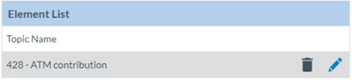
<span lang="EN-GB" style="mso-ansi-language: EN-GB; mso-fareast-language: EN-GB;"> </span>

<span lang="EN-GB">When Administrators have added all the needed elements, they have to click on the ‘Save’ button below the list. The system will save the update in the database and will return to the Edit View page with the Taxonomy code of the selected elements on the ‘Text pattern’ field:</span>

<span lang="EN-GB" style="mso-ansi-language: EN-GB; mso-fareast-language: EN-GB;"> </span><span lang="EN-GB" style="mso-ansi-language: EN-GB;"><span style="mso-spacerun: yes;"> </span></span>[![image.png](https://help.ci-aviationreporting.eu/uploads/images/gallery/2025-11/scaled-1680-/gIeimage.png)](https://help.ci-aviationreporting.eu/uploads/images/gallery/2025-11/gIeimage.png)

<span lang="EN-GB">The composed pattern helps users fill in the information once the specific view is saved and published and the user accesses it, i.e., through a VR; when the user accesses the specific section when adding a sub-Entity, the system displays the available topics for the particular view:</span>

<span lang="EN-GB" style="mso-ansi-language: EN-GB; mso-fareast-language: EN-GB;"> </span>

<span lang="EN-GB">After selecting it, the system will display the topic, and the chosen elements in the pattern composer will be available, so when filling them in, the topic's name will be added to the element information. i.e.:</span>

[![image.png](https://help.ci-aviationreporting.eu/uploads/images/gallery/2025-11/scaled-1680-/myqimage.png)](https://help.ci-aviationreporting.eu/uploads/images/gallery/2025-11/myqimage.png)

<span lang="EN-GB" style="mso-ansi-language: EN-GB; mso-fareast-language: EN-GB;"> </span>

<span lang="EN-GB">Users have to fill in the fields, and the Aircraft topic will add the Attributes to the topic:</span>

[![image.png](https://help.ci-aviationreporting.eu/uploads/images/gallery/2025-11/scaled-1680-/GkDimage.png)](https://help.ci-aviationreporting.eu/uploads/images/gallery/2025-11/GkDimage.png)

<span lang="EN-GB" style="mso-ansi-language: EN-GB; mso-fareast-language: EN-GB;"> </span>

<span lang="EN-GB">There is a delete icon to delete the information on the top right corner of the right corner.</span>

**<span lang="EN-GB" style="mso-bidi-font-family: 'Times New Roman';">Taxonomy</span>**

<span lang="EN-GB">The Taxonomy area is below the Text Pattern, as shown below:</span>

[![image.png](https://help.ci-aviationreporting.eu/uploads/images/gallery/2025-11/scaled-1680-/phiimage.png)](https://help.ci-aviationreporting.eu/uploads/images/gallery/2025-11/phiimage.png)

<span lang="EN-GB" style="mso-ansi-language: EN-GB; mso-fareast-language: EN-GB;"> </span>

<span lang="EN-GB" style="font-family: Symbol; mso-fareast-font-family: Symbol; mso-bidi-font-family: Symbol; color: #1b3891; mso-themecolor: text1;"><span style="mso-list: Ignore;">·<span style="font: 7.0pt 'Times New Roman';"> </span></span></span><span lang="EN-GB">‘Based on’: mandatory field to set the Entity in which the topic is based. For the ‘Occurrence’ topic, it is not editable. Administrators can select other entities at this drop-down menu when topics have been added in the left panel to ‘Occurrence’:</span>

[![image.png](https://help.ci-aviationreporting.eu/uploads/images/gallery/2025-11/scaled-1680-/U63image.png)](https://help.ci-aviationreporting.eu/uploads/images/gallery/2025-11/U63image.png)

<span lang="EN-GB" style="mso-ansi-language: EN-GB; mso-fareast-language: EN-GB;"> </span>

<span lang="EN-GB">But the system will display a warning message:</span>

[![image.png](https://help.ci-aviationreporting.eu/uploads/images/gallery/2025-11/scaled-1680-/hhpimage.png)](https://help.ci-aviationreporting.eu/uploads/images/gallery/2025-11/hhpimage.png)

<span lang="EN-GB" style="mso-ansi-language: EN-GB; mso-fareast-language: EN-GB;"> </span>

<span lang="EN-GB" style="font-family: Symbol; mso-fareast-font-family: Symbol; mso-bidi-font-family: Symbol; color: #1b3891; mso-themecolor: text1;"><span style="mso-list: Ignore;">·<span style="font: 7.0pt 'Times New Roman';"> </span></span></span><span lang="EN-GB">Max instance: it sets the number of instances of the same Entity that can be included in the occurrence when using this view. Depending on the Entity selected, the system will set this field as:</span>

<span lang="EN-GB" style="font-family: Wingdings; mso-fareast-font-family: Wingdings; mso-bidi-font-family: Wingdings; color: #1b3891; mso-themecolor: text1;"><span style="mso-list: Ignore;">ü<span style="font: 7.0pt 'Times New Roman';"> </span></span></span><span lang="EN-GB">‘Unlimited’ or ‘Maximum’: the number of instances the Entity can have based on what is defined in the Taxonomy.</span>

<span lang="EN-GB" style="font-family: Wingdings; mso-fareast-font-family: Wingdings; mso-bidi-font-family: Wingdings; color: #1b3891; mso-themecolor: text1;"><span style="mso-list: Ignore;">ü<span style="font: 7.0pt 'Times New Roman';"> </span></span></span><span lang="EN-GB">‘At Most’: where Administrators have to fill in the maximum instances that can be included in the Entity when using this view.</span>

<span lang="EN-GB" style="font-family: Symbol; mso-fareast-font-family: Symbol; mso-bidi-font-family: Symbol; color: #1b3891; mso-themecolor: text1;"><span style="mso-list: Ignore;">·<span style="font: 7.0pt 'Times New Roman';"> </span></span></span><span lang="EN-GB">Display mode: By default, it is ‘Tabs’, and Administrators can update it to ‘Lists’.</span>

**<span lang="EN-GB" style="mso-bidi-font-family: 'Times New Roman';">Add sections<span style="mso-tab-count: 1;"> </span></span>**

<span lang="EN-GB">The area below the Taxonomy is ‘Sections’. The available sections depend on the Entity on which the topic is based:</span>

[![image.png](https://help.ci-aviationreporting.eu/uploads/images/gallery/2025-11/scaled-1680-/Xieimage.png)](https://help.ci-aviationreporting.eu/uploads/images/gallery/2025-11/Xieimage.png)

<span lang="EN-GB" style="mso-ansi-language: EN-GB; mso-fareast-language: EN-GB;"> </span>

<span lang="EN-GB">Administrators can add or remove Sections to a View by dragging and dropping Sections between these 2 columns. The Administrator can also organise the order:</span>

[![image.png](https://help.ci-aviationreporting.eu/uploads/images/gallery/2025-11/scaled-1680-/Zqkimage.png)](https://help.ci-aviationreporting.eu/uploads/images/gallery/2025-11/Zqkimage.png)

<span lang="EN-GB" style="mso-ansi-language: EN-GB; mso-fareast-language: EN-GB;"> </span>

<span lang="EN-GB">Administrators can also set the selected sections to the ‘Read Only’ version through the ‘Read Only’ toggle displayed next to each selected section.</span>

<span lang="EN-GB">Once all the mandatory fields are filled out, Administrators can click the ‘Save’ button below the selected sections.</span>

<span lang="EN-GB">The system will save the new topic in the database.</span>

<span lang="EN-GB">Administrators can preview the View through the ‘Preview’ button at the top of the Edit View page.</span>

<span lang="EN-GB">The added sections will be available in the left panel by unfolding ‘All Sections’:</span>

[![image.png](https://help.ci-aviationreporting.eu/uploads/images/gallery/2025-11/scaled-1680-/IfBimage.png)](https://help.ci-aviationreporting.eu/uploads/images/gallery/2025-11/IfBimage.png)

<span lang="EN-GB" style="mso-ansi-language: EN-GB; mso-fareast-language: EN-GB;"> </span><span lang="EN-GB"><span style="mso-spacerun: yes;"> </span></span>

#### 5.3.1.4. Preview a view

<span lang="EN-GB">Administrators must click on the ‘Preview’ option of the 3-dot menu of the specific view at the table of views. The system will display the Preview page of the selected view:</span>

[![image.png](https://help.ci-aviationreporting.eu/uploads/images/gallery/2025-11/scaled-1680-/uIOimage.png)](https://help.ci-aviationreporting.eu/uploads/images/gallery/2025-11/uIOimage.png)

<span lang="EN-GB" style="mso-ansi-language: EN-GB; mso-fareast-language: EN-GB;"> </span>

#### 5.3.1.5. <span style="mso-fareast-font-family: Calibri; mso-bidi-font-family: Calibri;"><span style="mso-list: Ignore;"><span style="font: 7.0pt 'Times New Roman';"> </span></span></span>Duplicate a view

<span lang="EN-GB">Copying or duplicating a View generates an exact copy in the same Library and folder. The only difference is the new one has a ‘-copy’ reference in the name.</span>

<span lang="EN-GB">Administrators must click on the ‘Copy’ option of the 3-dot menu of the specific view at the table of views.</span>

<span lang="EN-GB">The system will generate the exact copy in the table of views with the same name + ‘-Copy’ added to it.</span>

#### 5.3.1.6. Publish a view

<span lang="EN-GB">Administrators must click on the ‘Publish’ option of the 3-dot menu of the specific view at the table of views. The system will publish the view in the views menus of the E2 Web Application, such as the VR menu.</span>

<span lang="EN-GB">The Edit View menu will not be available in Published Views.</span>

<span lang="EN-GB">The Publish option of the 3-dot menu will turn into Unpublish for published view. This option will unpublish the specific view.</span>

#### 5.3.1.7. Transfer a view to Lobby

<span lang="EN-GB">Administrators can transfer views to the Lobby Library if they are published and do not contain Custom Attributes. To do so, Administrators must click on the ‘To Lobby’ option in the 3-dot menu of the specific view in the table of views. The system will display the ‘To Lobby’ window, where to select the Authorities of the environments with which transfer the view:</span>

<span lang="EN-GB"> </span>

[![image.png](https://help.ci-aviationreporting.eu/uploads/images/gallery/2025-11/scaled-1680-/w3simage.png)](https://help.ci-aviationreporting.eu/uploads/images/gallery/2025-11/w3simage.png)

<span lang="EN-GB" style="mso-ansi-language: EN-GB; mso-fareast-language: EN-GB;"> </span>

<span lang="EN-GB">Administrators must fill in the Name and Description fields and select the Authorities of the specific environments. Then, they have to click on ‘To Lobby’.</span>

<span lang="EN-GB">The system will save the update in the database and transfer the view to the Lobby library of the selected Authorities.</span>

#### 5.3.1.8. Archive a view

<span lang="EN-GB">Only released views not being used by any role can be archived by the Administrator. Administrators must click on the ‘Archive’ option of the 3-dot menu of the specific view at the table of views. The system will archive the view accordingly.</span>

<span lang="EN-GB">When a view is archived, it is a good practice to unlink all the sections involved before archiving so the sections can be edited to be used in other views.</span>

<span lang="EN-GB">The Archive 3-dot option will turn into a ‘Restore’ 3-dot option that will reset the view.</span>

#### 5.3.1.9. Edit view properties

<span lang="EN-GB">Administrators can edit the view properties through the ‘Edit View properties’ option of the specific View. This option opens the View Properties page:</span>

[![image.png](https://help.ci-aviationreporting.eu/uploads/images/gallery/2025-11/scaled-1680-/rwYimage.png)](https://help.ci-aviationreporting.eu/uploads/images/gallery/2025-11/rwYimage.png)

<span lang="EN-GB" style="mso-ansi-language: EN-GB; mso-fareast-language: EN-GB;"> </span>

<span lang="EN-GB">This page is like the View creation page with the addition of the Navigation mode, where the system sets ‘Topic tree’ by default. Administrators can select ‘Table of content’ instead.</span>

<span lang="EN-GB">When the Table of Contents is selected, a configuration icon is displayed next to this tab. Administrators have to click on it, and the system will display the Table of Content Configuration window:</span>

[![image.png](https://help.ci-aviationreporting.eu/uploads/images/gallery/2025-11/scaled-1680-/5Htimage.png)](https://help.ci-aviationreporting.eu/uploads/images/gallery/2025-11/5Htimage.png)

<span lang="EN-GB" style="mso-ansi-language: EN-GB; mso-fareast-language: EN-GB;"> </span>

<span lang="EN-GB">Administrators have to click the specific topics of the left column, which will appear in the right column:</span>

[![image.png](https://help.ci-aviationreporting.eu/uploads/images/gallery/2025-11/scaled-1680-/H8Mimage.png)](https://help.ci-aviationreporting.eu/uploads/images/gallery/2025-11/H8Mimage.png)

<span lang="EN-GB" style="mso-ansi-language: EN-GB; mso-fareast-language: EN-GB;"> </span>

<span lang="EN-GB">Next to each selected topic, the system will display a Delete and an Edit icon:</span>

[![image.png](https://help.ci-aviationreporting.eu/uploads/images/gallery/2025-11/scaled-1680-/oE6image.png)](https://help.ci-aviationreporting.eu/uploads/images/gallery/2025-11/oE6image.png)

<span lang="EN-GB" style="mso-ansi-language: EN-GB; mso-fareast-language: EN-GB;"> </span>

<span lang="EN-GB">The Delete button is used to delete the selected topic, and the Edit button allows the Administrator to choose a different name for the topic.</span>

<span lang="EN-GB">Once finished, Administrators will click on Save, and the system will return to the Edit Properties page.</span>

<span lang="EN-GB"> </span><span lang="EN-GB">Administrators have to update the needed fields and click on ‘Save’.</span>

<span lang="EN-GB">The system will save the updates in the database, and the table of views will be updated accordingly.</span>

#### 5.3.1.10. Delete a view

<span lang="EN-GB">Only views that are not being used by any role can be deleted. Administrators must click on the ‘Delete’ 3-dot option for the specific view in the table of views. The system will display a confirmation message. If Administrators confirm the action, the system will delete the view of the database and remove it from the table of views. If any role were using the view, the system would display a message explaining that deletion is impossible for that reason.</span>

# 5.4. Webforms

<span lang="EN-GB">Webforms are E2 platform digital forms available through which reporters of the E2 Web Application can introduce ORs. They are composed of Views.</span>

<span lang="EN-GB">Administrators can create, edit, view, publish and unpublish their views, and regarding ECCAIRS webforms, they can view, enable and disable them. Webforms cannot be deleted.</span>

<span lang="EN-GB">To access this menu, the Administrator has to unfold Views management at the E2 Web Application and click on ‘Webforms’, and the system will display the Webforms menu:</span>

[![image.png](https://help.ci-aviationreporting.eu/uploads/images/gallery/2025-11/scaled-1680-/PETimage.png)](https://help.ci-aviationreporting.eu/uploads/images/gallery/2025-11/PETimage.png)

<span lang="EN-GB" style="mso-ansi-language: EN-GB; mso-fareast-language: EN-GB;"> </span>

<span lang="EN-GB">It displays the ‘All’ tab with all Webforms, including the Organisation and the Individual webforms. Next to it are the Organisation tab, with the list of Organisation webforms and the Individual tab, with the table of Individual webforms.</span>

<span lang="EN-GB">All the tables have the following columns, all working as filters except for the icon: </span>

<span lang="EN-GB" style="font-family: Symbol; mso-fareast-font-family: Symbol; mso-bidi-font-family: Symbol; color: #1b3891; mso-themecolor: text1;"><span style="mso-list: Ignore;">·<span style="font: 7.0pt 'Times New Roman';"> </span></span></span><span lang="EN-GB">Icon: unique for each webform.</span>

<span lang="EN-GB" style="font-family: Symbol; mso-fareast-font-family: Symbol; mso-bidi-font-family: Symbol; color: #1b3891; mso-themecolor: text1;"><span style="mso-list: Ignore;">·<span style="font: 7.0pt 'Times New Roman';"> </span></span></span><span lang="EN-GB">Name: unique for each webform</span>

<span lang="EN-GB" style="font-family: Symbol; mso-fareast-font-family: Symbol; mso-bidi-font-family: Symbol; color: #1b3891; mso-themecolor: text1;"><span style="mso-list: Ignore;">·<span style="font: 7.0pt 'Times New Roman';"> </span></span></span><span lang="EN-GB">Description: to describe the webform</span>

<span lang="EN-GB" style="font-family: Symbol; mso-fareast-font-family: Symbol; mso-bidi-font-family: Symbol; color: #1b3891; mso-themecolor: text1;"><span style="mso-list: Ignore;">·<span style="font: 7.0pt 'Times New Roman';"> </span></span></span><span lang="EN-GB">View: that is associated with the webform</span>

<span lang="EN-GB" style="font-family: Symbol; mso-fareast-font-family: Symbol; mso-bidi-font-family: Symbol; color: #1b3891; mso-themecolor: text1;"><span style="mso-list: Ignore;">·<span style="font: 7.0pt 'Times New Roman';"> </span></span></span><span lang="EN-GB">Usage: can be organisation or individual</span>

<span lang="EN-GB" style="font-family: Symbol; mso-fareast-font-family: Symbol; mso-bidi-font-family: Symbol; color: #1b3891; mso-themecolor: text1;"><span style="mso-list: Ignore;">·<span style="font: 7.0pt 'Times New Roman';"> </span></span></span><span lang="EN-GB">Unregistered reporting: available for unregistered reporters</span>

<span lang="EN-GB" style="font-family: Symbol; mso-fareast-font-family: Symbol; mso-bidi-font-family: Symbol; color: #1b3891; mso-themecolor: text1;"><span style="mso-list: Ignore;">·<span style="font: 7.0pt 'Times New Roman';"> </span></span></span><span lang="EN-GB">Enabled: green tick for enabled</span>

<span lang="EN-GB" style="font-family: Symbol; mso-fareast-font-family: Symbol; mso-bidi-font-family: Symbol; color: #1b3891; mso-themecolor: text1;"><span style="mso-list: Ignore;">·<span style="font: 7.0pt 'Times New Roman';"> </span></span></span><span lang="EN-GB">Created by: the author of the webform, that can be ECCAIRS or the Authority Administrators</span>

<span lang="EN-GB" style="font-family: Symbol; mso-fareast-font-family: Symbol; mso-bidi-font-family: Symbol; color: #1b3891; mso-themecolor: text1;"><span style="mso-list: Ignore;">·<span style="font: 7.0pt 'Times New Roman';"> </span></span></span><span lang="EN-GB">Created on: creation date</span>

<span lang="EN-GB">The last column has a 3-dot menu to manage each webform.</span>

<span lang="EN-GB">Administrators can alter the order in which the webforms appear in the Reporting Portal by dragging and dropping the rows in the Organisation and Individual tabs.</span>

### 5.4.1. Webform Management

#### <span style="mso-fareast-font-family: Calibri; mso-bidi-font-family: Calibri;"><span style="mso-list: Ignore;">5.4.1.1. </span></span>Create a new webform

<span lang="EN-GB">Administrators have to click on the ‘New Webform’ button above the table, and the system will display the Webform creation page:</span>

<span lang="EN-GB" style="mso-ansi-language: EN-GB; mso-fareast-language: EN-GB;"> </span>

<span lang="EN-GB">Administrators have to fill in the mandatory fields:</span>

[![image.png](https://help.ci-aviationreporting.eu/uploads/images/gallery/2025-11/scaled-1680-/dQaimage.png)](https://help.ci-aviationreporting.eu/uploads/images/gallery/2025-11/dQaimage.png)

<span lang="EN-GB" style="font-family: Symbol; mso-fareast-font-family: Symbol; mso-bidi-font-family: Symbol; color: #1b3891; mso-themecolor: text1;"><span style="mso-list: Ignore;">·<span style="font: 7.0pt 'Times New Roman';"> </span></span></span><span lang="EN-GB">Icon: the drop-down menu provides all the available icons</span>

<span lang="EN-GB" style="font-family: Symbol; mso-fareast-font-family: Symbol; mso-bidi-font-family: Symbol; color: #1b3891; mso-themecolor: text1;"><span style="mso-list: Ignore;">·<span style="font: 7.0pt 'Times New Roman';"> </span></span></span><span lang="EN-GB">Name: has to be different to the existing ones</span>

<span lang="EN-GB" style="font-family: Symbol; mso-fareast-font-family: Symbol; mso-bidi-font-family: Symbol; color: #1b3891; mso-themecolor: text1;"><span style="mso-list: Ignore;">·<span style="font: 7.0pt 'Times New Roman';"> </span></span></span><span lang="EN-GB">View: the drop-down menu provides all the available views. Only views not used in other webforms can be selected and saved.</span>

<span lang="EN-GB" style="font-family: Symbol; mso-fareast-font-family: Symbol; mso-bidi-font-family: Symbol; color: #1b3891; mso-themecolor: text1;"><span style="mso-list: Ignore;">·<span style="font: 7.0pt 'Times New Roman';"> </span></span></span><span lang="EN-GB">Usage: Administrators have to select Individual or Organisation Reporting if the webform is going to be addressed to individual reporters or Organisation reporters</span>

<span lang="EN-GB" style="font-family: Symbol; mso-fareast-font-family: Symbol; mso-bidi-font-family: Symbol; color: #1b3891; mso-themecolor: text1;"><span style="mso-list: Ignore;">·<span style="font: 7.0pt 'Times New Roman';"> </span></span></span><span lang="EN-GB">Available for Unregistered Reporting toggle: deactivated by default. If activated, the webform will be available for non-registered reporters of the E2 Reporting Portal.</span>

<span lang="EN-GB" style="font-family: Symbol; mso-fareast-font-family: Symbol; mso-bidi-font-family: Symbol; color: #1b3891; mso-themecolor: text1;"><span style="mso-list: Ignore;">·<span style="font: 7.0pt 'Times New Roman';"> </span></span></span><span lang="EN-GB">Status toggle: by default, it is disabled. If activated, it is enabled so when the webform is saved. The webform will be available in the E2 Reporting Portal to report ORs</span>

<span lang="EN-GB">The Description field is optional.</span>

<span lang="EN-GB">Once Administrators have filled out all mandatory fields, they have to click the ‘Save’ button. The system will save the new webform and add the webform to the ‘All’ table and the table of the selected usage, individual or organisation.</span>

#### <span style="mso-fareast-font-family: Calibri; mso-bidi-font-family: Calibri;"><span style="mso-list: Ignore;">5.4.1.2. </span></span>Edit a webform

<span lang="EN-GB">Only disabled non-ECCAIRS’ webforms can be edited.</span>

<span lang="EN-GB">Administrators have to click on the ‘Edit webform’ option of the 3-dot menu of the specific webform of the table, and the system will display the ‘Edit webform’ page:</span>

[![image.png](https://help.ci-aviationreporting.eu/uploads/images/gallery/2025-11/scaled-1680-/J1Ximage.png)](https://help.ci-aviationreporting.eu/uploads/images/gallery/2025-11/J1Ximage.png)

<span lang="EN-GB" style="mso-ansi-language: EN-GB; mso-fareast-language: EN-GB;"> </span>

<span lang="EN-GB">The function is the same as in the previous version. Once Administrators click the Save button, the system will save the update in the database and add the update to the webform tables.</span>

#### <span style="mso-fareast-font-family: Calibri; mso-bidi-font-family: Calibri;"><span style="mso-list: Ignore;">5.4.1.3. V</span></span>iew a webform

<span lang="EN-GB">Administrators have to click on the View webform option of the 3-dot menu of the specific webform of the table, and the system will display the ‘View webform’ page:</span>

[![image.png](https://help.ci-aviationreporting.eu/uploads/images/gallery/2025-11/scaled-1680-/kayimage.png)](https://help.ci-aviationreporting.eu/uploads/images/gallery/2025-11/kayimage.png)

<span lang="EN-GB" style="mso-ansi-language: EN-GB; mso-fareast-language: EN-GB;"> </span>

<span lang="EN-GB">It is similar to the previously described ‘Edit webform’ option. However, the fields are not editable, and it includes a ‘Preview’ button which accesses the webform as displayed in the E2 Reporting Portal when the users are filling it:</span>

[![image.png](https://help.ci-aviationreporting.eu/uploads/images/gallery/2025-11/scaled-1680-/Hikimage.png)](https://help.ci-aviationreporting.eu/uploads/images/gallery/2025-11/Hikimage.png)

# 6. Administration

# 6.1 Administration menu

<span lang="EN-GB">It is accessible through the navigation bar and includes the following menus:</span>

[![image.png](https://help.ci-aviationreporting.eu/uploads/images/gallery/2025-11/scaled-1680-/L6Yimage.png)](https://help.ci-aviationreporting.eu/uploads/images/gallery/2025-11/L6Yimage.png)

<span lang="EN-GB" style="mso-fareast-language: EN-GB; mso-no-proof: yes;"> </span>

<span lang="EN-GB" style="font-family: Symbol; mso-fareast-font-family: Symbol; mso-bidi-font-family: Symbol; color: #1b3891; mso-themecolor: text1;"><span style="mso-list: Ignore;">·<span style="font: 7.0pt 'Times New Roman';"> </span></span></span><span lang="EN-GB">General Settings</span>

<span lang="EN-GB" style="font-family: Symbol; mso-fareast-font-family: Symbol; mso-bidi-font-family: Symbol; color: #1b3891; mso-themecolor: text1;"><span style="mso-list: Ignore;">·<span style="font: 7.0pt 'Times New Roman';"> </span></span></span><span lang="EN-GB">Accounts &amp; Permissions</span>

<span lang="EN-GB" style="font-family: Symbol; mso-fareast-font-family: Symbol; mso-bidi-font-family: Symbol; color: #1b3891; mso-themecolor: text1;"><span style="mso-list: Ignore;">·<span style="font: 7.0pt 'Times New Roman';"> </span></span></span><span lang="EN-GB">Content Management</span>

<span lang="EN-GB" style="font-family: Symbol; mso-fareast-font-family: Symbol; mso-bidi-font-family: Symbol; color: #1b3891; mso-themecolor: text1;"><span style="mso-list: Ignore;">·<span style="font: 7.0pt 'Times New Roman';"> </span></span></span><span lang="EN-GB">Others</span>

# 6.2. General Settings

### <span style="mso-bookmark: _Ref159853925;">6.2.1. Organisation Management</span>

<span lang="EN-GB">Organisations are defined locally by a user enrolled in the National Security Administrator role. When defining organisations, it can be assigned the webforms that will be used by that organisation when reporting ORs via the E2 Reporting Portal. It can also be determined through predefined Attributes automatically filling with the predefined value when the organisation's users create new ORs.</span>

<span lang="EN-GB">Administrators have to unfold ‘Administration’ and click on ‘Organisation Management’ under ‘General Settings’. The system will display the Organisation Management menu:</span>

[![image.png](https://help.ci-aviationreporting.eu/uploads/images/gallery/2025-11/scaled-1680-/sVYimage.png)](https://help.ci-aviationreporting.eu/uploads/images/gallery/2025-11/sVYimage.png)

<span lang="EN-GB" style="mso-ansi-language: EN-GB; mso-fareast-language: EN-GB;"> </span>

<span lang="EN-GB">It displays a table of organisations with the following columns per Organisation row, which also work as filters:</span>

<span lang="EN-GB" style="font-family: Symbol; mso-fareast-font-family: Symbol; mso-bidi-font-family: Symbol; color: #1b3891; mso-themecolor: text1;"><span style="mso-list: Ignore;">·<span style="font: 7.0pt 'Times New Roman';"> </span></span></span><span lang="EN-GB">Name: it is unique for each organisation</span>

<span lang="EN-GB" style="font-family: Symbol; mso-fareast-font-family: Symbol; mso-bidi-font-family: Symbol; color: #1b3891; mso-themecolor: text1;"><span style="mso-list: Ignore;">·<span style="font: 7.0pt 'Times New Roman';"> </span></span></span><span lang="EN-GB">Phone: it is not mandatory</span>

<span lang="EN-GB" style="font-family: Symbol; mso-fareast-font-family: Symbol; mso-bidi-font-family: Symbol; color: #1b3891; mso-themecolor: text1;"><span style="mso-list: Ignore;">·<span style="font: 7.0pt 'Times New Roman';"> </span></span></span><span lang="EN-GB">Created by: the Administrator that created the organisation </span>

<span lang="EN-GB" style="font-family: Symbol; mso-fareast-font-family: Symbol; mso-bidi-font-family: Symbol; color: #1b3891; mso-themecolor: text1;"><span style="mso-list: Ignore;">·<span style="font: 7.0pt 'Times New Roman';"> </span></span></span><span lang="EN-GB">Creation date: the date when the organisation was created in E2</span>

<span lang="EN-GB">The last column provides a delete and edit icon per each organisation, as follows:</span>

[![image.png](https://help.ci-aviationreporting.eu/uploads/images/gallery/2025-11/scaled-1680-/Dpeimage.png)](https://help.ci-aviationreporting.eu/uploads/images/gallery/2025-11/Dpeimage.png)

<span lang="EN-GB" style="mso-ansi-language: EN-GB; mso-fareast-language: EN-GB;"> </span>

<span lang="EN-GB">Above the table, on the right side, there are the following buttons:</span>

<span lang="EN-GB" style="font-family: Symbol; mso-fareast-font-family: Symbol; mso-bidi-font-family: Symbol; color: #1b3891; mso-themecolor: text1;"><span style="mso-list: Ignore;">·<span style="font: 7.0pt 'Times New Roman';"> </span></span></span><span lang="EN-GB">Import Organisations and Users</span>

<span lang="EN-GB" style="font-family: Symbol; mso-fareast-font-family: Symbol; mso-bidi-font-family: Symbol; color: #1b3891; mso-themecolor: text1;"><span style="mso-list: Ignore;">·<span style="font: 7.0pt 'Times New Roman';"> </span></span></span><span lang="EN-GB">New Organisation</span>

#### <span style="mso-fareast-font-family: Calibri; mso-bidi-font-family: Calibri;"><span style="mso-list: Ignore;">6.2.1.1. </span></span>Create an organisation

<span lang="EN-GB">Administrators have to click on ‘New Organisation’ above the table of organisations, and the system will display the ‘New Organisation’ page:</span>

[![image.png](https://help.ci-aviationreporting.eu/uploads/images/gallery/2025-11/scaled-1680-/kMCimage.png)](https://help.ci-aviationreporting.eu/uploads/images/gallery/2025-11/kMCimage.png)

<span lang="EN-GB" style="mso-ansi-language: EN-GB; mso-fareast-language: EN-GB;"> </span>

<span lang="EN-GB">The mandatory fields are the following:</span>

<span lang="EN-GB" style="font-family: Symbol; mso-fareast-font-family: Symbol; mso-bidi-font-family: Symbol; color: #1b3891; mso-themecolor: text1;"><span style="mso-list: Ignore;">·<span style="font: 7.0pt 'Times New Roman';"> </span></span></span>**<span lang="EN-GB" style="mso-bidi-font-family: 'Times New Roman';">Organisation Name</span>**<span lang="EN-GB">: it has to be unique for each organisation</span>

<span lang="EN-GB" style="font-family: Symbol; mso-fareast-font-family: Symbol; mso-bidi-font-family: Symbol; color: #1b3891; mso-themecolor: text1;"><span style="mso-list: Ignore;">·<span style="font: 7.0pt 'Times New Roman';"> </span></span></span>**<span lang="EN-GB" style="mso-bidi-font-family: 'Times New Roman';">Responsible NAA</span>**<span lang="EN-GB">: the system sets the Authority to which the Administrator belongs. By default, it is not editable.</span>

<span lang="EN-GB" style="font-family: Symbol; mso-fareast-font-family: Symbol; mso-bidi-font-family: Symbol; color: #1b3891; mso-themecolor: text1;"><span style="mso-list: Ignore;">·<span style="font: 7.0pt 'Times New Roman';"> </span></span></span>**<span lang="EN-GB" style="mso-bidi-font-family: 'Times New Roman';">E5X</span>**<span lang="EN-GB">: by default, it is ‘Allow Incremental E5X’. Administrators can select ‘Block E5X’ or ‘Allow Total E5X’ instead:</span>

<span lang="EN-GB" style="font-family: Wingdings; mso-fareast-font-family: Wingdings; mso-bidi-font-family: Wingdings; color: #1b3891; mso-themecolor: text1;"><span style="mso-list: Ignore;">ü<span style="font: 7.0pt 'Times New Roman';"> </span></span></span><span lang="EN-GB">Block E5X will not allow users of this organisation to import ORs through E5X files</span>

<span lang="EN-GB" style="font-family: Wingdings; mso-fareast-font-family: Wingdings; mso-bidi-font-family: Wingdings; color: #1b3891; mso-themecolor: text1;"><span style="mso-list: Ignore;">ü<span style="font: 7.0pt 'Times New Roman';"> </span></span></span><span lang="EN-GB">‘Allow incremental E5X’ refers to importing all the versions of the ORs through the E5X; it means the first version of each OR and all their updates.</span>

<span lang="EN-GB" style="font-family: Wingdings; mso-fareast-font-family: Wingdings; mso-bidi-font-family: Wingdings; color: #1b3891; mso-themecolor: text1;"><span style="mso-list: Ignore;">ü<span style="font: 7.0pt 'Times New Roman';"> </span></span></span><span lang="EN-GB">‘Allow Total E5X’ refers to import only the last version of the ORs</span>

<span lang="EN-GB" style="font-family: Symbol; mso-fareast-font-family: Symbol; mso-bidi-font-family: Symbol; color: #1b3891; mso-themecolor: text1;"><span style="mso-list: Ignore;">·<span style="font: 7.0pt 'Times New Roman';"> </span></span></span>**<span lang="EN-GB" style="mso-bidi-font-family: 'Times New Roman';">Username</span>**<span lang="EN-GB">: it refers to the user that will be created when the organisation is created</span>

<span lang="EN-GB" style="font-family: Symbol; mso-fareast-font-family: Symbol; mso-bidi-font-family: Symbol; color: #1b3891; mso-themecolor: text1;"><span style="mso-list: Ignore;">·<span style="font: 7.0pt 'Times New Roman';"> </span></span></span>**<span lang="EN-GB" style="mso-bidi-font-family: 'Times New Roman';">First name</span>**<span lang="EN-GB">: first name of the user that will be created when the organisation is created</span>

<span lang="EN-GB" style="font-family: Symbol; mso-fareast-font-family: Symbol; mso-bidi-font-family: Symbol; color: #1b3891; mso-themecolor: text1;"><span style="mso-list: Ignore;">·<span style="font: 7.0pt 'Times New Roman';"> </span></span></span>**<span lang="EN-GB" style="mso-bidi-font-family: 'Times New Roman';">Last name</span>**<span lang="EN-GB">: first name of the user that will be created when the organisation is created</span>

<span lang="EN-GB" style="font-family: Symbol; mso-fareast-font-family: Symbol; mso-bidi-font-family: Symbol; color: #1b3891; mso-themecolor: text1;"><span style="mso-list: Ignore;">·<span style="font: 7.0pt 'Times New Roman';"> </span></span></span>**<span lang="EN-GB" style="mso-bidi-font-family: 'Times New Roman';">Email address</span>**<span lang="EN-GB">: User email will be created when the organisation is created. Preferred language: by default, it is English, which is not editable.</span>

<span lang="EN-GB">The optional fields are the following:</span>

<span lang="EN-GB" style="font-family: Symbol; mso-fareast-font-family: Symbol; mso-bidi-font-family: Symbol; color: #1b3891; mso-themecolor: text1;"><span style="mso-list: Ignore;">·<span style="font: 7.0pt 'Times New Roman';"> </span></span></span><span lang="EN-GB">Organisation Group: drop-down menu providing the organisation groups to be selected, if any</span>

<span lang="EN-GB" style="font-family: Symbol; mso-fareast-font-family: Symbol; mso-bidi-font-family: Symbol; color: #1b3891; mso-themecolor: text1;"><span style="mso-list: Ignore;">·<span style="font: 7.0pt 'Times New Roman';"> </span></span></span><span lang="EN-GB">Phone: telephone number of the organisation</span>

<span lang="EN-GB" style="font-family: Symbol; mso-fareast-font-family: Symbol; mso-bidi-font-family: Symbol; color: #1b3891; mso-themecolor: text1;"><span style="mso-list: Ignore;">·<span style="font: 7.0pt 'Times New Roman';"> </span></span></span><span lang="EN-GB">Responsible contact fields: all of them are optional. They are to contact the responsible of the organisation:</span>

<span lang="EN-GB" style="font-family: Wingdings; mso-fareast-font-family: Wingdings; mso-bidi-font-family: Wingdings; color: #1b3891; mso-themecolor: text1;"><span style="mso-list: Ignore;">ü<span style="font: 7.0pt 'Times New Roman';"> </span></span></span><span lang="EN-GB">Full name: it is referred to the responsible contact of the organisation</span>

<span lang="EN-GB" style="font-family: Wingdings; mso-fareast-font-family: Wingdings; mso-bidi-font-family: Wingdings; color: #1b3891; mso-themecolor: text1;"><span style="mso-list: Ignore;">ü<span style="font: 7.0pt 'Times New Roman';"> </span></span></span><span lang="EN-GB">Email address: it is referred to the responsible contact of the organisation</span>

<span lang="EN-GB" style="font-family: Wingdings; mso-fareast-font-family: Wingdings; mso-bidi-font-family: Wingdings; color: #1b3891; mso-themecolor: text1;"><span style="mso-list: Ignore;">ü<span style="font: 7.0pt 'Times New Roman';"> </span></span></span><span lang="EN-GB">Phone: telephone number of the responsible contact</span>

<span lang="EN-GB" style="font-family: Symbol; mso-fareast-font-family: Symbol; mso-bidi-font-family: Symbol; color: #1b3891; mso-themecolor: text1;"><span style="mso-list: Ignore;">·<span style="font: 7.0pt 'Times New Roman';"> </span></span></span><span lang="EN-GB">User account fields: the following fields are optional:</span>

<span lang="EN-GB" style="font-family: Wingdings; mso-fareast-font-family: Wingdings; mso-bidi-font-family: Wingdings; color: #1b3891; mso-themecolor: text1;"><span style="mso-list: Ignore;">ü<span style="font: 7.0pt 'Times New Roman';"> </span></span></span><span lang="EN-GB">Description concerning the username</span>

<span lang="EN-GB" style="font-family: Wingdings; mso-fareast-font-family: Wingdings; mso-bidi-font-family: Wingdings; color: #1b3891; mso-themecolor: text1;"><span style="mso-list: Ignore;">ü<span style="font: 7.0pt 'Times New Roman';"> </span></span></span><span lang="EN-GB">Phone related to the user account</span>

<span lang="EN-GB" style="font-family: Wingdings; mso-fareast-font-family: Wingdings; mso-bidi-font-family: Wingdings; color: #1b3891; mso-themecolor: text1;"><span style="mso-list: Ignore;">ü<span style="font: 7.0pt 'Times New Roman';"> </span></span></span><span lang="EN-GB">Job Title</span>

<span lang="EN-GB">Administrators have to fill in the mandatory fields and click the ‘Save’ button. The system will save the data in the database, create a new organisation with the new user, and add it to the organisation's table.</span>

<span lang="EN-GB">The created organisational user will have the Reporter and Organisation Administrator roles assigned automatically.</span>

#### <span style="mso-fareast-font-family: Calibri; mso-bidi-font-family: Calibri;"><span style="mso-list: Ignore;">6.2.1.2. </span></span>Edit an organisation

<span lang="EN-GB">Administrators have to click on the Edit icon of the specific organisation of the table of organisations, and the system will display the Edit organisation page:</span><span lang="EN-GB" style="mso-ansi-language: EN-GB;"><span style="mso-spacerun: yes;"> </span></span>

[![image.png](https://help.ci-aviationreporting.eu/uploads/images/gallery/2025-11/scaled-1680-/N1oimage.png)](https://help.ci-aviationreporting.eu/uploads/images/gallery/2025-11/N1oimage.png)

<span lang="EN-GB" style="mso-ansi-language: EN-GB; mso-fareast-language: EN-GB;"> </span>

#### <span style="mso-fareast-font-family: Calibri; mso-bidi-font-family: Calibri;"><span style="mso-list: Ignore;">6.2.1.3. </span></span>Detail tab

<span lang="EN-GB">The page displays a Detail tab, which reproduces the Organisation creation page, with the addition of an Organisation ID, which is not editable by the system. See the previous section for further details on the fields.</span>

<span lang="EN-GB">Administrators can update the needed fields.</span>

<span lang="EN-GB">Moreover, it transforms the user accounts area with a table of accounts with the user accounts for the current organisation.</span>

<span lang="EN-GB">The table is preceded by a check box and the following columns that can be used as filters:</span>

<span lang="EN-GB" style="font-family: Symbol; mso-fareast-font-family: Symbol; mso-bidi-font-family: Symbol; color: #1b3891; mso-themecolor: text1;"><span style="mso-list: Ignore;">·<span style="font: 7.0pt 'Times New Roman';"> </span></span></span><span lang="EN-GB">Username: of the account</span>

<span lang="EN-GB" style="font-family: Symbol; mso-fareast-font-family: Symbol; mso-bidi-font-family: Symbol; color: #1b3891; mso-themecolor: text1;"><span style="mso-list: Ignore;">·<span style="font: 7.0pt 'Times New Roman';"> </span></span></span><span lang="EN-GB">Email: to which the account is associated</span>

<span lang="EN-GB" style="font-family: Symbol; mso-fareast-font-family: Symbol; mso-bidi-font-family: Symbol; color: #1b3891; mso-themecolor: text1;"><span style="mso-list: Ignore;">·<span style="font: 7.0pt 'Times New Roman';"> </span></span></span><span lang="EN-GB">Organisation Name: as set in the creation page or later edited</span>

<span lang="EN-GB" style="font-family: Symbol; mso-fareast-font-family: Symbol; mso-bidi-font-family: Symbol; color: #1b3891; mso-themecolor: text1;"><span style="mso-list: Ignore;">·<span style="font: 7.0pt 'Times New Roman';"> </span></span></span><span lang="EN-GB">Organisation ID: as generated by the system, it is unique for each organisation</span>

<span lang="EN-GB" style="font-family: Symbol; mso-fareast-font-family: Symbol; mso-bidi-font-family: Symbol; color: #1b3891; mso-themecolor: text1;"><span style="mso-list: Ignore;">·<span style="font: 7.0pt 'Times New Roman';"> </span></span></span><span lang="EN-GB">Parent organisation: the organisation from which the organisation is child</span>

<span lang="EN-GB" style="font-family: Symbol; mso-fareast-font-family: Symbol; mso-bidi-font-family: Symbol; color: #1b3891; mso-themecolor: text1;"><span style="mso-list: Ignore;">·<span style="font: 7.0pt 'Times New Roman';"> </span></span></span><span lang="EN-GB">Disabled: it shows a green tick if the account is disabled</span>

<span lang="EN-GB" style="font-family: Symbol; mso-fareast-font-family: Symbol; mso-bidi-font-family: Symbol; color: #1b3891; mso-themecolor: text1;"><span style="mso-list: Ignore;">·<span style="font: 7.0pt 'Times New Roman';"> </span></span></span><span lang="EN-GB">Blocked: green tick if disabled</span>

<span lang="EN-GB" style="font-family: Symbol; mso-fareast-font-family: Symbol; mso-bidi-font-family: Symbol; color: #1b3891; mso-themecolor: text1;"><span style="mso-list: Ignore;">·<span style="font: 7.0pt 'Times New Roman';"> </span></span></span><span lang="EN-GB">Deleted: green tick if deleted</span>

<span lang="EN-GB" style="font-family: Symbol; mso-fareast-font-family: Symbol; mso-bidi-font-family: Symbol; color: #1b3891; mso-themecolor: text1;"><span style="mso-list: Ignore;">·<span style="font: 7.0pt 'Times New Roman';"> </span></span></span><span lang="EN-GB">Roles: by default, the system assigns the accounts created by Administrators to the Reporter organisation' Administrator role</span>

<span lang="EN-GB" style="font-family: Symbol; mso-fareast-font-family: Symbol; mso-bidi-font-family: Symbol; color: #1b3891; mso-themecolor: text1;"><span style="mso-list: Ignore;">·<span style="font: 7.0pt 'Times New Roman';"> </span></span></span><span lang="EN-GB">Created by: the author of the account</span>

<span lang="EN-GB" style="font-family: Symbol; mso-fareast-font-family: Symbol; mso-bidi-font-family: Symbol; color: #1b3891; mso-themecolor: text1;"><span style="mso-list: Ignore;">·<span style="font: 7.0pt 'Times New Roman';"> </span></span></span><span lang="EN-GB">Created on: date of the account’s creation</span>

<span lang="EN-GB" style="font-family: Symbol; mso-fareast-font-family: Symbol; mso-bidi-font-family: Symbol; color: #1b3891; mso-themecolor: text1;"><span style="mso-list: Ignore;">·<span style="font: 7.0pt 'Times New Roman';"> </span></span></span><span lang="EN-GB">Last access on: date of last access to the account</span>

<span lang="EN-GB">The last section of the table per each row provides a 3-dot menu with Edit and Export options.</span>

<span lang="EN-GB">Above the table, there is a ‘Show Deletion Requests’ that shows, if existing, the accounts whose users have requested their deletion.</span>

#### <span style="mso-fareast-font-family: Calibri; mso-bidi-font-family: Calibri;"><span style="mso-list: Ignore;">6.2.1.4. </span></span>Add more account users to the Organisation

<span lang="EN-GB">Administrators can add users through the ‘New user’ button above the accounts table.</span>

<span lang="EN-GB">This button opens the User account details page:</span>

<span lang="EN-GB">Administrators have to fill in the mandatory fields:</span>

<span lang="EN-GB" style="font-family: Symbol; mso-fareast-font-family: Symbol; mso-bidi-font-family: Symbol; color: #1b3891; mso-themecolor: text1;"><span style="mso-list: Ignore;">·<span style="font: 7.0pt 'Times New Roman';"> </span></span></span><span lang="EN-GB">Username</span>

<span lang="EN-GB" style="font-family: Symbol; mso-fareast-font-family: Symbol; mso-bidi-font-family: Symbol; color: #1b3891; mso-themecolor: text1;"><span style="mso-list: Ignore;">·<span style="font: 7.0pt 'Times New Roman';"> </span></span></span><span lang="EN-GB">First Name</span>

<span lang="EN-GB" style="font-family: Symbol; mso-fareast-font-family: Symbol; mso-bidi-font-family: Symbol; color: #1b3891; mso-themecolor: text1;"><span style="mso-list: Ignore;">·<span style="font: 7.0pt 'Times New Roman';"> </span></span></span><span lang="EN-GB">Last Name</span>

<span lang="EN-GB" style="font-family: Symbol; mso-fareast-font-family: Symbol; mso-bidi-font-family: Symbol; color: #1b3891; mso-themecolor: text1;"><span style="mso-list: Ignore;">·<span style="font: 7.0pt 'Times New Roman';"> </span></span></span><span lang="EN-GB">Email address</span>

<span lang="EN-GB">The ‘Disabled’ toggle will be activated and deactivated once the created user activates it through the email they receive after its creation.</span>

<span lang="EN-GB">The blocked toggle is deactivated; Administrators must activate it if needed to block the account.</span>

<span lang="EN-GB">Administrators can fill in the optional fields.</span>

<span lang="EN-GB">At the bottom of the page, the system displays a Roles table, where Administrators can select the roles for the user account. The available roles are Organisation Administrator, Organisation Autofilled Attributes and Reporter. Administrators can choose any one or both. They must fill in the mandatory fields and click the ‘Save’ button. The system will save the data in the database and add the account to the Edit Organisation page.</span>

#### <span style="mso-fareast-font-family: Calibri; mso-bidi-font-family: Calibri;"><span style="mso-list: Ignore;">6.2.1.5.</span></span><span style="mso-fareast-font-family: Calibri; mso-bidi-font-family: Calibri;"><span style="mso-list: Ignore;"><span style="font: 7.0pt 'Times New Roman';"> </span></span></span>Edit a user account

<span lang="EN-GB">Administrators can edit an account once on the Edit an Organisation page. They have to click on the abovementioned Edit option of the 3-dot menu of the specific account, and the system will display the Edit user account page:</span>

[![image.png](https://help.ci-aviationreporting.eu/uploads/images/gallery/2025-11/scaled-1680-/exjimage.png)](https://help.ci-aviationreporting.eu/uploads/images/gallery/2025-11/exjimage.png)

<span lang="EN-GB" style="mso-ansi-language: EN-GB; mso-fareast-language: EN-GB;"> </span>

<span lang="EN-GB">It is the same page as the previous one (adding a user account) but already has the data filled in. </span>

<span lang="EN-GB">Only the following fields will be editable:</span>

<span lang="EN-GB" style="font-family: Symbol; mso-fareast-font-family: Symbol; mso-bidi-font-family: Symbol; color: #1b3891; mso-themecolor: text1;"><span style="mso-list: Ignore;">·<span style="font: 7.0pt 'Times New Roman';"> </span></span></span><span lang="EN-GB">Description</span>

<span lang="EN-GB" style="font-family: Symbol; mso-fareast-font-family: Symbol; mso-bidi-font-family: Symbol; color: #1b3891; mso-themecolor: text1;"><span style="mso-list: Ignore;">·<span style="font: 7.0pt 'Times New Roman';"> </span></span></span><span lang="EN-GB">Disabled toggle</span>

<span lang="EN-GB" style="font-family: Symbol; mso-fareast-font-family: Symbol; mso-bidi-font-family: Symbol; color: #1b3891; mso-themecolor: text1;"><span style="mso-list: Ignore;">·<span style="font: 7.0pt 'Times New Roman';"> </span></span></span><span lang="EN-GB">Blocked toggle</span>

<span lang="EN-GB" style="font-family: Symbol; mso-fareast-font-family: Symbol; mso-bidi-font-family: Symbol; color: #1b3891; mso-themecolor: text1;"><span style="mso-list: Ignore;">·<span style="font: 7.0pt 'Times New Roman';"> </span></span></span><span lang="EN-GB">First Name</span>

<span lang="EN-GB" style="font-family: Symbol; mso-fareast-font-family: Symbol; mso-bidi-font-family: Symbol; color: #1b3891; mso-themecolor: text1;"><span style="mso-list: Ignore;">·<span style="font: 7.0pt 'Times New Roman';"> </span></span></span><span lang="EN-GB">Last Name</span>

<span lang="EN-GB" style="font-family: Symbol; mso-fareast-font-family: Symbol; mso-bidi-font-family: Symbol; color: #1b3891; mso-themecolor: text1;"><span style="mso-list: Ignore;">·<span style="font: 7.0pt 'Times New Roman';"> </span></span></span><span lang="EN-GB">Phone</span>

<span lang="EN-GB" style="font-family: Symbol; mso-fareast-font-family: Symbol; mso-bidi-font-family: Symbol; color: #1b3891; mso-themecolor: text1;"><span style="mso-list: Ignore;">·<span style="font: 7.0pt 'Times New Roman';"> </span></span></span><span lang="EN-GB">Email Address</span>

<span lang="EN-GB" style="font-family: Symbol; mso-fareast-font-family: Symbol; mso-bidi-font-family: Symbol; color: #1b3891; mso-themecolor: text1;"><span style="mso-list: Ignore;">·<span style="font: 7.0pt 'Times New Roman';"> </span></span></span><span lang="EN-GB">Job Title</span>

<span lang="EN-GB" style="font-family: Symbol; mso-fareast-font-family: Symbol; mso-bidi-font-family: Symbol; color: #1b3891; mso-themecolor: text1;"><span style="mso-list: Ignore;">·<span style="font: 7.0pt 'Times New Roman';"> </span></span></span><span lang="EN-GB">Roles</span>

<span lang="EN-GB">Administrators can update the needed fields, always keeping the mandatory fields filled. </span>

<span lang="EN-GB">Then, they have to click on the Save button, and the system will save the updates in the database, and the list of user accounts will be updated accordingly.</span>

#### <span style="mso-fareast-font-family: Calibri; mso-bidi-font-family: Calibri;"><span style="mso-list: Ignore;">6.2.1.6. </span></span>Export a user account

**<span lang="EN-GB" style="mso-bidi-font-family: 'Times New Roman';">Individual export</span>**<span lang="EN-GB">: Administrators have to click on the Export option of the 3-dot menu of the specific account at the table of accounts. The system will directly export it to an Excel (XLS) file.</span>

**<span lang="EN-GB" style="mso-bidi-font-family: 'Times New Roman';">Multiple export</span>**<span lang="EN-GB">: Alternatively, administrators can select the checkboxes of specific accounts in the accounts table.</span>

<span lang="EN-GB">Administrators can also select all the accounts at a time by checking the check box on the left of the Username column.</span>

[![image.png](https://help.ci-aviationreporting.eu/uploads/images/gallery/2025-11/scaled-1680-/6Bqimage.png)](https://help.ci-aviationreporting.eu/uploads/images/gallery/2025-11/6Bqimage.png)

<span lang="EN-GB" style="mso-ansi-language: EN-GB; mso-fareast-language: EN-GB;"> </span>

<span lang="EN-GB"><span style="mso-spacerun: yes;"> </span>Then, they must click the Export icon above the table on the left.</span>

<span lang="EN-GB"><span style="mso-spacerun: yes;"> </span>The system will directly export them to an XLS file.</span>

#### <span style="mso-fareast-font-family: Calibri; mso-bidi-font-family: Calibri;"><span style="mso-list: Ignore;">6.2.1.7. </span></span><span style="mso-fareast-font-family: Calibri; mso-bidi-font-family: Calibri;"><span style="mso-list: Ignore;"><span style="font: 7.0pt 'Times New Roman';"> </span></span></span>Webforms tab

<span lang="EN-GB">Through this tab, administrators select the webforms available to the organisation’s users when accessing the E2 Reporting Portal, which is among the organisation's webforms defined at the Authority level.</span>

<span lang="EN-GB">Administrators have to click on the Webforms tab of the Edit Organisation page, and the system will display the Webforms tab:</span>

[![image.png](https://help.ci-aviationreporting.eu/uploads/images/gallery/2025-11/scaled-1680-/xzximage.png)](https://help.ci-aviationreporting.eu/uploads/images/gallery/2025-11/xzximage.png)

<span lang="EN-GB" style="mso-ansi-language: EN-GB; mso-fareast-language: EN-GB;"> </span>

<span lang="EN-GB">The left panel displays the list of organisation webforms available, with a checkbox to be selected.</span>

<span lang="EN-GB">Administrators can check the needed webforms and click the ADD button in the middle of the page.</span>

<span lang="EN-GB">The selected webforms will be added to the right panel where Administrators can order them by dragging and dropping them as needed:</span>

[![image.png](https://help.ci-aviationreporting.eu/uploads/images/gallery/2025-11/scaled-1680-/WAzimage.png)](https://help.ci-aviationreporting.eu/uploads/images/gallery/2025-11/WAzimage.png)

<span lang="EN-GB" style="mso-ansi-language: EN-GB; mso-fareast-language: EN-GB;"> </span>

<span lang="EN-GB">Then, Administrators have to click on the ‘Save’ button, and the webforms are saved for the specific organisation.</span>

#### <span style="mso-fareast-font-family: Calibri; mso-bidi-font-family: Calibri;"><span style="mso-list: Ignore;">6.2.1.8. A</span></span><span style="mso-bookmark: _Ref159832724;">utofilled Attributes</span> tab

<span lang="EN-GB">This tab is to help users when filling the webforms in the E2 Reporting Portal. Thus, it allows us to select Attributes and give them a value, so when users of that organisation are filling a webform, those Attributes are predefined.</span>

<span lang="EN-GB">Administrators have to click on the ‘Autofilled Attributes’ tab, and the system will display the ‘Autofilled Attributes’ page:</span>

[![image.png](https://help.ci-aviationreporting.eu/uploads/images/gallery/2025-11/scaled-1680-/qmiimage.png)](https://help.ci-aviationreporting.eu/uploads/images/gallery/2025-11/qmiimage.png)

<span lang="EN-GB" style="mso-ansi-language: EN-GB; mso-fareast-language: EN-GB;"> </span>

<span lang="EN-GB">The left panel provides the ‘Available Attributes’ with the Taxonomy browser.</span>

<span lang="EN-GB">Administrators have to make a search through the filter or navigate through the tree to select specific Attributes. Administrators have to select the particular Attributes, one by one, and click on the ‘ADD’ button:</span>

[![image.png](https://help.ci-aviationreporting.eu/uploads/images/gallery/2025-11/scaled-1680-/QLkimage.png)](https://help.ci-aviationreporting.eu/uploads/images/gallery/2025-11/QLkimage.png)

<span lang="EN-GB" style="mso-ansi-language: EN-GB; mso-fareast-language: EN-GB;"> </span>

<span lang="EN-GB">The system will transfer the Attribute to the right panel:</span>

[![image.png](https://help.ci-aviationreporting.eu/uploads/images/gallery/2025-11/scaled-1680-/XMMimage.png)](https://help.ci-aviationreporting.eu/uploads/images/gallery/2025-11/XMMimage.png)

<span lang="EN-GB" style="mso-ansi-language: EN-GB; mso-fareast-language: EN-GB;"> </span>

<span lang="EN-GB">Each selected Attribute of the right panel will provide an Edit and a Delete icon.</span>

<span lang="EN-GB">To fill in the value, Administrators have to click on the edit icon, and the system will display a window to fill in the specific value:</span>

[![image.png](https://help.ci-aviationreporting.eu/uploads/images/gallery/2025-11/scaled-1680-/1OOimage.png)](https://help.ci-aviationreporting.eu/uploads/images/gallery/2025-11/1OOimage.png)

<span lang="EN-GB" style="mso-ansi-language: EN-GB; mso-fareast-language: EN-GB;"> </span>

<span lang="EN-GB">The type of value to be provided by the system will depend on the specific Attribute data type.</span>

<span lang="EN-GB">In the case above, Administrators have to click on ‘Select Attribute Value’, and the system will open a Select Attribute value window:</span>

[![image.png](https://help.ci-aviationreporting.eu/uploads/images/gallery/2025-11/scaled-1680-/G1wimage.png)](https://help.ci-aviationreporting.eu/uploads/images/gallery/2025-11/G1wimage.png)

<span lang="EN-GB" style="mso-ansi-language: EN-GB; mso-fareast-language: EN-GB;"> </span>

<span lang="EN-GB">Administrators have to select a value and click the ‘Confirm’ button. The system will display a window to save the value. The system will add the value to the selected Attribute in the right panel:</span>

[![image.png](https://help.ci-aviationreporting.eu/uploads/images/gallery/2025-11/scaled-1680-/Okpimage.png)](https://help.ci-aviationreporting.eu/uploads/images/gallery/2025-11/Okpimage.png)

<span lang="EN-GB" style="mso-ansi-language: EN-GB; mso-fareast-language: EN-GB;"> </span>

<span lang="EN-GB">Then, Administrators have to click ‘Save’, and the system will add the selected Attributes to the specific organisation.</span>

#### <span style="mso-fareast-font-family: Calibri; mso-bidi-font-family: Calibri;"><span style="mso-list: Ignore;">6.2.1.9. </span></span>Delete an organisation

<span lang="EN-GB">Administrators have to click on the Delete icon of the specific organisation on the table of organisations, and the system will display a confirmation message:</span>

[![image.png](https://help.ci-aviationreporting.eu/uploads/images/gallery/2025-11/scaled-1680-/gvCimage.png)](https://help.ci-aviationreporting.eu/uploads/images/gallery/2025-11/gvCimage.png)

<span lang="EN-GB" style="mso-ansi-language: EN-GB; mso-fareast-language: EN-GB;"> </span>

<span lang="EN-GB">If Administrators confirm, the system will delete the organisation from the database and remove the organisation from the table of organisations. The users from the deleted organisation cannot report ORs anymore but the previously existing ones are kept and those already sent to the corresponding Authority can be manage by the Authority Officers, if they need it.</span>

#### <span style="mso-fareast-font-family: Calibri; mso-bidi-font-family: Calibri;"><span style="mso-list: Ignore;">6.2.1.10. </span></span>Import organisation and users

<span lang="EN-GB">Administrators can import the organisation's and its users' data through the ‘Import Organisation &amp; Users’ button above the table of organisations. This button opens the ‘Import Organisation &amp; Users’ window:</span>

[![image.png](https://help.ci-aviationreporting.eu/uploads/images/gallery/2025-11/scaled-1680-/wEdimage.png)](https://help.ci-aviationreporting.eu/uploads/images/gallery/2025-11/wEdimage.png)

<span lang="EN-GB" style="mso-ansi-language: EN-GB; mso-fareast-language: EN-GB;"> </span>

<span lang="EN-GB">Administrators must select Organisations or Users, and the ‘Download template’ option will be activated. Then, Administrators have to click on ‘Download template’, and the system will download an xls template, which Administrators have to fill in with the data of Organisations or Users depending on the selection. Once the template is filled, they have to upload it to the system through the ‘Select files’ button or by dragging and dropping it to the File area of the window:</span>

[![image.png](https://help.ci-aviationreporting.eu/uploads/images/gallery/2025-11/scaled-1680-/ZHJimage.png)](https://help.ci-aviationreporting.eu/uploads/images/gallery/2025-11/ZHJimage.png)

<span lang="EN-GB" style="mso-ansi-language: EN-GB; mso-fareast-language: EN-GB;"> </span>

<span lang="EN-GB">Administrators must click the ‘Import’ button, and the Organisations or Users will be imported into the system, adding the imported data to its database.</span>

### 6.2.2 Organisation Group management

<span lang="EN-GB">Administrators can group organisations of the same type to assign them the same webforms or auto-filled Attributes.</span>

<span lang="EN-GB">When selecting this option, the following table is displayed:</span>

[![image.png](https://help.ci-aviationreporting.eu/uploads/images/gallery/2025-11/scaled-1680-/It2image.png)](https://help.ci-aviationreporting.eu/uploads/images/gallery/2025-11/It2image.png)

<span lang="EN-GB" style="mso-ansi-language: EN-GB; mso-fareast-language: EN-GB;"> </span>

<span lang="EN-GB">It presents the table of Organisation Groups with the following columns that also work as filters:</span>

<span lang="EN-GB" style="font-family: Symbol; mso-fareast-font-family: Symbol; mso-bidi-font-family: Symbol; color: #1b3891; mso-themecolor: text1;"><span style="mso-list: Ignore;">·<span style="font: 7.0pt 'Times New Roman';"> </span></span></span><span lang="EN-GB">Name: unique for each record</span>

<span lang="EN-GB" style="font-family: Symbol; mso-fareast-font-family: Symbol; mso-bidi-font-family: Symbol; color: #1b3891; mso-themecolor: text1;"><span style="mso-list: Ignore;">·<span style="font: 7.0pt 'Times New Roman';"> </span></span></span><span lang="EN-GB">Description: it is optional</span>

<span lang="EN-GB" style="font-family: Symbol; mso-fareast-font-family: Symbol; mso-bidi-font-family: Symbol; color: #1b3891; mso-themecolor: text1;"><span style="mso-list: Ignore;">·<span style="font: 7.0pt 'Times New Roman';"> </span></span></span><span lang="EN-GB">Organisations included: it has to include at least one organisation. The same organisation cannot belong to various groups.</span>

<span lang="EN-GB" style="font-family: Symbol; mso-fareast-font-family: Symbol; mso-bidi-font-family: Symbol; color: #1b3891; mso-themecolor: text1;"><span style="mso-list: Ignore;">·<span style="font: 7.0pt 'Times New Roman';"> </span></span></span><span lang="EN-GB">Created by: the author of the group</span>

<span lang="EN-GB" style="font-family: Symbol; mso-fareast-font-family: Symbol; mso-bidi-font-family: Symbol; color: #1b3891; mso-themecolor: text1;"><span style="mso-list: Ignore;">·<span style="font: 7.0pt 'Times New Roman';"> </span></span></span><span lang="EN-GB">Created on: the creation date</span>

<span lang="EN-GB">On the last column of each row, there is a Delete and Edit icon.</span>

<span lang="EN-GB">Above the table, the system displays the ‘New Organisation Group’ button.</span>

#### <span style="mso-fareast-font-family: Calibri; mso-bidi-font-family: Calibri;"><span style="mso-list: Ignore;">6.2.2.1. </span></span><span style="mso-fareast-font-family: Calibri; mso-bidi-font-family: Calibri;"><span style="mso-list: Ignore;"><span style="font: 7.0pt 'Times New Roman';"> </span></span></span>Create an Organisation Group

<span lang="EN-GB">Administrators have to click on ‘New Organisation Group’ above the table, and the system will display the ‘New Organisation Group’ page:</span>

[![image.png](https://help.ci-aviationreporting.eu/uploads/images/gallery/2025-11/scaled-1680-/D15image.png)](https://help.ci-aviationreporting.eu/uploads/images/gallery/2025-11/D15image.png)

<span lang="EN-GB" style="mso-ansi-language: EN-GB; mso-fareast-language: EN-GB;"> </span>

<span lang="EN-GB">The page provides the following fields:</span>

<span lang="EN-GB" style="font-family: Symbol; mso-fareast-font-family: Symbol; mso-bidi-font-family: Symbol; color: #1b3891; mso-themecolor: text1;"><span style="mso-list: Ignore;">·<span style="font: 7.0pt 'Times New Roman';"> </span></span></span><span lang="EN-GB">Name: unique for each group and mandatory</span>

<span lang="EN-GB" style="font-family: Symbol; mso-fareast-font-family: Symbol; mso-bidi-font-family: Symbol; color: #1b3891; mso-themecolor: text1;"><span style="mso-list: Ignore;">·<span style="font: 7.0pt 'Times New Roman';"> </span></span></span><span lang="EN-GB">Description: optional description of the group</span>

<span lang="EN-GB" style="font-family: Symbol; mso-fareast-font-family: Symbol; mso-bidi-font-family: Symbol; color: #1b3891; mso-themecolor: text1;"><span style="mso-list: Ignore;">·<span style="font: 7.0pt 'Times New Roman';"> </span></span></span><span lang="EN-GB">The left panel has a table of organisations with two columns:</span>

<span lang="EN-GB" style="font-family: Wingdings; mso-fareast-font-family: Wingdings; mso-bidi-font-family: Wingdings; color: #1b3891; mso-themecolor: text1;"><span style="mso-list: Ignore;">ü<span style="font: 7.0pt 'Times New Roman';"> </span></span></span><span lang="EN-GB">Organisations: Organisations already associated with a group display a Group icon next to their name on the table</span>

<span lang="EN-GB" style="font-family: Wingdings; mso-fareast-font-family: Wingdings; mso-bidi-font-family: Wingdings; color: #1b3891; mso-themecolor: text1;"><span style="mso-list: Ignore;">ü<span style="font: 7.0pt 'Times New Roman';"> </span></span></span><span lang="EN-GB">Current Group, if existing</span>

<span lang="EN-GB" style="font-family: Symbol; mso-fareast-font-family: Symbol; mso-bidi-font-family: Symbol; color: #1b3891; mso-themecolor: text1;"><span style="mso-list: Ignore;">·<span style="font: 7.0pt 'Times New Roman';"> </span></span></span><span lang="EN-GB">Right panel with a table of the selected organisations with the following columns:</span>

<span lang="EN-GB" style="font-family: Wingdings; mso-fareast-font-family: Wingdings; mso-bidi-font-family: Wingdings; color: #1b3891; mso-themecolor: text1;"><span style="mso-list: Ignore;">ü<span style="font: 7.0pt 'Times New Roman';"> </span></span></span><span lang="EN-GB">Selected Organisation.</span>

<span lang="EN-GB" style="font-family: Wingdings; mso-fareast-font-family: Wingdings; mso-bidi-font-family: Wingdings; color: #1b3891; mso-themecolor: text1;"><span style="mso-list: Ignore;">ü<span style="font: 7.0pt 'Times New Roman';"> </span></span></span><span lang="EN-GB">Current Group.</span>

<span lang="EN-GB">Administrators have to fill in at least the Name of the group and can click on ‘Save’ to save the group without organisations.</span>

<span lang="EN-GB">To create a group with associated organisations, apart from filling in the name, Administrators have to select through the check box the organisation/s needed, click on the ADD button, and they will be transferred to the table of organisations chosen:</span>

[![image.png](https://help.ci-aviationreporting.eu/uploads/images/gallery/2025-11/scaled-1680-/jU3image.png)](https://help.ci-aviationreporting.eu/uploads/images/gallery/2025-11/jU3image.png)

<span lang="EN-GB" style="mso-ansi-language: EN-GB; mso-fareast-language: EN-GB;"> </span>

<span lang="EN-GB">When clicking on ‘ADD’, if any of the selected organisations have a predefined configuration, the system will display a confirmation message since, if it is confirmed, the predefined configuration will be lost for that organisation.</span>

<span lang="EN-GB">Administrators can remove the selected organisations from the right panel through the' REMOVE' button.</span>

<span lang="EN-GB">Administrators have to click the ‘Save’ button, and the system will save the data in the database. A new Organisation Group will be added to the Organisation Groups table.</span>

<span lang="EN-GB">Note that if any of the selected organisations already belongs to a group, when Administrators click on ‘Save’, the system will display a confirmation message since, if the information is saved, those organisations will be associated with the new group but not the previous group anymore; the association with the previous group will be removed.</span>

#### <span style="mso-fareast-font-family: Calibri; mso-bidi-font-family: Calibri;"><span style="mso-list: Ignore;">6.2.2.2. </span></span>Edit an Organisation Group

<span lang="EN-GB">Administrators must click the Edit icon of the specific group in the Organisation Groups table. The system will display the Edit Organisation Group page:</span>

[![image.png](https://help.ci-aviationreporting.eu/uploads/images/gallery/2025-11/scaled-1680-/lJtimage.png)](https://help.ci-aviationreporting.eu/uploads/images/gallery/2025-11/lJtimage.png)

<span lang="EN-GB" style="mso-ansi-language: EN-GB; mso-fareast-language: EN-GB;"> </span>

<span lang="EN-GB">The functioning of this page is like the Creation page described in the previous section. See it for further details. Administrators have to make the needed updates and click on the Save button. The system will save the updates in the database, and the table of Organisation Groups will be saved accordingly.</span>

#### <span style="mso-fareast-font-family: Calibri; mso-bidi-font-family: Calibri;"><span style="mso-list: Ignore;">6.2.2.3. </span></span>Delete an Organisation Group

<span lang="EN-GB">Administrators click the Delete icon of the specific group in the Organisation Groups table. The system will delete the Organisation Group from the database.</span>

### 6.2.3. Parent Organisation Management

<span lang="EN-GB">The Parent Organisation is a concept to identify some organisations that supervise other organisations. They can be defined by a user enrolled on the National Security Administrator role at the Authority level.</span>

<span lang="EN-GB">Parent Organisation Management is the third option of the ‘Administration&gt;General Settings’ menu:</span>

[![image.png](https://help.ci-aviationreporting.eu/uploads/images/gallery/2025-11/scaled-1680-/1dCimage.png)](https://help.ci-aviationreporting.eu/uploads/images/gallery/2025-11/1dCimage.png)

<span lang="EN-GB" style="mso-ansi-language: EN-GB; mso-fareast-language: EN-GB;"> </span>

<span lang="EN-GB">It displays the table of Parent Organisations with the following columns also working as filters:</span>

<span lang="EN-GB" style="font-family: Symbol; mso-fareast-font-family: Symbol; mso-bidi-font-family: Symbol; color: #1b3891; mso-themecolor: text1;"><span style="mso-list: Ignore;">·<span style="font: 7.0pt 'Times New Roman';"> </span></span></span><span lang="EN-GB">Name: unique for each record</span>

<span lang="EN-GB" style="font-family: Symbol; mso-fareast-font-family: Symbol; mso-bidi-font-family: Symbol; color: #1b3891; mso-themecolor: text1;"><span style="mso-list: Ignore;">·<span style="font: 7.0pt 'Times New Roman';"> </span></span></span><span lang="EN-GB">Description: Optional</span>

<span lang="EN-GB" style="font-family: Symbol; mso-fareast-font-family: Symbol; mso-bidi-font-family: Symbol; color: #1b3891; mso-themecolor: text1;"><span style="mso-list: Ignore;">·<span style="font: 7.0pt 'Times New Roman';"> </span></span></span><span lang="EN-GB">Organisations included: organisations associated with the parent organisation.</span>

<span lang="EN-GB" style="font-family: Symbol; mso-fareast-font-family: Symbol; mso-bidi-font-family: Symbol; color: #1b3891; mso-themecolor: text1;"><span style="mso-list: Ignore;">·<span style="font: 7.0pt 'Times New Roman';"> </span></span></span><span lang="EN-GB">Created on: Creation date</span>

<span lang="EN-GB" style="font-family: Symbol; mso-fareast-font-family: Symbol; mso-bidi-font-family: Symbol; color: #1b3891; mso-themecolor: text1;"><span style="mso-list: Ignore;">·<span style="font: 7.0pt 'Times New Roman';"> </span></span></span><span lang="EN-GB">Created by: the author (Administrator)</span>

<span lang="EN-GB">On the last section of each row, each record provides an Edit and Delete icon when hovering over the section.</span>

<span lang="EN-GB">Above the table, the system provides the ‘New Parent Organisation’ button.</span>

#### <span style="mso-fareast-font-family: Calibri; mso-bidi-font-family: Calibri;"><span style="mso-list: Ignore;">6.2.3.1. </span></span>Create a parent organisation

<span lang="EN-GB">Administrators have to click on ‘New Parent Organisation’ above the table, and the system will display the ‘New Parent Organisation’ page:</span>

[![image.png](https://help.ci-aviationreporting.eu/uploads/images/gallery/2025-11/scaled-1680-/dzZimage.png)](https://help.ci-aviationreporting.eu/uploads/images/gallery/2025-11/dzZimage.png)

<span lang="EN-GB" style="mso-ansi-language: EN-GB; mso-fareast-language: EN-GB;"> </span>

<span lang="EN-GB">The page provides the following fields:</span>

<span lang="EN-GB" style="font-family: Symbol; mso-fareast-font-family: Symbol; mso-bidi-font-family: Symbol; color: #1b3891; mso-themecolor: text1;"><span style="mso-list: Ignore;">·<span style="font: 7.0pt 'Times New Roman';"> </span></span></span><span lang="EN-GB">Name: mandatory and unique for each parent organisation</span>

<span lang="EN-GB" style="font-family: Symbol; mso-fareast-font-family: Symbol; mso-bidi-font-family: Symbol; color: #1b3891; mso-themecolor: text1;"><span style="mso-list: Ignore;">·<span style="font: 7.0pt 'Times New Roman';"> </span></span></span><span lang="EN-GB">Description: Optional</span>

<span lang="EN-GB" style="font-family: Symbol; mso-fareast-font-family: Symbol; mso-bidi-font-family: Symbol; color: #1b3891; mso-themecolor: text1;"><span style="mso-list: Ignore;">·<span style="font: 7.0pt 'Times New Roman';"> </span></span></span><span lang="EN-GB">Responsible NAA: the system sets by default to which the current Administrator belongs. It is not editable</span>

<span lang="EN-GB" style="font-family: Symbol; mso-fareast-font-family: Symbol; mso-bidi-font-family: Symbol; color: #1b3891; mso-themecolor: text1;"><span style="mso-list: Ignore;">·<span style="font: 7.0pt 'Times New Roman';"> </span></span></span><span lang="EN-GB">Responsible contact information:</span>

<span lang="EN-GB" style="font-family: Wingdings; mso-fareast-font-family: Wingdings; mso-bidi-font-family: Wingdings; color: #1b3891; mso-themecolor: text1;"><span style="mso-list: Ignore;">ü<span style="font: 7.0pt 'Times New Roman';"> </span></span></span><span lang="EN-GB">Full name: optional</span>

<span lang="EN-GB" style="font-family: Wingdings; mso-fareast-font-family: Wingdings; mso-bidi-font-family: Wingdings; color: #1b3891; mso-themecolor: text1;"><span style="mso-list: Ignore;">ü<span style="font: 7.0pt 'Times New Roman';"> </span></span></span><span lang="EN-GB">Email: Optional</span>

<span lang="EN-GB" style="font-family: Wingdings; mso-fareast-font-family: Wingdings; mso-bidi-font-family: Wingdings; color: #1b3891; mso-themecolor: text1;"><span style="mso-list: Ignore;">ü<span style="font: 7.0pt 'Times New Roman';"> </span></span></span><span lang="EN-GB">Phone: Optional</span>

<span lang="EN-GB" style="font-family: Symbol; mso-fareast-font-family: Symbol; mso-bidi-font-family: Symbol; color: #1b3891; mso-themecolor: text1;"><span style="mso-list: Ignore;">·<span style="font: 7.0pt 'Times New Roman';"> </span></span></span><span lang="EN-GB">Organisations:</span>

<span lang="EN-GB" style="font-family: Wingdings; mso-fareast-font-family: Wingdings; mso-bidi-font-family: Wingdings; color: #1b3891; mso-themecolor: text1;"><span style="mso-list: Ignore;">ü<span style="font: 7.0pt 'Times New Roman';"> </span></span></span><span lang="EN-GB">The left panel shows a table of organisations in two columns:</span>

<span lang="EN-GB" style="mso-bidi-font-family: Calibri; color: #1b3891; mso-themecolor: text1;"><span style="mso-list: Ignore;">o<span style="font: 7.0pt 'Times New Roman';"> </span></span></span><span lang="EN-GB">The Organisation. Organisations associated with another parent organisation display an icon next to their name on the table.</span>

<span lang="EN-GB" style="mso-bidi-font-family: Calibri; color: #1b3891; mso-themecolor: text1;"><span style="mso-list: Ignore;">o<span style="font: 7.0pt 'Times New Roman';"> </span></span></span><span lang="EN-GB">The associated parent organisation, if existing.</span>

<span lang="EN-GB" style="font-family: Wingdings; mso-fareast-font-family: Wingdings; mso-bidi-font-family: Wingdings; color: #1b3891; mso-themecolor: text1;"><span style="mso-list: Ignore;">ü<span style="font: 7.0pt 'Times New Roman';"> </span></span></span><span lang="EN-GB">Right panel with a table of the selected organisations with the following columns:</span>

<span lang="EN-GB" style="mso-bidi-font-family: Calibri; color: #1b3891; mso-themecolor: text1;"><span style="mso-list: Ignore;">o<span style="font: 7.0pt 'Times New Roman';"> </span></span></span><span lang="EN-GB">Selected Organisation.</span>

<span lang="EN-GB" style="mso-bidi-font-family: Calibri; color: #1b3891; mso-themecolor: text1;"><span style="mso-list: Ignore;">o<span style="font: 7.0pt 'Times New Roman';"> </span></span></span><span lang="EN-GB">Current Group.</span>

<span lang="EN-GB">Administrators have to fill in at least the Name and can click on ‘Save’ to save the parent organisation without organisations associated with it.</span>

<span lang="EN-GB">To create a parent organisation with associated organisations, apart from filling in the name, Administrators have to select through the check box the organisation/s needed, click on the ADD button, and they will be transferred to the table of selected organisations:</span>

[![image.png](https://help.ci-aviationreporting.eu/uploads/images/gallery/2025-11/scaled-1680-/Ndyimage.png)](https://help.ci-aviationreporting.eu/uploads/images/gallery/2025-11/Ndyimage.png)

<span lang="EN-GB" style="mso-ansi-language: EN-GB; mso-fareast-language: EN-GB;"> </span>

<span lang="EN-GB">When clicking on ‘ADD’ if any of the selected organisations have a predefined configuration, the system will display a confirmation message since, if it is confirmed, the predefined configuration will be lost for that organisation.</span>

<span lang="EN-GB">Administrators can remove the selected organisations from the right panel through the' REMOVE' button.</span>

<span lang="EN-GB">Administrators have to click the ‘Save’ button, and the system will save the data in the database. A new Parent Organisation will be added to the table of Parent Organisations.</span>

<span lang="EN-GB">Note that if any of the selected organisations already belongs to a parent, when Administrators click on ‘Save’, the system will display a confirmation message since if the information is saved, those organisations will be associated with the new parent organisation but not the previous parent anymore; the association with the previous parent organisation will be removed.</span>

#### <span style="mso-fareast-font-family: Calibri; mso-bidi-font-family: Calibri;"><span style="mso-list: Ignore;">6.2.3.2. </span></span>Edit a parent organisation

<span lang="EN-GB">Administrators click the Edit icon on the last section of the row of the specific parent organisation of the table. The system will display the Edit parent organisation page:</span>

[![image.png](https://help.ci-aviationreporting.eu/uploads/images/gallery/2025-11/scaled-1680-/ANJimage.png)](https://help.ci-aviationreporting.eu/uploads/images/gallery/2025-11/ANJimage.png)

<span lang="EN-GB" style="mso-ansi-language: EN-GB; mso-fareast-language: EN-GB;"> </span>

<span lang="EN-GB">Its functionality is the same as in the previous section. See it for further details. Administrators can update the needed fields and click the ‘Save’ button. The system will save the updates in the database, and the table of parent organisations will be updated accordingly.</span>

### 6.2.4. Authority settings

<span lang="EN-GB">In the fourth option of the Administration&gt;General Settings menu, you can find the following settings:</span>

[![image.png](https://help.ci-aviationreporting.eu/uploads/images/gallery/2025-11/scaled-1680-/yAIimage.png)](https://help.ci-aviationreporting.eu/uploads/images/gallery/2025-11/yAIimage.png)

<span lang="EN-GB" style="mso-ansi-language: EN-GB; mso-fareast-language: EN-GB;"> </span>

<span lang="EN-GB">The page provides the Authority settings of the current Administrator, including the Authority type, country, Authority code, and Region.</span>

#### 6.2.4.1. Settings tab

<span lang="EN-GB">By default, the system displays the Settings tab below the Authority information with the following fields:</span>

<span lang="EN-GB" style="font-family: Symbol; mso-fareast-font-family: Symbol; mso-bidi-font-family: Symbol; color: #1b3891; mso-themecolor: text1;"><span style="mso-list: Ignore;">·<span style="font: 7.0pt 'Times New Roman';"> </span></span></span><span lang="EN-GB">Reporting Portal:</span>

<span lang="EN-GB" style="font-family: Wingdings; mso-fareast-font-family: Wingdings; mso-bidi-font-family: Wingdings; color: #1b3891; mso-themecolor: text1;"><span style="mso-list: Ignore;">ü<span style="font: 7.0pt 'Times New Roman';"> </span></span></span><span lang="EN-GB">Own reporting system: disabled by default. It sets if the Authority has its own reporting system</span>

<span lang="EN-GB" style="font-family: Wingdings; mso-fareast-font-family: Wingdings; mso-bidi-font-family: Wingdings; color: #1b3891; mso-themecolor: text1;"><span style="mso-list: Ignore;">ü<span style="font: 7.0pt 'Times New Roman';"> </span></span></span><span lang="EN-GB">Registration required: <span style="mso-spacerun: yes;"> </span>disabled by default. It determines whether or not the reporter's registration is required.</span>

<span lang="EN-GB" style="font-family: Wingdings; mso-fareast-font-family: Wingdings; mso-bidi-font-family: Wingdings; color: #1b3891; mso-themecolor: text1;"><span style="mso-list: Ignore;">ü<span style="font: 7.0pt 'Times New Roman';"> </span></span></span><span lang="EN-GB">Ensure backward compatibility with E5X (No/Yes), which is only available for Plan B Authorities. By default, it is enabled, ensuring compatibility with the Taxonomy 4.1.0.7.</span>

<span lang="EN-GB" style="font-family: Symbol; mso-fareast-font-family: Symbol; mso-bidi-font-family: Symbol; color: #1b3891; mso-themecolor: text1;"><span style="mso-list: Ignore;">·<span style="font: 7.0pt 'Times New Roman';"> </span></span></span><span lang="EN-GB">Identificator Composer: it determines the pattern that the File Number will follow for all the reports automatically generated in the Authority:</span>

<span lang="EN-GB" style="font-family: Wingdings; mso-fareast-font-family: Wingdings; mso-bidi-font-family: Wingdings; color: #1b3891; mso-themecolor: text1;"><span style="mso-list: Ignore;">ü<span style="font: 7.0pt 'Times New Roman';"> </span></span></span><span lang="EN-GB">Administrators can customise it based on Attributes, text, dates or a sequence of numbers. They can also concatenate conditions to customize the File Number further based on their needs.</span>

<span lang="EN-GB" style="font-family: Wingdings; mso-fareast-font-family: Wingdings; mso-bidi-font-family: Wingdings; color: #1b3891; mso-themecolor: text1;"><span style="mso-list: Ignore;">ü<span style="font: 7.0pt 'Times New Roman';"> </span></span></span><span lang="EN-GB">In the Identificator text field, Administrators will preview the changes made in the Identificator composer edition section.</span>

<span lang="EN-GB" style="font-family: Wingdings; mso-fareast-font-family: Wingdings; mso-bidi-font-family: Wingdings; color: #1b3891; mso-themecolor: text1;"><span style="mso-list: Ignore;">ü<span style="font: 7.0pt 'Times New Roman';"> </span></span></span><span lang="EN-GB">By clicking the </span>[![image.png](https://help.ci-aviationreporting.eu/uploads/images/gallery/2025-11/scaled-1680-/xNnimage.png) ](https://help.ci-aviationreporting.eu/uploads/images/gallery/2025-11/xNnimage.png)<span lang="EN-GB"> 'add' icon, Administrators can add as many conditions as needed.</span>

<span lang="EN-GB" style="font-family: Wingdings; mso-fareast-font-family: Wingdings; mso-bidi-font-family: Wingdings; color: #1b3891; mso-themecolor: text1;"><span style="mso-list: Ignore;">ü<span style="font: 7.0pt 'Times New Roman';"> </span></span></span><span lang="EN-GB">If you want to delete a condition, click the </span>[![image.png](https://help.ci-aviationreporting.eu/uploads/images/gallery/2025-11/scaled-1680-/rR3image.png) ](https://help.ci-aviationreporting.eu/uploads/images/gallery/2025-11/rR3image.png)<span lang="EN-GB"> </span><span lang="EN-GB" style="mso-fareast-language: EN-GB; mso-no-proof: yes;"> </span><span lang="EN-GB"> ‘delete’ icon.</span>

[![image.png](https://help.ci-aviationreporting.eu/uploads/images/gallery/2025-11/scaled-1680-/nH0image.png)](https://help.ci-aviationreporting.eu/uploads/images/gallery/2025-11/nH0image.png)

<span lang="EN-GB" style="mso-ansi-language: EN-GB; mso-fareast-language: EN-GB;"> </span>

<span lang="EN-GB">It must, at least, have an incremental number to guarantee the uniqueness of the file number.</span>

<span lang="EN-GB" style="font-family: Symbol; mso-fareast-font-family: Symbol; mso-bidi-font-family: Symbol; color: #1b3891; mso-themecolor: text1;"><span style="mso-list: Ignore;">·<span style="font: 7.0pt 'Times New Roman';"> </span></span></span><span lang="EN-GB">User account: Disable after no activity period: Set, by default, at 90 days. Administrators can update it to another number of days.</span>

<span lang="EN-GB">Once the period is reached, the system will send an email to the user informing about the inactivation of the account giving him or her 14 days more to login into E2 before the user account is deactivated.</span>

<span lang="EN-GB">Once Administrators have filled in the tab as desired, they have to click on ‘Save’ before accessing the ‘Deidentify Attributes’ tab.</span>

#### 6.2.4.2. Deidentify Attributes tab

<span lang="EN-GB">When sharing an occurrence or safety recommendation with other Authorities or the ECR, the Officers can de-identify Attributes.</span>

<span lang="EN-GB">The Administrator selects the Attributes that will potentially be deidentified through this tab.</span>

<span lang="EN-GB">The tab provides two panels:</span>

[![image.png](https://help.ci-aviationreporting.eu/uploads/images/gallery/2025-11/scaled-1680-/bekimage.png)](https://help.ci-aviationreporting.eu/uploads/images/gallery/2025-11/bekimage.png)

<span lang="EN-GB" style="mso-ansi-language: EN-GB; mso-fareast-language: EN-GB;"> </span>

<span lang="EN-GB">On the left is the Taxonomy browser, where Administrators must select the Attributes to be de-identified. Administrators have to select the specific Attributes and click on the ‘ADD’ button so they will be transferred to the right panel (Selected Attributes):</span>

[![image.png](https://help.ci-aviationreporting.eu/uploads/images/gallery/2025-11/scaled-1680-/82timage.png)](https://help.ci-aviationreporting.eu/uploads/images/gallery/2025-11/82timage.png)

<span lang="EN-GB" style="mso-ansi-language: EN-GB; mso-fareast-language: EN-GB;"> </span>

<span lang="EN-GB">Administrators can remove the selected Attributes from the list through the Delete icon next to each selected Attribute.</span>

<span lang="EN-GB">Administrators must save the information before accessing other tabs. Otherwise, the data will not be saved.</span>

#### 6.2.4.3. Way of Contact tab

<span lang="EN-GB">This tab provides the following table of Administrative Contacts:</span>

[![image.png](https://help.ci-aviationreporting.eu/uploads/images/gallery/2025-11/scaled-1680-/rgmimage.png)](https://help.ci-aviationreporting.eu/uploads/images/gallery/2025-11/rgmimage.png)

<span lang="EN-GB" style="mso-ansi-language: EN-GB; mso-fareast-language: EN-GB;"> </span>

<span lang="EN-GB">Each row presents an administrative contact and the related emails. Every time the ‘Way of Contact’ defined in this table is triggered, an email will be sent to the email addresses specified in this field. For example, if a Reporter makes a Registration Request, an email will be sent to these addresses to inform them about the new request.</span>

<span lang="EN-GB">Administrators are not able to create the contacts. They can only edit the email, which is editable through the Edit icon on the last section of each row.</span>

<span lang="EN-GB">The icon appears when hovering over the section.</span>

<span lang="EN-GB">Administrators have to click on the icon, and the system opens the email field of the specific row:</span>

[![image.png](https://help.ci-aviationreporting.eu/uploads/images/gallery/2025-11/scaled-1680-/CQGimage.png)](https://help.ci-aviationreporting.eu/uploads/images/gallery/2025-11/CQGimage.png)

<span lang="EN-GB" style="mso-ansi-language: EN-GB; mso-fareast-language: EN-GB;"> </span>

<span lang="EN-GB">Once Administrators introduce an email(s) in the correct format, the Disc (Save) icon is activated. Administrators must click on it, and the email will be updated in the database.</span>

#### 6.2.4.4. Sharing of Attachments tab

<span lang="EN-GB">This tab aims to select the authorities that will be available to the users of the current authority for sharing OCs and SRs.</span>

<span lang="EN-GB">It displays a list of E2 authorities with a check box for each OC and SR (disabled or enabled depending on the authority type – NAA/SIA). The columns work as filters:</span>

[![image.png](https://help.ci-aviationreporting.eu/uploads/images/gallery/2025-11/scaled-1680-/Bxaimage.png)](https://help.ci-aviationreporting.eu/uploads/images/gallery/2025-11/Bxaimage.png)

<span lang="EN-GB" style="mso-ansi-language: EN-GB; mso-fareast-language: EN-GB;"> </span>

<span lang="EN-GB">Administrators must select the desired Authorities to which the attachments in OCs or SRs can be shared and click on ‘Save’. The system will save the updates in the database.</span>

#### 6.2.4.5. IP Whitelist tab

<span lang="EN-GB">The users who want to access the public API methods, via Swagger or otherwise must have their IPs whitelisted.</span>

<span lang="EN-GB">This tab shows the whitelisted IPs:</span>

[![image.png](https://help.ci-aviationreporting.eu/uploads/images/gallery/2025-11/scaled-1680-/63Iimage.png)](https://help.ci-aviationreporting.eu/uploads/images/gallery/2025-11/63Iimage.png)

<span lang="EN-GB" style="mso-ansi-language: EN-GB; mso-fareast-language: EN-GB;"> </span>

<span lang="EN-GB">Each row provides its IP and Description. The last section corresponds to the Delete and Edit icons that only appear when hovering over the section.</span>

#### 6.2.4.6. <span style="mso-fareast-font-family: Calibri; mso-bidi-font-family: Calibri;"><span style="mso-list: Ignore;"><span style="font: 7.0pt 'Times New Roman';"> </span></span></span>Create an IP

<span lang="EN-GB">Administrators have to click on the ‘New IP’ button above the table that adds a new row to the table:</span>

[![image.png](https://help.ci-aviationreporting.eu/uploads/images/gallery/2025-11/scaled-1680-/XgPimage.png)](https://help.ci-aviationreporting.eu/uploads/images/gallery/2025-11/XgPimage.png)

<span lang="EN-GB" style="mso-ansi-language: EN-GB; mso-fareast-language: EN-GB;"> </span>

<span lang="EN-GB">The IP is mandatory and unique for each record, and the Description is optional.</span>

<span lang="EN-GB">Administrators must fill in at least the IP address in the IP column and click the ‘Save’ icon. The system will save the data in the database, and the new whitelisted IP is created.</span>

#### 6.2.4.7. Delete an IP

<span lang="EN-GB">Administrators have to click on the Delete icon of the specific IP, and the system will delete it from the database.</span>

#### 6.2.4.8. Autofilled Attributes tab

[![image.png](https://help.ci-aviationreporting.eu/uploads/images/gallery/2025-11/scaled-1680-/Rvrimage.png)](https://help.ci-aviationreporting.eu/uploads/images/gallery/2025-11/Rvrimage.png)
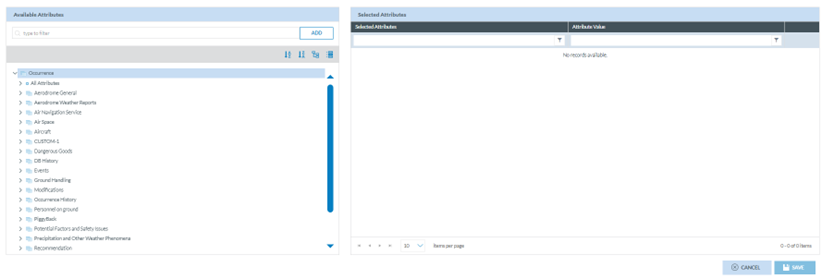
<span lang="EN-GB" style="mso-ansi-language: EN-GB; mso-fareast-language: EN-GB;"> </span>

<span lang="EN-GB">The management of this functionality works as Section ‘</span><span lang="EN-GB">Autofilled Attributes</span><span lang="EN-GB">’ of the Organisation. See the Autofilled Attributes tab section for details. The difference is that Autofilled Attributes of the Organisation works for the webforms of that organisation, and this case is restricted to VRs and OCs created from scratch by the Authority Officers.</span>

#### 6.2.4.9. Custom Columns Templates tab

<span lang="EN-GB">Through this page, the Administrator can select the Attributes available in the lists of ORs, VRs, OCs or SRs (according to the Authority type) in the corresponding ‘Safety Data’ or ‘Safety Recommendations’ menus of the Officers belonging to that Authority and the Attributes available in the landing page of the Reporting Portal for their reporters.</span>

<span lang="EN-GB">This tab is divided into sections, one per document list:</span>

[![image.png](https://help.ci-aviationreporting.eu/uploads/images/gallery/2025-11/scaled-1680-/fCwimage.png)](https://help.ci-aviationreporting.eu/uploads/images/gallery/2025-11/fCwimage.png)

<span lang="EN-GB" style="mso-ansi-language: EN-GB; mso-fareast-language: EN-GB;"> </span>

<span lang="EN-GB">All the sections are managed in the same way, as follows:</span>

<span lang="EN-GB">The left pane includes a search filter and the MetaColumns, with all its Attributes checked by default:</span>

[![image.png](https://help.ci-aviationreporting.eu/uploads/images/gallery/2025-11/scaled-1680-/NXrimage.png)](https://help.ci-aviationreporting.eu/uploads/images/gallery/2025-11/NXrimage.png)

<span lang="EN-GB" style="mso-ansi-language: EN-GB; mso-fareast-language: EN-GB;"> </span>

<span lang="EN-GB">Below is the Taxonomy Central or Custom, if existing for that Authority, through which the Officer can navigate to select more Attributes. See </span><span lang="EN-GB">Taxonomy</span><span lang="EN-GB"> for further details on its navigation.</span>

<span lang="EN-GB">The right pane provides the selected metacolumns and Attributes. By default, the system provides a list of metacolumns and Attributes.</span>

[![image.png](https://help.ci-aviationreporting.eu/uploads/images/gallery/2025-11/scaled-1680-/kPbimage.png)](https://help.ci-aviationreporting.eu/uploads/images/gallery/2025-11/kPbimage.png)

<span lang="EN-GB" style="mso-ansi-language: EN-GB; mso-fareast-language: EN-GB;"> </span>

<span lang="EN-GB">The officer can hide them through the eye icon next to each one.</span>

<span lang="EN-GB">The rubbish icon is to delete the Attribute of the table of reports.</span>

<span lang="EN-GB">The arrow next to the eye icon is to set the order of each Attribute:</span>

[![image.png](https://help.ci-aviationreporting.eu/uploads/images/gallery/2025-11/scaled-1680-/IAHimage.png)](https://help.ci-aviationreporting.eu/uploads/images/gallery/2025-11/IAHimage.png)

<span lang="EN-GB" style="mso-ansi-language: EN-GB; mso-fareast-language: EN-GB;"> </span>

<span lang="EN-GB">Administrators can also alter their order by dragging and dropping them.</span>

<span lang="EN-GB">When the Administrator is updating the Attributes, before saving the updates, they can always click on the ‘Reset’ button below the list of selected Attributes so that the system will set the ‘Selected Attributes’ page to the default selection and order. </span>

<span lang="EN-GB">Once the Administrator has updated the selected Attributes and metacolumns, they have to click on the ‘Save’ button, and the Custom columns will be updated based on the selected Attributes.</span>

#### 6.2.4.10. Default Queries

<span lang="EN-GB">This is the last tab in the Authority settings section:</span>

[![image.png](https://help.ci-aviationreporting.eu/uploads/images/gallery/2025-11/scaled-1680-/cDpimage.png)](https://help.ci-aviationreporting.eu/uploads/images/gallery/2025-11/cDpimage.png)

[![image.png](https://help.ci-aviationreporting.eu/uploads/images/gallery/2025-11/scaled-1680-/Pe8image.png)](https://help.ci-aviationreporting.eu/uploads/images/gallery/2025-11/Pe8image.png)
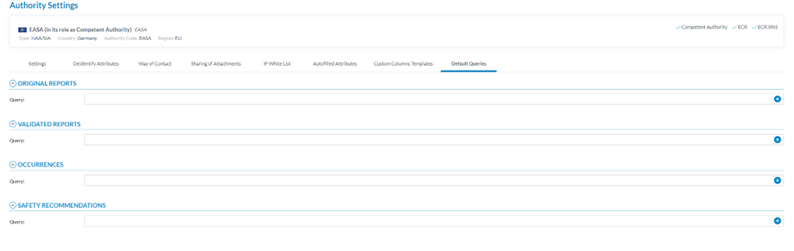
<span lang="EN-GB" style="mso-ansi-language: EN-GB; mso-fareast-language: EN-GB;"> </span>

<span lang="EN-GB" style="mso-ansi-language: EN-GB; mso-fareast-language: EN-GB;"> </span>

<span lang="EN-GB">Through this page, the Administrator can select the queries that the system triggers when opening the ORs, the VRs, the OCs or the SRs menus (according to the Authority Type – NAA/SIA) of the users of its Authority.</span>

<span lang="EN-GB">The Administrator has to click on the ‘+’ icon of the query field, and the system will open the Select Query window:[![image.png](https://help.ci-aviationreporting.eu/uploads/images/gallery/2025-11/scaled-1680-/61Yimage.png)](https://help.ci-aviationreporting.eu/uploads/images/gallery/2025-11/61Yimage.png) </span>
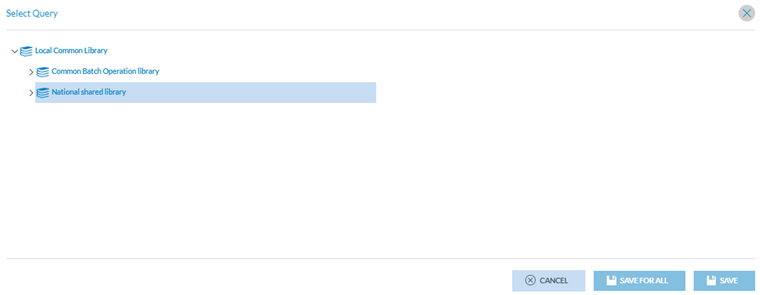
<span lang="EN-GB" style="mso-ansi-language: EN-GB; mso-fareast-language: EN-GB;"> </span>

<span lang="EN-GB">Therein, Administrators have to select the specific query. If clicking on the ‘Save’ button, the query will be applied to users of this Authority who have not selected their own queries; if clicking on ‘Save for all’, the query will be applied to all the users of this Authority.</span>

# 6.3. Roles and Permissions

<span lang="EN-GB">This option of the Administration menu provides the following submenus:</span>

<span lang="EN-GB">[![image.png](https://help.ci-aviationreporting.eu/uploads/images/gallery/2025-11/scaled-1680-/kzAimage.png)](https://help.ci-aviationreporting.eu/uploads/images/gallery/2025-11/kzAimage.png)</span>

<span lang="EN-GB" style="font-family: Symbol; mso-fareast-font-family: Symbol; mso-bidi-font-family: Symbol; color: #1b3891; mso-themecolor: text1;"><span style="mso-list: Ignore;">·<span style="font: 7.0pt 'Times New Roman';"> </span></span></span><span lang="EN-GB">Roles Management</span>

<span lang="EN-GB" style="font-family: Symbol; mso-fareast-font-family: Symbol; mso-bidi-font-family: Symbol; color: #1b3891; mso-themecolor: text1;"><span style="mso-list: Ignore;">·<span style="font: 7.0pt 'Times New Roman';"> </span></span></span><span lang="EN-GB">User Management</span>

<span lang="EN-GB" style="font-family: Symbol; mso-fareast-font-family: Symbol; mso-bidi-font-family: Symbol; color: #1b3891; mso-themecolor: text1;"><span style="mso-list: Ignore;">·<span style="font: 7.0pt 'Times New Roman';"> </span></span></span><span lang="EN-GB">Registration Requests</span>

<span lang="EN-GB" style="font-family: Symbol; mso-fareast-font-family: Symbol; mso-bidi-font-family: Symbol; color: #1b3891; mso-themecolor: text1;"><span style="mso-list: Ignore;">·<span style="font: 7.0pt 'Times New Roman';"> </span></span></span><span lang="EN-GB">Groups Management</span>

### 6.3.1 Roles Management

<span lang="EN-GB">Permissions among the E2 Web Applications can be provided to different types of users through roles.</span>

<span lang="EN-GB">Administrators have to click on ‘Roles Management’ on the image above, and the system provides the following page:</span>

[![image.png](https://help.ci-aviationreporting.eu/uploads/images/gallery/2025-11/scaled-1680-/kW3MYQimage.png)](https://help.ci-aviationreporting.eu/uploads/images/gallery/2025-11/kW3MYQimage.png)

<span lang="EN-GB" style="mso-ansi-language: EN-GB; mso-fareast-language: EN-GB;"> </span>

<span lang="EN-GB">It provides the table of Roles with the following columns that also work as filters:</span>

<span lang="EN-GB" style="font-family: Symbol; mso-fareast-font-family: Symbol; mso-bidi-font-family: Symbol; color: #1b3891; mso-themecolor: text1;"><span style="mso-list: Ignore;">·<span style="font: 7.0pt 'Times New Roman';"> </span></span></span><span lang="EN-GB">Name: Identification of the Role</span>

<span lang="EN-GB" style="font-family: Symbol; mso-fareast-font-family: Symbol; mso-bidi-font-family: Symbol; color: #1b3891; mso-themecolor: text1;"><span style="mso-list: Ignore;">·<span style="font: 7.0pt 'Times New Roman';"> </span></span></span><span lang="EN-GB">Hierarchy: At the Administrator level, the options are only:</span>

<span lang="EN-GB" style="font-family: Wingdings; mso-fareast-font-family: Wingdings; mso-bidi-font-family: Wingdings; color: #1b3891; mso-themecolor: text1;"><span style="mso-list: Ignore;">ü<span style="font: 7.0pt 'Times New Roman';"> </span></span></span><span lang="EN-GB">Authority Administrator</span>

<span lang="EN-GB" style="font-family: Wingdings; mso-fareast-font-family: Wingdings; mso-bidi-font-family: Wingdings; color: #1b3891; mso-themecolor: text1;"><span style="mso-list: Ignore;">ü<span style="font: 7.0pt 'Times New Roman';"> </span></span></span><span lang="EN-GB">Custom</span>

<span lang="EN-GB" style="font-family: Wingdings; mso-fareast-font-family: Wingdings; mso-bidi-font-family: Wingdings; color: #1b3891; mso-themecolor: text1;"><span style="mso-list: Ignore;">ü<span style="font: 7.0pt 'Times New Roman';"> </span></span></span><span lang="EN-GB">Reporter</span>

<span lang="EN-GB">Each group of permissions is directly related to the role’s hierarchy. This way, when a role with hierarchy level X is created, only the permissions related to hierarchy level X will be available to be assigned to the new role.</span>

<span lang="EN-GB">Type: NAA (National Aviation Authority) or SIA (Safety Investigation Authorities).</span>

<span lang="EN-GB">The last section of each row provides the following icons: </span>[![image.png](https://help.ci-aviationreporting.eu/uploads/images/gallery/2025-11/scaled-1680-/gk2image.png)](https://help.ci-aviationreporting.eu/uploads/images/gallery/2025-11/gk2image.png)

<span lang="EN-GB"> </span>Which are aimed at deleting, copying and editing each Role.

<span lang="EN-GB">Above the table, the system displays the ‘New Role’ button.</span>

#### 6.3.1.1. Create a new role

<span lang="EN-GB">Administrators have to click the ‘New Role’ button above the table of Roles of the Roles Management menu. The system will open the ‘Role’ page:</span>

[![image.png](https://help.ci-aviationreporting.eu/uploads/images/gallery/2025-11/scaled-1680-/MLHimage.png)](https://help.ci-aviationreporting.eu/uploads/images/gallery/2025-11/MLHimage.png)

<span lang="EN-GB" style="mso-ansi-language: EN-GB; mso-fareast-language: EN-GB;"> </span>

<span lang="EN-GB">The following fields are mandatory:</span>

<span lang="EN-GB" style="font-family: Symbol; mso-fareast-font-family: Symbol; mso-bidi-font-family: Symbol; color: #1b3891; mso-themecolor: text1;"><span style="mso-list: Ignore;">·<span style="font: 7.0pt 'Times New Roman';"> </span></span></span><span lang="EN-GB">Type: it is by default </span>

<span lang="EN-GB" style="font-family: Wingdings; mso-fareast-font-family: Wingdings; mso-bidi-font-family: Wingdings; color: #1b3891; mso-themecolor: text1;"><span style="mso-list: Ignore;">ü<span style="font: 7.0pt 'Times New Roman';"> </span></span></span><span lang="EN-GB">NAA, for Authorities of this type, </span>

<span lang="EN-GB" style="font-family: Wingdings; mso-fareast-font-family: Wingdings; mso-bidi-font-family: Wingdings; color: #1b3891; mso-themecolor: text1;"><span style="mso-list: Ignore;">ü<span style="font: 7.0pt 'Times New Roman';"> </span></span></span><span lang="EN-GB">SIA, for Authorities of this type and</span>

<span lang="EN-GB" style="font-family: Wingdings; mso-fareast-font-family: Wingdings; mso-bidi-font-family: Wingdings; color: #1b3891; mso-themecolor: text1;"><span style="mso-list: Ignore;">ü<span style="font: 7.0pt 'Times New Roman';"> </span></span></span><span lang="EN-GB">Editable, for NAA/SIA Authorities</span>

<span lang="EN-GB" style="font-family: Symbol; mso-fareast-font-family: Symbol; mso-bidi-font-family: Symbol; color: #1b3891; mso-themecolor: text1;"><span style="mso-list: Ignore;">·<span style="font: 7.0pt 'Times New Roman';"> </span></span></span><span lang="EN-GB">Name: it has to be unique for each role</span>

<span lang="EN-GB" style="font-family: Symbol; mso-fareast-font-family: Symbol; mso-bidi-font-family: Symbol; color: #1b3891; mso-themecolor: text1;"><span style="mso-list: Ignore;">·<span style="font: 7.0pt 'Times New Roman';"> </span></span></span><span lang="EN-GB">Description: it can be the same as other roles.</span>

<span lang="EN-GB">Hierarchy: a drop-down menu with the options Authority Administration, Custom and Reporter</span>

<span lang="EN-GB">Depending on the hierarchy selected on this menu, the Basic Permissions table displayed at the bottom of the page will be updated. Filling them is mandatory to save the role.<span style="mso-spacerun: yes;"> </span>For example:</span>

<span lang="EN-GB" style="font-family: Symbol; mso-fareast-font-family: Symbol; mso-bidi-font-family: Symbol; color: #1b3891; mso-themecolor: text1;"><span style="mso-list: Ignore;">·<span style="font: 7.0pt 'Times New Roman';"> </span></span></span><span lang="EN-GB">Authority Administrator: the system will provide the following table of Basic Permissions</span>

[![image.png](https://help.ci-aviationreporting.eu/uploads/images/gallery/2025-11/scaled-1680-/2HIimage.png)](https://help.ci-aviationreporting.eu/uploads/images/gallery/2025-11/2HIimage.png)

<span lang="EN-GB" style="mso-ansi-language: EN-GB; mso-fareast-language: EN-GB;"> </span>

<span lang="EN-GB">Administrators must select Create, Edit, Read and/or Delete Permissions for each role and click ‘Save’.</span>

<span lang="EN-GB">Note that there is no checkbox for some options, i.e. Create Authority Settings; Create and Edit Original Reports.</span>

<span lang="EN-GB" style="font-family: Symbol; mso-fareast-font-family: Symbol; mso-bidi-font-family: Symbol; color: #1b3891; mso-themecolor: text1;"><span style="mso-list: Ignore;">·<span style="font: 7.0pt 'Times New Roman';"> </span></span></span><span lang="EN-GB">Authority: it is not editable. The system sets the Authority of the current Administrator by default.</span>

<span lang="EN-GB" style="font-family: Symbol; mso-fareast-font-family: Symbol; mso-bidi-font-family: Symbol; color: #1b3891; mso-themecolor: text1;"><span style="mso-list: Ignore;">·<span style="font: 7.0pt 'Times New Roman';"> </span></span></span><span lang="EN-GB">Query: Administrators can select a query at the Queries drop-down menu. It will provide the Queries the current Administrator has previously saved through the Queries menu (Data Management). See the [Queries](#_Queries) section for further details on how to manage queries.</span>

<span lang="EN-GB" style="font-family: Symbol; mso-fareast-font-family: Symbol; mso-bidi-font-family: Symbol; color: #1b3891; mso-themecolor: text1;"><span style="mso-list: Ignore;">·<span style="font: 7.0pt 'Times New Roman';"> </span></span></span><span lang="EN-GB">Role Type: By default, the system sets ‘Individual’, but Administrators can also select ‘Organisation’ or ‘Parent Organisation’.</span>

<span lang="EN-GB"> </span><span lang="EN-GB">The selected query will restrict the records that can be accessed by users registered in that role to only those resulting from the execution of the query.</span>

<span lang="EN-GB">Administrators can select the ‘Advanced Permissions’ by clicking on that tab.</span>

<span lang="EN-GB">This tab provides the ‘Report’ Advanced Permissions, by default, to be selected (Image below). The content varies depending on the chosen hierarchy. For example, the following table corresponds to the Authority Administrator.</span>

[![image.png](https://help.ci-aviationreporting.eu/uploads/images/gallery/2025-11/scaled-1680-/4C8image.png)](https://help.ci-aviationreporting.eu/uploads/images/gallery/2025-11/4C8image.png)

<span lang="EN-GB" style="mso-ansi-language: EN-GB; mso-fareast-language: EN-GB;"> </span>

<span lang="EN-GB">The advanced permissions are grouped into Reports, Data Management, Users &amp; Roles, Taxonomy, Other, and E2 Central Hub. The Administrator can select any of these groups to provide the required permissions to the role and click the ‘Save’ button.</span>

**<span lang="EN-GB" style="mso-bidi-font-family: 'Times New Roman';">Occurrence Views</span>**<span lang="EN-GB">: through this tab, Administrators can select the actions the users of this role can perform when using a particular View and save the selection. Otherwise, the role cannot be saved.</span>

<span lang="EN-GB">This tab is as follows:</span>

[![image.png](https://help.ci-aviationreporting.eu/uploads/images/gallery/2025-11/scaled-1680-/MCiimage.png)](https://help.ci-aviationreporting.eu/uploads/images/gallery/2025-11/MCiimage.png)

<span lang="EN-GB" style="mso-ansi-language: EN-GB; mso-fareast-language: EN-GB;"> </span>

<span lang="EN-GB">It provides a table of views with all the views available for the current Authority. See [Views](#_Views) management for further details on the Views.</span>

<span lang="EN-GB">Through the checkboxes, Administrators can select the permissions to access the specific View concerning a report's Creation, Edition and Read mode.</span>

**<span lang="EN-GB" style="mso-bidi-font-family: 'Times New Roman';">Enrolled users: </span>**<span lang="EN-GB">displays the users assigned to this role. This list is built automatically, so Administrators cannot enrol new users from here. See the following section, User Management</span><span class="MsoHyperlink"><span lang="EN-GB" style="mso-bidi-font-family: 'Times New Roman';">,</span></span><span lang="EN-GB"> for further details.</span>

#### 6.3.1.2. Edit a role

<span lang="EN-GB">Administrators have to click on the pencil Edit button of the specific Role of the table, and the system will display the Edit Role page:</span>

[![image.png](https://help.ci-aviationreporting.eu/uploads/images/gallery/2025-11/scaled-1680-/PLFimage.png)](https://help.ci-aviationreporting.eu/uploads/images/gallery/2025-11/PLFimage.png)

<span lang="EN-GB" style="mso-ansi-language: EN-GB; mso-fareast-language: EN-GB;"> </span>

<span lang="EN-GB">The management page is the same as the New Role page in the previous section. See it for further details. Administrators must update the needed fields and keep all the mandatory fields filled in. Then, they have to click on ‘Save’; the updates will be saved in the database, and the Roles table will be updated accordingly.</span>

<span lang="EN-GB">Note: The Users Enrolled tab is not editable. Through the Users management, Administrators can assign a role to a user, so this will be seen in the ‘Enrolled users tab’ of the Role page:</span>

[![image.png](https://help.ci-aviationreporting.eu/uploads/images/gallery/2025-11/scaled-1680-/u1Aimage.png)](https://help.ci-aviationreporting.eu/uploads/images/gallery/2025-11/u1Aimage.png)

<span lang="EN-GB" style="mso-ansi-language: EN-GB; mso-fareast-language: EN-GB;"> </span>

#### 6.3.1.3. Duplicate a role

<span lang="EN-GB">Administrators must click the ‘Copy’ icon of the specific Role, and the system will display the Role page. It is the same as the Edit page. Administrators have to update at least the Name field and keep the mandatory information filled. Then, they have to click on Save, and the updates will be saved in the database, and the roles table will be updated accordingly.</span>

#### 6.3.1.4. Delete a role

<span lang="EN-GB">Administrators have to click on the ‘Delete’ icon for the specific role of the table, and the system will display a confirmation message because the action cannot be reversed. If Administrators confirm the action, the role will be deleted from the database and removed from the roles table.</span>

### 6<span style="mso-bookmark: _Toc183708184;"><span style="mso-fareast-font-family: Calibri; mso-bidi-font-family: Calibri;"><span style="mso-list: Ignore;">.3.2. </span></span></span><span style="mso-bookmark: _Toc183708184;">User management</span>

<span lang="EN-GB">Administrators have to click on ‘User management’ under ‘Administration-Roles and Permissions’, and the system will display this menu:</span>

[![image.png](https://help.ci-aviationreporting.eu/uploads/images/gallery/2025-11/scaled-1680-/51pimage.png)](https://help.ci-aviationreporting.eu/uploads/images/gallery/2025-11/51pimage.png)

<span lang="EN-GB" style="mso-ansi-language: EN-GB; mso-fareast-language: EN-GB;"> </span>

<span lang="EN-GB">It displays the table of users, which includes the users created through this management and those created through the ‘Organisation Management’ option. See the section on [Organisation Management](#_Organisation_Management) for further details.</span>

<span lang="EN-GB">Each table row is preceded by a checkbox to select each row.</span>

<span lang="EN-GB">The first column is a checkbox to select all the tables. The rest of the columns also work as filters:</span>

<span lang="EN-GB" style="font-family: Symbol; mso-fareast-font-family: Symbol; mso-bidi-font-family: Symbol; color: #1b3891; mso-themecolor: text1;"><span style="mso-list: Ignore;">·<span style="font: 7.0pt 'Times New Roman';"> </span></span></span><span lang="EN-GB">Username: it is unique for each record.</span>

<span lang="EN-GB" style="font-family: Symbol; mso-fareast-font-family: Symbol; mso-bidi-font-family: Symbol; color: #1b3891; mso-themecolor: text1;"><span style="mso-list: Ignore;">·<span style="font: 7.0pt 'Times New Roman';"> </span></span></span><span lang="EN-GB">Email: it can be the same as other users’ email.</span>

<span lang="EN-GB" style="font-family: Symbol; mso-fareast-font-family: Symbol; mso-bidi-font-family: Symbol; color: #1b3891; mso-themecolor: text1;"><span style="mso-list: Ignore;">·<span style="font: 7.0pt 'Times New Roman';"> </span></span></span><span lang="EN-GB">Organisation Name: if the User belongs to an organisation, this column will indicate its name.</span>

<span lang="EN-GB" style="font-family: Symbol; mso-fareast-font-family: Symbol; mso-bidi-font-family: Symbol; color: #1b3891; mso-themecolor: text1;"><span style="mso-list: Ignore;">·<span style="font: 7.0pt 'Times New Roman';"> </span></span></span><span lang="EN-GB">Organisation ID: It will set the organisation ID to which the user belongs if it exists.</span>

<span lang="EN-GB" style="font-family: Symbol; mso-fareast-font-family: Symbol; mso-bidi-font-family: Symbol; color: #1b3891; mso-themecolor: text1;"><span style="mso-list: Ignore;">·<span style="font: 7.0pt 'Times New Roman';"> </span></span></span><span lang="EN-GB">Parent Organisation: It identifies the parent organisation if it exists.</span>

<span lang="EN-GB" style="font-family: Symbol; mso-fareast-font-family: Symbol; mso-bidi-font-family: Symbol; color: #1b3891; mso-themecolor: text1;"><span style="mso-list: Ignore;">·<span style="font: 7.0pt 'Times New Roman';"> </span></span></span><span lang="EN-GB">Disabled: When disabled, the field will display a ‘green tick’. By default, the users are created disabled.</span>

<span lang="EN-GB" style="font-family: Symbol; mso-fareast-font-family: Symbol; mso-bidi-font-family: Symbol; color: #1b3891; mso-themecolor: text1;"><span style="mso-list: Ignore;">·<span style="font: 7.0pt 'Times New Roman';"> </span></span></span><span lang="EN-GB">Blocked: if the user is blocked, the field will display a ‘green tick.’</span>

<span lang="EN-GB" style="font-family: Symbol; mso-fareast-font-family: Symbol; mso-bidi-font-family: Symbol; color: #1b3891; mso-themecolor: text1;"><span style="mso-list: Ignore;">·<span style="font: 7.0pt 'Times New Roman';"> </span></span></span><span lang="EN-GB">Deleted: if the user is deleted, the field will display a ‘green tick’ (N/A)</span>

<span lang="EN-GB" style="font-family: Symbol; mso-fareast-font-family: Symbol; mso-bidi-font-family: Symbol; color: #1b3891; mso-themecolor: text1;"><span style="mso-list: Ignore;">·<span style="font: 7.0pt 'Times New Roman';"> </span></span></span><span lang="EN-GB">Roles: it sets the Roles assigned to the user</span>

<span lang="EN-GB" style="font-family: Symbol; mso-fareast-font-family: Symbol; mso-bidi-font-family: Symbol; color: #1b3891; mso-themecolor: text1;"><span style="mso-list: Ignore;">·<span style="font: 7.0pt 'Times New Roman';"> </span></span></span><span lang="EN-GB">Created by: the author of the user</span>

<span lang="EN-GB" style="font-family: Symbol; mso-fareast-font-family: Symbol; mso-bidi-font-family: Symbol; color: #1b3891; mso-themecolor: text1;"><span style="mso-list: Ignore;">·<span style="font: 7.0pt 'Times New Roman';"> </span></span></span><span lang="EN-GB">Created on: Date of creation of the user</span>

<span lang="EN-GB" style="font-family: Symbol; mso-fareast-font-family: Symbol; mso-bidi-font-family: Symbol; color: #1b3891; mso-themecolor: text1;"><span style="mso-list: Ignore;">·<span style="font: 7.0pt 'Times New Roman';"> </span></span></span><span lang="EN-GB">Last access on: Date of last access of the user to the E2 Web Application</span>

<span lang="EN-GB">Each row's last section has a 3-dot menu providing the Edit and Export options. Note: Administrators cannot delete the users. They can disable and block them.</span>

<span lang="EN-GB">Above the table in the left corner, another Export option exists for multiple export processes.</span>

<span lang="EN-GB">On the right-side corner is a ‘Show Deletion Requests’ toggle, disabled; if activated, the table will show users' requests to delete their accounts.</span>

<span lang="EN-GB">Above the toggle, there is a ‘New User’ button.</span>

#### <span style="mso-fareast-font-family: Calibri; mso-bidi-font-family: Calibri;"><span style="mso-list: Ignore;"><span style="font: 7.0pt 'Times New Roman';">6.3.2.1. </span><span style="font: 7.0pt 'Times New Roman';"> </span></span></span>Create a new user

<span lang="EN-GB">Administrators have to click the ‘New User’ button above the table:</span>

[![image.png](https://help.ci-aviationreporting.eu/uploads/images/gallery/2025-11/scaled-1680-/8o3image.png)](https://help.ci-aviationreporting.eu/uploads/images/gallery/2025-11/8o3image.png)

<span lang="EN-GB" style="mso-ansi-language: EN-GB; mso-fareast-language: EN-GB;"> </span>

<span lang="EN-GB">It sets the following fields:</span>

<span lang="EN-GB" style="font-family: Symbol; mso-fareast-font-family: Symbol; mso-bidi-font-family: Symbol; color: #1b3891; mso-themecolor: text1;"><span style="mso-list: Ignore;">·<span style="font: 7.0pt 'Times New Roman';"> </span></span></span><span lang="EN-GB">Account Type: by default, it is Individual; Administrators can update it to Organisation</span>

<span lang="EN-GB" style="font-family: Symbol; mso-fareast-font-family: Symbol; mso-bidi-font-family: Symbol; color: #1b3891; mso-themecolor: text1;"><span style="mso-list: Ignore;">·<span style="font: 7.0pt 'Times New Roman';"> </span></span></span><span lang="EN-GB">Authority: it is not editable. It sets the current Authority of the Administrator</span>

<span lang="EN-GB" style="font-family: Symbol; mso-fareast-font-family: Symbol; mso-bidi-font-family: Symbol; color: #1b3891; mso-themecolor: text1;"><span style="mso-list: Ignore;">·<span style="font: 7.0pt 'Times New Roman';"> </span></span></span><span lang="EN-GB">Organisation: it is not editable for Individual users. It sets the user’s organisation for Organisation users</span>

<span lang="EN-GB" style="font-family: Symbol; mso-fareast-font-family: Symbol; mso-bidi-font-family: Symbol; color: #1b3891; mso-themecolor: text1;"><span style="mso-list: Ignore;">·<span style="font: 7.0pt 'Times New Roman';"> </span></span></span><span lang="EN-GB">Username: it has to be unique for each User</span>

<span lang="EN-GB" style="font-family: Symbol; mso-fareast-font-family: Symbol; mso-bidi-font-family: Symbol; color: #1b3891; mso-themecolor: text1;"><span style="mso-list: Ignore;">·<span style="font: 7.0pt 'Times New Roman';"> </span></span></span><span lang="EN-GB">Description: This field is optional</span>

<span lang="EN-GB" style="font-family: Symbol; mso-fareast-font-family: Symbol; mso-bidi-font-family: Symbol; color: #1b3891; mso-themecolor: text1;"><span style="mso-list: Ignore;">·<span style="font: 7.0pt 'Times New Roman';"> </span></span></span><span lang="EN-GB">Creation Date: This field is not editable and is set by the system automatically when the record is created.</span>

<span lang="EN-GB" style="font-family: Symbol; mso-fareast-font-family: Symbol; mso-bidi-font-family: Symbol; color: #1b3891; mso-themecolor: text1;"><span style="mso-list: Ignore;">·<span style="font: 7.0pt 'Times New Roman';"> </span></span></span><span lang="EN-GB">Modification Date: This field is not editable and is set by the system automatically when the record is updated</span>

<span lang="EN-GB" style="font-family: Symbol; mso-fareast-font-family: Symbol; mso-bidi-font-family: Symbol; color: #1b3891; mso-themecolor: text1;"><span style="mso-list: Ignore;">·<span style="font: 7.0pt 'Times New Roman';"> </span></span></span><span lang="EN-GB">Last Activity: This field is not editable and is set by the system automatically when the user accesses their account in the E2 Web Application</span>

<span lang="EN-GB" style="font-family: Symbol; mso-fareast-font-family: Symbol; mso-bidi-font-family: Symbol; color: #1b3891; mso-themecolor: text1;"><span style="mso-list: Ignore;">·<span style="font: 7.0pt 'Times New Roman';"> </span></span></span><span lang="EN-GB">Disabled toggle: by default, the account is disabled until the user activates it through the activation email.</span>

<span lang="EN-GB" style="font-family: Symbol; mso-fareast-font-family: Symbol; mso-bidi-font-family: Symbol; color: #1b3891; mso-themecolor: text1;"><span style="mso-list: Ignore;">·<span style="font: 7.0pt 'Times New Roman';"> </span></span></span><span lang="EN-GB">Blocked toggle: by default, it is not enabled, and the account is not blocked. If enabled, the account is blocked</span>

<span lang="EN-GB" style="font-family: Symbol; mso-fareast-font-family: Symbol; mso-bidi-font-family: Symbol; color: #1b3891; mso-themecolor: text1;"><span style="mso-list: Ignore;">·<span style="font: 7.0pt 'Times New Roman';"> </span></span></span><span lang="EN-GB">Properties:</span>

<span lang="EN-GB" style="font-family: Wingdings; mso-fareast-font-family: Wingdings; mso-bidi-font-family: Wingdings; color: #1b3891; mso-themecolor: text1;"><span style="mso-list: Ignore;">ü<span style="font: 7.0pt 'Times New Roman';"> </span></span></span><span lang="EN-GB">First Name: It is mandatory and refers to the User</span>

<span lang="EN-GB" style="font-family: Wingdings; mso-fareast-font-family: Wingdings; mso-bidi-font-family: Wingdings; color: #1b3891; mso-themecolor: text1;"><span style="mso-list: Ignore;">ü<span style="font: 7.0pt 'Times New Roman';"> </span></span></span><span lang="EN-GB">Last Name: It is mandatory and refers to the User</span>

<span lang="EN-GB" style="font-family: Wingdings; mso-fareast-font-family: Wingdings; mso-bidi-font-family: Wingdings; color: #1b3891; mso-themecolor: text1;"><span style="mso-list: Ignore;">ü<span style="font: 7.0pt 'Times New Roman';"> </span></span></span><span lang="EN-GB">Phone: it is optional</span>

<span lang="EN-GB" style="font-family: Wingdings; mso-fareast-font-family: Wingdings; mso-bidi-font-family: Wingdings; color: #1b3891; mso-themecolor: text1;"><span style="mso-list: Ignore;">ü<span style="font: 7.0pt 'Times New Roman';"> </span></span></span><span lang="EN-GB">Email address: it is mandatory and refers to the User</span>

<span lang="EN-GB" style="font-family: Wingdings; mso-fareast-font-family: Wingdings; mso-bidi-font-family: Wingdings; color: #1b3891; mso-themecolor: text1;"><span style="mso-list: Ignore;">ü<span style="font: 7.0pt 'Times New Roman';"> </span></span></span><span lang="EN-GB">Preferred language: it is not editable, and by default, it is English</span>

<span lang="EN-GB" style="font-family: Wingdings; mso-fareast-font-family: Wingdings; mso-bidi-font-family: Wingdings; color: #1b3891; mso-themecolor: text1;"><span style="mso-list: Ignore;">ü<span style="font: 7.0pt 'Times New Roman';"> </span></span></span><span lang="EN-GB">Job Title: it is optional</span>

<span lang="EN-GB" style="font-family: Symbol; mso-fareast-font-family: Symbol; mso-bidi-font-family: Symbol; color: #1b3891; mso-themecolor: text1;"><span style="mso-list: Ignore;">·<span style="font: 7.0pt 'Times New Roman';"> </span></span></span><span lang="EN-GB">Roles: It lists all the roles available to the Administrator. The list varies depending on the type of user. The previous image shows the roles of Individual users (non-organisational users). For Organisations, it is as follows:</span>

[![image.png](https://help.ci-aviationreporting.eu/uploads/images/gallery/2025-11/scaled-1680-/9kEimage.png)](https://help.ci-aviationreporting.eu/uploads/images/gallery/2025-11/9kEimage.png)

<span lang="EN-GB" style="mso-ansi-language: EN-GB; mso-fareast-language: EN-GB;"> </span>

<span lang="EN-GB">Administrators must fill in all the mandatory information, select the new User's corresponding roles, and click ‘Save’. The system will save the new user in the database and add the user to the user table in alphabetical order.</span>

#### 6.3.2.2. Edit a user

<span lang="EN-GB">Administrators have to click on the ‘Edit’ option of the 3-dot button at the table of Users, and the system will open the ‘User Account Details’ page:</span>

[![image.png](https://help.ci-aviationreporting.eu/uploads/images/gallery/2025-11/scaled-1680-/D47image.png)](https://help.ci-aviationreporting.eu/uploads/images/gallery/2025-11/D47image.png)

<span lang="EN-GB" style="mso-ansi-language: EN-GB; mso-fareast-language: EN-GB;"> </span>

<span lang="EN-GB">It is like the creation page, but the Account Type is not editable; the creation and modification Dates are already automatically set; if they exist, the Last Activity field is also automatically set.</span>

<span lang="EN-GB">Administrators have to make the needed updates and click on ‘Save’, and the information will be saved as long as they have kept the mandatory fields filled. The updates will be saved in the database, and the roles table will be updated accordingly.</span>

#### 6.3.2.3. Export a user

**<span lang="EN-GB">Individual export process for users</span>**

<span lang="EN-GB">Administrators have to click on the ‘Export’ option for the specific User of the table of Users, and the system will automatically export that user to an Excel file.</span>

**<span lang="EN-GB">Multiple export process for users</span>**

<span lang="EN-GB">Administrators have to select the specific users through the check boxes of the specific rows or select all the tables through the checkbox provided next to the table columns and click on the ‘Export’ option displayed above the table. The system will email the Administrator a link to download the resulting zip file with the Excel files corresponding to the selected users.</span>

### 6<span style="mso-fareast-font-family: Calibri; mso-bidi-font-family: Calibri;"><span style="mso-list: Ignore;">.3.3.<span style="font: 7.0pt 'Times New Roman';"> </span></span></span>Registration request

<span lang="EN-GB">Administrators have to click on the Registration Request menu under Accounts &amp; Permissions (Administration menu), and the system will display the table of registration requests for the specific Authority:</span>

[![image.png](https://help.ci-aviationreporting.eu/uploads/images/gallery/2025-11/scaled-1680-/74eimage.png)](https://help.ci-aviationreporting.eu/uploads/images/gallery/2025-11/74eimage.png)

<span lang="EN-GB" style="mso-ansi-language: EN-GB; mso-fareast-language: EN-GB;"> </span>

<span lang="EN-GB">This table presents all the registration requests for this Authority introduced through individual reporters' E2 Reporting Portal registration page.</span>

<span lang="EN-GB">The table provides the following columns that also work as filters:</span>

<span lang="EN-GB" style="font-family: Symbol; mso-fareast-font-family: Symbol; mso-bidi-font-family: Symbol; color: #1b3891; mso-themecolor: text1;"><span style="mso-list: Ignore;">·<span style="font: 7.0pt 'Times New Roman';"> </span></span></span><span lang="EN-GB">First Name</span>

<span lang="EN-GB" style="font-family: Symbol; mso-fareast-font-family: Symbol; mso-bidi-font-family: Symbol; color: #1b3891; mso-themecolor: text1;"><span style="mso-list: Ignore;">·<span style="font: 7.0pt 'Times New Roman';"> </span></span></span><span lang="EN-GB">Last Name</span>

<span lang="EN-GB" style="font-family: Symbol; mso-fareast-font-family: Symbol; mso-bidi-font-family: Symbol; color: #1b3891; mso-themecolor: text1;"><span style="mso-list: Ignore;">·<span style="font: 7.0pt 'Times New Roman';"> </span></span></span><span lang="EN-GB">Email</span>

<span lang="EN-GB" style="font-family: Symbol; mso-fareast-font-family: Symbol; mso-bidi-font-family: Symbol; color: #1b3891; mso-themecolor: text1;"><span style="mso-list: Ignore;">·<span style="font: 7.0pt 'Times New Roman';"> </span></span></span><span lang="EN-GB">Username: unique for each user</span>

<span lang="EN-GB" style="font-family: Symbol; mso-fareast-font-family: Symbol; mso-bidi-font-family: Symbol; color: #1b3891; mso-themecolor: text1;"><span style="mso-list: Ignore;">·<span style="font: 7.0pt 'Times New Roman';"> </span></span></span><span lang="EN-GB">Reason to register</span>

<span lang="EN-GB" style="font-family: Symbol; mso-fareast-font-family: Symbol; mso-bidi-font-family: Symbol; color: #1b3891; mso-themecolor: text1;"><span style="mso-list: Ignore;">·<span style="font: 7.0pt 'Times New Roman';"> </span></span></span><span lang="EN-GB">Status: it can be pending, accepted or rejected</span>

<span lang="EN-GB" style="font-family: Symbol; mso-fareast-font-family: Symbol; mso-bidi-font-family: Symbol; color: #1b3891; mso-themecolor: text1;"><span style="mso-list: Ignore;">·<span style="font: 7.0pt 'Times New Roman';"> </span></span></span><span lang="EN-GB">Register date: date and time of the request</span>

<span lang="EN-GB">On the last section of each row, there is a 3-dot menu that provides the following options:</span>

[![image.png](https://help.ci-aviationreporting.eu/uploads/images/gallery/2025-11/scaled-1680-/L8timage.png)](https://help.ci-aviationreporting.eu/uploads/images/gallery/2025-11/L8timage.png)

<span lang="EN-GB" style="mso-ansi-language: EN-GB; mso-fareast-language: EN-GB;"> </span>

<span lang="EN-GB" style="font-family: Symbol; mso-fareast-font-family: Symbol; mso-bidi-font-family: Symbol; color: #1b3891; mso-themecolor: text1;"><span style="mso-list: Ignore;">·<span style="font: 7.0pt 'Times New Roman';"> </span></span></span>**<span lang="EN-GB" style="mso-bidi-font-family: 'Times New Roman';">Accept User</span>**<span lang="EN-GB">: It accepts the user, and the user status turns to ‘Accepted’ in the request table. The system will send an email to the user through which to activate the account. The 3-dot menu will disappear from the specific request at the table.</span>

<span lang="EN-GB" style="font-family: Symbol; mso-fareast-font-family: Symbol; mso-bidi-font-family: Symbol; color: #1b3891; mso-themecolor: text1;"><span style="mso-list: Ignore;">·<span style="font: 7.0pt 'Times New Roman';"> </span></span></span>**<span lang="EN-GB" style="mso-bidi-font-family: 'Times New Roman';">Deny User</span>**<span lang="EN-GB">: it denies the registration request. An email will be sent to the requester; the request status will turn to ‘Rejected’ in the table of requests. The Accept option will remain in the 3-dot menu of the request at the table. At the same time, the system will send an email to the candidate informing them of the request’s rejection.</span>

### <span style="mso-fareast-font-family: Calibri; mso-bidi-font-family: Calibri;"><span style="mso-list: Ignore;">6.2.4.<span style="font: 7.0pt 'Times New Roman';"> </span></span></span>Groups management

<span lang="EN-GB">Groups are made of users to which some action in the E2 Web Application can be applied, like notifications. See Notifications Manager section for more details.</span>

<span lang="EN-GB">Administrators have to click on Groups Management under Accounts &amp; Permissions (Administration menu), and the system will display the Groups Management menu:</span>

[![image.png](https://help.ci-aviationreporting.eu/uploads/images/gallery/2025-11/scaled-1680-/7Ujimage.png)](https://help.ci-aviationreporting.eu/uploads/images/gallery/2025-11/7Ujimage.png)

<span lang="EN-GB" style="mso-ansi-language: EN-GB; mso-fareast-language: EN-GB;"> </span>

<span lang="EN-GB">It provides a table of Groups with the following columns also working as filters:</span>

<span lang="EN-GB" style="font-family: Symbol; mso-fareast-font-family: Symbol; mso-bidi-font-family: Symbol; color: #1b3891; mso-themecolor: text1;"><span style="mso-list: Ignore;">·<span style="font: 7.0pt 'Times New Roman';"> </span></span></span><span lang="EN-GB">Name: unique for each Group</span>

<span lang="EN-GB" style="font-family: Symbol; mso-fareast-font-family: Symbol; mso-bidi-font-family: Symbol; color: #1b3891; mso-themecolor: text1;"><span style="mso-list: Ignore;">·<span style="font: 7.0pt 'Times New Roman';"> </span></span></span><span lang="EN-GB">Description: Optional</span>

<span lang="EN-GB">In the last section of each row, there is a 3-dot menu with the following options:</span>

<span lang="EN-GB" style="font-family: Symbol; mso-fareast-font-family: Symbol; mso-bidi-font-family: Symbol; color: #1b3891; mso-themecolor: text1;"><span style="mso-list: Ignore;">·<span style="font: 7.0pt 'Times New Roman';"> </span></span></span><span lang="EN-GB">Edit Group</span>

<span lang="EN-GB" style="font-family: Symbol; mso-fareast-font-family: Symbol; mso-bidi-font-family: Symbol; color: #1b3891; mso-themecolor: text1;"><span style="mso-list: Ignore;">·<span style="font: 7.0pt 'Times New Roman';"> </span></span></span><span lang="EN-GB">Delete Group</span>

<span lang="EN-GB">Above the table, there is a ‘New Group’ button.</span>

#### 6.2.4.2. Create a new group

<span lang="EN-GB">Administrators have to click on the ‘New Group’ button, and the system will display the New Group page:</span>

[![image.png](https://help.ci-aviationreporting.eu/uploads/images/gallery/2025-11/scaled-1680-/kUtimage.png)](https://help.ci-aviationreporting.eu/uploads/images/gallery/2025-11/kUtimage.png)

<span lang="EN-GB" style="mso-ansi-language: EN-GB; mso-fareast-language: EN-GB;"> </span>

<span lang="EN-GB">The fields are the following:</span>

<span lang="EN-GB" style="font-family: Symbol; mso-fareast-font-family: Symbol; mso-bidi-font-family: Symbol; color: #1b3891; mso-themecolor: text1;"><span style="mso-list: Ignore;">·<span style="font: 7.0pt 'Times New Roman';"> </span></span></span><span lang="EN-GB">Name: it is the only mandatory field.</span>

<span lang="EN-GB" style="font-family: Symbol; mso-fareast-font-family: Symbol; mso-bidi-font-family: Symbol; color: #1b3891; mso-themecolor: text1;"><span style="mso-list: Ignore;">·<span style="font: 7.0pt 'Times New Roman';"> </span></span></span><span lang="EN-GB">Description: it is optional</span>

<span lang="EN-GB" style="font-family: Symbol; mso-fareast-font-family: Symbol; mso-bidi-font-family: Symbol; color: #1b3891; mso-themecolor: text1;"><span style="mso-list: Ignore;">·<span style="font: 7.0pt 'Times New Roman';"> </span></span></span><span lang="EN-GB">Available Users: it displays the table of active users, excluding organisation users, of the specific Authority. They are added to the Selected Users tab by selecting the needed users through the checkboxes and transferring them to the ‘Selected Users’ tab through the ADD button. The Users can also be removed from the ‘Selected Users’ tab through the ‘Remove’ button.</span>

<span lang="EN-GB">The system will save the new group in the database, and the group will be added to the group table.</span>

#### 6.2.4.3. Edit a group

<span lang="EN-GB">Administrators have to click on ‘Edit Group’ on the 3-dot menu of the specific group at the table of groups, and the system will display the Edit Users Group page:</span>

[![image.png](https://help.ci-aviationreporting.eu/uploads/images/gallery/2025-11/scaled-1680-/rvmimage.png)](https://help.ci-aviationreporting.eu/uploads/images/gallery/2025-11/rvmimage.png)

<span lang="EN-GB" style="mso-ansi-language: EN-GB; mso-fareast-language: EN-GB;"> </span>

<span lang="EN-GB">Administrators must update the needed information by always keeping the name filled out and clicking on ‘Save’.</span>

<span lang="EN-GB">The updates will be saved in the database, and the system will return them to the table of groups with the table updated.</span>

#### 6.2.4.4. Delete a group

<span lang="EN-GB">Administrators have to click on ‘Delete’ on the 3-dot menu of the specific group at the table of groups, and the system will delete the group from the database and remove it from the table of groups. </span>

# 6.4. Content Management

### <span style="mso-fareast-font-family: Calibri; mso-bidi-font-family: Calibri;"><span style="mso-list: Ignore;">6.4.1. </span></span>Support Tables

<span lang="EN-GB">Administrators can access and see the Support Tables by clicking on Administration-Content Management-Support Tables. This menu is only for Administrator information purposes. Administrators cannot manage or edit the information; they can only view it. These tables support the ECCAIRS/SRIS and Custom Taxonomies and are handled at the ECCAIRS Central Administration level.</span>

<span lang="EN-GB">The system will display the Support Tables menu:</span>

[![image.png](https://help.ci-aviationreporting.eu/uploads/images/gallery/2025-11/scaled-1680-/AVGimage.png)](https://help.ci-aviationreporting.eu/uploads/images/gallery/2025-11/AVGimage.png)

<span lang="EN-GB" style="mso-ansi-language: EN-GB; mso-fareast-language: EN-GB;"> </span>

<span lang="EN-GB">It displays a left panel with the list of all the tables, accessible by clicking on them:</span>

<span lang="EN-GB" style="font-family: Symbol; mso-fareast-font-family: Symbol; mso-bidi-font-family: Symbol; color: #1b3891; mso-themecolor: text1;"><span style="mso-list: Ignore;">·<span style="font: 7.0pt 'Times New Roman';"> </span></span></span><span lang="EN-GB">Alias</span>

<span lang="EN-GB" style="font-family: Symbol; mso-fareast-font-family: Symbol; mso-bidi-font-family: Symbol; color: #1b3891; mso-themecolor: text1;"><span style="mso-list: Ignore;">·<span style="font: 7.0pt 'Times New Roman';"> </span></span></span><span lang="EN-GB">Attributes Groups</span>

<span lang="EN-GB" style="font-family: Symbol; mso-fareast-font-family: Symbol; mso-bidi-font-family: Symbol; color: #1b3891; mso-themecolor: text1;"><span style="mso-list: Ignore;">·<span style="font: 7.0pt 'Times New Roman';"> </span></span></span><span lang="EN-GB">Conversion Factors</span>

<span lang="EN-GB" style="font-family: Symbol; mso-fareast-font-family: Symbol; mso-bidi-font-family: Symbol; color: #1b3891; mso-themecolor: text1;"><span style="mso-list: Ignore;">·<span style="font: 7.0pt 'Times New Roman';"> </span></span></span><span lang="EN-GB">Domains</span>

<span lang="EN-GB" style="font-family: Symbol; mso-fareast-font-family: Symbol; mso-bidi-font-family: Symbol; color: #1b3891; mso-themecolor: text1;"><span style="mso-list: Ignore;">·<span style="font: 7.0pt 'Times New Roman';"> </span></span></span><span lang="EN-GB">Management Units</span>

<span lang="EN-GB" style="font-family: Symbol; mso-fareast-font-family: Symbol; mso-bidi-font-family: Symbol; color: #1b3891; mso-themecolor: text1;"><span style="mso-list: Ignore;">·<span style="font: 7.0pt 'Times New Roman';"> </span></span></span><span lang="EN-GB">Measurement Unit Classes</span>

#### <span style="mso-fareast-font-family: Calibri; mso-bidi-font-family: Calibri;"><span style="mso-list: Ignore;">6.4.1.1. </span></span>Alias

<span lang="EN-GB">By default, the system first displays the Alias table (Image below). It shows the following columns that also work as filters:</span>

[![image.png](https://help.ci-aviationreporting.eu/uploads/images/gallery/2025-11/scaled-1680-/J3bimage.png)](https://help.ci-aviationreporting.eu/uploads/images/gallery/2025-11/J3bimage.png)

<span lang="EN-GB" style="mso-ansi-language: EN-GB; mso-fareast-language: EN-GB;"> </span>

<span lang="EN-GB" style="font-family: Symbol; mso-fareast-font-family: Symbol; mso-bidi-font-family: Symbol; color: #1b3891; mso-themecolor: text1;"><span style="mso-list: Ignore;">·<span style="font: 7.0pt 'Times New Roman';"> </span></span></span><span lang="EN-GB">ID: Unique and mandatory for each table</span>

<span lang="EN-GB" style="font-family: Symbol; mso-fareast-font-family: Symbol; mso-bidi-font-family: Symbol; color: #1b3891; mso-themecolor: text1;"><span style="mso-list: Ignore;">·<span style="font: 7.0pt 'Times New Roman';"> </span></span></span><span lang="EN-GB">Name: Unique and compulsory for each table</span>

<span lang="EN-GB" style="font-family: Symbol; mso-fareast-font-family: Symbol; mso-bidi-font-family: Symbol; color: #1b3891; mso-themecolor: text1;"><span style="mso-list: Ignore;">·<span style="font: 7.0pt 'Times New Roman';"> </span></span></span><span lang="EN-GB">Description: Optional</span>

<span lang="EN-GB" style="font-family: Symbol; mso-fareast-font-family: Symbol; mso-bidi-font-family: Symbol; color: #1b3891; mso-themecolor: text1;"><span style="mso-list: Ignore;">·<span style="font: 7.0pt 'Times New Roman';"> </span></span></span><span lang="EN-GB">Disabled: green tick if disabled; otherwise, enabled</span>

#### <span style="mso-bookmark: _Ref160014477;">6.4.1.2. Attribute </span><span style="mso-bookmark: _Ref160014477;">groups</span>

<span lang="EN-GB">To access it, Administrators have to click on this table on the left pane, and the system will display it:</span>

[![image.png](https://help.ci-aviationreporting.eu/uploads/images/gallery/2025-11/scaled-1680-/T0yimage.png)](https://help.ci-aviationreporting.eu/uploads/images/gallery/2025-11/T0yimage.png)

<span lang="EN-GB" style="mso-ansi-language: EN-GB; mso-fareast-language: EN-GB;"> </span>

<span lang="EN-GB">In this case, the table presents the following columns:</span>

<span lang="EN-GB" style="font-family: Symbol; mso-fareast-font-family: Symbol; mso-bidi-font-family: Symbol; color: #1b3891; mso-themecolor: text1;"><span style="mso-list: Ignore;">·<span style="font: 7.0pt 'Times New Roman';"> </span></span></span><span lang="EN-GB">ID: Unique and mandatory for each Attribute group</span>

<span lang="EN-GB" style="font-family: Symbol; mso-fareast-font-family: Symbol; mso-bidi-font-family: Symbol; color: #1b3891; mso-themecolor: text1;"><span style="mso-list: Ignore;">·<span style="font: 7.0pt 'Times New Roman';"> </span></span></span><span lang="EN-GB">Description: Unique and mandatory for each Attribute group</span>

<span lang="EN-GB" style="font-family: Symbol; mso-fareast-font-family: Symbol; mso-bidi-font-family: Symbol; color: #1b3891; mso-themecolor: text1;"><span style="mso-list: Ignore;">·<span style="font: 7.0pt 'Times New Roman';"> </span></span></span><span lang="EN-GB">Detail: Long explanation of the Attribute Group</span>

<span lang="EN-GB" style="font-family: Symbol; mso-fareast-font-family: Symbol; mso-bidi-font-family: Symbol; color: #1b3891; mso-themecolor: text1;"><span style="mso-list: Ignore;">·<span style="font: 7.0pt 'Times New Roman';"> </span></span></span><span lang="EN-GB">Explanation: it reproduces the description</span>

<span lang="EN-GB" style="font-family: Symbol; mso-fareast-font-family: Symbol; mso-bidi-font-family: Symbol; color: #1b3891; mso-themecolor: text1;"><span style="mso-list: Ignore;">·<span style="font: 7.0pt 'Times New Roman';"> </span></span></span><span lang="EN-GB">Languages: This will provide the translations of each Attribute not currently activated.</span>

<span lang="EN-GB">Above the table, the system provides a file translation button that is currently unavailable.</span>

#### <span style="mso-bookmark: _Ref160014477;">6.4.1.3. </span>Conversion factors

<span lang="EN-GB">It includes conversion factors applicable in the Taxonomy.</span>

<span lang="EN-GB">To access it, Administrators have to click on this table on the left pane, and the system will display it:</span>

[![image.png](https://help.ci-aviationreporting.eu/uploads/images/gallery/2025-11/scaled-1680-/JzDimage.png)](https://help.ci-aviationreporting.eu/uploads/images/gallery/2025-11/JzDimage.png)

<span lang="EN-GB" style="mso-ansi-language: EN-GB; mso-fareast-language: EN-GB;"> </span>

<span lang="EN-GB">The table displays the following columns that also work as filters:</span>

<span lang="EN-GB" style="font-family: Symbol; mso-fareast-font-family: Symbol; mso-bidi-font-family: Symbol; color: #1b3891; mso-themecolor: text1;"><span style="mso-list: Ignore;">·<span style="font: 7.0pt 'Times New Roman';"> </span></span></span><span lang="EN-GB">ID: Unique and mandatory for each conversion factor</span>

<span lang="EN-GB" style="font-family: Symbol; mso-fareast-font-family: Symbol; mso-bidi-font-family: Symbol; color: #1b3891; mso-themecolor: text1;"><span style="mso-list: Ignore;">·<span style="font: 7.0pt 'Times New Roman';"> </span></span></span><span lang="EN-GB">From Unit: it refers to a measure unit from which a value comes</span>

<span lang="EN-GB" style="font-family: Symbol; mso-fareast-font-family: Symbol; mso-bidi-font-family: Symbol; color: #1b3891; mso-themecolor: text1;"><span style="mso-list: Ignore;">·<span style="font: 7.0pt 'Times New Roman';"> </span></span></span><span lang="EN-GB">To Unit: it is the measuring unit to which an original value of a different measure unit has to be converted</span>

<span lang="EN-GB" style="font-family: Symbol; mso-fareast-font-family: Symbol; mso-bidi-font-family: Symbol; color: #1b3891; mso-themecolor: text1;"><span style="mso-list: Ignore;">·<span style="font: 7.0pt 'Times New Roman';"> </span></span></span><span lang="EN-GB">Constant Value: refers to the value of the ‘To Unit’ measure unit which is considered ‘Constant’ conditions, i.e. 32 º Celsius</span>

<span lang="EN-GB" style="font-family: Symbol; mso-fareast-font-family: Symbol; mso-bidi-font-family: Symbol; color: #1b3891; mso-themecolor: text1;"><span style="mso-list: Ignore;">·<span style="font: 7.0pt 'Times New Roman';"> </span></span></span><span lang="EN-GB">Factor: It is the conversion factor that transforms from unit to unit. i.e.: 1 day =24 h or 1440 minutes; 24 times an hour is a day. </span>

#### <span style="mso-bookmark: _Ref160014477;">6.4.1.4. </span>Domains

<span lang="EN-GB">To access this tab, Administrators have to click on it on the left pane, and the system will display this table:</span>

<span lang="EN-GB" style="mso-ansi-language: EN-GB; mso-fareast-language: EN-GB;"> </span>

<span lang="EN-GB"> </span>[![image.png](https://help.ci-aviationreporting.eu/uploads/images/gallery/2025-11/scaled-1680-/hrTimage.png)](https://help.ci-aviationreporting.eu/uploads/images/gallery/2025-11/hrTimage.png)

<span lang="EN-GB">The columns that also work as filters are the following:</span>

<span lang="EN-GB" style="font-family: Symbol; mso-fareast-font-family: Symbol; mso-bidi-font-family: Symbol; color: #1b3891; mso-themecolor: text1;"><span style="mso-list: Ignore;">·<span style="font: 7.0pt 'Times New Roman';"> </span></span></span><span lang="EN-GB">ID: unique and mandatory for each domain</span>

<span lang="EN-GB" style="font-family: Symbol; mso-fareast-font-family: Symbol; mso-bidi-font-family: Symbol; color: #1b3891; mso-themecolor: text1;"><span style="mso-list: Ignore;">·<span style="font: 7.0pt 'Times New Roman';"> </span></span></span><span lang="EN-GB">Description: unique and mandatory for each domain</span>

<span lang="EN-GB" style="font-family: Symbol; mso-fareast-font-family: Symbol; mso-bidi-font-family: Symbol; color: #1b3891; mso-themecolor: text1;"><span style="mso-list: Ignore;">·<span style="font: 7.0pt 'Times New Roman';"> </span></span></span><span lang="EN-GB">Detailed: optional sort of long description</span>

<span lang="EN-GB" style="font-family: Symbol; mso-fareast-font-family: Symbol; mso-bidi-font-family: Symbol; color: #1b3891; mso-themecolor: text1;"><span style="mso-list: Ignore;">·<span style="font: 7.0pt 'Times New Roman';"> </span></span></span><span lang="EN-GB">Explanation: optional description, mostly reproducing the description</span>

<span lang="EN-GB" style="font-family: Symbol; mso-fareast-font-family: Symbol; mso-bidi-font-family: Symbol; color: #1b3891; mso-themecolor: text1;"><span style="mso-list: Ignore;">·<span style="font: 7.0pt 'Times New Roman';"> </span></span></span><span lang="EN-GB">Taxonomy reference: if it corresponds to ECCAIRS or to SRIS.</span>

<span lang="EN-GB" style="font-family: Symbol; mso-fareast-font-family: Symbol; mso-bidi-font-family: Symbol; color: #1b3891; mso-themecolor: text1;"><span style="mso-list: Ignore;">·<span style="font: 7.0pt 'Times New Roman';"> </span></span></span><span lang="EN-GB">Languages: This will provide the translations of each Attribute, but this option is currently unavailable.</span>

<span lang="EN-GB">Above the table, the system provides a file translation button that is currently unavailable.</span>

#### <span style="mso-bookmark: _Ref160014477;">6.4.1.5. </span>Measurement Units

<span lang="EN-GB">To access this tab, Administrators have to click on it on the left pane, and the system will display this table:</span>

<span lang="EN-GB" style="mso-ansi-language: EN-GB; mso-fareast-language: EN-GB;"> </span>

<span lang="EN-GB">The columns (that also work as filters) are the following:</span>

[![image.png](https://help.ci-aviationreporting.eu/uploads/images/gallery/2025-11/scaled-1680-/uI1image.png)](https://help.ci-aviationreporting.eu/uploads/images/gallery/2025-11/uI1image.png)

<span lang="EN-GB" style="font-family: Symbol; mso-fareast-font-family: Symbol; mso-bidi-font-family: Symbol; color: #1b3891; mso-themecolor: text1;"><span style="mso-list: Ignore;">·<span style="font: 7.0pt 'Times New Roman';"> </span></span></span><span lang="EN-GB">ID: unique and mandatory for each unit</span>

<span lang="EN-GB" style="font-family: Symbol; mso-fareast-font-family: Symbol; mso-bidi-font-family: Symbol; color: #1b3891; mso-themecolor: text1;"><span style="mso-list: Ignore;">·<span style="font: 7.0pt 'Times New Roman';"> </span></span></span><span lang="EN-GB">Class: unique and mandatory for each unit</span>

<span lang="EN-GB" style="font-family: Symbol; mso-fareast-font-family: Symbol; mso-bidi-font-family: Symbol; color: #1b3891; mso-themecolor: text1;"><span style="mso-list: Ignore;">·<span style="font: 7.0pt 'Times New Roman';"> </span></span></span><span lang="EN-GB">Description: unique and mandatory for each unit</span>

<span lang="EN-GB" style="font-family: Symbol; mso-fareast-font-family: Symbol; mso-bidi-font-family: Symbol; color: #1b3891; mso-themecolor: text1;"><span style="mso-list: Ignore;">·<span style="font: 7.0pt 'Times New Roman';"> </span></span></span><span lang="EN-GB">Detailed: Optional added description</span>

<span lang="EN-GB" style="font-family: Symbol; mso-fareast-font-family: Symbol; mso-bidi-font-family: Symbol; color: #1b3891; mso-themecolor: text1;"><span style="mso-list: Ignore;">·<span style="font: 7.0pt 'Times New Roman';"> </span></span></span><span lang="EN-GB">Explanation: Optional long description</span>

<span lang="EN-GB" style="font-family: Symbol; mso-fareast-font-family: Symbol; mso-bidi-font-family: Symbol; color: #1b3891; mso-themecolor: text1;"><span style="mso-list: Ignore;">·<span style="font: 7.0pt 'Times New Roman';"> </span></span></span><span lang="EN-GB">Languages: This will provide the translations of each Attribute, but this option is currently unavailable.</span>

<span lang="EN-GB">Above the table, the system provides a file translation button that is currently unavailable.</span>

<span lang="EN-GB">Moreover, the system displays a ‘Conversion Factor’ button above the table, which accesses the previously explained ‘Conversion Factor’ table.</span>

#### <span style="mso-bookmark: _Ref160014477;">6.4.1.6. </span><span style="mso-fareast-font-family: Calibri; mso-bidi-font-family: Calibri;"><span style="mso-list: Ignore;"><span style="font: 7.0pt 'Times New Roman';"> </span></span></span>Measurement Unit Classes

<span lang="EN-GB">Administrators have to click on this table on the left pane, and the system will display it:</span>

<span lang="EN-GB" style="mso-ansi-language: EN-GB; mso-fareast-language: EN-GB;"> </span>

<span lang="EN-GB"> </span>[![image.png](https://help.ci-aviationreporting.eu/uploads/images/gallery/2025-11/scaled-1680-/Moaimage.png)](https://help.ci-aviationreporting.eu/uploads/images/gallery/2025-11/Moaimage.png)

<span lang="EN-GB">In this case, the table presents the following columns:</span>

<span lang="EN-GB" style="font-family: Symbol; mso-fareast-font-family: Symbol; mso-bidi-font-family: Symbol; color: #1b3891; mso-themecolor: text1;"><span style="mso-list: Ignore;">·<span style="font: 7.0pt 'Times New Roman';"> </span></span></span><span lang="EN-GB">ID: Unique and mandatory for each Attribute group</span>

<span lang="EN-GB" style="font-family: Symbol; mso-fareast-font-family: Symbol; mso-bidi-font-family: Symbol; color: #1b3891; mso-themecolor: text1;"><span style="mso-list: Ignore;">·<span style="font: 7.0pt 'Times New Roman';"> </span></span></span><span lang="EN-GB">Description: Unique and mandatory for each Attribute group</span>

<span lang="EN-GB" style="font-family: Symbol; mso-fareast-font-family: Symbol; mso-bidi-font-family: Symbol; color: #1b3891; mso-themecolor: text1;"><span style="mso-list: Ignore;">·<span style="font: 7.0pt 'Times New Roman';"> </span></span></span><span lang="EN-GB">Detail: Long explanation of the Attribute Group</span>

<span lang="EN-GB" style="font-family: Symbol; mso-fareast-font-family: Symbol; mso-bidi-font-family: Symbol; color: #1b3891; mso-themecolor: text1;"><span style="mso-list: Ignore;">·<span style="font: 7.0pt 'Times New Roman';"> </span></span></span><span lang="EN-GB">Explanation: it reproduces the description</span>

<span lang="EN-GB" style="font-family: Symbol; mso-fareast-font-family: Symbol; mso-bidi-font-family: Symbol; color: #1b3891; mso-themecolor: text1;"><span style="mso-list: Ignore;">·<span style="font: 7.0pt 'Times New Roman';"> </span></span></span><span lang="EN-GB">Languages: This will provide the translations of each Attribute, but this option is currently unavailable.</span>

<span lang="EN-GB">Above the table, the system provides a file translation button that is currently unavailable.</span>

### 6<span style="mso-fareast-font-family: Calibri; mso-bidi-font-family: Calibri;"><span style="mso-list: Ignore;">.4.2. R</span></span>eference Tables

<span lang="EN-GB">The Reference Tables store Attribute values related to each other to help the users fill in the forms with adequate information. See the ‘ECCAIRS2 - Occurrence Officers’ tasks’ document for further details on its use.</span>

<span lang="EN-GB">Administrators can feed the values that trigger the reference tables used in the webforms and views in those centrally defined as collaborative reference tables.</span>

<span lang="EN-GB">Administrators have to click on ‘Administration – Content Management – Reference Tables’, and the system will display the Reference Tables menu:</span>

<span lang="EN-GB"><span style="mso-spacerun: yes;"> </span></span>[![image.png](https://help.ci-aviationreporting.eu/uploads/images/gallery/2025-11/scaled-1680-/2Akimage.png)](https://help.ci-aviationreporting.eu/uploads/images/gallery/2025-11/2Akimage.png)

<span lang="EN-GB" style="mso-fareast-language: EN-GB; mso-no-proof: yes;"> </span>

<span lang="EN-GB">The Table provides the following columns that also work as filters:</span>

<span lang="EN-GB" style="font-family: Symbol; mso-fareast-font-family: Symbol; mso-bidi-font-family: Symbol; color: #1b3891; mso-themecolor: text1;"><span style="mso-list: Ignore;">·<span style="font: 7.0pt 'Times New Roman';"> </span></span></span><span lang="EN-GB">ID: mandatory and unique for each table</span>

<span lang="EN-GB" style="font-family: Symbol; mso-fareast-font-family: Symbol; mso-bidi-font-family: Symbol; color: #1b3891; mso-themecolor: text1;"><span style="mso-list: Ignore;">·<span style="font: 7.0pt 'Times New Roman';"> </span></span></span><span lang="EN-GB">Description: unique for each table</span>

<span lang="EN-GB" style="font-family: Symbol; mso-fareast-font-family: Symbol; mso-bidi-font-family: Symbol; color: #1b3891; mso-themecolor: text1;"><span style="mso-list: Ignore;">·<span style="font: 7.0pt 'Times New Roman';"> </span></span></span><span lang="EN-GB">Detailed: optional added description</span>

<span lang="EN-GB" style="font-family: Symbol; mso-fareast-font-family: Symbol; mso-bidi-font-family: Symbol; color: #1b3891; mso-themecolor: text1;"><span style="mso-list: Ignore;">·<span style="font: 7.0pt 'Times New Roman';"> </span></span></span><span lang="EN-GB">Status: can be Draft or Release</span>

<span lang="EN-GB">The last section of each row is a 3-dot menu with the following options: </span><span lang="EN-GB" style="mso-fareast-language: EN-GB; mso-no-proof: yes;"> </span>

**<span lang="EN-GB" style="mso-bidi-font-family: 'Times New Roman';">View Table Properties</span>**<span lang="EN-GB">:</span>

<span lang="EN-GB">Administrators have to click on this option of the 3-dot menu of the specific table row of the table, and the system will display the Table Properties page:</span>

[![image.png](https://help.ci-aviationreporting.eu/uploads/images/gallery/2025-11/scaled-1680-/aUXimage.png)](https://help.ci-aviationreporting.eu/uploads/images/gallery/2025-11/aUXimage.png)

<span lang="EN-GB" style="mso-fareast-language: EN-GB; mso-no-proof: yes;"> </span><span lang="EN-GB">It provides the following fields:</span>

<span lang="EN-GB" style="font-family: Symbol; mso-fareast-font-family: Symbol; mso-bidi-font-family: Symbol; color: #1b3891; mso-themecolor: text1;"><span style="mso-list: Ignore;">·<span style="font: 7.0pt 'Times New Roman';"> </span></span></span><span lang="EN-GB">ID: unique and mandatory for each table</span>

<span lang="EN-GB" style="font-family: Symbol; mso-fareast-font-family: Symbol; mso-bidi-font-family: Symbol; color: #1b3891; mso-themecolor: text1;"><span style="mso-list: Ignore;">·<span style="font: 7.0pt 'Times New Roman';"> </span></span></span><span lang="EN-GB">Description: unique and mandatory for each table</span>

<span lang="EN-GB" style="font-family: Symbol; mso-fareast-font-family: Symbol; mso-bidi-font-family: Symbol; color: #1b3891; mso-themecolor: text1;"><span style="mso-list: Ignore;">·<span style="font: 7.0pt 'Times New Roman';"> </span></span></span><span lang="EN-GB">Detailed Description: optional long description</span>

<span lang="EN-GB" style="font-family: Symbol; mso-fareast-font-family: Symbol; mso-bidi-font-family: Symbol; color: #1b3891; mso-themecolor: text1;"><span style="mso-list: Ignore;">·<span style="font: 7.0pt 'Times New Roman';"> </span></span></span><span lang="EN-GB">Explanation: optional</span>

<span lang="EN-GB" style="font-family: Symbol; mso-fareast-font-family: Symbol; mso-bidi-font-family: Symbol; color: #1b3891; mso-themecolor: text1;"><span style="mso-list: Ignore;">·<span style="font: 7.0pt 'Times New Roman';"> </span></span></span><span lang="EN-GB">Status: it can be Draft, Release or Archived</span>

<span lang="EN-GB" style="font-family: Symbol; mso-fareast-font-family: Symbol; mso-bidi-font-family: Symbol; color: #1b3891; mso-themecolor: text1;"><span style="mso-list: Ignore;">·<span style="font: 7.0pt 'Times New Roman';"> </span></span></span><span lang="EN-GB">Based on Entity: it is an Entity of the Taxonomy</span>

<span lang="EN-GB">Below the fields, there are two panels:</span>

<span lang="EN-GB" style="font-family: Symbol; mso-fareast-font-family: Symbol; mso-bidi-font-family: Symbol; color: #1b3891; mso-themecolor: text1;"><span style="mso-list: Ignore;">·<span style="font: 7.0pt 'Times New Roman';"> </span></span></span><span lang="EN-GB">The left panel is ‘Triggering Attributes’: it provides the Taxonomy from which the triggering Attribute is selected</span>

<span lang="EN-GB" style="font-family: Symbol; mso-fareast-font-family: Symbol; mso-bidi-font-family: Symbol; color: #1b3891; mso-themecolor: text1;"><span style="mso-list: Ignore;">·<span style="font: 7.0pt 'Times New Roman';"> </span></span></span><span lang="EN-GB">The right panel is ‘Available Attributes’: it provides the selected Attributes that will provide information to be filled in the webforms.</span>

<span lang="EN-GB">Above the page, there is a ‘Download CSV template’ that downloads the template with the information of the panels. Administrators must download it and fill in the values indicating the start and final validity dates. It is uploaded to the system with the information filled in through the table values option.</span>

<span lang="EN-GB">Table values: </span>

<span lang="EN-GB">Administrators have to click on this option of the 3-dot menu of the specific table row of the table and the system will display the Table values page:</span><span lang="EN-GB" style="mso-ansi-language: EN-GB; mso-fareast-language: EN-GB;"> </span><span lang="EN-GB" style="mso-ansi-language: EN-GB;"><span style="mso-spacerun: yes;"> </span></span>

[![image.png](https://help.ci-aviationreporting.eu/uploads/images/gallery/2025-11/scaled-1680-/zB7image.png)](https://help.ci-aviationreporting.eu/uploads/images/gallery/2025-11/zB7image.png)

<span lang="EN-GB">The table will display a table with the triggering values for the specific reference table. The columns are the following:</span>

<span lang="EN-GB" style="font-family: Symbol; mso-fareast-font-family: Symbol; mso-bidi-font-family: Symbol; color: #1b3891; mso-themecolor: text1;"><span style="mso-list: Ignore;">·<span style="font: 7.0pt 'Times New Roman';"> </span></span></span><span lang="EN-GB">ID: unique and automatic for each value</span>

<span lang="EN-GB" style="font-family: Symbol; mso-fareast-font-family: Symbol; mso-bidi-font-family: Symbol; color: #1b3891; mso-themecolor: text1;"><span style="mso-list: Ignore;">·<span style="font: 7.0pt 'Times New Roman';"> </span></span></span><span lang="EN-GB">Trigger Value: It is the value users have to type when filling in the webforms and views to open the reference table</span>

<span lang="EN-GB" style="font-family: Symbol; mso-fareast-font-family: Symbol; mso-bidi-font-family: Symbol; color: #1b3891; mso-themecolor: text1;"><span style="mso-list: Ignore;">·<span style="font: 7.0pt 'Times New Roman';"> </span></span></span><span lang="EN-GB">From Date: The triggering Attributes are valid. This column refers to the Start Date.</span>

<span lang="EN-GB" style="font-family: Symbol; mso-fareast-font-family: Symbol; mso-bidi-font-family: Symbol; color: #1b3891; mso-themecolor: text1;"><span style="mso-list: Ignore;">·<span style="font: 7.0pt 'Times New Roman';"> </span></span></span><span lang="EN-GB">To Date: It is the final date of the triggering Attributes</span>

<span lang="EN-GB">Above the table, there is an Import table button. It opens the Import table window:</span>

[![image.png](https://help.ci-aviationreporting.eu/uploads/images/gallery/2025-11/scaled-1680-/bBtimage.png)](https://help.ci-aviationreporting.eu/uploads/images/gallery/2025-11/bBtimage.png)

<span lang="EN-GB" style="mso-ansi-language: EN-GB; mso-fareast-language: EN-GB;"> </span>

<span lang="EN-GB">Administrators must select the CSV with the information to be imported or drag it and drop it in the file area. By default, the system selects ‘Full Clean Up’; this option deletes the previous version and uploads the new values for the reference table.</span>

<span lang="EN-GB">If Administrators only want to add updates on the Values, they have to click on ‘Incremental Update’. They have to click the ‘Import table’ button, and the information will be transferred to the table of values.</span>

### 6<span style="mso-bookmark: _Toc183708190;"><span style="mso-fareast-font-family: Calibri; mso-bidi-font-family: Calibri;"><span style="mso-list: Ignore;">.4.3.<span style="font: 7.0pt 'Times New Roman';"> </span></span></span></span><span style="mso-bookmark: _Toc183708190;">Notifications Manager</span>

<span lang="EN-GB">E2 can notify selected users of the creation, update, deletion, or sharing of actions over reports that meet the conditions of a query through query-based notifications. </span>

<span lang="EN-GB">To configure Authority notification, Administrators have to click on ‘Administration – Content Management – Notifications Manager’ and the system will display the ‘Notifications Manager’ menu:</span>

[![image.png](https://help.ci-aviationreporting.eu/uploads/images/gallery/2025-11/scaled-1680-/aDoimage.png)](https://help.ci-aviationreporting.eu/uploads/images/gallery/2025-11/aDoimage.png)

<span lang="EN-GB" style="mso-ansi-language: EN-GB; mso-fareast-language: EN-GB;"> </span>

<span lang="EN-GB">It displays the table of Notifications with the following columns that work as filters:</span>

<span lang="EN-GB" style="font-family: Symbol; mso-fareast-font-family: Symbol; mso-bidi-font-family: Symbol; color: #1b3891; mso-themecolor: text1;"><span style="mso-list: Ignore;">·<span style="font: 7.0pt 'Times New Roman';"> </span></span></span><span lang="EN-GB">Notifications Name: it is unique and mandatory for each notification</span>

<span lang="EN-GB" style="font-family: Symbol; mso-fareast-font-family: Symbol; mso-bidi-font-family: Symbol; color: #1b3891; mso-themecolor: text1;"><span style="mso-list: Ignore;">·<span style="font: 7.0pt 'Times New Roman';"> </span></span></span><span lang="EN-GB">Source: the safety event to which the query will be applied, which can be ORs, VRs, OCs or SRs (according to the Authority type) to determine if the notification will be sent</span>

<span lang="EN-GB" style="font-family: Symbol; mso-fareast-font-family: Symbol; mso-bidi-font-family: Symbol; color: #1b3891; mso-themecolor: text1;"><span style="mso-list: Ignore;">·<span style="font: 7.0pt 'Times New Roman';"> </span></span></span><span lang="EN-GB">Triggering Action: The action that will cause the execution of the query. It can be Create, Delete or Update a Safety Event.</span>

<span lang="EN-GB" style="font-family: Symbol; mso-fareast-font-family: Symbol; mso-bidi-font-family: Symbol; color: #1b3891; mso-themecolor: text1;"><span style="mso-list: Ignore;">·<span style="font: 7.0pt 'Times New Roman';"> </span></span></span><span lang="EN-GB">Query Name: it refers to the query on whose execution the notification informs</span>

<span lang="EN-GB">The last section of each Notification row provides an Edit and a Delete icon:</span>

[![image.png](https://help.ci-aviationreporting.eu/uploads/images/gallery/2025-11/scaled-1680-/MTJimage.png)](https://help.ci-aviationreporting.eu/uploads/images/gallery/2025-11/MTJimage.png)

<span lang="EN-GB" style="mso-ansi-language: EN-GB; mso-fareast-language: EN-GB;"> </span>

<span lang="EN-GB">Above the table, the system displays a ‘New Notification’ button.</span>

#### <span style="mso-fareast-font-family: Calibri; mso-bidi-font-family: Calibri;"><span style="mso-list: Ignore;">6.4.3.1.<span style="font: 7.0pt 'Times New Roman';"> </span></span></span>Create a notification

<span lang="EN-GB">Administrators have to click the ‘New Notification’ button above the table of Notifications (See image above), and the system will display the ‘New Notification’ page:</span>

[![image.png](https://help.ci-aviationreporting.eu/uploads/images/gallery/2025-11/scaled-1680-/Vcoimage.png)](https://help.ci-aviationreporting.eu/uploads/images/gallery/2025-11/Vcoimage.png)

<span lang="EN-GB" style="mso-ansi-language: EN-GB; mso-fareast-language: EN-GB;"> </span>

<span lang="EN-GB">It provides the following fields:</span>

<span lang="EN-GB" style="font-family: Symbol; mso-fareast-font-family: Symbol; mso-bidi-font-family: Symbol; color: #1b3891; mso-themecolor: text1;"><span style="mso-list: Ignore;">·<span style="font: 7.0pt 'Times New Roman';"> </span></span></span><span lang="EN-GB">Name: it is mandatory and has to be unique</span>

<span lang="EN-GB" style="font-family: Symbol; mso-fareast-font-family: Symbol; mso-bidi-font-family: Symbol; color: #1b3891; mso-themecolor: text1;"><span style="mso-list: Ignore;">·<span style="font: 7.0pt 'Times New Roman';"> </span></span></span><span lang="EN-GB">Source: Mandatory drop-down menu providing the following options:</span>

<span lang="EN-GB" style="font-family: Wingdings; mso-fareast-font-family: Wingdings; mso-bidi-font-family: Wingdings; color: #1b3891; mso-themecolor: text1;"><span style="mso-list: Ignore;">ü<span style="font: 7.0pt 'Times New Roman';"> </span></span></span><span lang="EN-GB">OR</span>

<span lang="EN-GB" style="font-family: Wingdings; mso-fareast-font-family: Wingdings; mso-bidi-font-family: Wingdings; color: #1b3891; mso-themecolor: text1;"><span style="mso-list: Ignore;">ü<span style="font: 7.0pt 'Times New Roman';"> </span></span></span><span lang="EN-GB">VR</span>

<span lang="EN-GB" style="font-family: Wingdings; mso-fareast-font-family: Wingdings; mso-bidi-font-family: Wingdings; color: #1b3891; mso-themecolor: text1;"><span style="mso-list: Ignore;">ü<span style="font: 7.0pt 'Times New Roman';"> </span></span></span><span lang="EN-GB">OC</span>

<span lang="EN-GB" style="font-family: Wingdings; mso-fareast-font-family: Wingdings; mso-bidi-font-family: Wingdings; color: #1b3891; mso-themecolor: text1;"><span style="mso-list: Ignore;">ü<span style="font: 7.0pt 'Times New Roman';"> </span></span></span><span lang="EN-GB">Safety Recommendation: only for SIA’s</span>

<span lang="EN-GB" style="font-family: Symbol; mso-fareast-font-family: Symbol; mso-bidi-font-family: Symbol; color: #1b3891; mso-themecolor: text1;"><span style="mso-list: Ignore;">·<span style="font: 7.0pt 'Times New Roman';"> </span></span></span><span lang="EN-GB">Library: Mandatory field. The +ADD icon opens a Library window where the Administrator have to select a folder under the National shared library:</span>

[![image.png](https://help.ci-aviationreporting.eu/uploads/images/gallery/2025-11/scaled-1680-/Lquimage.png)](https://help.ci-aviationreporting.eu/uploads/images/gallery/2025-11/Lquimage.png)

<span lang="EN-GB" style="mso-ansi-language: EN-GB; mso-fareast-language: EN-GB;"> </span>

<span lang="EN-GB" style="font-family: Symbol; mso-fareast-font-family: Symbol; mso-bidi-font-family: Symbol; color: #1b3891; mso-themecolor: text1;"><span style="mso-list: Ignore;">·<span style="font: 7.0pt 'Times New Roman';"> </span></span></span><span lang="EN-GB">Query: +ADD icon opens the selected Library window, presenting the Libraries tree view on the left. Administrators must select a folder, and the system will provide queries preceded by radio buttons to be selected in the right panel. Administrators have to choose a query and click on the ‘ADD’ button:</span>

[![image.png](https://help.ci-aviationreporting.eu/uploads/images/gallery/2025-11/scaled-1680-/Pncimage.png)](https://help.ci-aviationreporting.eu/uploads/images/gallery/2025-11/Pncimage.png)

<span lang="EN-GB" style="mso-ansi-language: EN-GB; mso-fareast-language: EN-GB;"> </span>

<span lang="EN-GB" style="font-family: Symbol; mso-fareast-font-family: Symbol; mso-bidi-font-family: Symbol; color: #1b3891; mso-themecolor: text1;"><span style="mso-list: Ignore;">·<span style="font: 7.0pt 'Times New Roman';"> </span></span></span><span lang="EN-GB">Action: a mandatory drop-down menu with the options ‘Update’, ‘Create’, and ‘Delete’. Administrators can select as many of them as desired. They are the triggering actions, so the query will be triggered when the selected Action is applied to the selected Source.</span>

<span lang="EN-GB" style="font-family: Symbol; mso-fareast-font-family: Symbol; mso-bidi-font-family: Symbol; color: #1b3891; mso-themecolor: text1;"><span style="mso-list: Ignore;">·<span style="font: 7.0pt 'Times New Roman';"> </span></span></span><span lang="EN-GB">To: It is mandatory, and it indicates to whom the notification will be sent</span>

<span lang="EN-GB" style="font-family: Wingdings; mso-fareast-font-family: Wingdings; mso-bidi-font-family: Wingdings; color: #1b3891; mso-themecolor: text1;"><span style="mso-list: Ignore;">ü<span style="font: 7.0pt 'Times New Roman';"> </span></span></span><span lang="EN-GB">If Role is selected, the system displays a Table of Available Roles:</span>

<span lang="EN-GB"> </span>[![image.png](https://help.ci-aviationreporting.eu/uploads/images/gallery/2025-11/scaled-1680-/yiqimage.png)](https://help.ci-aviationreporting.eu/uploads/images/gallery/2025-11/yiqimage.png)

<span lang="EN-GB" style="mso-ansi-language: EN-GB; mso-fareast-language: EN-GB;"> </span>

<span lang="EN-GB"> </span><span lang="EN-GB">The Table of Roles provides the following columns that also work as filters:</span>

<span lang="EN-GB" style="mso-bidi-font-family: Calibri; color: #1b3891; mso-themecolor: text1;"><span style="mso-list: Ignore;">o<span style="font: 7.0pt 'Times New Roman';"> </span></span></span><span lang="EN-GB">Name</span>

<span lang="EN-GB" style="mso-bidi-font-family: Calibri; color: #1b3891; mso-themecolor: text1;"><span style="mso-list: Ignore;">o<span style="font: 7.0pt 'Times New Roman';"> </span></span></span><span lang="EN-GB">Hierarchy</span>

<span lang="EN-GB" style="mso-bidi-font-family: Calibri; color: #1b3891; mso-themecolor: text1;"><span style="mso-list: Ignore;">o<span style="font: 7.0pt 'Times New Roman';"> </span></span></span><span lang="EN-GB">Authority: to which the role belongs. It will be the Administrator’s Authority.</span>

<span lang="EN-GB">Administrators have to select the needed roles and click on ADD, and the selected roles will be added to the ‘Selected Roles’ page. Administrators can access the Selected Roles tab by clicking on ‘Selected Roles’. This tab will display the list of selected Roles and a ‘Remove’ button to bring Roles to the ‘Available Roles’ tab.</span>

[![image.png](https://help.ci-aviationreporting.eu/uploads/images/gallery/2025-11/scaled-1680-/GSUimage.png)](https://help.ci-aviationreporting.eu/uploads/images/gallery/2025-11/GSUimage.png)

<span lang="EN-GB" style="mso-ansi-language: EN-GB; mso-fareast-language: EN-GB;"> </span>

<span lang="EN-GB" style="font-family: Wingdings; mso-fareast-font-family: Wingdings; mso-bidi-font-family: Wingdings; color: #1b3891; mso-themecolor: text1;"><span style="mso-list: Ignore;">ü<span style="font: 7.0pt 'Times New Roman';"> </span></span></span><span lang="EN-GB">If User is selected, below the system displays the table of active users, excluding organisation users:</span>

[![image.png](https://help.ci-aviationreporting.eu/uploads/images/gallery/2025-11/scaled-1680-/fVsimage.png)](https://help.ci-aviationreporting.eu/uploads/images/gallery/2025-11/fVsimage.png)

<span lang="EN-GB" style="mso-ansi-language: EN-GB; mso-fareast-language: EN-GB;"> </span>

<span lang="EN-GB">It displays the Users created by this Administrator.</span>

<span lang="EN-GB">The table is divided into columns that also work as filters:</span>

<span lang="EN-GB" style="mso-bidi-font-family: Calibri; color: #1b3891; mso-themecolor: text1;"><span style="mso-list: Ignore;">o<span style="font: 7.0pt 'Times New Roman';"> </span></span></span><span lang="EN-GB">Username: unique for each User</span>

<span lang="EN-GB" style="mso-bidi-font-family: Calibri; color: #1b3891; mso-themecolor: text1;"><span style="mso-list: Ignore;">o<span style="font: 7.0pt 'Times New Roman';"> </span></span></span><span lang="EN-GB">First Name</span>

<span lang="EN-GB" style="mso-bidi-font-family: Calibri; color: #1b3891; mso-themecolor: text1;"><span style="mso-list: Ignore;">o<span style="font: 7.0pt 'Times New Roman';"> </span></span></span><span lang="EN-GB">Last Name</span>

<span lang="EN-GB" style="mso-bidi-font-family: Calibri; color: #1b3891; mso-themecolor: text1;"><span style="mso-list: Ignore;">o<span style="font: 7.0pt 'Times New Roman';"> </span></span></span><span lang="EN-GB">Roles</span>

<span lang="EN-GB">The table's function (to add and remove users) is similar to managing the abovementioned roles table.</span>

<span lang="EN-GB" style="font-family: Wingdings; mso-fareast-font-family: Wingdings; mso-bidi-font-family: Wingdings; color: #1b3891; mso-themecolor: text1;"><span style="mso-list: Ignore;">ü<span style="font: 7.0pt 'Times New Roman';"> </span></span></span><span lang="EN-GB">If User Group is selected, the system displays the table of Users Groups:</span>

[![image.png](https://help.ci-aviationreporting.eu/uploads/images/gallery/2025-11/scaled-1680-/S1simage.png)](https://help.ci-aviationreporting.eu/uploads/images/gallery/2025-11/S1simage.png)

<span lang="EN-GB" style="mso-ansi-language: EN-GB; mso-fareast-language: EN-GB;"> </span>

<span lang="EN-GB">It displays the list of User Groups created by the Administrator, with the following columns also working as filters:</span>

<span lang="EN-GB" style="mso-bidi-font-family: Calibri; color: #1b3891; mso-themecolor: text1;"><span style="mso-list: Ignore;">o<span style="font: 7.0pt 'Times New Roman';"> </span></span></span><span lang="EN-GB">Name: unique for each one</span>

<span lang="EN-GB" style="mso-bidi-font-family: Calibri; color: #1b3891; mso-themecolor: text1;"><span style="mso-list: Ignore;">o<span style="font: 7.0pt 'Times New Roman';"> </span></span></span><span lang="EN-GB">Description: it is optional</span>

<span lang="EN-GB">The table's function to add and remove users is like managing the abovementioned table of roles.</span>

<span lang="EN-GB"> </span><span lang="EN-GB" style="font-family: Symbol; mso-fareast-font-family: Symbol; mso-bidi-font-family: Symbol; color: #1b3891; mso-themecolor: text1;"><span style="mso-list: Ignore;">·<span style="font: 7.0pt 'Times New Roman';"> </span></span></span><span lang="EN-GB">Notifications toggle: by default, it is activated. This means a notification will appear for the selected users on their landing page.</span>

<span lang="EN-GB" style="font-family: Wingdings; mso-fareast-font-family: Wingdings; mso-bidi-font-family: Wingdings; color: #1b3891; mso-themecolor: text1;"><span style="mso-list: Ignore;">ü<span style="font: 7.0pt 'Times New Roman';"> </span></span></span><span lang="EN-GB">Email: enabled by default. A notification email will be sent to the selected Users.</span>

<span lang="EN-GB" style="font-family: Wingdings; mso-fareast-font-family: Wingdings; mso-bidi-font-family: Wingdings; color: #1b3891; mso-themecolor: text1;"><span style="mso-list: Ignore;">ü<span style="font: 7.0pt 'Times New Roman';"> </span></span></span><span lang="EN-GB">Email Frequency: the options are the following:</span>

<span lang="EN-GB" style="mso-bidi-font-family: Calibri; color: #1b3891; mso-themecolor: text1;"><span style="mso-list: Ignore;">o<span style="font: 7.0pt 'Times New Roman';"> </span></span></span><span lang="EN-GB">Every time: the notification email will be sent any time the selected action takes place with the results of the query execution</span>

<span lang="EN-GB" style="mso-bidi-font-family: Calibri; color: #1b3891; mso-themecolor: text1;"><span style="mso-list: Ignore;">o<span style="font: 7.0pt 'Times New Roman';"> </span></span></span><span lang="EN-GB">Monthly: the notification email will be sent once a month</span>

<span lang="EN-GB" style="mso-bidi-font-family: Calibri; color: #1b3891; mso-themecolor: text1;"><span style="mso-list: Ignore;">o<span style="font: 7.0pt 'Times New Roman';"> </span></span></span><span lang="EN-GB">Weekly: it will be sent once a week</span>

<span lang="EN-GB" style="mso-bidi-font-family: Calibri; color: #1b3891; mso-themecolor: text1;"><span style="mso-list: Ignore;">o<span style="font: 7.0pt 'Times New Roman';"> </span></span></span><span lang="EN-GB">Daily: it will be sent once a day</span>

<span lang="EN-GB"> </span>

<span lang="EN-GB">Administrators must fill in all the mandatory information and click ‘Save’. The system will save as many notifications as Actions selected in the Actions drop-down menu in the database. Moreover, it will add those notifications to the Table of notifications. Their Names will consist of the Name introduced in the ‘New Notification’ page and each Action selected in the Actions drop-down menu:</span><span lang="EN-GB" style="mso-ansi-language: EN-GB; mso-fareast-language: EN-GB;"> </span>

<span lang="EN-GB"> </span>[![image.png](https://help.ci-aviationreporting.eu/uploads/images/gallery/2025-11/scaled-1680-/Dl8image.png)](https://help.ci-aviationreporting.eu/uploads/images/gallery/2025-11/Dl8image.png)

#### <span style="mso-fareast-font-family: Calibri; mso-bidi-font-family: Calibri;"><span style="mso-list: Ignore;">6.4.3.2.<span style="font: 7.0pt 'Times New Roman';"> </span></span></span>Edit a notification

<span lang="EN-GB">Administrators have to click on the Edit icon, and the system will display the ‘Edit Notification’ Page:</span>

[![image.png](https://help.ci-aviationreporting.eu/uploads/images/gallery/2025-11/scaled-1680-/UTBimage.png)](https://help.ci-aviationreporting.eu/uploads/images/gallery/2025-11/UTBimage.png)

<span lang="EN-GB" style="mso-ansi-language: EN-GB; mso-fareast-language: EN-GB;"> </span>

<span lang="EN-GB">The fields are the same as those on the New Notification page explained in the previous section. The Source and the Actions are not editable. Administrators must select the ‘To’ information, update the needed fields, and click ‘Save’. The system will save the update in the database, and the table of notifications will be updated accordingly.</span>

#### 6.4.3.3. Delete a notification

<span lang="EN-GB">Administrators must click the Delete icon, and the system will display a warning message to confirm the action. If Administrators confirm the action, the system will delete the notification from the database and remove the notification from the notification table.</span>

# 6.5. Others

<span lang="EN-GB">The Menus under Administration – Others are the following:</span>

[![image.png](https://help.ci-aviationreporting.eu/uploads/images/gallery/2025-11/scaled-1680-/CSVimage.png)](https://help.ci-aviationreporting.eu/uploads/images/gallery/2025-11/CSVimage.png)

<span lang="EN-GB" style="mso-ansi-language: EN-GB; mso-fareast-language: EN-GB;"> </span>

### <span style="mso-fareast-font-family: Calibri; mso-bidi-font-family: Calibri;"><span style="mso-list: Ignore;">6.5.1.<span style="font: 7.0pt 'Times New Roman';"> </span></span></span>External APIs

<span lang="EN-GB">There is a set of methods that can be accessed via API. It is accessed by selecting the ‘Administration - Others – External APIs’ menu option.</span>

[![image.png](https://help.ci-aviationreporting.eu/uploads/images/gallery/2025-11/scaled-1680-/Nzkimage.png)](https://help.ci-aviationreporting.eu/uploads/images/gallery/2025-11/Nzkimage.png)

<span lang="EN-GB" style="mso-ansi-language: EN-GB; mso-fareast-language: EN-GB;"> </span>

<span lang="EN-GB">Administrators can select the icons to access the available methods, classified by repository. It will access Swagger, which helps users consume the API services.<span style="mso-spacerun: yes;"> </span></span>

[![image.png](https://help.ci-aviationreporting.eu/uploads/images/gallery/2025-11/scaled-1680-/hwkimage.png)](https://help.ci-aviationreporting.eu/uploads/images/gallery/2025-11/hwkimage.png)

<span lang="EN-GB"><span style="mso-spacerun: yes;"> </span></span>

<span lang="EN-GB" style="mso-ansi-language: EN-GB; mso-fareast-language: EN-GB;"> </span>

<span lang="EN-GB">The attached document provides further information on all the methods available for API users. </span>

<span lang="EN-GB"> </span>

<span lang="EN-GB"> </span>

[![image.png](https://help.ci-aviationreporting.eu/uploads/images/gallery/2025-11/scaled-1680-/20Qimage.png)](https://help.ci-aviationreporting.eu/uploads/images/gallery/2025-11/20Qimage.png)

### <span style="mso-fareast-font-family: Calibri; mso-bidi-font-family: Calibri;"><span style="mso-list: Ignore;">6.5.2.<span style="font: 7.0pt 'Times New Roman';"> </span></span></span>Migration

<span lang="EN-GB">This option of the Administration menu displays the migration window as follows:</span>

[![image.png](https://help.ci-aviationreporting.eu/uploads/images/gallery/2025-11/scaled-1680-/JzFimage.png)](https://help.ci-aviationreporting.eu/uploads/images/gallery/2025-11/JzFimage.png)

<span lang="EN-GB" style="mso-ansi-language: EN-GB; mso-fareast-language: EN-GB;"> </span>

<span lang="EN-GB">E5Z is the extension given **<span style="mso-bidi-font-family: 'Times New Roman';">to compressed</span>** XML files in ECCAIRS2 that contain one or more occurrences (OCs or SRs) in XML format. If it contains attachments, E5Z files can also include folders with the same name as the corresponding XML.</span>

<span lang="EN-GB">The Administrator has to select the files through the ‘Select files’ button or by dragging and dropping them in the E5Z files section and clicking on ‘Generate Occurrence’ or ‘Generate Safety Recommendation’ if the Administrator’s Authority is an SIA.</span>

<span lang="EN-GB">A maximum of 50 files and 600 MB is allowed.</span>

<span lang="EN-GB">When migrating Occurrences, the system validates if an occurrence already exists in the Authority by checking the following Attributes of the ECCAIRS Central Taxonomy:</span>

<span lang="EN-GB" style="font-family: Symbol; mso-fareast-font-family: Symbol; mso-bidi-font-family: Symbol; color: #1b3891; mso-themecolor: text1;"><span style="mso-list: Ignore;">·<span style="font: 7.0pt 'Times New Roman';"> </span></span></span><span lang="EN-GB">Responsible Entity (453)</span>

<span lang="EN-GB" style="font-family: Symbol; mso-fareast-font-family: Symbol; mso-bidi-font-family: Symbol; color: #1b3891; mso-themecolor: text1;"><span style="mso-list: Ignore;">·<span style="font: 7.0pt 'Times New Roman';"> </span></span></span><span lang="EN-GB">File Number (452)</span>

<span lang="EN-GB">A new version of the occurrence will be created if there is a match. Otherwise, a new occurrence is created.</span>

<span lang="EN-GB">Thus, for new OCs, the system will display a message explaining the OC has been generated. (Simultaneously, the system emails the Administrator to inform them of the migration result). Then the Administrator has to click on ‘View results’. The system will display the list of migrations with the most recent on the top of the table:</span>

[![image.png](https://help.ci-aviationreporting.eu/uploads/images/gallery/2025-11/scaled-1680-/j86image.png)](https://help.ci-aviationreporting.eu/uploads/images/gallery/2025-11/j86image.png)

<span lang="EN-GB" style="mso-ansi-language: EN-GB; mso-fareast-language: EN-GB;"> </span>

<span lang="EN-GB">The list indicates per column the following data concerning each migration process by which migrations can be filtered:</span>

<span lang="EN-GB" style="font-family: Symbol; mso-fareast-font-family: Symbol; mso-bidi-font-family: Symbol; color: #1b3891; mso-themecolor: text1;"><span style="mso-list: Ignore;">·<span style="font: 7.0pt 'Times New Roman';"> </span></span></span><span lang="EN-GB">Username: the author of the migration</span>

<span lang="EN-GB" style="font-family: Symbol; mso-fareast-font-family: Symbol; mso-bidi-font-family: Symbol; color: #1b3891; mso-themecolor: text1;"><span style="mso-list: Ignore;">·<span style="font: 7.0pt 'Times New Roman';"> </span></span></span><span lang="EN-GB">Filename: of the E5Z file</span>

<span lang="EN-GB" style="font-family: Symbol; mso-fareast-font-family: Symbol; mso-bidi-font-family: Symbol; color: #1b3891; mso-themecolor: text1;"><span style="mso-list: Ignore;">·<span style="font: 7.0pt 'Times New Roman';"> </span></span></span><span lang="EN-GB">Authority to which the Administrator belongs</span>

<span lang="EN-GB" style="font-family: Symbol; mso-fareast-font-family: Symbol; mso-bidi-font-family: Symbol; color: #1b3891; mso-themecolor: text1;"><span style="mso-list: Ignore;">·<span style="font: 7.0pt 'Times New Roman';"> </span></span></span><span lang="EN-GB">Total reports: number of total OCs</span>

<span lang="EN-GB" style="font-family: Symbol; mso-fareast-font-family: Symbol; mso-bidi-font-family: Symbol; color: #1b3891; mso-themecolor: text1;"><span style="mso-list: Ignore;">·<span style="font: 7.0pt 'Times New Roman';"> </span></span></span><span lang="EN-GB">Total attachments: number of total attachments</span>

<span lang="EN-GB" style="font-family: Symbol; mso-fareast-font-family: Symbol; mso-bidi-font-family: Symbol; color: #1b3891; mso-themecolor: text1;"><span style="mso-list: Ignore;">·<span style="font: 7.0pt 'Times New Roman';"> </span></span></span><span lang="EN-GB">Number of loaded reports</span>

<span lang="EN-GB" style="font-family: Symbol; mso-fareast-font-family: Symbol; mso-bidi-font-family: Symbol; color: #1b3891; mso-themecolor: text1;"><span style="mso-list: Ignore;">·<span style="font: 7.0pt 'Times New Roman';"> </span></span></span><span lang="EN-GB">Number of loaded attachments</span>

<span lang="EN-GB" style="font-family: Symbol; mso-fareast-font-family: Symbol; mso-bidi-font-family: Symbol; color: #1b3891; mso-themecolor: text1;"><span style="mso-list: Ignore;">·<span style="font: 7.0pt 'Times New Roman';"> </span></span></span><span lang="EN-GB">Initial Process Date</span>

<span lang="EN-GB" style="font-family: Symbol; mso-fareast-font-family: Symbol; mso-bidi-font-family: Symbol; color: #1b3891; mso-themecolor: text1;"><span style="mso-list: Ignore;">·<span style="font: 7.0pt 'Times New Roman';"> </span></span></span><span lang="EN-GB">Final Process Date</span>

<span lang="EN-GB" style="font-family: Symbol; mso-fareast-font-family: Symbol; mso-bidi-font-family: Symbol; color: #1b3891; mso-themecolor: text1;"><span style="mso-list: Ignore;">·<span style="font: 7.0pt 'Times New Roman';"> </span></span></span><span lang="EN-GB">Migration Date</span>

<span lang="EN-GB" style="font-family: Symbol; mso-fareast-font-family: Symbol; mso-bidi-font-family: Symbol; color: #1b3891; mso-themecolor: text1;"><span style="mso-list: Ignore;">·<span style="font: 7.0pt 'Times New Roman';"> </span></span></span><span lang="EN-GB">Migration status: it can be the following:</span>

[![image.png](https://help.ci-aviationreporting.eu/uploads/images/gallery/2025-11/scaled-1680-/vrZimage.png)](https://help.ci-aviationreporting.eu/uploads/images/gallery/2025-11/vrZimage.png)

<span lang="EN-GB" style="mso-ansi-language: EN-GB; mso-fareast-language: EN-GB;"> </span>

<span lang="EN-GB">If the Administrator moves the mouse over the last column of the migration row, the system will display two icons:</span>

[![image.png](https://help.ci-aviationreporting.eu/uploads/images/gallery/2025-11/scaled-1680-/mzKimage.png)](https://help.ci-aviationreporting.eu/uploads/images/gallery/2025-11/mzKimage.png)

<span lang="EN-GB" style="mso-ansi-language: EN-GB; mso-fareast-language: EN-GB;"> </span>

<span lang="EN-GB">The download icon downloads an Excel file with the information of the migration results per XML of the E5Z file, i.e.:</span>

[![image.png](https://help.ci-aviationreporting.eu/uploads/images/gallery/2025-11/scaled-1680-/Ijrimage.png)](https://help.ci-aviationreporting.eu/uploads/images/gallery/2025-11/Ijrimage.png)

<span lang="EN-GB" style="mso-ansi-language: EN-GB; mso-fareast-language: EN-GB;"> </span>

<span lang="EN-GB">The eye icon accesses a view page with the results of the migration, as follows:</span>

[![image.png](https://help.ci-aviationreporting.eu/uploads/images/gallery/2025-11/scaled-1680-/wTbimage.png)](https://help.ci-aviationreporting.eu/uploads/images/gallery/2025-11/wTbimage.png)

<span lang="EN-GB" style="mso-ansi-language: EN-GB; mso-fareast-language: EN-GB;"> </span>

<span lang="EN-GB">Above the panel, on the right side, there is a Download option that downloads the view page in PDF format.</span>

<span lang="EN-GB">The first section of the page is the Results section, which indicates the status of the process: whether it has been successfully migrated or has been processed with errors, not migrated or partially migrated. </span>

<span lang="EN-GB">The central panel shows a percentage drawing showing the number of processed reports and their status.</span>

<span lang="EN-GB">The left panel indicates the following:</span>

<span lang="EN-GB" style="font-family: Symbol; mso-fareast-font-family: Symbol; mso-bidi-font-family: Symbol; color: #1b3891; mso-themecolor: text1;"><span style="mso-list: Ignore;">·<span style="font: 7.0pt 'Times New Roman';"> </span></span></span><span lang="EN-GB">File ID</span>

<span lang="EN-GB" style="font-family: Symbol; mso-fareast-font-family: Symbol; mso-bidi-font-family: Symbol; color: #1b3891; mso-themecolor: text1;"><span style="mso-list: Ignore;">·<span style="font: 7.0pt 'Times New Roman';"> </span></span></span><span lang="EN-GB">User ID</span>

<span lang="EN-GB" style="font-family: Symbol; mso-fareast-font-family: Symbol; mso-bidi-font-family: Symbol; color: #1b3891; mso-themecolor: text1;"><span style="mso-list: Ignore;">·<span style="font: 7.0pt 'Times New Roman';"> </span></span></span><span lang="EN-GB">Authority Name</span>

<span lang="EN-GB" style="font-family: Symbol; mso-fareast-font-family: Symbol; mso-bidi-font-family: Symbol; color: #1b3891; mso-themecolor: text1;"><span style="mso-list: Ignore;">·<span style="font: 7.0pt 'Times New Roman';"> </span></span></span><span lang="EN-GB">Initial Process Date</span>

<span lang="EN-GB" style="font-family: Symbol; mso-fareast-font-family: Symbol; mso-bidi-font-family: Symbol; color: #1b3891; mso-themecolor: text1;"><span style="mso-list: Ignore;">·<span style="font: 7.0pt 'Times New Roman';"> </span></span></span><span lang="EN-GB">Final Process Date</span>

<span lang="EN-GB" style="font-family: Symbol; mso-fareast-font-family: Symbol; mso-bidi-font-family: Symbol; color: #1b3891; mso-themecolor: text1;"><span style="mso-list: Ignore;">·<span style="font: 7.0pt 'Times New Roman';"> </span></span></span><span lang="EN-GB">Migration Origin</span>

<span lang="EN-GB">The right panel refers to the attachment and indicates the total number of successfully migrated and un-migrated attachments.</span>

<span lang="EN-GB">The second part of the page, below, is the Reports section with the table of reports included in the migration:</span>

[![image.png](https://help.ci-aviationreporting.eu/uploads/images/gallery/2025-11/scaled-1680-/DQEimage.png)](https://help.ci-aviationreporting.eu/uploads/images/gallery/2025-11/DQEimage.png)

<span lang="EN-GB" style="mso-ansi-language: EN-GB; mso-fareast-language: EN-GB;"> </span>

<span lang="EN-GB">It presents a report per row, and per report, the following columns can also be used as filters:</span>

<span lang="EN-GB" style="font-family: Symbol; mso-fareast-font-family: Symbol; mso-bidi-font-family: Symbol; color: #1b3891; mso-themecolor: text1;"><span style="mso-list: Ignore;">·<span style="font: 7.0pt 'Times New Roman';"> </span></span></span><span lang="EN-GB">The XML ID: Unique for each one</span>

<span lang="EN-GB" style="font-family: Symbol; mso-fareast-font-family: Symbol; mso-bidi-font-family: Symbol; color: #1b3891; mso-themecolor: text1;"><span style="mso-list: Ignore;">·<span style="font: 7.0pt 'Times New Roman';"> </span></span></span><span lang="EN-GB">The File Name: Unique for each one</span>

<span lang="EN-GB" style="font-family: Symbol; mso-fareast-font-family: Symbol; mso-bidi-font-family: Symbol; color: #1b3891; mso-themecolor: text1;"><span style="mso-list: Ignore;">·<span style="font: 7.0pt 'Times New Roman';"> </span></span></span><span lang="EN-GB">Total Attachments (included in the XML)</span>

<span lang="EN-GB" style="font-family: Symbol; mso-fareast-font-family: Symbol; mso-bidi-font-family: Symbol; color: #1b3891; mso-themecolor: text1;"><span style="mso-list: Ignore;">·<span style="font: 7.0pt 'Times New Roman';"> </span></span></span><span lang="EN-GB">Number of loaded attachments</span>

<span lang="EN-GB" style="font-family: Symbol; mso-fareast-font-family: Symbol; mso-bidi-font-family: Symbol; color: #1b3891; mso-themecolor: text1;"><span style="mso-list: Ignore;">·<span style="font: 7.0pt 'Times New Roman';"> </span></span></span><span lang="EN-GB">Migration status: it can be successfully migrated or has been processed with errors, not migrated or partially migrated</span>

<span lang="EN-GB" style="font-family: Symbol; mso-fareast-font-family: Symbol; mso-bidi-font-family: Symbol; color: #1b3891; mso-themecolor: text1;"><span style="mso-list: Ignore;">·<span style="font: 7.0pt 'Times New Roman';"> </span></span></span><span lang="EN-GB">Message: With the E2 ID for the OC in case of a successful migration, like in the image above, or it can be messages explaining the cause of a failed or final migration as follows:</span>

[![image.png](https://help.ci-aviationreporting.eu/uploads/images/gallery/2025-11/scaled-1680-/WZTimage.png)](https://help.ci-aviationreporting.eu/uploads/images/gallery/2025-11/WZTimage.png)

<span lang="EN-GB">If the user clicks on the arrow at the beginning of a report’s row, the system displays the attachments’ list of that OC below the list:</span>

<span lang="EN-GB" style="mso-ansi-language: EN-GB; mso-fareast-language: EN-GB;"> </span>

<span lang="EN-GB"> </span>[![image.png](https://help.ci-aviationreporting.eu/uploads/images/gallery/2025-11/scaled-1680-/rlyimage.png)](https://help.ci-aviationreporting.eu/uploads/images/gallery/2025-11/rlyimage.png)

<span lang="EN-GB">The list presents the attachment of the specific OC, if it exists, with one attachment per row. Each row is divided into columns that can be used as filters:</span>

<span lang="EN-GB" style="font-family: Symbol; mso-fareast-font-family: Symbol; mso-bidi-font-family: Symbol; color: #1b3891; mso-themecolor: text1;"><span style="mso-list: Ignore;">·<span style="font: 7.0pt 'Times New Roman';"> </span></span></span><span lang="EN-GB">Attachment ID: unique for each one</span>

<span lang="EN-GB" style="font-family: Symbol; mso-fareast-font-family: Symbol; mso-bidi-font-family: Symbol; color: #1b3891; mso-themecolor: text1;"><span style="mso-list: Ignore;">·<span style="font: 7.0pt 'Times New Roman';"> </span></span></span><span lang="EN-GB">Attachment Name: also unique</span>

<span lang="EN-GB" style="font-family: Symbol; mso-fareast-font-family: Symbol; mso-bidi-font-family: Symbol; color: #1b3891; mso-themecolor: text1;"><span style="mso-list: Ignore;">·<span style="font: 7.0pt 'Times New Roman';"> </span></span></span><span lang="EN-GB">Migration Status: migrated, partially migrated, processed with errors, not migrated</span>

<span lang="EN-GB" style="font-family: Symbol; mso-fareast-font-family: Symbol; mso-bidi-font-family: Symbol; color: #1b3891; mso-themecolor: text1;"><span style="mso-list: Ignore;">·<span style="font: 7.0pt 'Times New Roman';"> </span></span></span><span lang="EN-GB">Message: Referring to the success of the migration or explaining the cause of a partial migration, with error or not migrated.</span>

<span lang="EN-GB">The last section of the view page is the attachment list:</span>

[![image.png](https://help.ci-aviationreporting.eu/uploads/images/gallery/2025-11/scaled-1680-/WOfimage.png)](https://help.ci-aviationreporting.eu/uploads/images/gallery/2025-11/WOfimage.png)

<span lang="EN-GB" style="mso-ansi-language: EN-GB; mso-fareast-language: EN-GB;"> </span>

<span lang="EN-GB">It presents the list of all the attachments of all the OCs of the list of reports. The information is the same as the attachment per report.</span>

### <span style="mso-fareast-font-family: Calibri; mso-bidi-font-family: Calibri;"><span style="mso-list: Ignore;">6.5.3.<span style="font: 7.0pt 'Times New Roman';"> </span></span></span>Upload E5X files

<span lang="EN-GB">This option of the Administration menu displays the Upload E5X files window:</span>

[![image.png](https://help.ci-aviationreporting.eu/uploads/images/gallery/2025-11/scaled-1680-/R7Zimage.png)](https://help.ci-aviationreporting.eu/uploads/images/gallery/2025-11/R7Zimage.png)

<span lang="EN-GB" style="mso-ansi-language: EN-GB; mso-fareast-language: EN-GB;"> </span>

<span lang="EN-GB">E5X is the extension given to compressed XML files in ECCAIRS2 that contain one or more original reports (ORs) in XML format. E5X files can also contain folders with the same name as the corresponding XML.</span>

<span lang="EN-GB">The Administrator has to select the files through the ‘Select files’ button or by dragging and dropping them in the E5X files section and clicking on ‘Upload E5X’.</span>

<span lang="EN-GB">The system will display a message warning that the process can take some time and will communicate if the process has been successful.</span>

<span lang="EN-GB">In parallel, the system emails the Administrator: Your request to upload the ‘DEMO.e5x content to ECCAIRS2 has been successfully received'.</span>

<span lang="EN-GB">When the process has finished, the system will send another message on the status of the process.</span>

<span lang="EN-GB">Then, the Administrator has to click on ‘View upload results’, and the system will display the view page providing the list of all the uploads by date order, with the last upload in first place:</span>

[![image.png](https://help.ci-aviationreporting.eu/uploads/images/gallery/2025-11/scaled-1680-/xhvimage.png)](https://help.ci-aviationreporting.eu/uploads/images/gallery/2025-11/xhvimage.png)

<span lang="EN-GB" style="mso-ansi-language: EN-GB; mso-fareast-language: EN-GB;"> </span>

<span lang="EN-GB">The list functions like the migration process but with original reports instead of OCs. See the previous section for further details.</span>

### <span style="mso-fareast-font-family: Calibri; mso-bidi-font-family: Calibri;"><span style="mso-list: Ignore;">6.5.4.<span style="font: 7.0pt 'Times New Roman';"> </span></span></span>Validate E5Xfiles

<span lang="EN-GB">This option of the administration menu displays the following window:</span>

[![image.png](https://help.ci-aviationreporting.eu/uploads/images/gallery/2025-11/scaled-1680-/Ykrimage.png)](https://help.ci-aviationreporting.eu/uploads/images/gallery/2025-11/Ykrimage.png)

<span lang="EN-GB" style="mso-ansi-language: EN-GB; mso-fareast-language: EN-GB;"> </span>

<span lang="EN-GB">The Administrator has to select the files through the ‘Select files’ button or by dragging and dropping them in the E5X files section and clicking on ‘Validate E5X’.</span>

<span lang="EN-GB">The system displays a message once it is validated. At the same time, the system sends an email to the Administrator on the result of the validation. The Administrator has to click on ‘View validation results’, and the system opens the following Results page:</span>

[![image.png](https://help.ci-aviationreporting.eu/uploads/images/gallery/2025-11/scaled-1680-/SYBimage.png)](https://help.ci-aviationreporting.eu/uploads/images/gallery/2025-11/SYBimage.png)

<span lang="EN-GB" style="mso-ansi-language: EN-GB; mso-fareast-language: EN-GB;"> </span>

<span lang="EN-GB">It presents a table with the processed validations, with the most recent ones in the first place. The columns per each validation row are the following (they can also be used as filters):</span>

<span lang="EN-GB" style="font-family: Symbol; mso-fareast-font-family: Symbol; mso-bidi-font-family: Symbol; color: #1b3891; mso-themecolor: text1;"><span style="mso-list: Ignore;">·<span style="font: 7.0pt 'Times New Roman';"> </span></span></span><span lang="EN-GB">Username: the author of the validation</span>

<span lang="EN-GB" style="font-family: Symbol; mso-fareast-font-family: Symbol; mso-bidi-font-family: Symbol; color: #1b3891; mso-themecolor: text1;"><span style="mso-list: Ignore;">·<span style="font: 7.0pt 'Times New Roman';"> </span></span></span><span lang="EN-GB">Filename: of the E5X file</span>

<span lang="EN-GB" style="font-family: Symbol; mso-fareast-font-family: Symbol; mso-bidi-font-family: Symbol; color: #1b3891; mso-themecolor: text1;"><span style="mso-list: Ignore;">·<span style="font: 7.0pt 'Times New Roman';"> </span></span></span><span lang="EN-GB">Authority to which the Administrator belongs</span>

<span lang="EN-GB" style="font-family: Symbol; mso-fareast-font-family: Symbol; mso-bidi-font-family: Symbol; color: #1b3891; mso-themecolor: text1;"><span style="mso-list: Ignore;">·<span style="font: 7.0pt 'Times New Roman';"> </span></span></span><span lang="EN-GB">Total reports: number of total ORs</span>

<span lang="EN-GB" style="font-family: Symbol; mso-fareast-font-family: Symbol; mso-bidi-font-family: Symbol; color: #1b3891; mso-themecolor: text1;"><span style="mso-list: Ignore;">·<span style="font: 7.0pt 'Times New Roman';"> </span></span></span><span lang="EN-GB">Total attachments: number of total attachments</span>

<span lang="EN-GB" style="font-family: Symbol; mso-fareast-font-family: Symbol; mso-bidi-font-family: Symbol; color: #1b3891; mso-themecolor: text1;"><span style="mso-list: Ignore;">·<span style="font: 7.0pt 'Times New Roman';"> </span></span></span><span lang="EN-GB">Initial Process Date</span>

<span lang="EN-GB" style="font-family: Symbol; mso-fareast-font-family: Symbol; mso-bidi-font-family: Symbol; color: #1b3891; mso-themecolor: text1;"><span style="mso-list: Ignore;">·<span style="font: 7.0pt 'Times New Roman';"> </span></span></span><span lang="EN-GB">Final Process Date</span>

<span lang="EN-GB" style="font-family: Symbol; mso-fareast-font-family: Symbol; mso-bidi-font-family: Symbol; color: #1b3891; mso-themecolor: text1;"><span style="mso-list: Ignore;">·<span style="font: 7.0pt 'Times New Roman';"> </span></span></span><span lang="EN-GB">Validation status: it can be</span>

[![image.png](https://help.ci-aviationreporting.eu/uploads/images/gallery/2025-11/scaled-1680-/HVBimage.png)](https://help.ci-aviationreporting.eu/uploads/images/gallery/2025-11/HVBimage.png)

<span lang="EN-GB" style="mso-ansi-language: EN-GB; mso-fareast-language: EN-GB;"> </span>

<span lang="EN-GB">On the last column of the specific validation row, the Administrator can mouse over, and a download icon will appear.</span>

[![image.png](https://help.ci-aviationreporting.eu/uploads/images/gallery/2025-11/scaled-1680-/bWrimage.png)](https://help.ci-aviationreporting.eu/uploads/images/gallery/2025-11/bWrimage.png)

<span lang="EN-GB"> </span>

<span lang="EN-GB" style="mso-ansi-language: EN-GB; mso-fareast-language: EN-GB;"> </span>

<span lang="EN-GB">The Administrator can click on it to download an XLS file with the results of the validation:</span>

[![image.png](https://help.ci-aviationreporting.eu/uploads/images/gallery/2025-11/scaled-1680-/TdDimage.png)](https://help.ci-aviationreporting.eu/uploads/images/gallery/2025-11/TdDimage.png)

# 7. My account

# 7.1. My account menu

<span lang="EN-GB">This menu is accessible once the Administrator clicks on their username:</span>

[![image.png](https://help.ci-aviationreporting.eu/uploads/images/gallery/2025-11/scaled-1680-/i9timage.png)](https://help.ci-aviationreporting.eu/uploads/images/gallery/2025-11/i9timage.png)

<span lang="EN-GB" style="mso-ansi-language: EN-GB; mso-fareast-language: EN-GB;"> </span>

<span lang="EN-GB">The Administrator clicks on it, and the system displays ‘My Account’ page.</span>

# 7.2. Personal Details

<span lang="EN-GB">This is the first tab of “My Account” page.</span>

[![image.png](https://help.ci-aviationreporting.eu/uploads/images/gallery/2025-11/scaled-1680-/6y1image.png)](https://help.ci-aviationreporting.eu/uploads/images/gallery/2025-11/6y1image.png)

<span lang="EN-GB">The first tab is ‘General’, indicating the type of account (individual or organisation) and the edit page for the personal details. </span>

<span lang="EN-GB">The personal details fields are the following:</span>

<span lang="EN-GB" style="font-family: Symbol; mso-fareast-font-family: Symbol; mso-bidi-font-family: Symbol; color: #1b3891; mso-themecolor: text1;"><span style="mso-list: Ignore;">·<span style="font: 7.0pt 'Times New Roman';"> </span></span></span><span lang="EN-GB">Authority: not editable, to which the Administrator belongs</span>

<span lang="EN-GB" style="font-family: Symbol; mso-fareast-font-family: Symbol; mso-bidi-font-family: Symbol; color: #1b3891; mso-themecolor: text1;"><span style="mso-list: Ignore;">·<span style="font: 7.0pt 'Times New Roman';"> </span></span></span><span lang="EN-GB">Organisation: not applicable for Administrators</span>

<span lang="EN-GB" style="font-family: Symbol; mso-fareast-font-family: Symbol; mso-bidi-font-family: Symbol; color: #1b3891; mso-themecolor: text1;"><span style="mso-list: Ignore;">·<span style="font: 7.0pt 'Times New Roman';"> </span></span></span><span lang="EN-GB">Username: of the Administrator, it is not editable</span>

<span lang="EN-GB" style="font-family: Symbol; mso-fareast-font-family: Symbol; mso-bidi-font-family: Symbol; color: #1b3891; mso-themecolor: text1;"><span style="mso-list: Ignore;">·<span style="font: 7.0pt 'Times New Roman';"> </span></span></span><span lang="EN-GB">Description: optional field and editable</span>

<span lang="EN-GB" style="font-family: Symbol; mso-fareast-font-family: Symbol; mso-bidi-font-family: Symbol; color: #1b3891; mso-themecolor: text1;"><span style="mso-list: Ignore;">·<span style="font: 7.0pt 'Times New Roman';"> </span></span></span><span lang="EN-GB">First name: of the Administrator, editable mandatory field</span>

<span lang="EN-GB" style="font-family: Symbol; mso-fareast-font-family: Symbol; mso-bidi-font-family: Symbol; color: #1b3891; mso-themecolor: text1;"><span style="mso-list: Ignore;">·<span style="font: 7.0pt 'Times New Roman';"> </span></span></span><span lang="EN-GB">Last name: of the Administrator, editable mandatory field</span>

<span lang="EN-GB" style="font-family: Symbol; mso-fareast-font-family: Symbol; mso-bidi-font-family: Symbol; color: #1b3891; mso-themecolor: text1;"><span style="mso-list: Ignore;">·<span style="font: 7.0pt 'Times New Roman';"> </span></span></span><span lang="EN-GB">Phone: optional and editable</span>

<span lang="EN-GB" style="font-family: Symbol; mso-fareast-font-family: Symbol; mso-bidi-font-family: Symbol; color: #1b3891; mso-themecolor: text1;"><span style="mso-list: Ignore;">·<span style="font: 7.0pt 'Times New Roman';"> </span></span></span><span lang="EN-GB">Email: mandatory and editable</span>

<span lang="EN-GB" style="font-family: Symbol; mso-fareast-font-family: Symbol; mso-bidi-font-family: Symbol; color: #1b3891; mso-themecolor: text1;"><span style="mso-list: Ignore;">·<span style="font: 7.0pt 'Times New Roman';"> </span></span></span><span lang="EN-GB">Preferred language: mandatory and editable; doesn’t affect system behaviour at this stage of development.</span>

<span lang="EN-GB" style="font-family: Symbol; mso-fareast-font-family: Symbol; mso-bidi-font-family: Symbol; color: #1b3891; mso-themecolor: text1;"><span style="mso-list: Ignore;">·<span style="font: 7.0pt 'Times New Roman';"> </span></span></span><span lang="EN-GB">Job title: optional and editable</span>

<span lang="EN-GB" style="font-family: Symbol; mso-fareast-font-family: Symbol; mso-bidi-font-family: Symbol; color: #1b3891; mso-themecolor: text1;"><span style="mso-list: Ignore;">·<span style="font: 7.0pt 'Times New Roman';"> </span></span></span><span lang="EN-GB">‘I want to receive an email when I submit an ‘OR’ toggle</span><span lang="EN-GB" style="font-family: Symbol; mso-fareast-font-family: Symbol; mso-bidi-font-family: Symbol; color: #1b3891; mso-themecolor: text1;"><span style="mso-list: Ignore;">·<span style="font: 7.0pt 'Times New Roman';"> </span></span></span>

<span lang="EN-GB" style="font-family: Symbol; mso-fareast-font-family: Symbol; mso-bidi-font-family: Symbol; color: #1b3891; mso-themecolor: text1;"><span style="mso-list: Ignore;">·<span style="font: 7.0pt 'Times New Roman';"> </span></span></span><span lang="EN-GB">Token: it connects the Administrator to the API. It is not editable. It provides a copy icon to copy it</span><span lang="EN-GB" style="font-family: Symbol; mso-fareast-font-family: Symbol; mso-bidi-font-family: Symbol; color: #1b3891; mso-themecolor: text1;"><span style="mso-list: Ignore;"><span style="font: 7.0pt 'Times New Roman';"> </span></span></span>

<span lang="EN-GB" style="font-family: Symbol; mso-fareast-font-family: Symbol; mso-bidi-font-family: Symbol; color: #1b3891; mso-themecolor: text1;"><span style="mso-list: Ignore;">·<span style="font: 7.0pt 'Times New Roman';"> </span></span></span><span lang="EN-GB">Delete my account icon: it requests the Administrators to delete the account after a confirmation message.</span>

<span lang="EN-GB">The Administrator can update the editable fields by clicking the ‘Save’ button. The system will save the updates on the Personal details in the database.</span>

# 7.3. Query-based notifications

<span lang="EN-GB">Even though it is available for Administrators, this tab only applies if the Administrator also have an Officer role. If so, refer to the Occurrence Officer manual for details.</span>

# 7.4. Object-based notifications

<span lang="EN-GB">Even though it is available for Administrators, this tab only applies if the Administrator also have an Officer role. If so, refer to the Occurrence Officer manual for details.</span>

# 7.5. Favourite Views

<span lang="EN-GB">Even though it is available for Administrators, this tab only applies if the Administrator also have an Officer role. If so, refer to the Occurrence Officer manual for details.</span>

# 7.6. Custom Column

<span lang="EN-GB">Even though it is available for Administrators, this tab only applies if the Administrator also have an Officer role. If so, refer to the Occurrence Officer manual for details.</span>

# 7.7.	Export by Attribute

<span lang="EN-GB">Even though it is available for Administrators, this tab only applies if the Administrator also have an Officer role. If so, refer to the Occurrence Officer manual for details.</span>

# 7.8. Default queries

<span lang="EN-GB">Even though it is available for Administrators, this tab only applies if the Administrator also have an Officer role. If so, refer to the Occurrence Officer manual for details.</span>

# 8. ECCAIRS 2 Help Desk

<span lang="en-gb">Administrators can access the E2 Help Desk through the Help Desk icon displayed on the top bar of the E2 Web Application in the right-hand corner:</span>

[![image.png](https://help.ci-aviationreporting.eu/uploads/images/gallery/2025-11/scaled-1680-/MpMimage.png)](https://help.ci-aviationreporting.eu/uploads/images/gallery/2025-11/MpMimage.png)

<span lang="en-gb"> </span><span lang="en-gb"> </span>

<span lang="en-gb">Administrators can click on this icon, and the system will open the Help Desk page in a new tab on the web browser. They can start to communicate with the Help Desk through this Jira tool:</span>

<span lang="en-gb"> </span>

<span lang="en-gb"> </span>

[![image.png](https://help.ci-aviationreporting.eu/uploads/images/gallery/2025-11/scaled-1680-/cTgimage.png)](https://help.ci-aviationreporting.eu/uploads/images/gallery/2025-11/cTgimage.png)