# 7.4. Object-based notifications
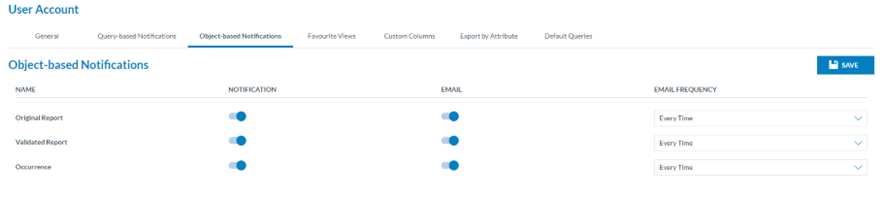
Object-based notifications are manually defined in the different list views on each or multiple records. The Officer clicks on it, and the system displays the Object-based tab:
[](https://help.ci-aviationreporting.eu/uploads/images/gallery/2025-11/yGuimage.png)
This page is to activate the notifications both on the landing page of the Officer and or in the email on updates on ORs, VR and OCs.
By default, it activates notifications and emails with updates on all the reports with an every-time frequency. It can be updated per type of report.
The Email frequency options are: Every time, daily, weekly and monthly.
The Officer can update the toggles and frequencies as needed by clicking on the ‘Save’ button.
The system will save the database updates and set the landing page notifications and the reports emails as selected.